sketchucation logo sketchucation
    • 登入
    Oops, your profile's looking a bit empty! To help us tailor your experience, please fill in key details like your SketchUp version, skill level, operating system, and more. Update and save your info on your profile page today!
    🔌 Smart Spline | Fluid way to handle splines for furniture design and complex structures. Download

    [Plugin] SectionCutFace

    已排程 已置頂 已鎖定 已移動 Plugins
    565 貼文 170 Posters 375.8k 瀏覽 169 Watching
    正在載入更多貼文
    • 從舊到新
    • 從新到舊
    • 最多點贊
    回覆
    • 在新貼文中回覆
    登入後回覆
    此主題已被刪除。只有擁有主題管理權限的使用者可以查看。
    • J 離線
      jamenloh
      最後由 編輯

      @TIG , awesome thanks ! Works like a charm now that I can remove off . Maybe its just me , it is only when you explained above that I finally understood what Zorro really does. I had a hard time looking at the pictures in the tutorial to be honest. but it works now ! thanks!

      1 條回覆 最後回覆 回覆 引用 0
      • M 離線
        Maki84
        最後由 編輯

        Don`t work under sketchup 2015?

        1 條回覆 最後回覆 回覆 引用 0
        • Dave RD 離線
          Dave R
          最後由 編輯

          @maki84 said:

          Don`t work under sketchup 2015?

          It works perfectly in SketchUp 2015. What makes you think otherwise?

          Etaoin Shrdlu

          %

          (THERE'S NO PLACE LIKE)

          G28 X0.0 Y0.0 Z0.0

          M30

          %

          1 條回覆 最後回覆 回覆 引用 0
          • TIGT 離線
            TIG Moderator
            最後由 編輯

            @maki84 said:

            Don`t work under sketchup 2015?
            Yes it does !
            Read and understand its instructions...
            Firstly, make sure its Extension is activated.
            Next...
            Remember that it is context-driven: there is no menu item.
            Select [highlight] just one SectionPlane.
            Right-click > Context-menu > Choose-Command[s] > Options-Dialog > OK > Result 😄

            TIG

            1 條回覆 最後回覆 回覆 引用 0
            • M 離線
              Maki84
              最後由 編輯

              Thanks. I will study it and i'll tell you

              1 條回覆 最後回覆 回覆 引用 0
              • M 離線
                Maki84
                最後由 編輯

                Yes, it's runs ok!! The pluggin is on Tools menu. Thanks so much.

                1 條回覆 最後回覆 回覆 引用 0
                • Dave RD 離線
                  Dave R
                  最後由 編輯

                  @maki84 said:

                  Yes, it's runs ok!! The pluggin is on Tools menu. Thanks so much.

                  For those that come after and might read your post: No, it isn't in the Tools menu. It is found in the Context menu as indicated in the description and instructions for use as well as the reply to you from TIG above your posts. And, being in the Context menu, it only shows up when you right click on a section plane.

                  Etaoin Shrdlu

                  %

                  (THERE'S NO PLACE LIKE)

                  G28 X0.0 Y0.0 Z0.0

                  M30

                  %

                  1 條回覆 最後回覆 回覆 引用 0
                  • TIGT 離線
                    TIG Moderator
                    最後由 編輯

                    As Dave says... 😒

                    SketchUp's native 'Section' tool is found under the Tools menu [or on the appropriate toolbar[s]].
                    This places a SectionPlane which cuts sections through objects in the current context...
                    These have no 'faces' at the cut-plane.

                    BUT my 'SectionCutFace' tool only appears when one SectionPlane is selected, and then it appears in the right-click context-menu - no where else. Note how the available commands may vary, e.g. if the SectionPlane already has a SectionCutFace and the Updating option was chosen in this tool's settings dialog...

                    It will add a group of 'faces' at the cut-plane - using the settings you have chosen.

                    TIG

                    1 條回覆 最後回覆 回覆 引用 0
                    • E 離線
                      ednewcome
                      最後由 編輯

                      I love this plugin. It has revolutionised my Sketchup use! Many thanks. Ed.

                      1 條回覆 最後回覆 回覆 引用 0
                      • M 離線
                        marceloccrestani
                        最後由 編輯

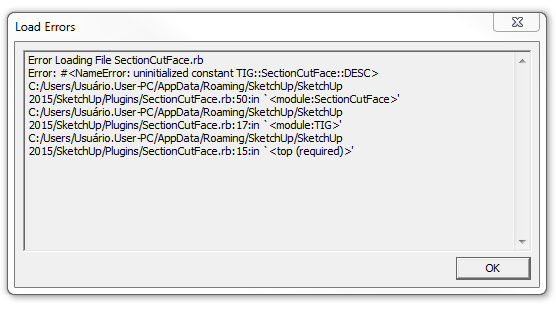
                        Hello guys!

                        I installed plugin but when I open Sketchup 2015, it shows this message attached

                        Anyone can help me?

                        Captura de tela 2015-02-21 17.23.18.png

                        1 條回覆 最後回覆 回覆 引用 0
                        • S 離線
                          syahreenhishamudin11
                          最後由 編輯

                          hi everyone. i got some problem to install this plugin. actually just wanna ask where to copy this plugin into my sketchup file? thanks

                          1 條回覆 最後回覆 回覆 引用 0
                          • TIGT 離線
                            TIG Moderator
                            最後由 編輯

                            @syahreenhishamudin11 said:

                            hi everyone. i got some problem to install this plugin. actually just wanna ask where to copy this plugin into my sketchup file? thanks
                            Like all PluginStore entries... it downloads as an RBZ archive.
                            Use the native SketchUp > Preferences > Extensions - Install... button to install that RBZ.
                            Once installed this particular tool only appears in the context-menu if you have just one Section-Plane Selected - read its Usage notes...

                            TIG

                            1 條回覆 最後回覆 回覆 引用 0
                            • P 離線
                              pois
                              最後由 編輯

                              Tig... amazing plug in!

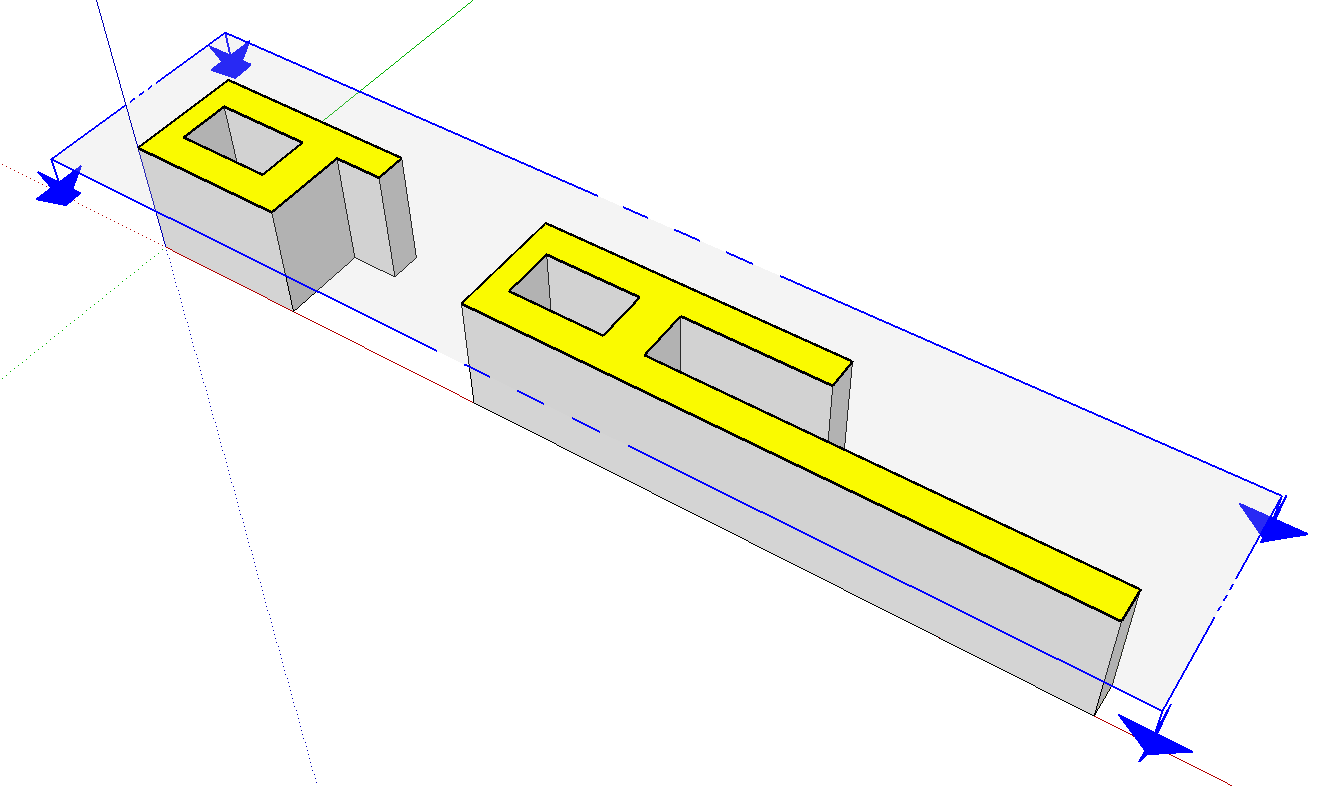
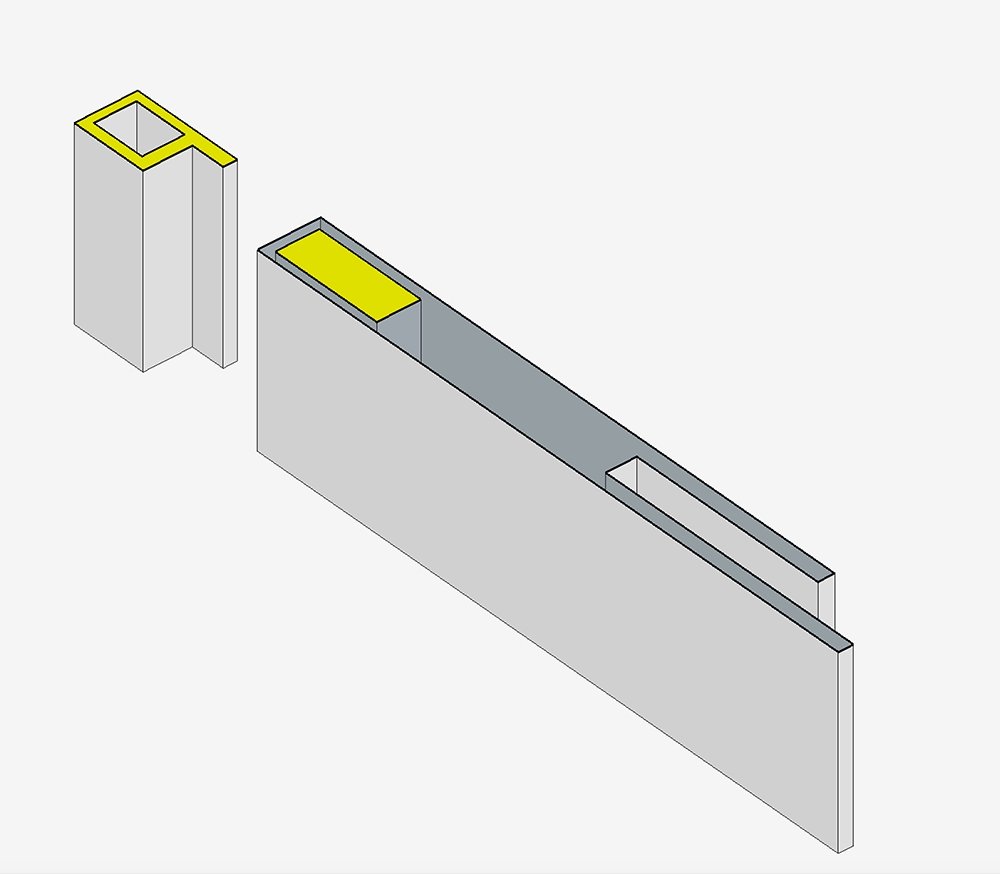
                              But a problem I know has been discussed but I can't find a simple workaround. Simple object, clean geometry and shows as volume in the inspector, but I can not get it to honor the solid to poche the correct area. Any thoughts on how to message it?

                              Thanks

                              Dave

                              Screen Shot 2015-06-05 at 12.26.34 PM.png

                              1 條回覆 最後回覆 回覆 引用 0
                              • Dave RD 離線
                                Dave R
                                最後由 編輯

                                Hmmm... It works correctly sometimes.
                                Screenshot - 6_9_2015 , 4_51_39 AM.png

                                Could you share the SKP?

                                Etaoin Shrdlu

                                %

                                (THERE'S NO PLACE LIKE)

                                G28 X0.0 Y0.0 Z0.0

                                M30

                                %

                                1 條回覆 最後回覆 回覆 引用 0
                                • TIGT 離線
                                  TIG Moderator
                                  最後由 編輯

                                  It tries to decide what is solid and what is not.
                                  In your case something about the objects cut throws it off.
                                  It is not God.
                                  It makes mistakes.
                                  However it is easily resolved.
                                  Make the cut as a one-off [i.e. no to 'auto-update'], no to 'hide edges', yes to 'keep all edges', no to 'lock'.
                                  When it makes it incorrectly you can just edit the group, draw over an unfaced edge and it should then get a face.
                                  Paint the new faces with the material eyedropper-ed from nother face.
                                  Select + <delete> on any the unwanted faces.
                                  Hide edges using Erase+shift as desired.
                                  Lock when done if desired.

                                  TIG

                                  1 條回覆 最後回覆 回覆 引用 0
                                  • G 離線
                                    gracacampelo
                                    最後由 編輯

                                    Hi, when I try to install it manually it dosen't appear in the Extension Preferences Window, and every time i open sketchup again this error appears:
                                    Error Loading File SectionCutFace.rb
                                    Error: #<NameError: uninitialized constant TIG::SectionCutFace::DESC>
                                    C:/Users/Graça/AppData/Roaming/SketchUp/SketchUp 2015/SketchUp/Plugins/SectionCutFace.rb:50:in <module:SectionCutFace>' C:/Users/Graça/AppData/Roaming/SketchUp/SketchUp 2015/SketchUp/Plugins/SectionCutFace.rb:17:in module:TIG'
                                    C:/Users/Graça/AppData/Roaming/SketchUp/SketchUp 2015/SketchUp/Plugins/SectionCutFace.rb:15:in `<top (required)>'

                                    If i try it by the pluginstore and auto install it, it says: Error, can´t unZip.

                                    Can you help?
                                    Regards

                                    1 條回覆 最後回覆 回覆 引用 0
                                    • TIGT 離線
                                      TIG Moderator
                                      最後由 編輯

                                      The issue is in your Windows user-name, 'Graça'.
                                      Having accented characters is user names has been well documented, it causes issues with some of SketchUp's Ruby API methods like FILE...
                                      Many such errors have been addressed in recoding.
                                      Indeed the SCF PluginStore ought to be better than most at resolving this.
                                      I'll Private Message a beta version, which I know has additional error trapping...
                                      In regard to the SectionCutFace issue... I'll also look at that and see what I can do - although I thought it was already 'future-proofed'

                                      TIG

                                      1 條回覆 最後回覆 回覆 引用 0
                                      • TIGT 離線
                                        TIG Moderator
                                        最後由 編輯

                                        Here's v4.7 http://sketchucation.com/pluginstore?pln=SectionCutFace
                                        It now traps for errors resulting from most Windows User-names which contain accented characters.
                                        Note this fix only works in >= v2014...
                                        This is because accented User-names can cause issues with FILE trying to get the Plugins folder in the AppData path, but in newer Ruby versions it is fixable...

                                        TIG

                                        1 條回覆 最後回覆 回覆 引用 0
                                        • A 離線
                                          AcesHigh
                                          最後由 編輯

                                          @tig said:

                                          The issue is in your Windows user-name, 'Graça'.
                                          Having accented characters is user names has been well documented, it causes issues with some of SketchUp's Ruby API methods like FILE...

                                          which is exactly why I hate this new location of plugins for Sketchup.

                                          yeah, right, it solved a few issues regarding writing permissions in the "program files" folders. Yet, it created much bigger problems for anyone with non unicode characters in their username.

                                          and solving the username problem is a MUCH MUCH BIGGER problem than solving permissions for Program Files.

                                          in fact, nothing short of a complete Windows re-install will solve that, unless you are an advanced user like me and decide to try your luck with some obscure programs to move username folders AND registry editors to change ALL instances with the old username to new username in the Windows Registry...

                                          Blame either Microsoft that allows non-unicode characters in the username or programmers that create programs that will be used by people around the world and do not realize usernames may have non-unicode characters.

                                          ps: this rant was absolutely NOT blaming you for anything TIG... 😆

                                          1 條回覆 最後回覆 回覆 引用 0
                                          • M 離線
                                            melene
                                            最後由 編輯

                                            Hi there!
                                            For me its impossible to installthe sectioncutface because sketchup doesnt create a "plugins" folder...
                                            Any idea what to do?

                                            (I'm using Sketchup Pro 14 in win 8.1. I also tried with Sketchup Make 15. No results..)

                                            1 條回覆 最後回覆 回覆 引用 0
                                            • 1
                                            • 2
                                            • 5
                                            • 6
                                            • 7
                                            • 8
                                            • 9
                                            • 28
                                            • 29
                                            • 7 / 29
                                            • 第一個貼文
                                              最後的貼文
                                            Buy SketchPlus
                                            Buy SUbD
                                            Buy WrapR
                                            Buy eBook
                                            Buy Modelur
                                            Buy Vertex Tools
                                            Buy SketchCuisine
                                            Buy FormFonts

                                            Advertisement