[Plugin] SectionCutFace
-
This is because when it's on a face it makes a visible 'section' BUT the cut itself intersects nothing - because the plane doesn't actually intersect with the object ! It's as if you drew a large grouped rectangle over the face then edited the contents and selected the face and used 'Intersect with model' - it has NO intersection as the two faces are 'coincident'.
I can fix this by nudging the cut say 0.2mm into the section, then it will should intersect and face...
I am about to fix another issue so I'll add that...
-
@tig said:
This is because when it's on a face it makes a visible 'section' BUT the cut itself intersects nothing - because the plane doesn't actually intersect with the object ! It's as if you drew a large grouped rectangle over the face then edited the contents and selected the face and used 'Intersect with model' - it has NO intersection as the two faces are 'coincident'.
I can fix this by nudging the cut say 0.2mm into the section, then it will should intersect and face...
I am about to fix another issue so I'll add that...I get that. I never use this on faces, so for me this was an example of why someone might not see it working.
I should have been more clear.All good on my end.
-
Note that if you use this on a face you might not see it working.
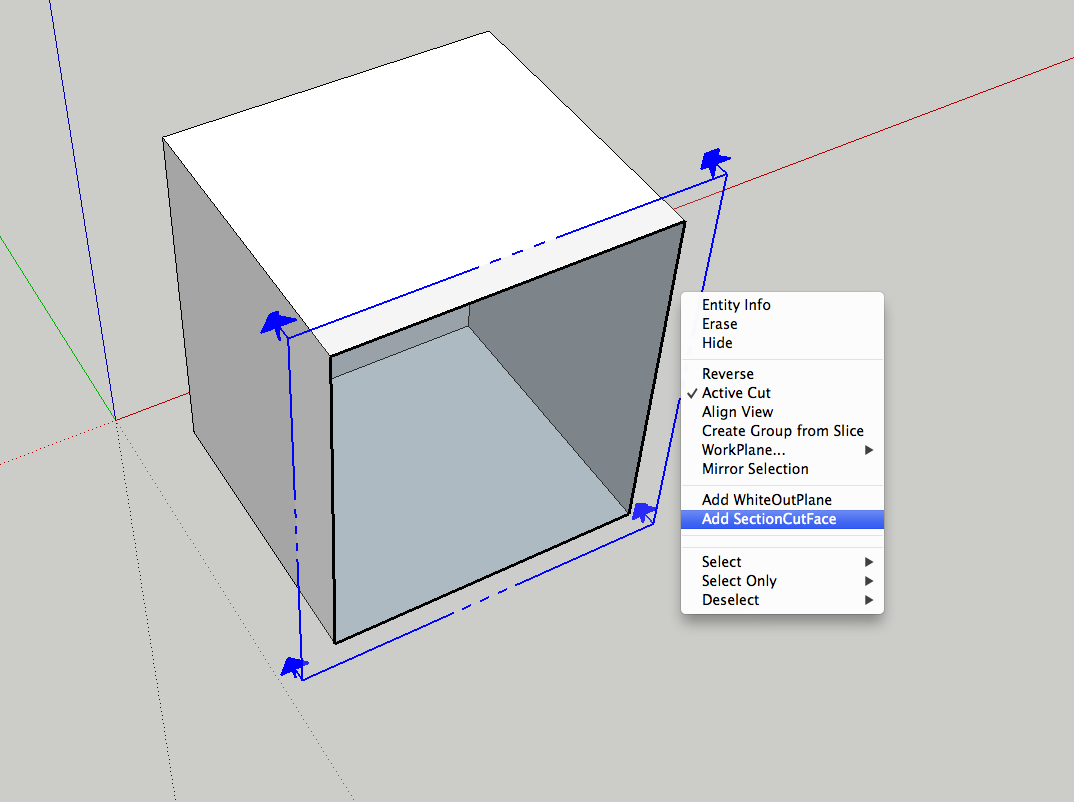
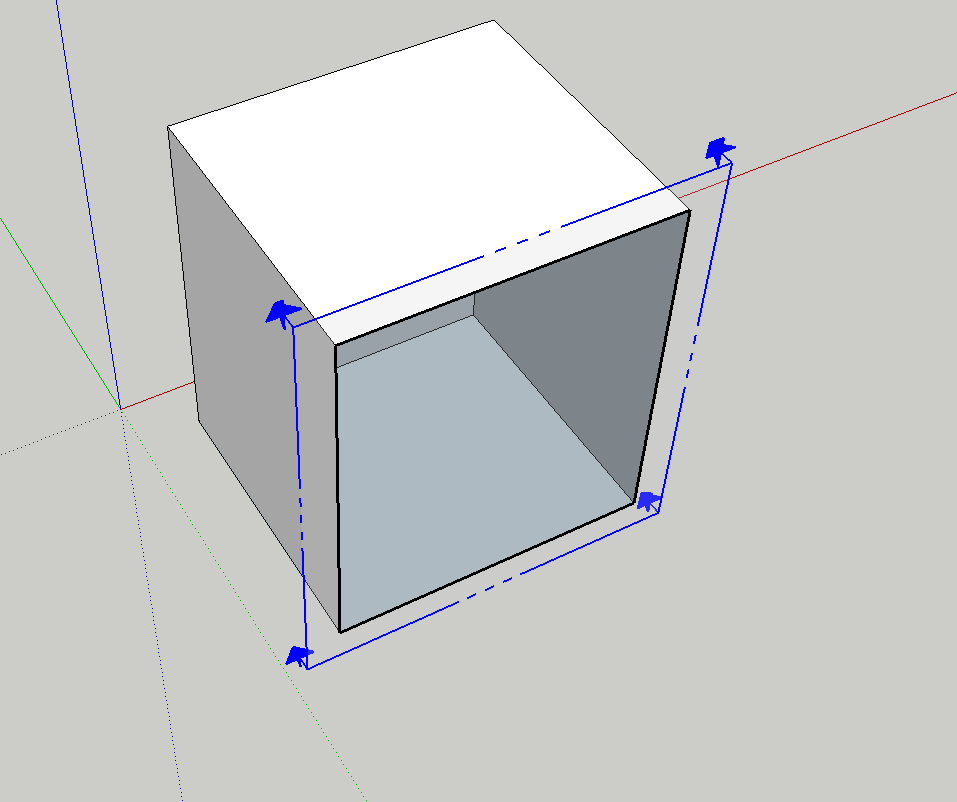
It doesn't show up, even if I check the outliner, it is there, but not visible.
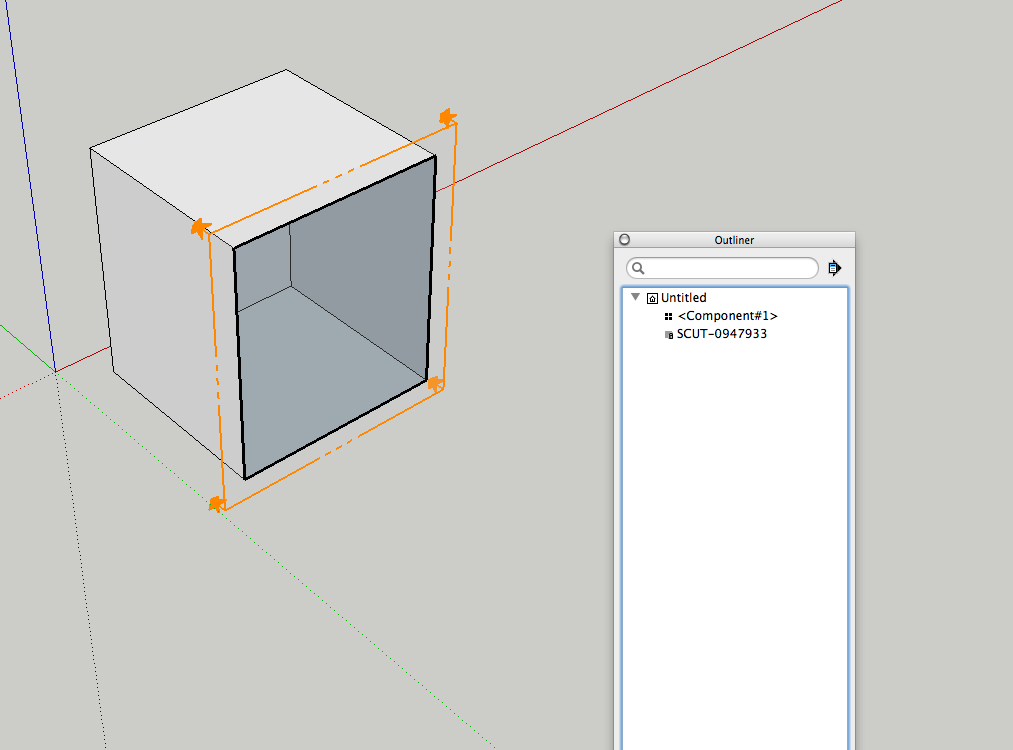
I can move the section cut fore and aft, and even delete everything, but still can't see the cut.
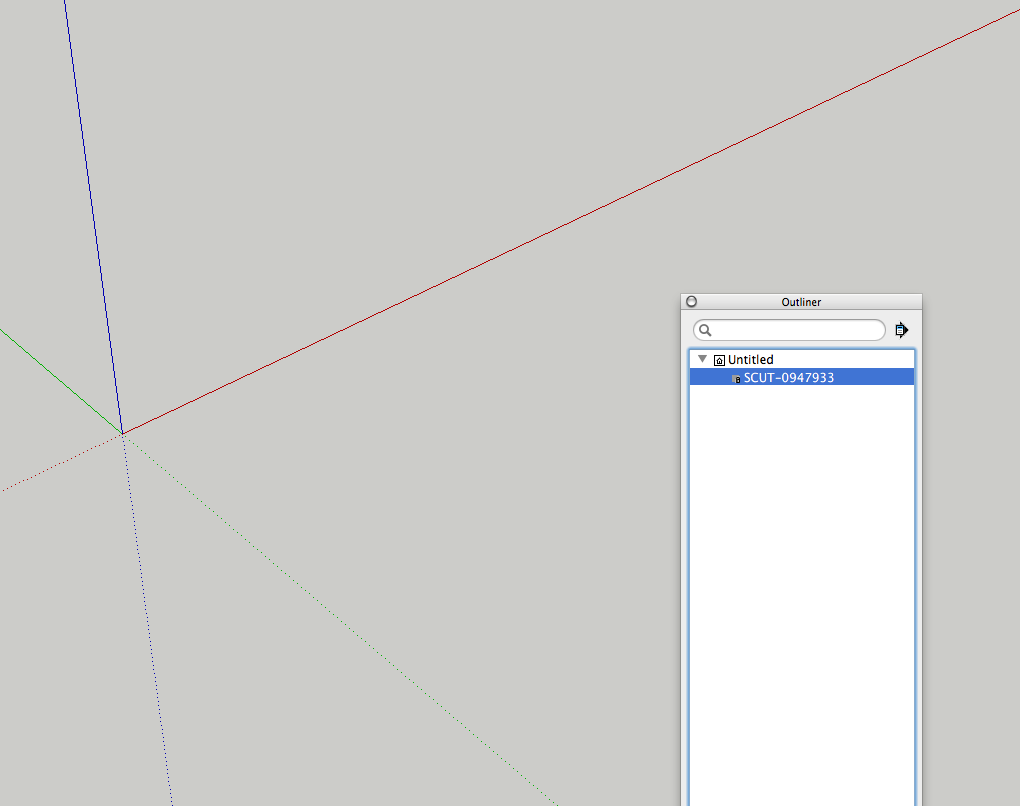
But as soon as I move the section cut and regenerate the cut face, it works.
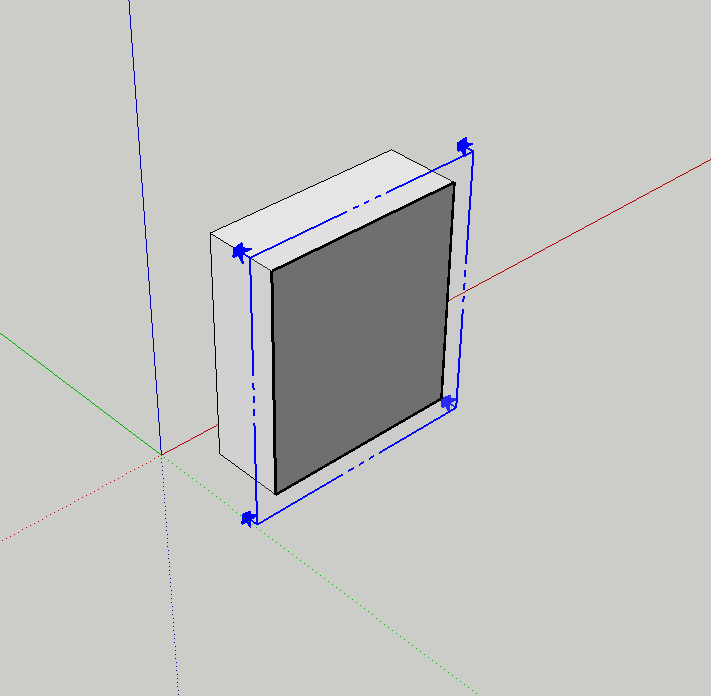
Edited to clear up my intention, see below.
-
Here's v3.7
http://sketchucation.com/forums/viewtopic.php?p=172583#p172583SectionPlanes that are snapped exactly 'on-face' will now cut geometry to match the visual section, by making the cut-face 0.1mm inside the visible section.
A new option in SectionCutFace_loader.rb to change 'Inset' to > 0.1.mm, needed for a few users whose GC's leave section-cuts not showing when they are regarded as still being not 'within' the viewable section... -
Sketchup is getting better and better thanks to you guys!

The new automatic glue option made me wonder.. have you considered, besides of using a solid color, creating the possibility of using the backface material (texture) of the faces ?
Like that the front faces of the walls, window frames, slab floors etc (all solids of course) could have a 'visual' texture on the front faces and the backfaces could use their corresponding hatch textures. Especially with the new glue-option it would be amazing if the section would 'automatically' be texture mapped with all the corresponding hatches.
During the design process I manually texture the section cuts (only for the final documents I manually create real line hatches) and the above would be a great time-saver.
Anyway, just a thought.
Greetings!
Max
-
Thanks for the explanation TIG, even if I got there myself it took me some time. I was almost going to post my Locale incident as a bug in your plugin.
I made a small change in your naming of the list in the translation. Where you refer to "Glue" wich in portuguese is "Colar" I translated as "Auto-Regenerar" wich actually means "Auto-Regenerate". I hope you don't mind, but if you do, there you have the literal translation.
There could be a warning about this feature it is both powefull and dangerous...
V3.7 in such short time... you code faster that I can write!
Best regards,
JQL
-
hi TIG, i wanna know why even if i restart my sketch up, or even my laptop, the section cut plugin still isn't load in my sketchup Pro 8? i did copy and paste the plugin into my plugin folder.
-
@teresaytw said:
hi TIG, i wanna know why even if i restart my sketch up, or even my laptop, the section cut plugin still isn't load in my sketchup Pro 8? i did copy and paste the plugin into my plugin folder.
Where are you looking for it?
-
If you had read the instructions a little more carefully you might have noticed that it is a [right-click] context-menu only tool.
AND it only appears in the context-menu when you have a selection containing just one object - which must be a SectionPlane.
That is how the tool determines where to put its SectionCutFace...Where else did you expect this tool to 'appear' ?
We are of course assuming things here... that the .rb file etc was indeed in your Plugins folder and is therefore auto-loading. If you did a manual installation and you have restricted security permissions to your Plugins folder it can appear that you have installed it OK, but it's really gone into a 'VirtualStore' folder - having 'Compatibility Files...' link/button in the Plugins folder's Windows-Explorer top bars in a dead give away! Fix you permissions [Select the Plugins folder icon > right-click > context-menu > Properties > Security > Edit, set to FULL for everyone listed...] then retry installation...
Alternatively get the RBZ from the SketchUcation PluginStore page, and use the installer supplied with v8.
OR use the SketchUcation Plugin Store toolset, when you can AutoInstall the tool from a dialog within SketchUp itself...
Both of these options link via 'More Info...' to pages covering every tool's usage very comprehensively... -
Cheers TIG!!
What this plugin does is the kind of "update" many of us seculars wanted to see in SketchUp 2013... am I wrong? I mean, it doesn't even require an additional icon they (The spirituals) are said to be so afraid of...
As I have taken a long, winding and masochistic LayOut path just like many of SCF members here, your SectionCutFace plugin is already indispensable.
....donation is definitely on the way!
-
Oops.
"PayPal does not currently support Donation Payments from buyers in JP. We apologize for any inconvenience this may cause."
So is there other ways? -
@takesh h said:
Oops.
"PayPal does not currently support Donation Payments from buyers in JP. We apologize for any inconvenience this may cause."
So is there other ways?
Just save it up.
Or give a donation to another worthy recipient, on my behalf
-
Hi TIG.
@tig said:
Just save it up.
Or give a donation to another worthy recipient, on my behalfRoger, Sir.
-
hi! i downloaded the file but the extention is .rbz...i can't see nothing new in my sketchup, neither in the plugin window...i caan't use sketchup so well, where can I find the plugin in the program, when i open it? i have to change the extention??? help!
-
No! Don't change the extension. .RBZ is perfect. Go to Window>Preferences>Extensions. Click on Install Extension. Navigate to where you saved the downloaded file and choose it.
For future plugins, you should download and install the Sketchucation Plugin Store. It will make installation even easier.
-
Here's an update v3.8...
A glitch with the observers [used for Gluing] when new model started now resolved.
See the tool's main page... http://sketchucation.com/forums/viewtopic.php?p=172583#p172583
and then auto-install or download it from the SketchUcation PluginStore... -
Hello Mr Tig,
Iam being having trouble installing this and other plugins onto SKUP v8. I am not be connection onto internet via SKUP standalone computer. So I do drop files into plugin folder but it is not visible. Is perhaps not correct metthod or perhaps not correct version for SKUP no.8 or perhaps?
Many thank for advises
SS -
RBZ files are NOT the same as RB files.
You cannot simply put them into your Plugins folder and hope they'll load.RBZ files are actually a ZIP archive with a different file suffix.
If you have the latest version of SketchUp v8 you should have a button in the Window > Preferences > Extensions dialog named something like 'Install from archive...' [i.e. an RBZ file]
If so then click on that... and then navigate to the RBZ file, choose it, and its contents are automatically extracted, installed and loaded using the main Plugins folder.If you have a very early version of v8 or even earlier you won't get the button to install the RBZ...
In that case add .ZIP to the end of the file-name.
Then use your own ZIP tool to extract its contents into a temporary folder, and then move the extracted files and subfolders into the Plugins folder.
It is VERY important to keep all files within the same subfolders as they are inside the ZIP/RBZ archive... otherwise the tool won't find its supporting files inside its subfolder, as it expects... -
Thanks a Lott
-
Crashes consistently with Sketch Up Pro 2013. worked for Sketch UP 8. Anybody has the same problem?






Advertisement