Tools on surface not working
-
The toolbar icons have no influence on the code.
But apparently, you seem to have problems with the installation.
I would suggest you reinstall. Make sure that after opening the Zip file you do a SELECT ALL, then EXTRACT to the Sketchup Plugins folder, then Answer YES to all prompts for overwriting files.Fredo
PS: Not all tools can have a protractor (as it is just a visual help for tools where you can enter an angle): Ellipse, Arcs and Rectangle don't have one. Check out the contextual menu to see if and when the option is available
-
I think this particular battle goes to the gremlin!
After I read this,@unknownuser said:
I would suggest you reinstall. Make sure that after opening the Zip file you do a SELECT ALL, then EXTRACT to the Sketchup Plugins folder, then Answer YES to all prompts for overwriting files.
I followed your directions and reinstalled using the "Classic WinZip" interface instead of the WinZip Wizard that my computer runs. Opened Sketchup and still no protractor where it is supposed to be when it's turned on with the context menu. I completely uninstalled and then reinstalled
ToolsOnSurface_v12.zip, making sure to overwrite existing folders, just to see what would happen when I installedledToolsOnSurface_131.zip,over it. Again, I made sure to overwrite existing folders. When I opened SketchUp this time, I got the message about old files that could be deleted, so I carefully deleted only those listed. And...I still only have the protractor with the Sector tool! %^pFredo, you have been wonderful about all of this. I greatly appreciate you working on this as hard as you did. If the mystery ever gets solved on my end, I'll let you know what it was, though I think it will always be one of those great mysteries in life...right up there with "if 2 socks went into the dryer and only 1 came out, then what happened..."
Enjoy the rest of the weekend!
KJ
-
I may have found part of the problem. I went through each tool and checked out everything in each context menu and it looks like my computer has something backwards or scrambled. This is a long and a bit confusing, but here goes:
When “Group” and “Mark With Construction Points” are being used, it says [GROUP] [CPOINT] by the "Show Instructor" button. When they are not being used, nothing is shown on the bottom.
"Trigonometric sense" will say yes or no. It is the only one that does that shows both on my computer
All others are the opposite and show nothing when they ARE in use, and show [NO…. when NOT in use].
These tools: Rectangle, Polygon, Circle, Ellipse, Parallelograms, 3 Part Circle, and Arc - all have the same discrepancy with their context menus.
With context menu item “Generate Faces”, the context menu shows:
Generate Faces (current=Yes) -->F8
The bottom shows: [GEN. NO FACES] and nofaces are generated.
*******I know that an arc can’t have a face because it isn’t a closed loop, but I thought I’d mention the discrepancyWhen the context menu shows:
Generate Faces (current=No) -->F8
There is nothing about faces listed on the bottom and faces are generated.With context menu item “Generate Curves”, the context menu shows:
Generate Curves (current=Yes) -->F8
The bottom shows:[NO CURVES]When the context menu shows:
Generate Curves (current=No) -->F9
There is nothing about curves listed on the bottom.I don’t know what “Generate Curves” actually does, so I can't tell if it is working or not, but I'm assuming that when the context menu says "no" it really means yes, as with the other tools.
The protractor only works with the Line and Sector tools
It does, however, show in context menus of all tools, whether they are supposed to have it or not.There isn't anything about it by the instructor button whether it’s on or off, even with the tools it does work with. Has anyone had any problems like these?
KJ
-
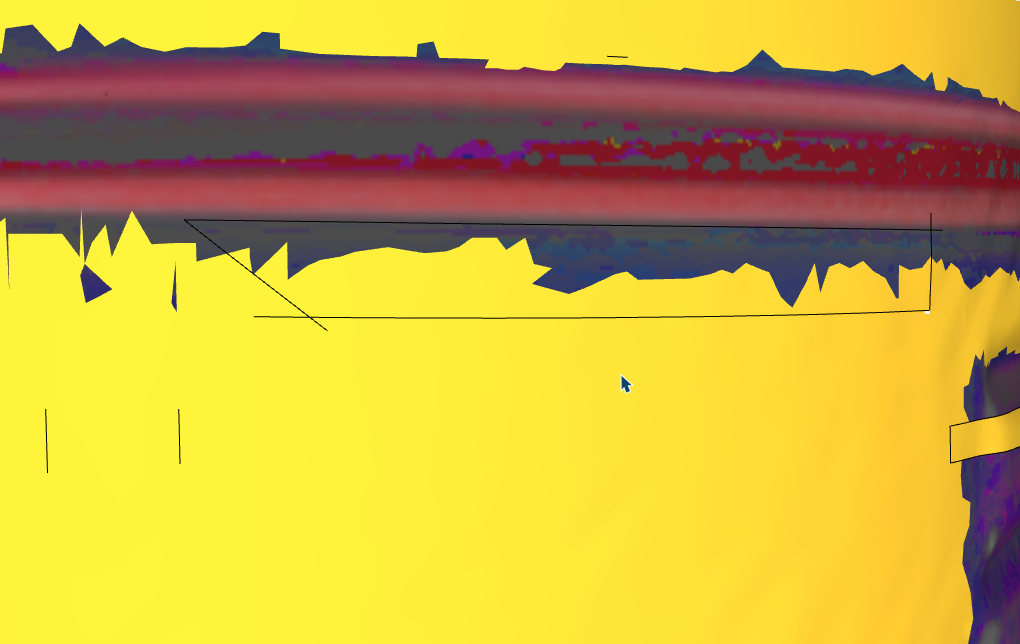
hello, I have a model with many polylines and the line tool doesn't work... is there a trick?I have a model with many polygons, and the line tool isn't working... is there a trick?
It can't isolate these faces; I've also tried showing the hidden geometry. Sometimes it works, sometimes it doesn't.
Krass
-
ce serait tellement bien si ça pouvait marcher un jour....
-
@Krass said in Tools on surface not working:
the line tool doesn't work
Can you expand on this? Is it that the enclosed area is not selectable?
-
yes, i need to paint high poly surfaces, hard edges painting, but no way
-
no this zone is not selectable as it should
-
SketchUp has limitations healing edges when they are below 1mm. Are you encountering that limit?
If yes, scale the object 10 - 100x and try drawing.
-
yes you are right! I forgot to scale the object... But at the end, I did it manualy
-
I enlarged it by a factor of 100, but it doesn't work.
-
Actually, it works better; I tested it elsewhere and the rectangle isolated the face well.
-
In 90% of edges not healing or holes not filling or missing it is edge size.
If you are importing scans it is best to x100 the scale to avoid this behaviour.
-
I often work with a scale of 1000x. I can treat millmeters as meters that way.
-
The simplest way to deal with many errors, imho.
-
Thank you: multiplied by a thousand, it's perfect!






Hello! It looks like you're interested in this conversation, but you don't have an account yet.
Getting fed up of having to scroll through the same posts each visit? When you register for an account, you'll always come back to exactly where you were before, and choose to be notified of new replies (either via email, or push notification). You'll also be able to save bookmarks and upvote posts to show your appreciation to other community members.
With your input, this post could be even better 💗
Register Login


Advertisement