sketchucation logo sketchucation
    • 登入
    Oops, your profile's looking a bit empty! To help us tailor your experience, please fill in key details like your SketchUp version, skill level, operating system, and more. Update and save your info on your profile page today!
    🔌 Smart Spline | Fluid way to handle splines for furniture design and complex structures. Download

    Let's have a Hardware speed test for SU

    已排程 已置頂 已鎖定 已移動 Hardware, Software & Gadgets
    132 貼文 72 Posters 88.9k 瀏覽 72 Watching
    正在載入更多貼文
    • 從舊到新
    • 從新到舊
    • 最多點贊
    回覆
    • 在新貼文中回覆
    登入後回覆
    此主題已被刪除。只有擁有主題管理權限的使用者可以查看。
    • M 離線
      mac1
      最後由 編輯

      wo3dan
      So much for all the hype about new machines. Are you running on a AGP_ bus also? Try toggling the transparency select on the face styles and see if it makes much difference. It did for me
      fussion
      It appears you are running too slow for these test conditions. Do you have problems with model display?? Suggest you run the GLview 322.exe and see what type of OpenGL you really have. Also toggle the transparency on the face styles and see if that makes any difference for you. My testing showed the extents of the model play a roll. Make sure to hit zoom extents before running test

      1 條回覆 最後回覆 回覆 引用 0
      • jujuJ 離線
        juju
        最後由 編輯

        SU 8.0.4811

        juju.jpg

        juju pc.jpg

        Save the Earth, it's the only planet with chocolate.

        1 條回覆 最後回覆 回覆 引用 0
        • KrisidiousK 離線
          Krisidious
          最後由 編輯

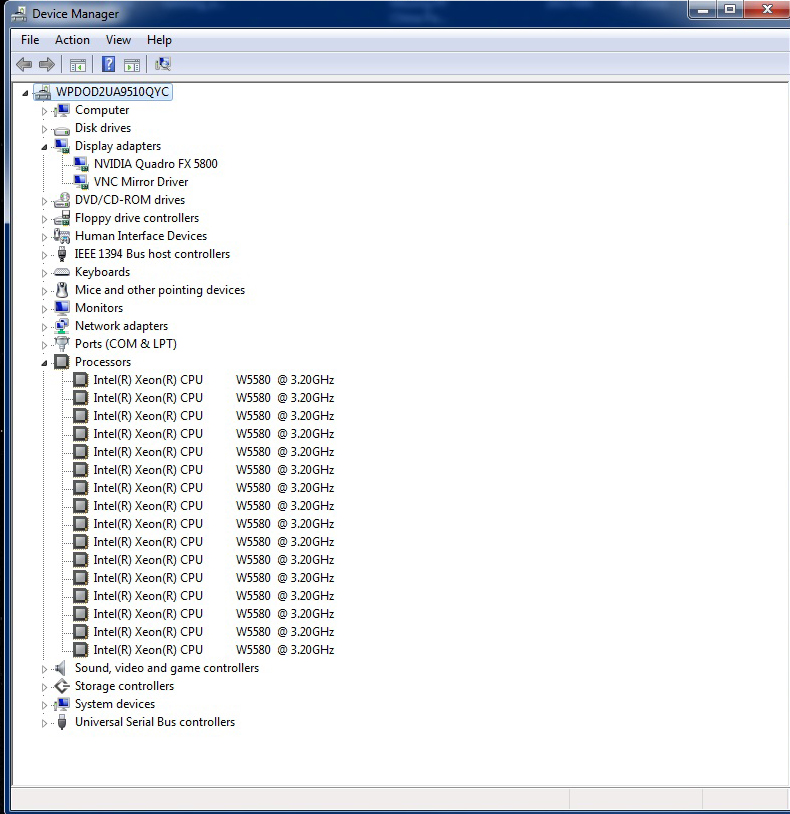
          mine... I'm depressed, although I do have 4 monitors.
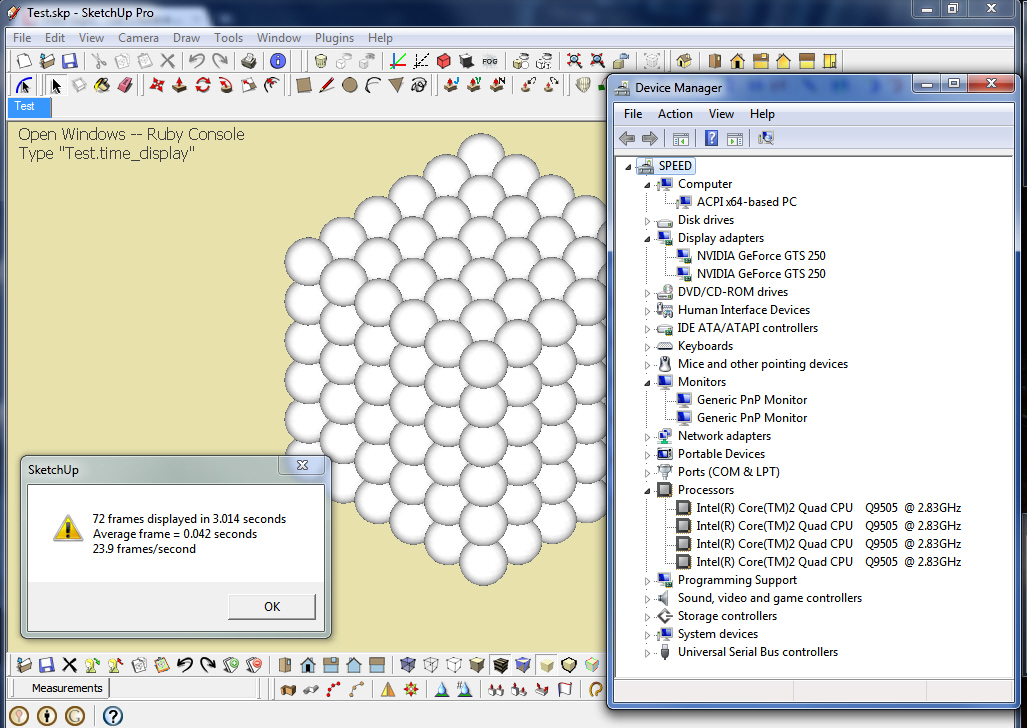
          test.jpg

          By: Kristoff Rand
          Home DesignerUnique House Plans

          1 條回覆 最後回覆 回覆 引用 0
          • B 離線
            bentleykfrog
            最後由 編輯

            Wow, some unusual results here. I've had some discrepancy between Sketchup v.8.0.4811 and Sketchup v.7.1.6860

            Under v.7.1.6860 I got:
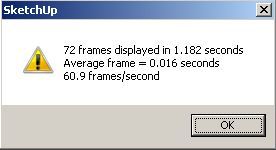
            Sketchup 7.1.6860 test result
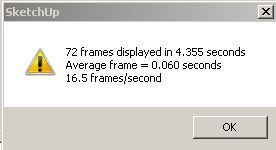
            But under v.8.0.4811 I got:
            Sketchup 8.0.4811 test result
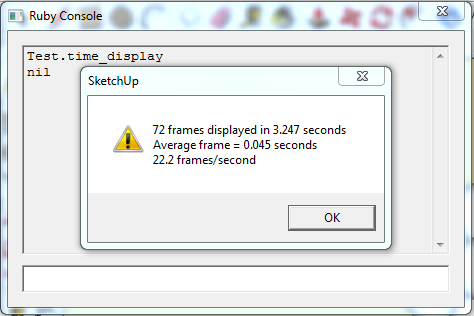
            After some troubleshooting, I found that disabling "Enable Transparency" in the Styles window gave this result in v.8.0.4811:
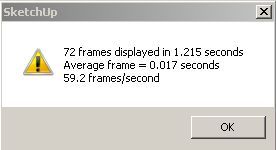
            Sketchup 8.0.4811 (No Transparency) test result
            Its unusual, I disabled "Enable Transparency" under 7.1.6860 and there was no noticable difference in the animations performance, but this is different for 8.0.4811. I'm not sure what is going on here but for consistency in results I think the style in the file should be updated to disable the transparency.

            Here's my stats:
            Mac Pro (1,1) with a modified 8 core x5355 @ 2.66 GHz (2 processors)
            16gb DDR2 ECC ram
            Ati Radeon HD 5770 (apple version)
            SATA II
            Windows 7 Ultimate 64bit

            1 條回覆 最後回覆 回覆 引用 0
            • M 離線
              Masta Squidge
              最後由 編輯

              since i like this kind of stuff...

              Q6600 quad core @ 3.2 GHZ.
              EVGA GTX465SC core unlocked to 448 cores and overclocked 10%

              No shadows:
              sutest.PNG

              Shadows:
              sutest_shadows.PNG

              1 條回覆 最後回覆 回覆 引用 0
              • M 離線
                masrulpilami
                最後由 編輯

                does anyone know how to test it in SU8?=D

                1 條回覆 最後回覆 回覆 引用 0
                • thomthomT 離線
                  thomthom
                  最後由 編輯

                  @masrulpilami said:

                  does anyone know how to test it in SU8?=D

                  Exactly the same as in SketchUp 7

                  Thomas Thomassen — SketchUp Monkey & Coding addict
                  List of my plugins and link to the CookieWare fund

                  1 條回覆 最後回覆 回覆 引用 0
                  • KrisidiousK 離線
                    Krisidious
                    最後由 編輯

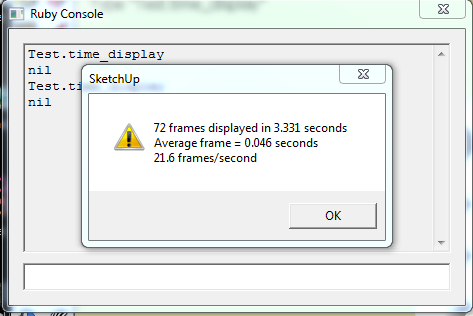
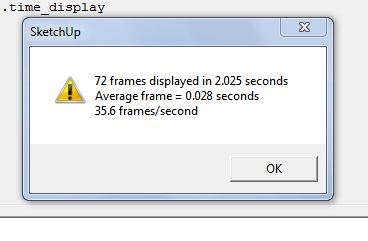
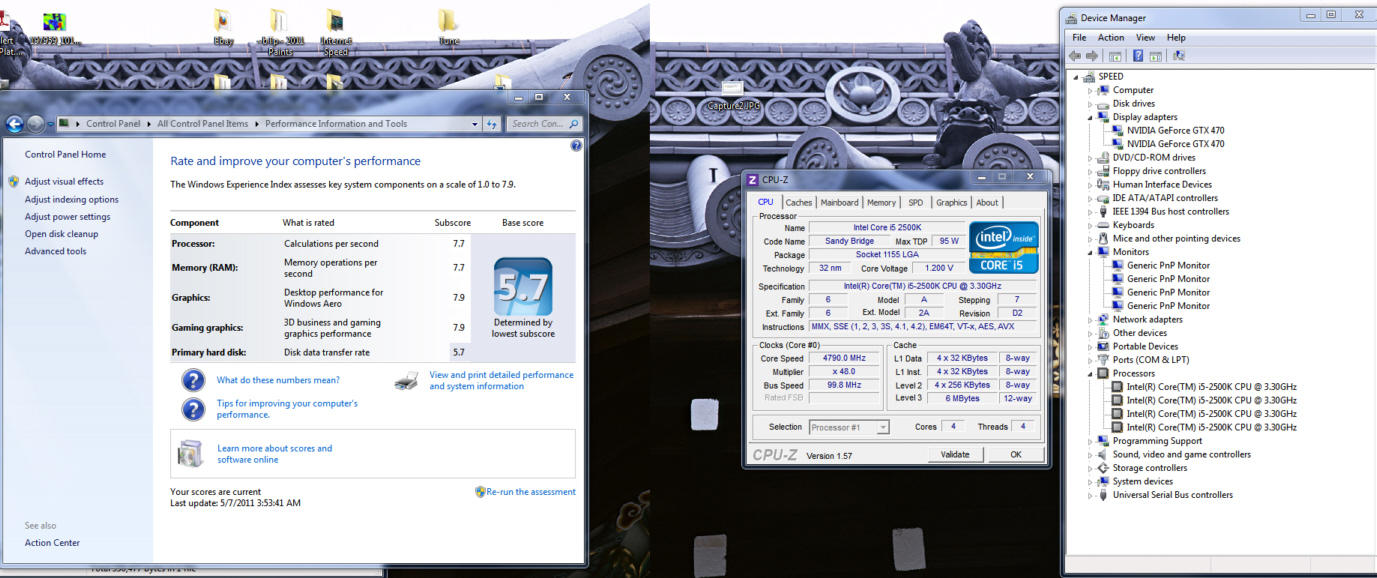
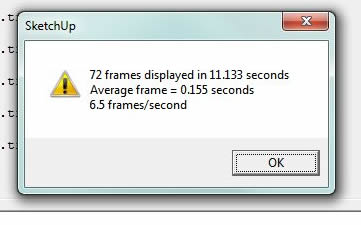
                    new upgrade... I5 2500k with 2 GTX 470s
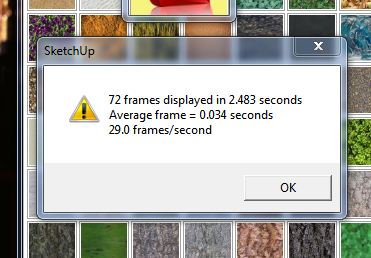
                    Capture.JPG
                    1 gtx 470

                    Capture2.JPG
                    2 gtx 470 running sli

                    stats
                    Capture3.jpg

                    By: Kristoff Rand
                    Home DesignerUnique House Plans

                    1 條回覆 最後回覆 回覆 引用 0
                    • bazB 離線
                      baz
                      最後由 編輯

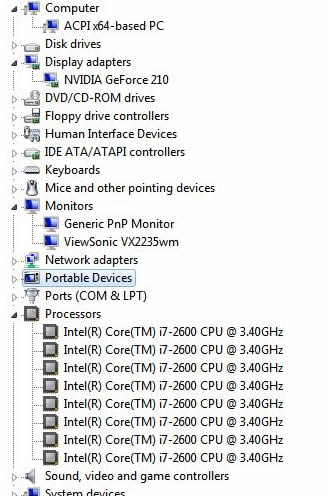
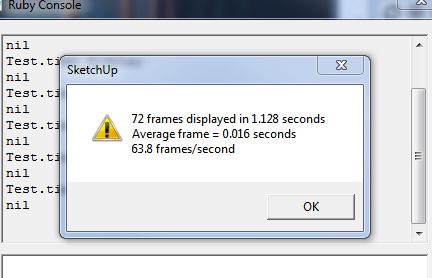
                      New puter. I think the graphics card is letting me down cos results are similiar to older machines.
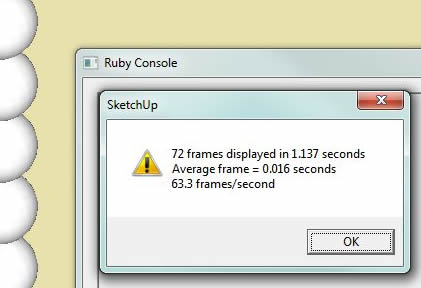
                      Shadows offShadows onClipboard02.jpg

                      1 條回覆 最後回覆 回覆 引用 0
                      • KrisidiousK 離線
                        Krisidious
                        最後由 編輯

                        well baz that perplexed me. becuase if I'm not mistaken the GeForce 210 is a rather low end card right? like $50.00? and your score is smoking mine. so I figuired it had to be the I7 2600... but I'm running the I52500k unlocked at like 4.8ghz... although you seem to have 8 cores... you'll have to inform me on how that is? but anyway. I went into the nvidia control panel under 3D settings and turned everything up on the global settings...
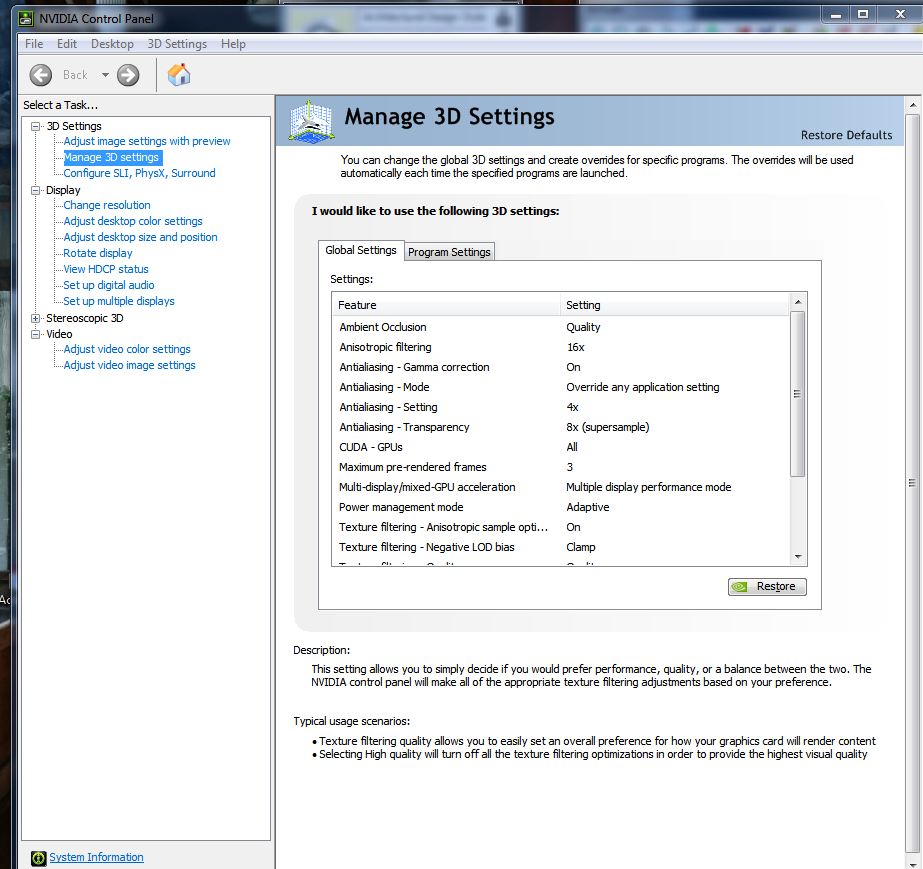
                        Capture5.JPG

                        this improved my score by 100%

                        Capture4.JPG

                        I would be interested to know if the rest of you have these settings turned on... if my assumption is correct, the FPS in SketchUp comes more from the CPU than the video card.

                        Baz, do you have hardware acceleration on?

                        By: Kristoff Rand
                        Home DesignerUnique House Plans

                        1 條回覆 最後回覆 回覆 引用 0
                        • bazB 離線
                          baz
                          最後由 編輯

                          Hi Kris, yes h/ware acceleration is on. Also I never touch the card properties, I choose 'let the application decide'. I have no idea why it's showing 8 cores. And yes the card is budget.
                          baz

                          1 條回覆 最後回覆 回覆 引用 0
                          • jarynzlesaJ 離線
                            jarynzlesa
                            最後由 編輯

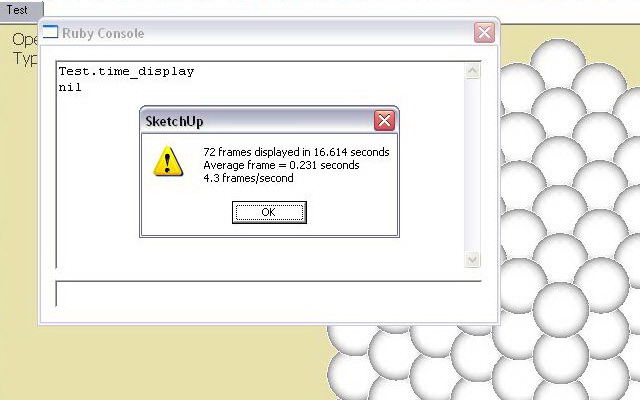
                            I think I am a winner 😄 .


                            test_time_display.jpg

                            http://www.vizualizaceschodiste.mypage.cz/

                            1 條回覆 最後回覆 回覆 引用 0
                            • bazB 離線
                              baz
                              最後由 編輯

                              @jarynzlesa said:

                              I think I am a winner 😄 .

                              That was with shadows off? It looks like it.

                              In Australia we'd probly call you 'a battler' 😄
                              Which is a good thing, but it means you are doing it hard.

                              Re: your avatar, which I've only just noticed... "mieowww". ☀

                              baz

                              1 條回覆 最後回覆 回覆 引用 0
                              • bazB 離線
                                baz
                                最後由 編輯

                                While we are at it, shall we try this test as well?
                                This topic, http://forums.sketchucation.com/viewtopic.php?p=18909#p18909 gets into it.
                                But basically its an expotential increase in entities and materials thru scenes 1 to 11.
                                The referenced post reports wireframing at varied scenes and 'choppiness' when orbiting.

                                This 4yo lappie cuts grass on the animation but it wireframed on scene 7 in orbit or hand. So I reckon it needs another 13 scenes to give it a real whirl. (I just tried to add scene 12 with a doubling of those lost people but SU has frozen).

                                (still frozen).

                                This test seems a bit subjective, for example, wireframing when orbiting is dependent on mouse speed, but p'raps someone could come up with an empirical test.

                                I guess I'm interested in 'Best performance' settings.
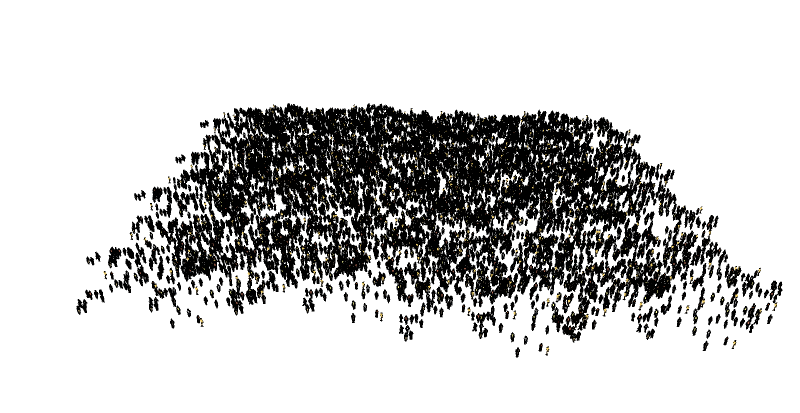
                                Screen shot at Scene 11.


                                Open and 'PLAY ANIMATION' in scene tabs. Also 'orbit' in tabs.

                                1 條回覆 最後回覆 回覆 引用 0
                                • brodieB 離線
                                  brodie
                                  最後由 編輯

                                  I wonder if the behavior I'm seeing in the speed test model is the same as what anyone else getting...

                                  If I open the model and run the test a few times, I get around 25fps.
                                  Then I turn on shadows and get around 62fps.
                                  Then I turn off shadows and get around 62fps.

                                  Anyone else see this? Maybe this has something to do with SU 8? With shadows on when I run the ruby it basically turns the shadows off and zooms around it's orbit and then pops them back on. The even weirder thing though is when I turn the shadows back off, so it's in the same state as it was originally and the fps goes from 25 up to 62.

                                  [computer specs are in my signature below]

                                  -Brodie

                                  steelblue http://www.steelbluellc.com

                                  1 條回覆 最後回覆 回覆 引用 0
                                  • KrisidiousK 離線
                                    Krisidious
                                    最後由 編輯

                                    yes Brodie... after retesting I get the same results... my jump to 63 frames was not the 3D settings config... it was shadows on and off.

                                    By: Kristoff Rand
                                    Home DesignerUnique House Plans

                                    1 條回覆 最後回覆 回覆 引用 0
                                    • S 離線
                                      ScottPara
                                      最後由 編輯

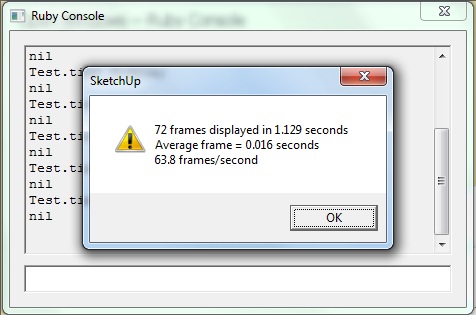
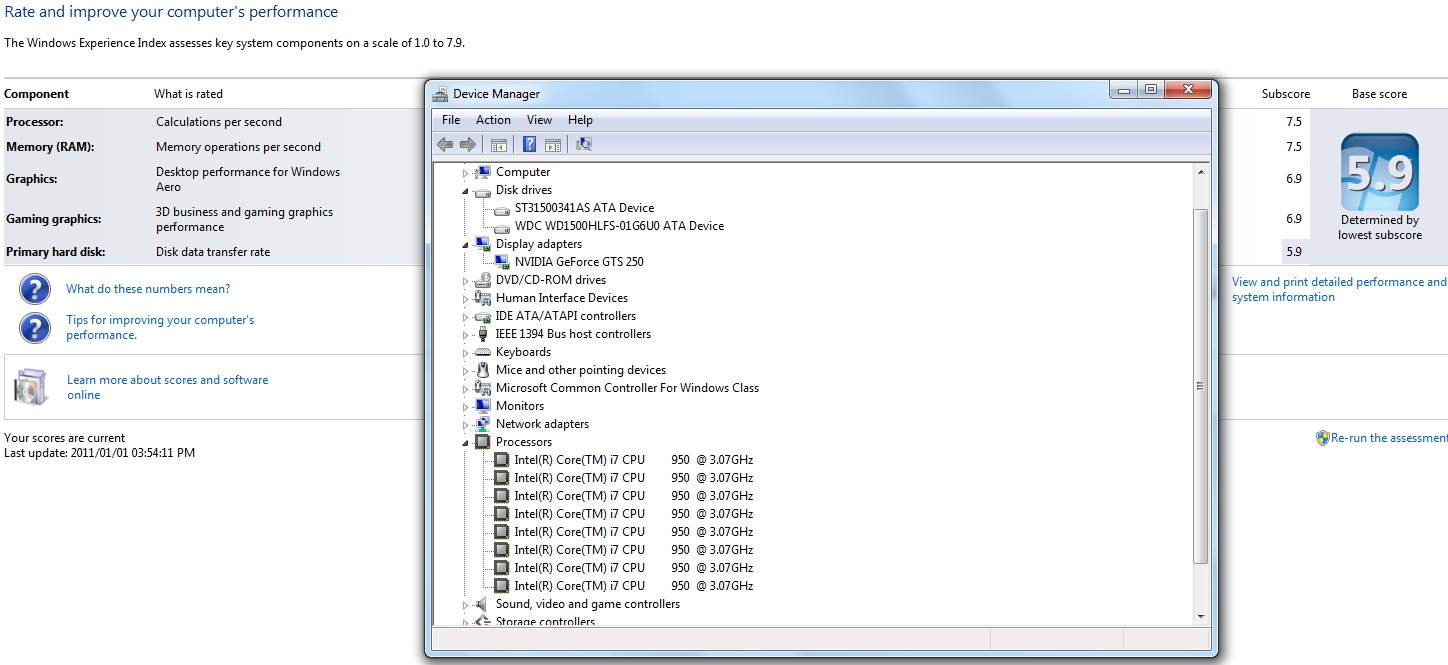
                                      Here's my test

                                      I have not tweaked any settings and I am not running any overclocking.

                                      Scott
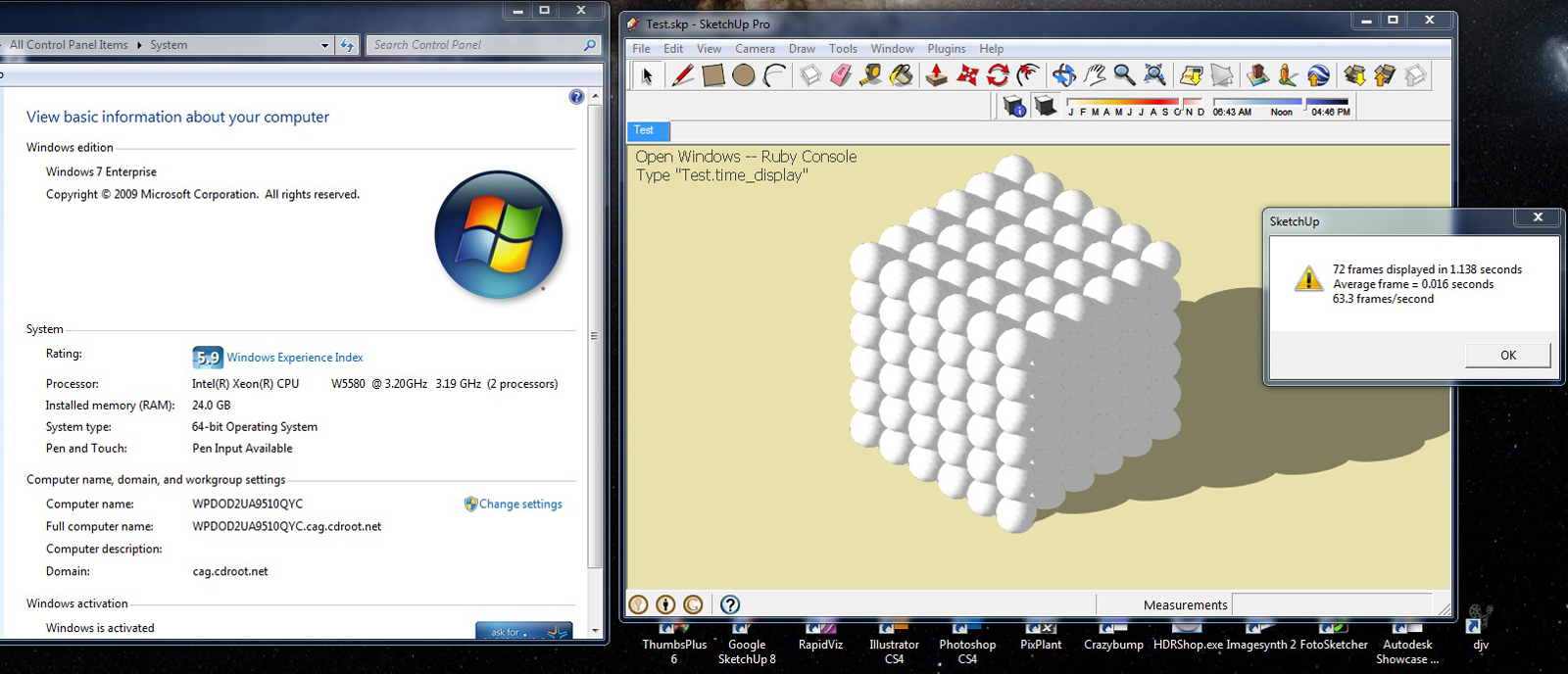

                                      1.jpg


                                      2.jpg

                                      Love the fact that some HATE my avatar.....

                                      1 條回覆 最後回覆 回覆 引用 0
                                      • brodieB 離線
                                        brodie
                                        最後由 編輯

                                        nice setup. this proves my theory that the windows experience score is a bit silly. it should be some sort of average rather than taking your lowest score. Not that it matters I guess.

                                        -brodie

                                        steelblue http://www.steelbluellc.com

                                        1 條回覆 最後回覆 回覆 引用 0
                                        • S 離線
                                          sketchyKev
                                          最後由 編輯

                                          @unknownuser said:

                                          I wonder if the behavior I'm seeing in the speed test model is the same as what anyone else getting...

                                          If I open the model and run the test a few times, I get around 25fps.
                                          Then I turn on shadows and get around 62fps.
                                          Then I turn off shadows and get around 62fps.

                                          Anyone else see this? Maybe this has something to do with SU 8? With shadows on when I run the ruby it basically turns the shadows off and zooms around it's orbit and then pops them back on. The even weirder thing though is when I turn the shadows back off, so it's in the same state as it was originally and the fps goes from 25 up to 62.

                                          I have noticed a similar behaviour. If I run the first test with shadows on, I get around 21 fps with the large shadow cast on the ground displayed while orbiting and then on the second run I get around 31 fps but this time the large shadow is missing but the light/dark shading of individual spheres is still there. Now if I turn shadows off I get 31 fps and all subsequent tests achieve around around 31 fps with shadows on or off but the large shadow cat on the ground during orbiting never returns unless I restart Sketchup. For some reason this behaviour only happens if I start Sketchup by clicking on the test file rather than starting Sketchup and then loading the file.

                                          The size of the display and the size of the window Sketchup is running in also makes a difference. Some older systems with slower CPUs and GPUs and low end laptops may seem to perform well relative to newer faster systems because they have lower resolution displays.

                                          Here are some test runs on my system at 1980x1080 resolution (fullscreen):

                                          1)Shadows ON: 20.8 fps (Shadow on ground during orbiting)
                                          2)Shadows ON: 30.9 fps (No shadow on ground during orbiting)
                                          3)Shadows OFF: 30.6 fps
                                          4)Shadows ON: 30.6 fps (No shadow on ground during orbiting)

                                          These tests run with screen resolution set at 1280x1024 (fullscreen):

                                          1)Shadows ON: 25.7 fps (Shadow on ground during orbiting)
                                          2)Shadows ON: 42.1 fps (No shadow on ground during orbiting)
                                          3)Shadows OFF: 42.2 fps
                                          4)Shadows ON: 42.5 fps (No shadow on ground during orbiting)

                                          Final tests run at 1980x1080 resolution but Sketchup window only occupying about a 1/3 of the screen:

                                          1)Shadows ON: 29.4 fps (Shadow on ground during orbiting)
                                          2)Shadows ON: 55.5 fps (No shadow on ground during orbiting)
                                          3)Shadows OFF: 53.9 fps
                                          4)Shadows ON: 56.7 fps (No shadow on ground during orbiting)

                                          To make more meaningful comparisons of different systems we probably need to know the resolution of the screens used, whether or not the test is fullscreen and whether or not large shadows on the ground are still displayed while orbiting.

                                          This is my system running SU8:

                                          • 2.6 GHz AMD Athlon II X4 620 Quad core CPU
                                          • ATI Radeon HD 4200 (256Mb) GPU
                                          • 3Gb RAM
                                          • Windows 7 Home (32 bit)
                                          • Primary monitor resolution 1920x1080
                                          • DirectX 10

                                          P.S. Anyone fancy having a shot at this alternative test I started here http://forums.sketchucation.com/viewtopic.php?f=72&t=37045 . It does require you have the SketchyPhysics plugin but it will test different aspects of your system and maybe provide a challenge.

                                          1 條回覆 最後回覆 回覆 引用 0
                                          • N 離線
                                            Neko14
                                            最後由 編輯

                                            My spec:
                                            Intel Core 2 Duo E4300 1.86 GHz
                                            4GB DDR2 RAM, 800MHz
                                            Asus nVidia GTS 450 1GB DDR5 (Asus overclocked it by default)
                                            Sketchup Pro 8.0.48
                                            OpenGL Acceleration: ON
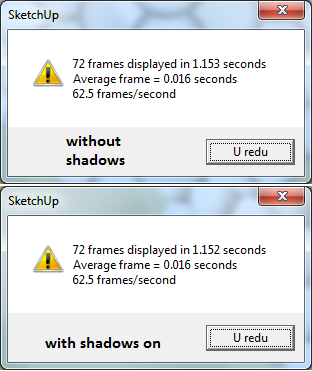

                                            Result

                                            1 條回覆 最後回覆 回覆 引用 0
                                            • 1
                                            • 2
                                            • 3
                                            • 4
                                            • 5
                                            • 6
                                            • 7
                                            • 2 / 7
                                            • 第一個貼文
                                              最後的貼文
                                            Buy SketchPlus
                                            Buy SUbD
                                            Buy WrapR
                                            Buy eBook
                                            Buy Modelur
                                            Buy Vertex Tools
                                            Buy SketchCuisine
                                            Buy FormFonts

                                            Advertisement