[Plugin][$] FredoScale - v3.7c - 19 Aug 26




-
@thomthom said:
@unknownuser said:
@unknownuser said:
The stretch command isn't uniform.
And you can use the "moving Plan" for make it Uniform by part

Still won't be a uniform stretch.
OK "Uniform" is wrong definition. But what hamper to allwindows in bulding #3 to become the same "win1_3" (if say original window in unstreched building#1 is "win1"?
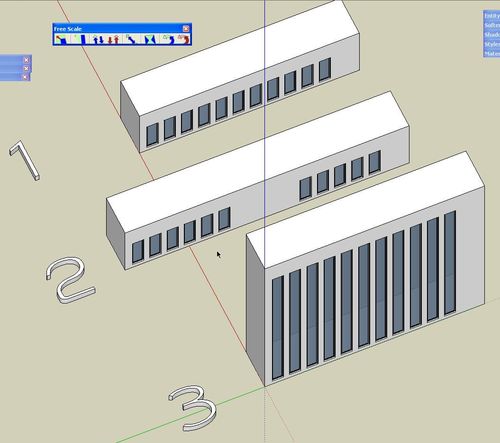
-
Fredo, thank you. The Bend operation is way cool. It even works on unconnected geometry.

-
@rv1974 said:
OK "Uniform" is wrong definition. But what hamper to allwindows in bulding #3 to become the same "win1_3" (if say original window in unstreched building#1 is "win1"?
That would be nice. Just wondering how easy it is to work out which components remain the same... But if Fredo can solve that I'll make another donation to him.
-
Fredo! Thank you so much for this unbelieveable plugin!
One step closer to 3dsMax
-
@xrok1 said:
@unknownuser said:
Just in case nobody else has noticed, there's an html file (freescale.donation.html) in the freescale_dir_20 folder.. you can make a donation via that link.
i would love to see the donation page in english too so i could give you some kudos. please post english donation link, and thankyou very much.
the donation is via paypal so you can go to your language version of that and send to:
fredosix{at}hotmail{dot}com -

I don't know what they taught you at the École Polytechnique, but they certainly did a good job with you, Fredo! -
Fredo
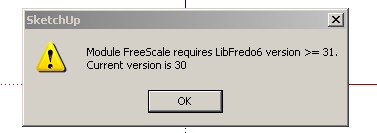
I am still having some problems. If I install FS, Ver. 2 with FS, Ver. 1 installed I get the message below, pic. V1&2. If I removed Ver. 1, than I get the next message, pic. V2 only.
After I click the OK, the script seems to work OK.
Thanks for the script.
Ken
-
@unknownuser said:
@unknownuser said:
jmmad wrote:
I only have one problem with the stretch tool some times when I strech something even a simple geometry SU freezes and does not respond, and i have to restart SU.Fredo6 wrote:
a) Do you apply it to a selection made of embedded components, with several instances (insinde or outside the selection)?
b) Is this something you can reproduce on a given model (if so, can you post it)Yes here i post the model
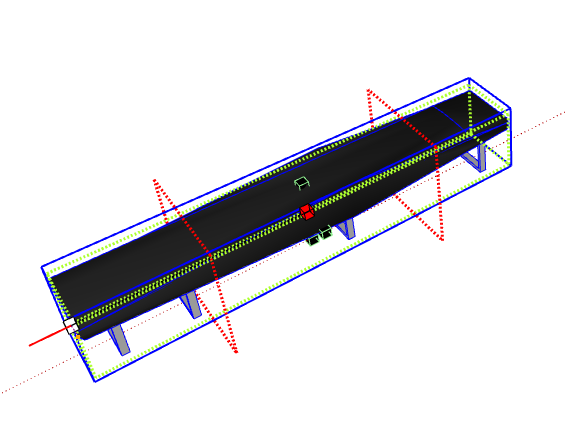
It's a component bench with 1 nested component for the legs that repeats 4 times. I don't have any problems when i stretch the model normally, but when i hit control key to stretch from the center it freezes while I am still stretching the component.Here i attach a image and the corresponding component
Thxs
-
Fredo
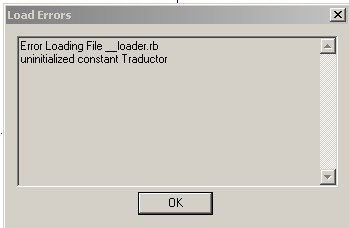
Well it seems on one attachment made the trip. Here is pic 2 error message with only FS Ver 2 installed.
-
Fredo,
In this image i get the same problem with stretch
but with normal stretch (no control key hit)
Its the same component only thing i just bet it before 90º then try to strech one end.
Then Freeze SUThxs
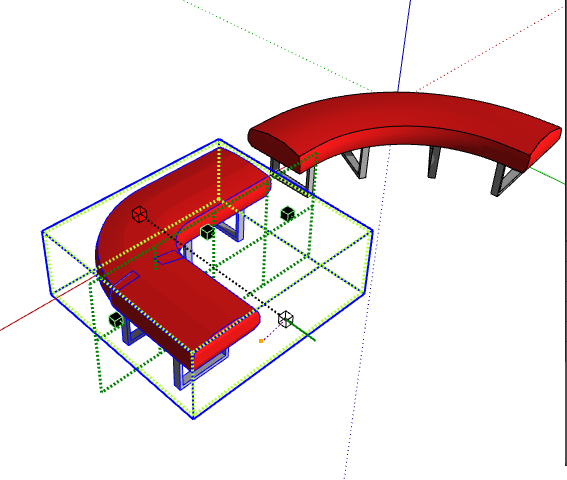
-
Fredo, not big problems but something that i find using FreeScale 2.0:
- Trying to change the deformation before clicking to validate the transformation it makes a unexpected result. I don`t know how to explain this in english so i attach a video showing the problem in the twist and taper tool:
twist-taper.wmv - In the plugin configuration (Icons visible in the toolbar option) I remove the Make Unique, the box rotation, and the rotation (free) icons. Works well but it leaves the icon separators. I attach a image of this too:
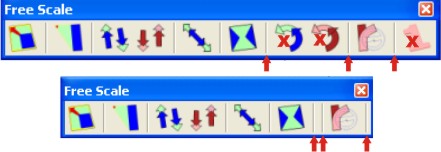
- A feature of the native protactor-rotate tool is missing... The ability of holding down the primary mouse button, and dragging the protractor is great:
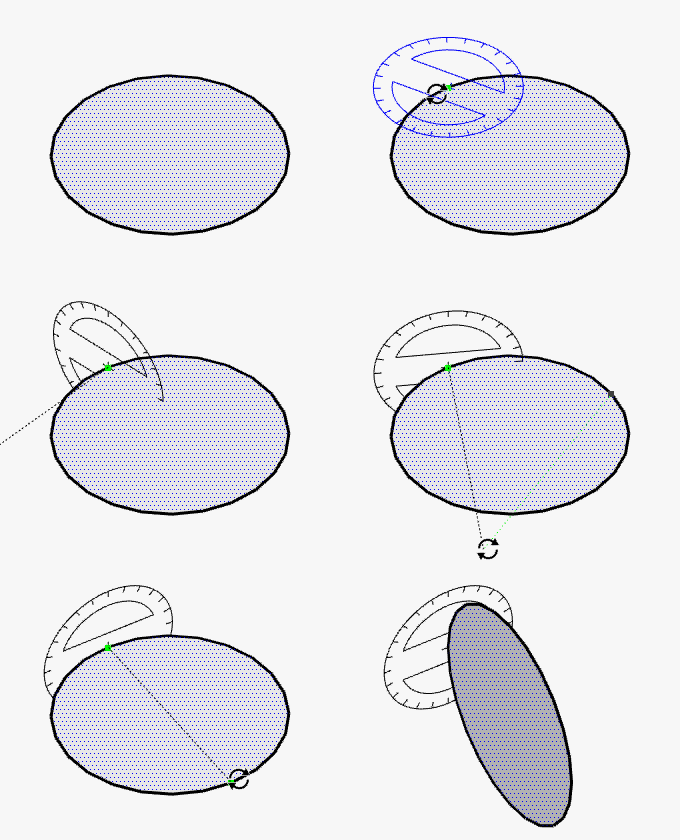
http://sites.google.com/site/sketchupsage/tweak/rotate
This option can be added?
Thank you again for this amazings tools,
Daniel S - Trying to change the deformation before clicking to validate the transformation it makes a unexpected result. I don`t know how to explain this in english so i attach a video showing the problem in the twist and taper tool:
-
This is a great addition to SU. Thanks.
I installed the pluging and when I use Radial bending it just rotate the group. I wonder what may be wrong.
Please see attached caption.
Thanks again.
DonVid.
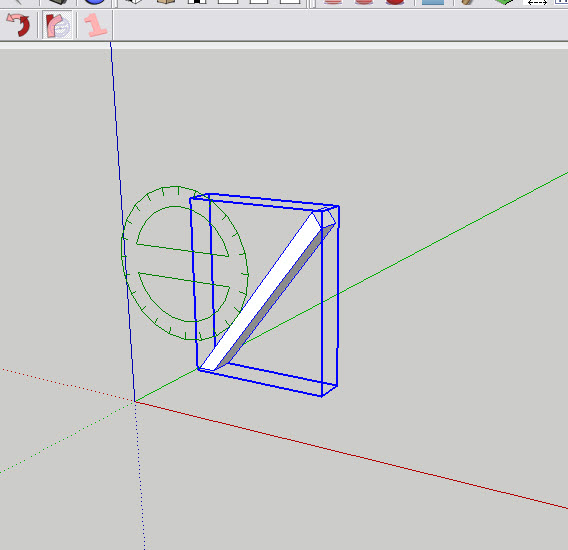
-
@unknownuser said:
Just wondering how easy it is to work out which components remain the same
But what hamper to all windows in bulding?Not so a big deal
Stretch before if you want 
Just using 2 cool Plugins : "Remove Inner faces" by Wikii, "Clean up Model" by John H. Aughey
That takes 2 seconds for a building of 50 levels (if x = * 50)
Stretch after if you want
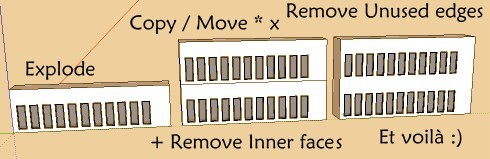
-
DonVid,
You need to break the geometry into sections to get the bend. After selecting the tool, hit Tab. Then enter a value in the first line of the dialog box. Someone else suggested 20 which is what I used for the bent text example I posted.
I didn't follow (understand) the thing about the negative value for that box, though.
-
Fredo
WOW
Thanks for this miracle of code.$ in the mail-de verdad
dtr
-
Thanks Fredo and Dave for the explanation:
Now it works. This is a true evolution on Architectural Design applications and 3D Modeling.
*The Guggenheim Museum Bilbao had been easier by using this code.
Thanks again.
DonVid
-
This is an awesome set of tools, soooo nice Appreciate the time and effort into such quality tools, thank you! I'm having lots of fun with this.
-
@jmmad said:
@unknownuser said:
@unknownuser said:
jmmad wrote:
I only have one problem with the stretch tool some times when I strech something even a simple geometry SU freezes and does not respond, and i have to restart SU.Fredo6 wrote:
a) Do you apply it to a selection made of embedded components, with several instances (insinde or outside the selection)?
b) Is this something you can reproduce on a given model (if so, can you post it)Yes here i post the model
It's a component bench with 1 nested component for the legs that repeats 4 times. I don't have any problems when i stretch the model normally, but when i hit control key to stretch from the center it freezes while I am still stretching the component.Here i attach a image and the corresponding component
Thxs
I cannot reproduce the freeze (see video attached). Is it something always reproducable in your environment?
Can any other user try to reproduce it?Bench Moder trial.wmv
Fredo -
@daniel s said:
Fredo, not big problems but something that i find using FreeScale 2.0:
- Trying to change the deformation before clicking to validate the transformation it makes a unexpected result. I don`t know how to explain this in english so i attach a video showing the problem in the twist and taper tool:
[attachment=2:1dhudg9p]<!-- ia2 -->twist-taper.wmv<!-- ia2 -->[/attachment:1dhudg9p]
Thanks for logging this. One thing I may have forgotten to mention is that the script must break the curves when deformed. Then I have tried to reconstruct them after deformation. apparently, it does not always work. Can you try with the same geometry, but enclosed in a group or component?
I'll try to fix it in the next update@daniel s said:
- In the plugin configuration (Icons visible in the toolbar option) I remove the Make Unique, the box rotation, and the rotation (free) icons. Works well but it leaves the icon separators. I attach a image of this too:
[attachment=1:1dhudg9p]<!-- ia1 -->icons.jpg<!-- ia1 -->[/attachment:1dhudg9p]
Thanks also for that. I fixed it and it will go the next update
@daniel s said:
- A feature of the native protactor-rotate tool is missing... The ability of holding down the primary mouse button, and dragging the protractor is great:
[attachment=0:1dhudg9p]<!-- ia0 -->Animation_Rotate_Tool.gif<!-- ia0 -->[/attachment:1dhudg9p]
http://sites.google.com/site/sketchupsage/tweak/rotate
This option can be added?
I have to think hard about that. As you notice, the GUI becomes quite complex to manage with all possibilities, Escape, Undos, VCB typing, etc..., and I want to make sure this does not break other things and remain usable. In between, I hope that just hitting Shift to lock the plane will be sufficient.
Thanks again Daniel for your help. Do not hesitate if you find other problems.
Fredo
- Trying to change the deformation before clicking to validate the transformation it makes a unexpected result. I don`t know how to explain this in english so i attach a video showing the problem in the twist and taper tool:
-
@unknownuser said:
Fredo
Well it seems on one attachment made the trip. Here is pic 2 error message with only FS Ver 2 installed.
Ken,
Please do the following:
Open the ZIP files you dowloaded, and for each of them in Winzip, do a Select ALL and then extract to the Sketchup Plugins directory. Make sure you answer YES to overwrite existing files. DO NOT RENAMEany folder or file.
You should have subfolders LIBFREDO6_Dir_31 and FREESCALE_Dir_20, and 2 ruby files LibFredo6.rb and ZLoader__FreeScale.rb. That's all you need.Fredo
PS: the reason why you must not rename anything is that I use a convention with version numbers. LibFredo6.rb has the only purpose to detect the latest version of LibFredo6 library (and 31 > 30). And ZLoader__FreeScale.rb is a one_line ruby which just loads the right version of FreeScale, which is supposed to be in FREESCALE_Dir_20.
I know this seems more complex than just dropping a single ruby file in the Sketchup plugin folder, but that's also the way I can manage compatibility, configuration, translation, etc....







Hello! It looks like you're interested in this conversation, but you don't have an account yet.
Getting fed up of having to scroll through the same posts each visit? When you register for an account, you'll always come back to exactly where you were before, and choose to be notified of new replies (either via email, or push notification). You'll also be able to save bookmarks and upvote posts to show your appreciation to other community members.
With your input, this post could be even better 💗
Register Login


Advertisement