[Plugin Library] LibFredo6 - v15.8e - 15 Feb 26



-
@fredo6 said in [Plugin Library] LibFredo6 - v14.5b - 24 May 24:
etchup version: SU2017 and above (for Mac M1, SU2021 and above)
Platform: Windows and Mac OSX
Usage: Free -
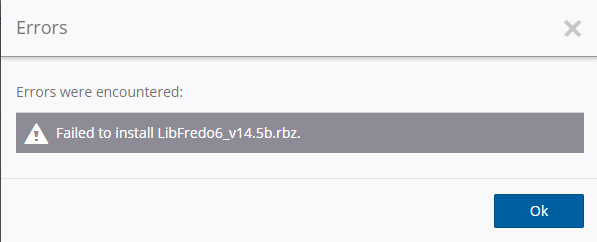
@fredo6: I ran into this while in the process of updating the extensions for 2024.
-
Hello,
I have a problem with icons that no longer appear in the configuration menus (see screenshot) in Fredo6 extensions such as FredoTools, JointPushPull, LordOfTheToolbars...
I use SketchUp v2020 and LibFredo6 v14.5b.
Any idea where this might be coming from?
Thanks for any help!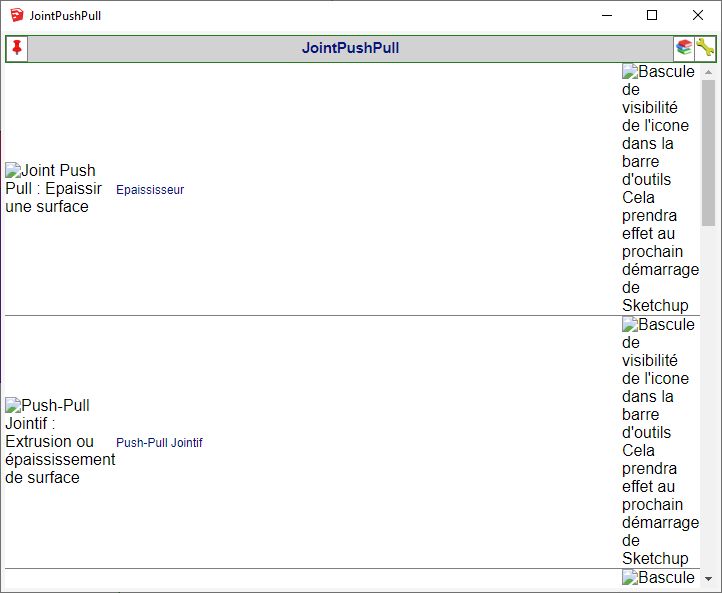
-
Did you do anything special before it happens?
Could you invoke the menu Window > LibFredo6 Settings.... > Fredo6 Plugins Information for Sketchucation support, to see what is the status of your plugins.
-
This is what is written in the Console Ruby :
Fredo6 Plugins Information on 2024-06-08 23:47:38 +0200
- Platform: x64-mingw32 - Ruby: 2.5.5
- Sketchup: 20.2.172
- LibFredo6: v14.5b
- LibFredo6 Binary loaded
- Sketchucation ExtensionStore: 4.4.1
- SCFLicense: v6.4a - 74
- Fredo6 Plugins
JointPushPull v4.8a - licensed FULL
- SCFLicense directory present
Signature File: 2020-12-11 09:04:28 +0100
ClothWorks: 2022-11-30 12:22:30 +0100
Curviloft: 2022-11-30 13:03:02 +0100
Curvizard: 2022-11-30 13:03:16 +0100
FredoScale: 2022-11-30 13:03:37 +0100
JointPushPull: 2022-11-30 12:36:32 +0100
RoundCorner: 2022-11-30 13:03:59 +0100
ToolsOnSurface: 2022-11-30 13:04:40 +0100
TopoShaper: 2022-11-30 13:04:53 +0100
VisuHole: 2022-11-30 13:05:04 +0100
"Add help menu!"
"create new"
"created"
#Sketchup::Menu:0x00000110fbc93670
-
Thanks.
Did it happen suddenly? or after you did an installation?
Before calling the Quick Launcher of Joint PushPull, can you leave the Ruby open to see if there are errors.
-
This does not work on 2024 sketchup. It does not load properly. Is there a catch?
-
Please explain what you mean.
LibFredo6 does not 'work' at all - it simply adds functions that are used by many other Fredo6 extensions.
If you have the latest versions of the LibFredo6, the related Fredo6 extensions and the SketchUcation Tools [for the licensing] installed - and SketchUp is restarted so that everything is synced, then things should work...If you are having specific issues, then please explain them clearly, so that Fredo can help...
-
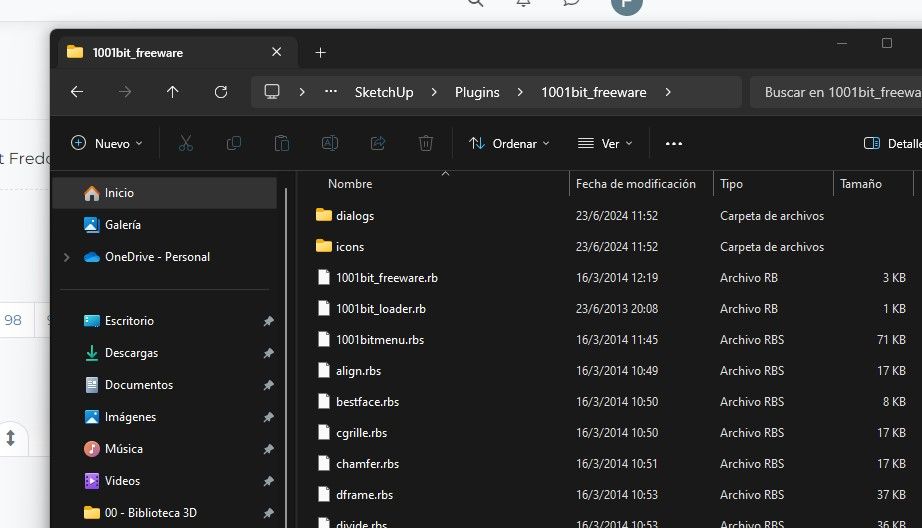
Hi, i've tried with SU 21, 23 and 24 but few are the extensions that works fine. The most important LibFredo6 i want to work. Afte several investigation i found out that the extensions SU cant load (even being installed and correctly identify by the Extension Manager) because this ones are installed with a file format RBE and the ones that does works are installes with a files format RBS.
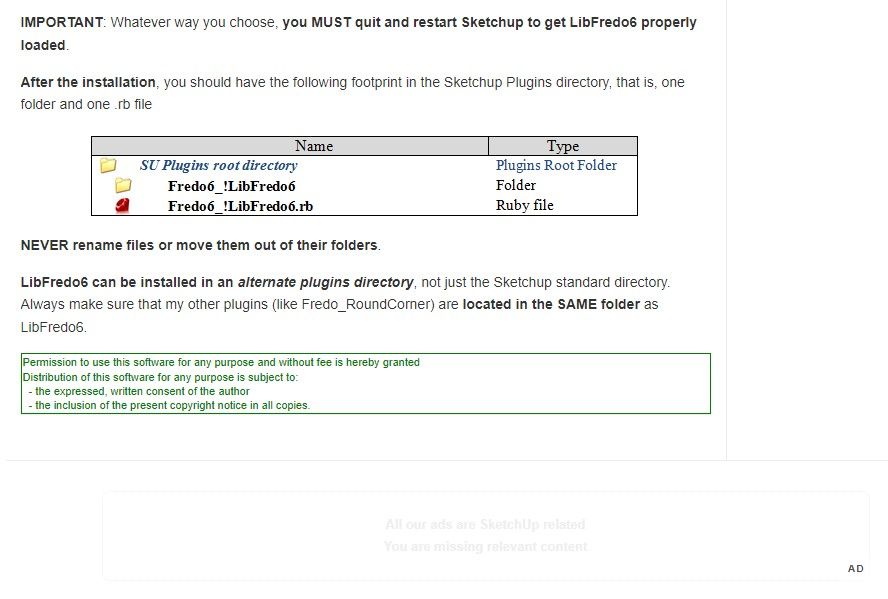
Now i'm not a scripter but on sketchucation web it shows an example of how should be instaled and states .rb files....i dont have rb files just rbe.
Can someone help me here? I leave a copy of the error from skech up aswell screenshots from my computer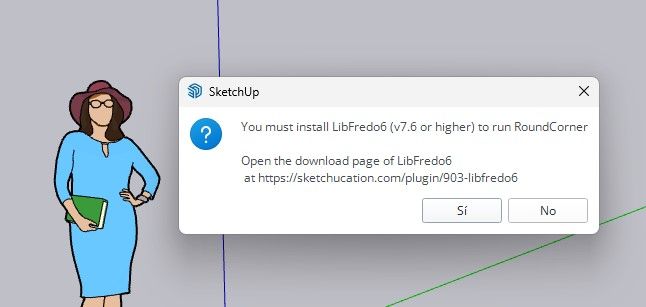
Informe de errores de extensión
SketchUp: 24.0.553
OS: Windows 11
Ruby: 3.2.2Extensión: Fredo6 AdditionalPluginFolders (v5.4a - 27 Sep 20)
Error: Failed to load file (Failed to read RBE/RBS file.)
C:/Program Files/SketchUp/SketchUp 2024/Tools/extensions.rb:197:inload' C:/Users/Finito/AppData/Roaming/SketchUp/SketchUp 2024/SketchUp/Plugins/!AdditionalPluginFolders.rb:140:inregister_extension'
C:/Users/Finito/AppData/Roaming/SketchUp/SketchUp 2024/SketchUp/Plugins/!AdditionalPluginFolders.rb:140:inregister_execute' C:/Users/Finito/AppData/Roaming/SketchUp/SketchUp 2024/SketchUp/Plugins/!AdditionalPluginFolders.rb:618:inmodule:AdditionalPluginFolders6'
C:/Users/Finito/AppData/Roaming/SketchUp/SketchUp 2024/SketchUp/Plugins/!AdditionalPluginFolders.rb:29:in `<top (required)>'Extensión: [unknown]
Error: Failed to load file (Failed to read RBE/RBS file.)
C:/Users/Finito/AppData/Roaming/SketchUp/SketchUp 2024/SketchUp/Plugins/DM_Bevel.rb:4:in `<top (required)>'Extensión: Fredo6 LibFredo6 (1.0)
Error: Failed to load file (Failed to read RBE/RBS file.)
C:/Program Files/SketchUp/SketchUp 2024/Tools/extensions.rb:197:inload' C:/Users/Finito/AppData/Roaming/SketchUp/SketchUp 2024/SketchUp/Plugins/Fredo6_!LibFredo6.rb:66:inregister_extension'
C:/Users/Finito/AppData/Roaming/SketchUp/SketchUp 2024/SketchUp/Plugins/Fredo6_!LibFredo6.rb:66:inprocess' C:/Users/Finito/AppData/Roaming/SketchUp/SketchUp 2024/SketchUp/Plugins/Fredo6_!LibFredo6.rb:76:inmodule:LibFredo6_Loader'
C:/Users/Finito/AppData/Roaming/SketchUp/SketchUp 2024/SketchUp/Plugins/Fredo6_!LibFredo6.rb:30:in `<top (required)>'Extensión: SketchUcation (4.4.1)
Error: Failed to load file (Failed to read RBE/RBS file.)
C:/Program Files/SketchUp/SketchUp 2024/Tools/extensions.rb:197:inload' C:/Users/Finito/AppData/Roaming/SketchUp/SketchUp 2024/SketchUp/Plugins/SketchUcation.rb:181:inregister_extension'
C:/Users/Finito/AppData/Roaming/SketchUp/SketchUp 2024/SketchUp/Plugins/SketchUcation.rb:181:in<module:SCF>' C:/Users/Finito/AppData/Roaming/SketchUp/SketchUp 2024/SketchUp/Plugins/SketchUcation.rb:17:in<top (required)>'Extensión: [unknown]
Error: Failed to load file (Failed to read RBE/RBS file.)
C:/Users/Finito/AppData/Roaming/SketchUp/SketchUp 2024/SketchUp/Plugins/habitat_site_context.rb:6:in<module:HabitatSiteContext>' C:/Users/Finito/AppData/Roaming/SketchUp/SketchUp 2024/SketchUp/Plugins/habitat_site_context.rb:4:in<top (required)>' -
The best would be to upgrade first the plugins to their latest versions:
- LibFredo6
- Sketchucation ExtensionStore
- The plugins like RoundCorner, ....
-
@fredo6 they are already updated.
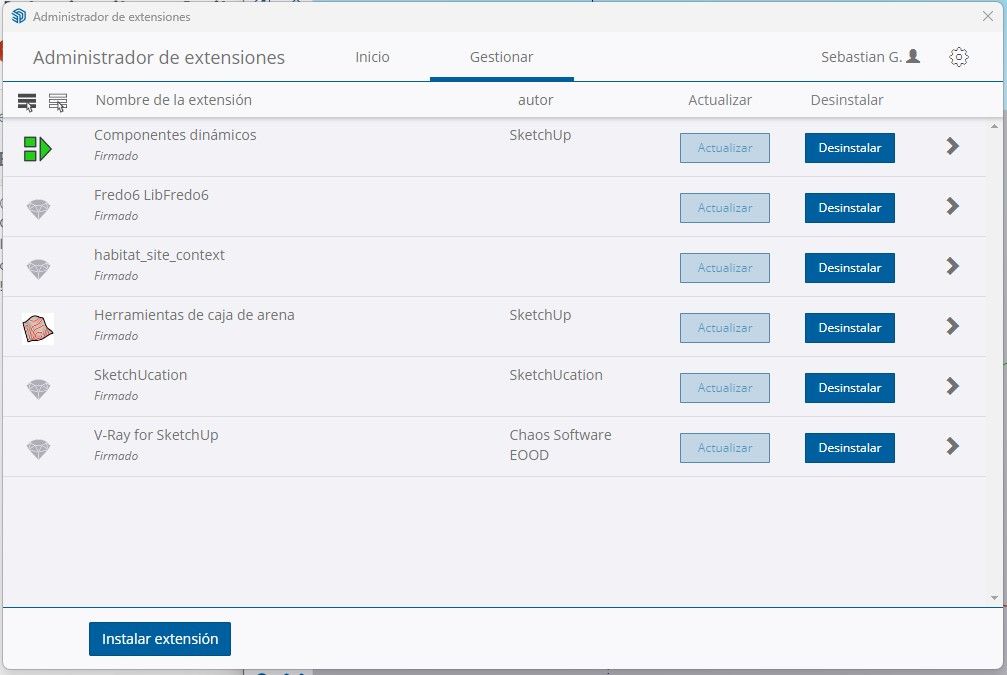
Check it up in this picture. Even further the sketch up suggest to download the latest version of fredo6....and gives me the option to redirect theweb site to sketchucation where the lates version is. Still the same place i downloaded in the first time. Every time i start up the sketch up is says to update the fredo version and keeps insisting to install the same version onces and again.
-
@fredo6 they are already updated.
Check it up in this picture. Even further the sketch up suggest to download the latest version of fredo6....and gives me the option to redirect theweb site to sketchucation where the lates version is. Still the same place i downloaded in the first time. Every time i start up the sketch up is says to update the fredo version and keeps insisting to install the same version onces and again.
-
@fredo6 they are already updated.
Check it up in this picture. Even further the sketch up suggest to download the latest version of fredo6....and gives me the option to redirect theweb site to sketchucation where the lates version is. Still the same place i downloaded in the first time. Every time i start up the sketch up is says to update the fredo version and keeps insisting to install the same version onces and again.
-
@fredo6 said in [Plugin Library] LibFredo6 - v14.5b - 24 May 24:
The best would be to upgrade first the plugins to their latest versions:
- LibFredo6
- Sketchucation ExtensionStore
- The plugins like RoundCorner, ....
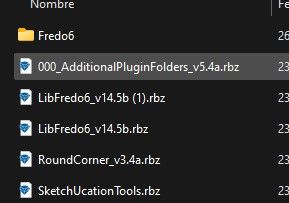
Done, i dont understand why it ask me to update the libfredo6 when i installed the latest version, the same happens with other extensions.
Here are the extensions i downloaded and wont work.
-
@Finito86
You say you have 'installed' these extensions...
But you published a screenshot showing the downloaded RBZ files for these extensions, not the installed extensions themselves.
You need to actually install an RBZ file's contents into your Plugins folder.
Use the Extensions > Extensions Manager dialog to Install... them [but see below for an even easier way...]
Restart SketchUp to sync everything after the installation[s].
Most of Fredo's extensions will also require his LibFredo6 installing as that provides many 'behind-the-scenes' functions...
Note that you will need the latest SketchUcationTools installing, to run for any licensing...
But, if you install the SketchUcationTools there are several very helpful additional tools created in SketchUp - e.g. the ExtensionStore - a dialog which let's you AutoInstall extensions directly from our PluginStore, sidestepping the RBZ part download altogether. -
@TIG Hi, yes, i did not upload the picture to show the plugins installed, so here it is.
Please notice the sketchucation is also installed and still the same problem not showing on the software.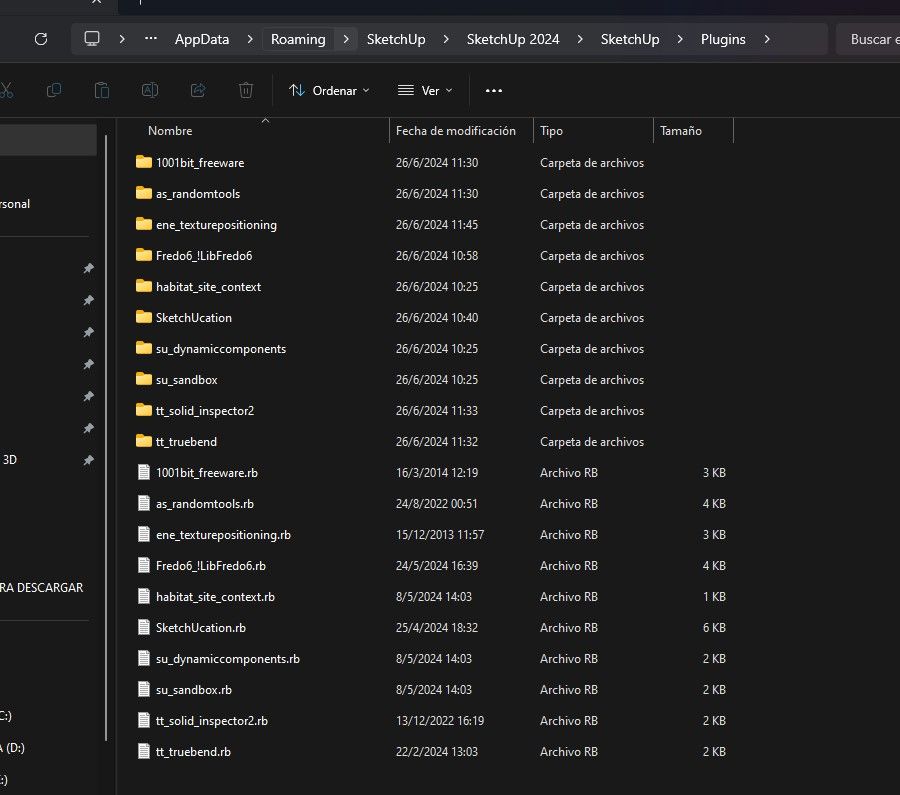
The plugins of Truebend, Randomtools and 1001bit_freeware are also installed with the same process by using the Extension Manager. They do appear on the software and i can use them with no problem.
-
LibFredo6 is a library, not really a plugin. It does not have a toolbar.
You now just need to install some of my plugins, like RoundCorner, FredoScale, etc.... and they will appear with their toolbars, once you restart Sketchup.
-
@Finito86
So...
SketchUcation seems to be properly installed into your Plugins folder, you have previously show a screenshot showing it's enabled in the Extensions Manager.
You have not expanded its entry in that dialog to show the installed version - which should be v4.4.1
The same comment applies for LibFredo6...Is there a submenu entry in the Extensions menu for SketchUcation ? Can you open a dialog for the ExtensionStore³ from that ? Can you activate its Toolbar ?
As Fredo explains his Lib is an 'enabler' toolset, and does nothing on its won, unless you install one or more of his extensions that will then use its features as needed...
Because many of Fredo's extensions also need a license, then the SketchUcation toolset is also needed to provide that functionality.
As previously explained the ExtensionStore³ dialog also lets you AutoInstall directly, without having to download an RBZ first... -
@fredo6
But what if i tell you i cant install roundcorner because its asks me to update the libfredo6? look
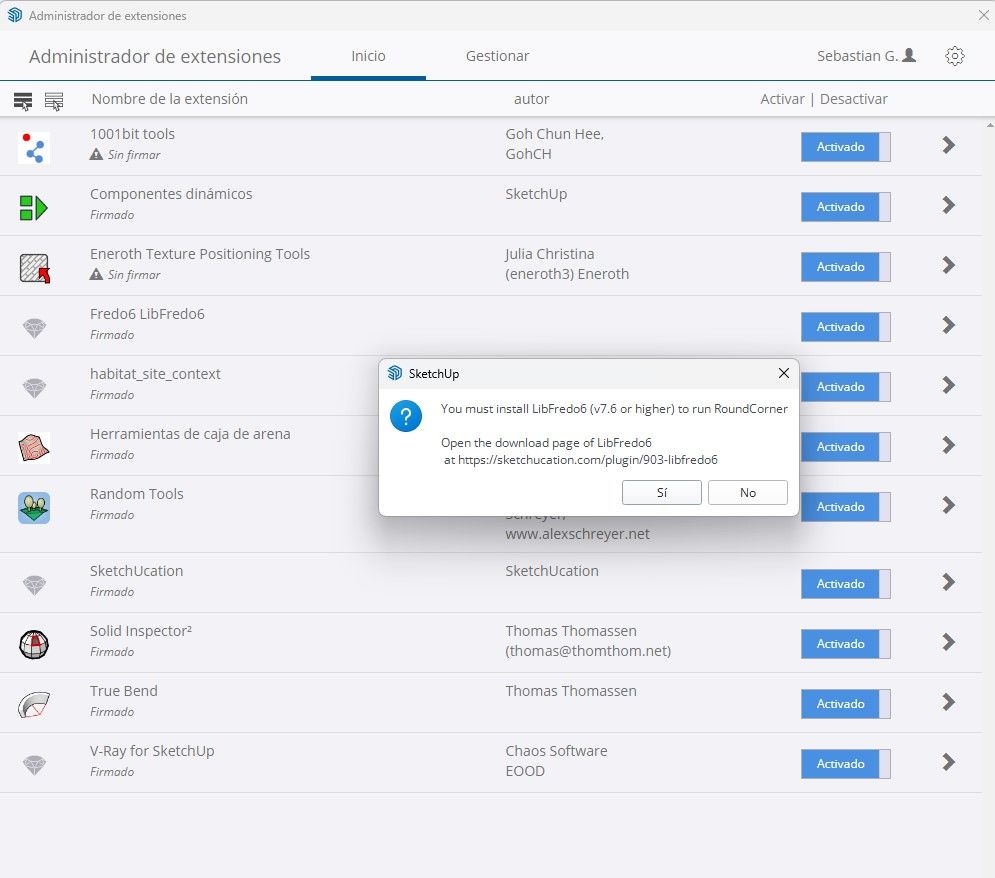
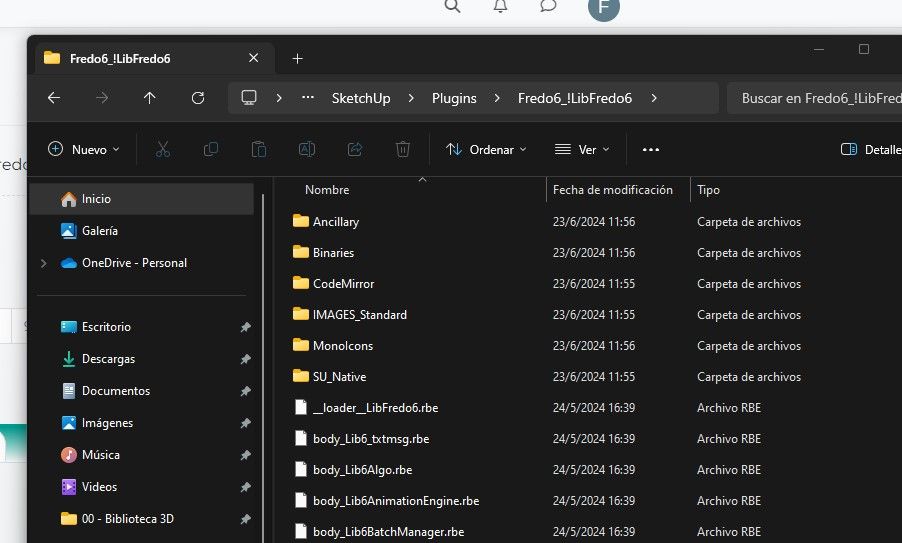
And the version of libfredo6 i'm trying to install is LibFredo6_v14.5b. I dont know where to show you the version, but here is a screeshot of the files used by me.
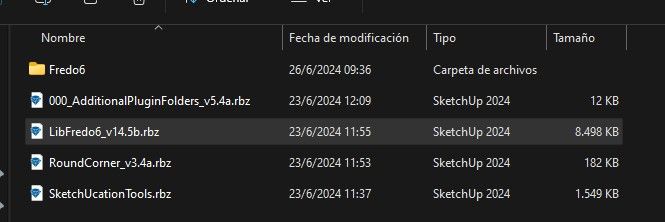
-
@fredo6
Found in this window error that is says fredo6 (1.0) has that something to do with all this? it should be the v14.5b
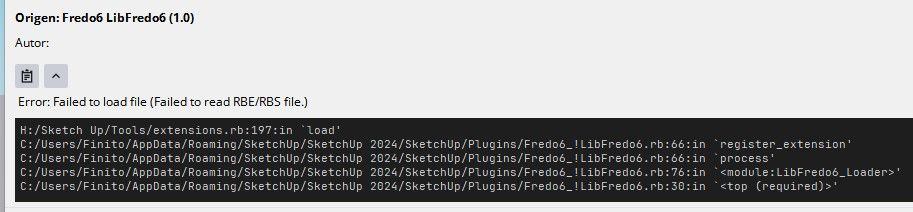




Advertisement