sketchucation logo sketchucation
    • Login
    Oops, your profile's looking a bit empty! To help us tailor your experience, please fill in key details like your SketchUp version, skill level, operating system, and more. Update and save your info on your profile page today!
    Mac User? | Join the Rayscaper Beta for Mac Learn More

    [Plugin] AddFaces

    Scheduled Pinned Locked Moved Plugins
    18 Posts 14 Posters 31.6k Views 14 Watching
    Loading More Posts
    • Oldest to Newest
    • Newest to Oldest
    • Most Votes
    Reply
    • Reply as topic
    Log in to reply
    This topic has been deleted. Only users with topic management privileges can see it.
    • J
      Jim
      last edited by

      I like this idea of command line access to infrequently used scripts. All it needs is a little auto-completion and input area...

      Hi

      1 Reply Last reply
      Reply Quote 0
      • pilouP
        pilou
        last edited by

        Ah ok I understand now β˜€
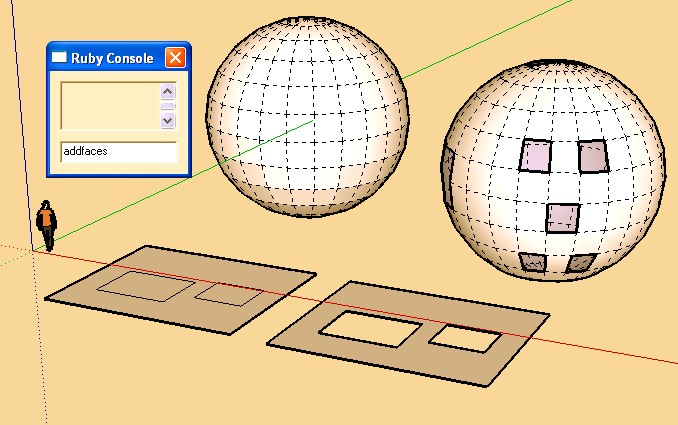
        add.jpg

        Frenchy Pilou
        Is beautiful that please without concept!
        My Little site :)

        1 Reply Last reply
        Reply Quote 0
        • Chris FullmerC
          Chris Fullmer
          last edited by

          Cool, thanks TIG!

          Lately you've been tan, suspicious for the winter.
          All my Plugins I've written

          1 Reply Last reply
          Reply Quote 0
          • M
            Matt666
            last edited by

            @unknownuser said:

            I like this idea of command line access to infrequently used scripts. All it needs is a little auto-completion and input area...

            +1, Jim! Like command line in Acad...

            Frenglish at its best !
            My scripts

            1 Reply Last reply
            Reply Quote 0
            • G
              gavvy
              last edited by

              😲 TiG ! what is the difference form the makeFaces.rb ?? ❓

              1 Reply Last reply
              Reply Quote 0
              • R
                remus
                last edited by

                makefaces works on the whole model, this works on a seection.

                http://remusrendering.wordpress.com/

                1 Reply Last reply
                Reply Quote 0
                • EarthMoverE
                  EarthMover
                  last edited by

                  I use Rick's make faces script on a selection all the time. It works well, although it can take a long time if there is a big selection. I wonder if TIG's script is perhaps a little faster?

                  3D Artist at Clearstory 3D Imaging
                  Guide Tool at Winning With Sketchup
                  Content Creator at Skapeup

                  1 Reply Last reply
                  Reply Quote 0
                  • I
                    iborov
                    last edited by

                    I RESPECT YOU TIG!

                    !B

                    1 Reply Last reply
                    Reply Quote 0
                    • brookefoxB
                      brookefox
                      last edited by

                      Thank you, TIG.

                      Since I often find myself having to draw and erase edges so as to get SU to face things it 'normally' does without 'instruction' (esp. within 'curves') I like the menu/context selection for this. I hope it will save me such time spent.

                      ~ Brooke

                      1 Reply Last reply
                      Reply Quote 0
                      • Bob JamesB
                        Bob James
                        last edited by

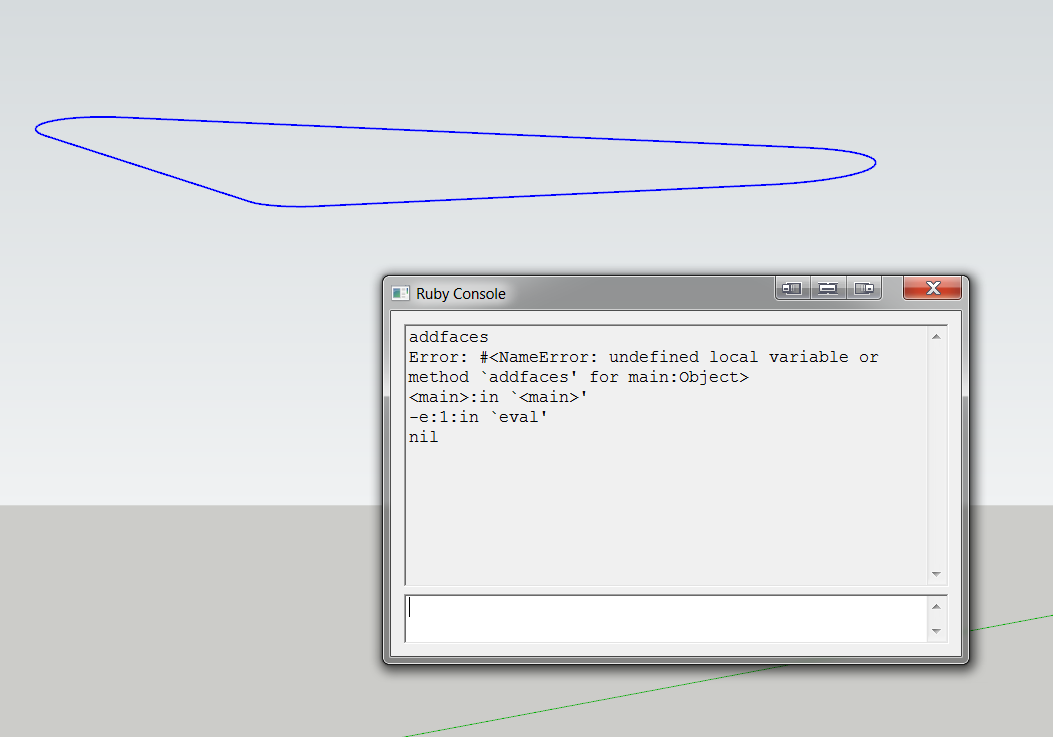
                        Simple curve: get error


                        addfaces.PNG

                        i7-4930K 3.4Ghz, 2x GTX780 6GB, 32GB DDR3-1600 ECC, OCZ Vertex 4 500GB, WD Black 3TB, 32TB NAS, 4x 27" Monitors, SpaceMouse Pro, X-keys XK-60

                        1 Reply Last reply
                        Reply Quote 0
                        • TIGT
                          TIG Moderator
                          last edited by

                          @Bob

                          It appears under the Plugins-Menu or the Context-Menu.
                          Used from the Ruby Console v2 command is now:
                          **TIG.**addfaces
                          [the thread IS 5 years OLD for v1...]

                          TIG

                          1 Reply Last reply
                          Reply Quote 0
                          • Bob JamesB
                            Bob James
                            last edited by

                            Being graphically oriented I just watched the video and didn't read the words under it.

                            Well, at least I present problems that are easy to solve πŸ˜„

                            Thank you for taking the time, yet again, to help.

                            i7-4930K 3.4Ghz, 2x GTX780 6GB, 32GB DDR3-1600 ECC, OCZ Vertex 4 500GB, WD Black 3TB, 32TB NAS, 4x 27" Monitors, SpaceMouse Pro, X-keys XK-60

                            1 Reply Last reply
                            Reply Quote 0
                            • T
                              tillar
                              last edited by

                              Any chance a progress bar can be added?

                              The "Simplify Contours" extension has a really basic one, down in the statusbar that gets the job done.

                              Simplify Contours (sketchup.com)

                              http://extensions.sketchup.com/sites/extensions.sketchup.com/files/styles/ext_icon/public/Simplify_Contours.png?itok=_snDPjK4

                              1 Reply Last reply
                              Reply Quote 0
                              • TIGT
                                TIG Moderator
                                last edited by

                                The PluginStore now contains v2.1 http://sketchucation.com/pluginstore?pln=addfaces
                                It now has a progress-indicator on the status-bar ...666/1234 etc...

                                TIG

                                1 Reply Last reply
                                Reply Quote 0
                                • A
                                  a4jp.com
                                  last edited by

                                  Thank you so much. This plugin is wonderful. Will there be any updates for it later on?

                                  1 Reply Last reply
                                  Reply Quote 0

                                  Hello! It looks like you're interested in this conversation, but you don't have an account yet.

                                  Getting fed up of having to scroll through the same posts each visit? When you register for an account, you'll always come back to exactly where you were before, and choose to be notified of new replies (either via email, or push notification). You'll also be able to save bookmarks and upvote posts to show your appreciation to other community members.

                                  With your input, this post could be even better πŸ’—

                                  Register Login
                                  • 1 / 1
                                  • First post
                                    Last post
                                  Buy SketchPlus
                                  Buy SUbD
                                  Buy WrapR
                                  Buy eBook
                                  Buy Modelur
                                  Buy Vertex Tools
                                  Buy SketchCuisine
                                  Buy FormFonts

                                  Advertisement