sketchucation logo sketchucation
    • 登入
    Oops, your profile's looking a bit empty! To help us tailor your experience, please fill in key details like your SketchUp version, skill level, operating system, and more. Update and save your info on your profile page today!
    ⚠️ Important | Libfredo 15.6b introduces important bugfixes for Fredo's Extensions Update

    The "Duh!" thread (aka the Doh! thread)

    已排程 已置頂 已鎖定 已移動 SketchUp Discussions
    sketchup
    696 貼文 135 Posters 291.9k 瀏覽 135 Watching
    正在載入更多貼文
    • 從舊到新
    • 從新到舊
    • 最多點贊
    回覆
    • 在新貼文中回覆
    登入後回覆
    此主題已被刪除。只有擁有主題管理權限的使用者可以查看。
    • david_hD 離線
      david_h
      最後由 編輯

      Yeah. . I've got those and they're great. It just seemed to me there was a native SU trick to do that, but I guess I am mistaken. Hence the D'oh!

      If I make it look easy...It is probably easy

      1 條回覆 最後回覆 回覆 引用 0
      • jeff hammondJ 離線
        jeff hammond
        最後由 編輯

        @david_h said:

        Quick question. . .It seems to me that in SU's long past. . .version 4 or so there was a push pull trick where you could just click on a shape to be PP'd and then either hold a shift key to lock the axis or and endpoint of something and it would just auto push to that point. Kinda like Follow me, but it was innate to the PushPull tool. Does anyone remember this?

        Thx,

        D

        the only push/pull modifier key is:

        Option(alt) = create new starting face.

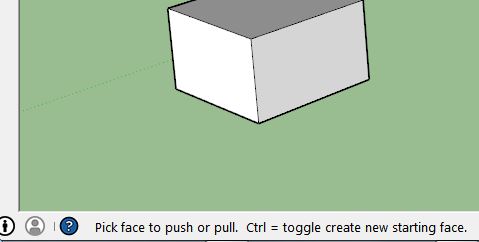
        (as seen in the lower left hand corner of the drawing window 😉 )

        dotdotdot

        1 條回覆 最後回覆 回覆 引用 0
        • pilouP 離線
          pilou
          最後由 編輯

          @unknownuser said:

          as seen in the lower left hand corner of the drawing window

          Can you put an image of that ?

          Frenchy Pilou
          Is beautiful that please without concept!
          My Little site :)

          1 條回覆 最後回覆 回覆 引用 0
          • BoxB 離線
            Box
            最後由 編輯

            @jeff hammond said:

            the only push/pull modifier key is:

            Option(alt) = create new starting face.

            (as seen in the lower left hand corner of the drawing window 😉 )

            It's Ctrl on windows.


            Ctrl.JPG

            1 條回覆 最後回覆 回覆 引用 0
            • jeff hammondJ 離線
              jeff hammond
              最後由 編輯

              @box said:

              It's Ctrl on windows.

              oops.. thought it was ctrl for cmmd & alt for option
              thanks

              dotdotdot

              1 條回覆 最後回覆 回覆 引用 0
              • BoxB 離線
                Box
                最後由 編輯

                Don't you mean D'oh instead of oops!!?

                1 條回覆 最後回覆 回覆 引用 0
                • pilouP 離線
                  pilou
                  最後由 編輯

                  I am reassured! 😄

                  Frenchy Pilou
                  Is beautiful that please without concept!
                  My Little site :)

                  1 條回覆 最後回覆 回覆 引用 0
                  • jeff hammondJ 離線
                    jeff hammond
                    最後由 編輯

                    @box said:

                    Don't you mean D'oh instead of oops!!?

                    😆 d'oh!

                    you're right.

                    dotdotdot

                    1 條回覆 最後回覆 回覆 引用 0
                    • emerald15E 離線
                      emerald15
                      最後由 編輯

                      Not so much 'Doh' but 'Eureka'! for me. I've been trying to draw a circle directly to the vertical plane for a least two years! 😳 I only knew it was possible from watching other video clips. At last I've found this thread! 😄

                      http://sketchucation.com/forums/viewtopic.php?f=79%26amp;t=53592%26amp;p=486418%26amp;hilit=vertical+plane+circle#p486306

                      1 條回覆 最後回覆 回覆 引用 0
                      • pbacotP 離線
                        pbacot
                        最後由 編輯

                        @cotty said:

                        I didn't know that you can get non-perpendicular axes 😲

                        This seems less like a "Duh!" than "WTF!" What could one (mortal) do with such a thing?

                        MacOSX MojaveSketchUp Pro v19 Twilight v2 Thea v3 PowerCADD

                        1 條回覆 最後回覆 回覆 引用 0
                        • Bob JamesB 離線
                          Bob James
                          最後由 編輯

                          @jql said:

                          Apologies accepted if you post it on the Duh thread!

                          So here goes my duh:

                          @bob james said:

                          This seems so simple that it must already exist, but I could not find it.

                          For example: I want to make a 4" square post at a specific spot. If I wanted a round post there I would just select the circle tool, place the cursor at the point and drag out (or put a value in the VCB).

                          I'd like to be able to do that for a square: select tool, place the cursor at the point and drag out (or put a value in the VCB)

                          I apologize if this already exists

                          @jql said:

                          LOL bob you can make your life difficult if you draw a 4 sided circle and explode it.

                          Or you can make your life painless if you draw a 4 sided polygon without exploding it.

                          Those two are native tools. Do you forget sketchup also has native tools?

                          @bob james said:

                          Duh 😳
                          (But still think it would be a useful one-click native tool) 😆

                          i7-4930K 3.4Ghz, 2x GTX780 6GB, 32GB DDR3-1600 ECC, OCZ Vertex 4 500GB, WD Black 3TB, 32TB NAS, 4x 27" Monitors, SpaceMouse Pro, X-keys XK-60

                          1 條回覆 最後回覆 回覆 引用 0
                          • JQLJ 離線
                            JQL
                            最後由 編輯

                            👿 All that ::DUH:: belong to us! 👿

                            www.casca.pt
                            Visit us on facebook!

                            1 條回覆 最後回覆 回覆 引用 0
                            • S ShepherdS 離線
                              S Shepherd
                              最後由 編輯

                              I just today noticed with solid tools, if you subtract a transparent solid from another shape it leaves behind transparent faces. I suppose I mostly paint after these operations are complete.
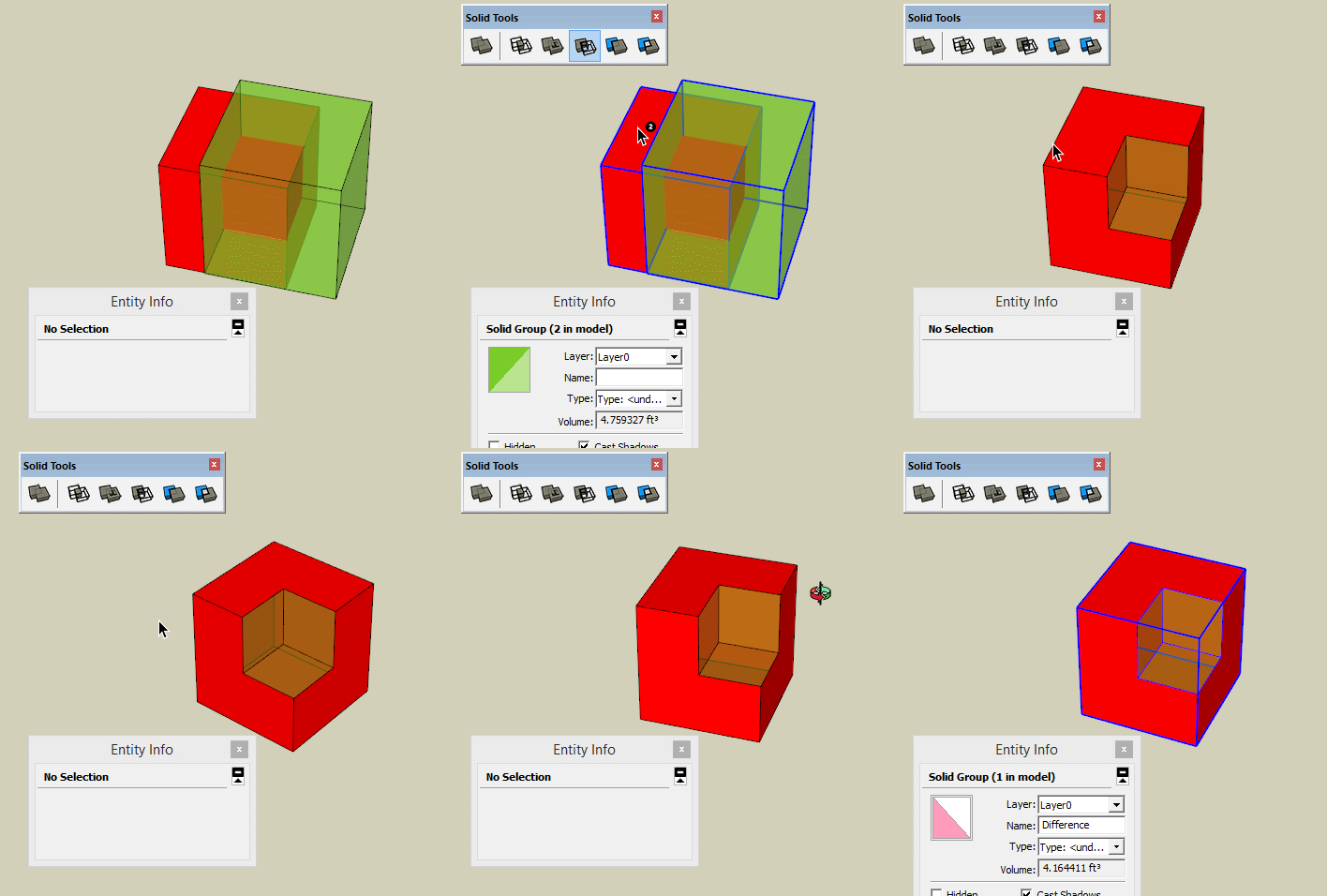
                              solid odd.gif

                              Shep

                              1 條回覆 最後回覆 回覆 引用 0
                              • R 離線
                                roland joseph
                                最後由 編輯

                                Didn't have a clue till today that while you push pull you can add a face by hitting "ctrl" on a pc or "option" on a Mac

                                1 條回覆 最後回覆 回覆 引用 0
                                • cottyC 離線
                                  cotty
                                  最後由 編輯

                                  A little one...
                                  I've had problems with drag&drop of images from the web browser to SU. No I've found the reason: I've changed the startup rights for SU to "always start as administrator". After changing this for the browser too (or both without these rights), drag&drop is back again...

                                  my SketchUp gallery

                                  1 條回覆 最後回覆 回覆 引用 0
                                  • piratebrianP 離線
                                    piratebrian
                                    最後由 編輯

                                    When taking one surface and copy pasting it into an unrelated group, if you click on the destination surface before you do the control-v paste you newly placed surface will auto align. Found this one by accident, it is probably page 2 of the instructions, But bahhh instructions.

                                    1 條回覆 最後回覆 回覆 引用 0
                                    • pilouP 離線
                                      pilou
                                      最後由 編輯

                                      Thx to JQL 😄
                                      Move Copy a group

                                      @unknownuser said:

                                      if you double-click it, you edit it, andeven if you do nothing on it, it is made into a different definition, therefor "unique".

                                      Not sure that was on the manual ? 😄

                                      Frenchy Pilou
                                      Is beautiful that please without concept!
                                      My Little site :)

                                      1 條回覆 最後回覆 回覆 引用 0
                                      • AureusA 離線
                                        Aureus
                                        最後由 編輯

                                        I forgot what this tread is about but no doubt - it's a record breaking thread: probably the longest living thread here.
                                        Like a submarine. Just when you think it's down it goes up to the surface. Over and over again. 😄

                                        1 條回覆 最後回覆 回覆 引用 0
                                        • JQLJ 離線
                                          JQL
                                          最後由 編輯

                                          @pilou said:

                                          Thx to JQL 😄

                                          It's the second time I make one of you hotshots have a duh moment! First it was Bob!

                                          www.casca.pt
                                          Visit us on facebook!

                                          1 條回覆 最後回覆 回覆 引用 0
                                          • cottyC 離線
                                            cotty
                                            最後由 編輯

                                            Followme: path and shape in different context

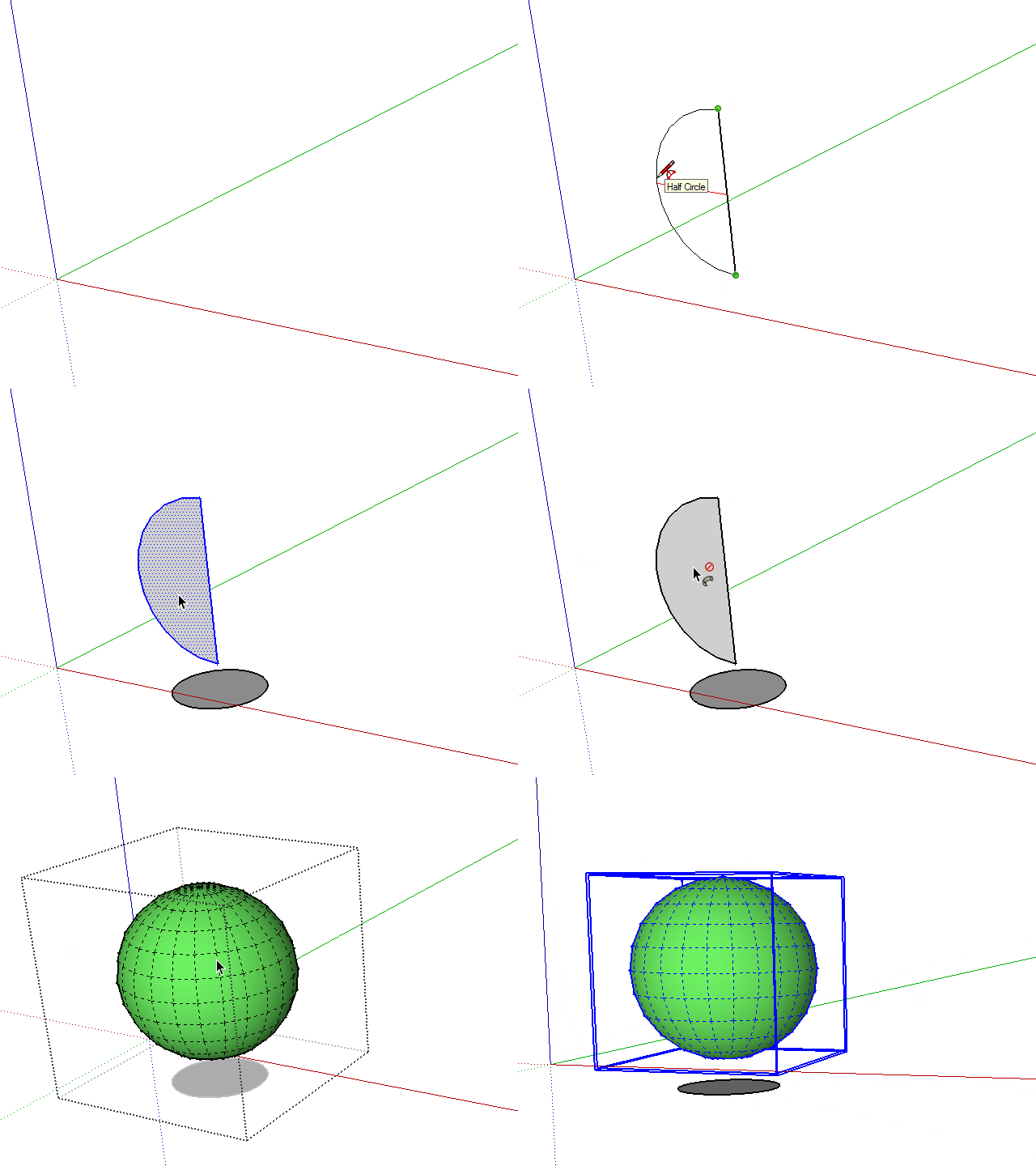
                                            I've always copied a path into a group to do a followme, but you can enter that group after you have selected the path with the followme tool...

                                            followcontext.gif

                                            my SketchUp gallery

                                            1 條回覆 最後回覆 回覆 引用 0
                                            • 1
                                            • 2
                                            • 31
                                            • 32
                                            • 33
                                            • 34
                                            • 35
                                            • 34 / 35
                                            • 第一個貼文
                                              最後的貼文
                                            Buy SketchPlus
                                            Buy SUbD
                                            Buy WrapR
                                            Buy eBook
                                            Buy Modelur
                                            Buy Vertex Tools
                                            Buy SketchCuisine
                                            Buy FormFonts

                                            Advertisement