Problem with components in section cuts
-
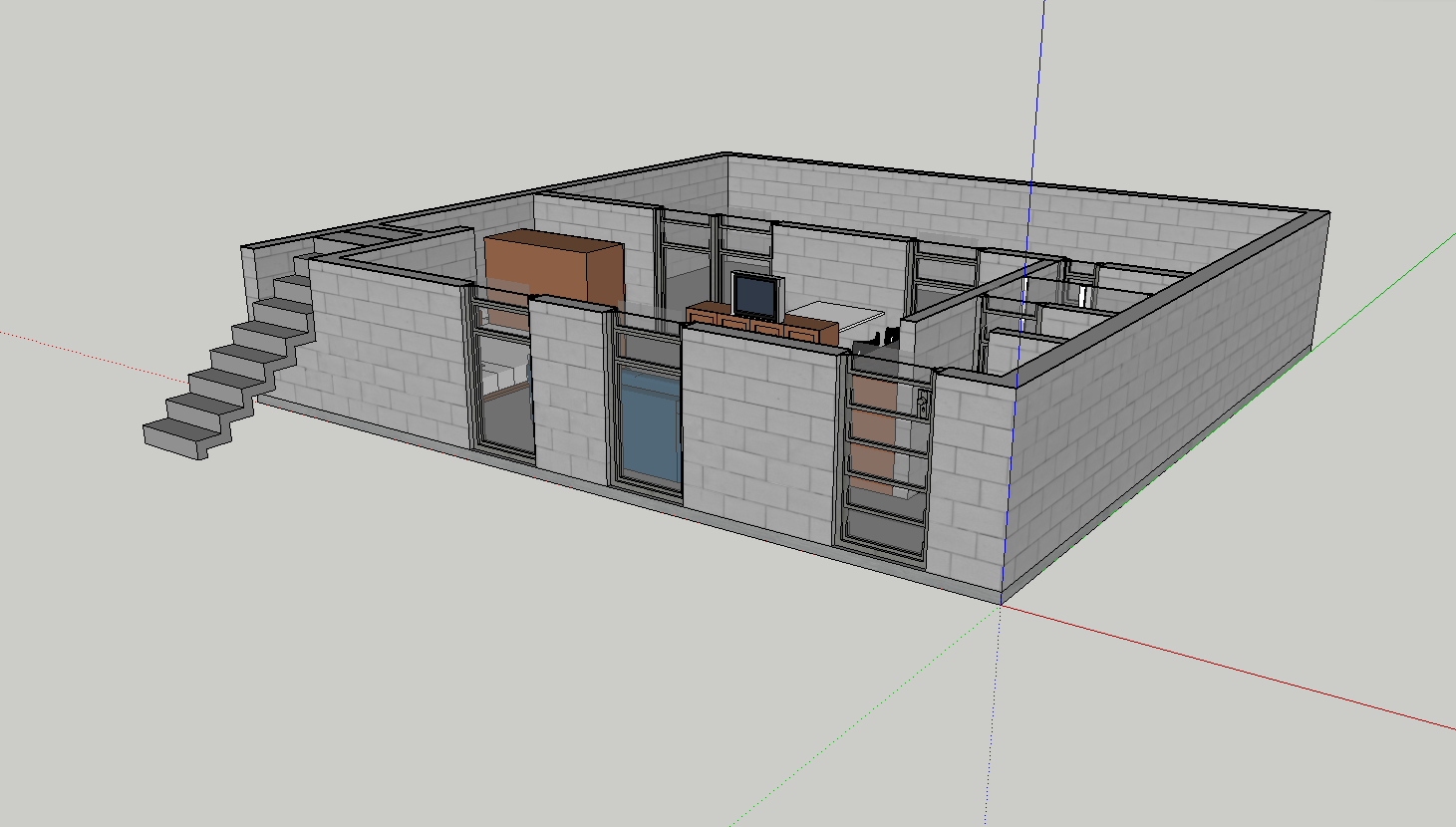
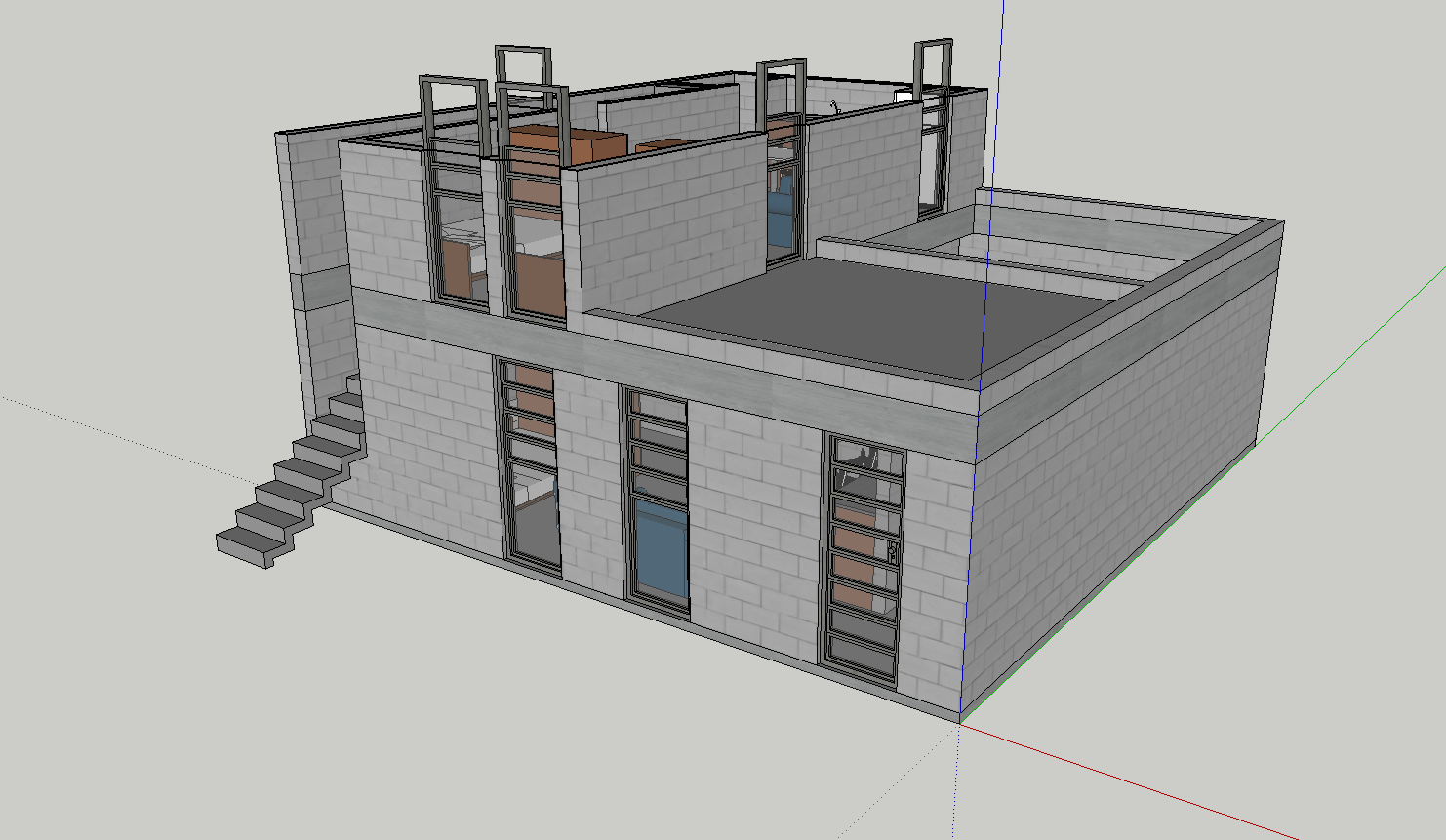
i am having a strange problem while making a number of horizontal sections to a 3-story model. i have made 3 sections, one per floor.
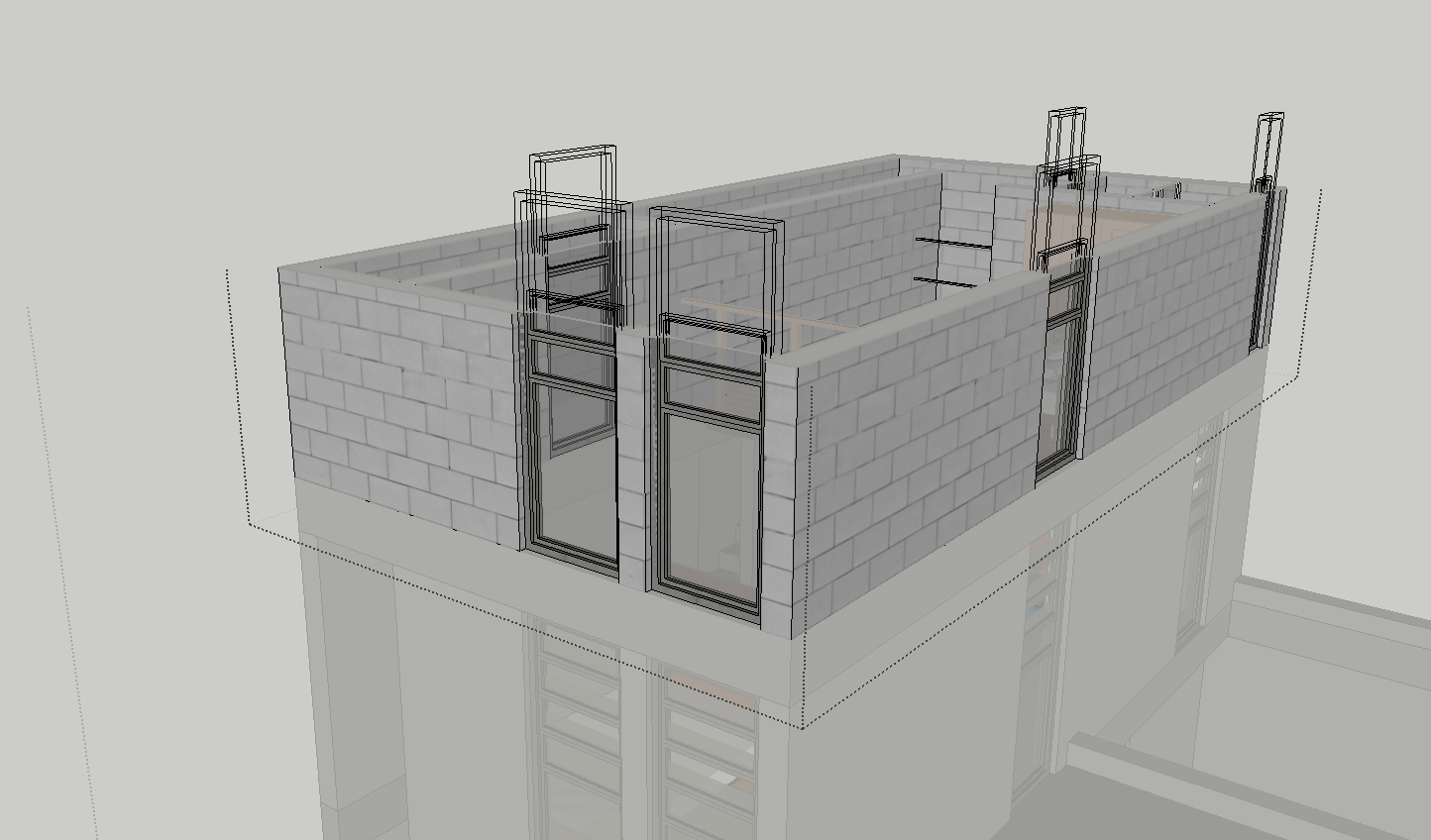
seeing the sections individually everything is fine, that is, all the elements appear cut (top picture). but, whenever i visualize more than one floor at a time the parts of the window/door components which are above the section line and thus should not appear do appear (but note that only the parts being actually cut appear, in this case the jambs) (bottom picture). an additional quirkiness happens when i open the 2nd story group to see what is happening: the cut parts appear in wireframe.
any ideas on this?
-
I've not seen that behaviour before. Can you share the .skp?
Does it happen with this model only, or are you able to reproduce it?
Does it also happen in the SU update that was released yesterday?
-
The wireframe screenshot made me wonder if it's a graphic card driver issue. But since the second screenshot displays the whole components, I'm not entirely sure. Can you post your system stats?
-
Edson, the skippy would definitely be of great help. First of all, identifying whether it's just you (your machine) or the file itself.
-
Just had a brainwave. At least for screenshot #2. Is your sectioncut located inside a group or component?
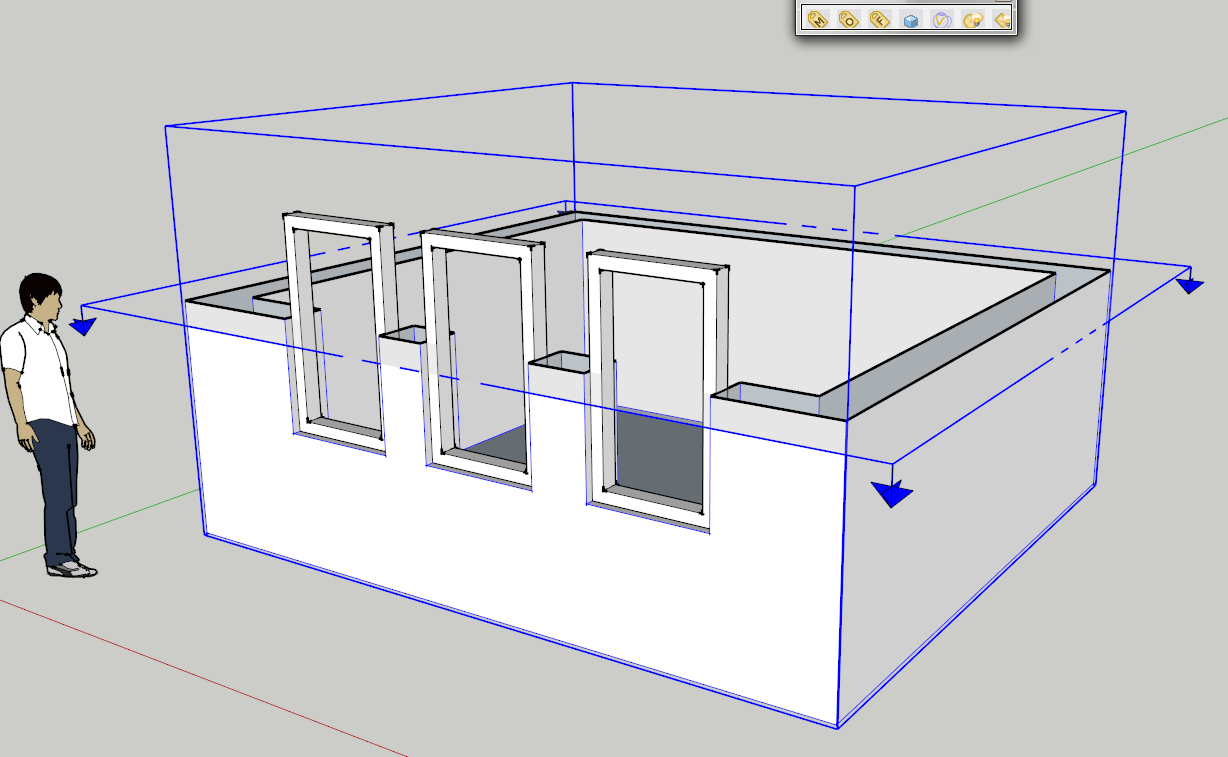
In the attached image I reproduced similar scenario. The walls are in a group and the window frame is components. The section cut is located inside the wall group. If I move the section cut to the top level (outside any groups or component it cuts through all the model.)
-
That was my first guess, too, but then those wireframe things got me thinking. That could be hardly reproducible (although you never know...)

-
i am running the latest SU7 Pro build (7.0.10248) on an iMac 2.16 ghz, core 2 duo, 3gb ram, OS X 10.4.11.
thomas, you may have a point about the card hypothesis. running the same file on my macbook pro (SUp latest build, mac OS X 10.5.6) did not have the same result. none of what i described above happened. but then why is this happening only on some sections and not on others?
any way, you can download the file from
http://www.4shared.com/file/89568818/146d7824/Cortes_2em1_2502.htmlthanks.
-
@thomthom said:
Just had a brainwave. At least for screenshot #2. Is your sectioncut located inside a group or component?
no, the section is not located inside any group or component.
-
I had a look Edson and nothing abnormal or unusual. It must be your machine I believe. Could you temporarily turn off hardware acceleration (Sketchup . Preferences . OpenGL)?
-
nothing changed with hardware acceleration off. thanks.
-
On my primary system Q9450 2.66GHz, nVidia Geforce 8800GT, Windows 7 Beta 64bit: everything normal
On my secondary computer, P4 HT, 2.8GHz, ATI Radeon 9800, Windows Vista 32bit: everything normal.
On my olg G4 Mac Mini (second generation) 1.25GHz, some ATI graphic card I think: I see the exact same bugs. Even the wireframe thing.So it looks like it's a Mac issue. Not sure how to update graphic card driver on Mac, so I was unable to try that.
Also don't know why it happens with some cuts and some not. I suppose there's some trigger combination that has to match.
-
as far as i know, there is no way to update a graphic card on mac.
it must be an ATI Radeon card-related problem as i have no problems on my macbook pro with GEForce 8600.
-
Never seen this either, must be a video card issue.
There is no way to upgrade you GPU on a Mac? I cannot confirm this as I always assumed Mac's updates included current firmware and drivers.
-
@edson said:
as far as i know, there is no way to update a graphic card on mac.
it must be an ATI Radeon card-related problem as i have no problems on my macbook pro with GEForce 8600.
On Mac only , since my Windows ATI Radeon worked fine.
Has Apple dropped support for these cards? No way to obtain drivers from ATI? -
@solo said:
Never seen this either, must be a video card issue.
There is no way to upgrade you GPU on a Mac? I cannot confirm this as I always assumed Mac's updates included current firmware and drivers.
what i meant is that the user cannot download a driver and update his card. the updates are probably included on each system upgrade.




Hello! It looks like you're interested in this conversation, but you don't have an account yet.
Getting fed up of having to scroll through the same posts each visit? When you register for an account, you'll always come back to exactly where you were before, and choose to be notified of new replies (either via email, or push notification). You'll also be able to save bookmarks and upvote posts to show your appreciation to other community members.
With your input, this post could be even better 💗
Register Login


Advertisement