sketchucation logo sketchucation
    • Login
    Oops, your profile's looking a bit empty! To help us tailor your experience, please fill in key details like your SketchUp version, skill level, operating system, and more. Update and save your info on your profile page today!
    ⚠️ Update | Sketchucation Tools 5.0.8 released with licensing improvements and bugfixes Download

    SketchUp Thumbnails not showing up?

    Scheduled Pinned Locked Moved SketchUp Discussions
    sketchup
    30 Posts 16 Posters 24.0k Views 16 Watching
    Loading More Posts
    • Oldest to Newest
    • Newest to Oldest
    • Most Votes
    Reply
    • Reply as topic
    Log in to reply
    This topic has been deleted. Only users with topic management privileges can see it.
    • TaffGochT
      TaffGoch
      last edited by

      gistman,

      For future reference, "cd" means "change directory" and is an old DOS command.

      Taff

      "Information is not knowledge." -- Albert Einstein

      1 Reply Last reply
      Reply Quote 0
      • N
        nacholo
        last edited by

        @gistman said:

        1. Click "Start" > "Run."
        2. Type "cmd" in the Open box and click "OK."
        3. Navigate to the SketchUp directory, which is typically located at C:\Program Files\Google\Google SketchUp 6\
        4. Type "regsvr32 thumbsup.dll" without quotes and hit Enter.

        Thank you very much! I was on same problem and solve it with your explain.
        Thanks and regard

        1 Reply Last reply
        Reply Quote 0
        • M
          masrulpilami
          last edited by

          mmmh....excuse me....hehe but it doesnt work in my sketchup 7 in my windows 7 64 bit...someone please help me...

          1 Reply Last reply
          Reply Quote 0
          • thomthomT
            thomthom
            last edited by

            @masrulpilami said:

            mmmh....excuse me....hehe but it doesnt work in my sketchup 7 in my windows 7 64 bit...someone please help me...

            It won't work on any 64bit systems. The Explorer Shell extension for .skp thumbnails is 32bit only.

            Thomas Thomassen — SketchUp Monkey & Coding addict
            List of my plugins and link to the CookieWare fund

            1 Reply Last reply
            Reply Quote 0
            • M
              masrulpilami
              last edited by

              ou..
              so what must i do then? it's so hard for me to choosin component from component windows on sketchup...:/
              do u have some suggestions for me? or i must change to 32 for now...?

              1 Reply Last reply
              Reply Quote 0
              • thomthomT
                thomthom
                last edited by

                When you use the Open file dialog in SU you will be able to see thumbnails as SU is a 32bit app. Ok workaround - instead of using the Explorer to locate the files?

                Thomas Thomassen — SketchUp Monkey & Coding addict
                List of my plugins and link to the CookieWare fund

                1 Reply Last reply
                Reply Quote 0
                • AnssiA
                  Anssi
                  last edited by

                  XNView is a free image browser software that could display previews for SU files even before SU had the feature itself. Mine is old and it wouldn't do it for recent SU files, but there seems to be a newer one. Has anyone tried it with a 64-bit OS?

                  Anssi

                  securi adversus homines, securi adversus deos rem difficillimam adsecuti sunt, ut illis ne voto quidem opus esset

                  1 Reply Last reply
                  Reply Quote 0
                  • B
                    bmunsell
                    last edited by

                    Hey thanks, it worked for me also except I had to change to sketchup 8 folder. By the way the "cd" stands for change directory and comes from the old dos commands

                    1 Reply Last reply
                    Reply Quote 0
                    • brodieB
                      brodie
                      last edited by

                      @anssi said:

                      XNView is a free image browser software that could display previews for SU files even before SU had the feature itself. Mine is old and it wouldn't do it for recent SU files, but there seems to be a newer one. Has anyone tried it with a 64-bit OS?

                      Anssi

                      The latest Xnview does show thumbnails (I'm on Win7). There's also mysticthumbs http://mysticcoder.net/mysticthumbs.html small fee but it works in explorer which is really handy.

                      -brodie

                      steelblue http://www.steelbluellc.com

                      1 Reply Last reply
                      Reply Quote 0
                      • N
                        nicolerouillard
                        last edited by

                        Hey,

                        This is all very interesting. Having trouble navigating to system32. This is the screen I get:
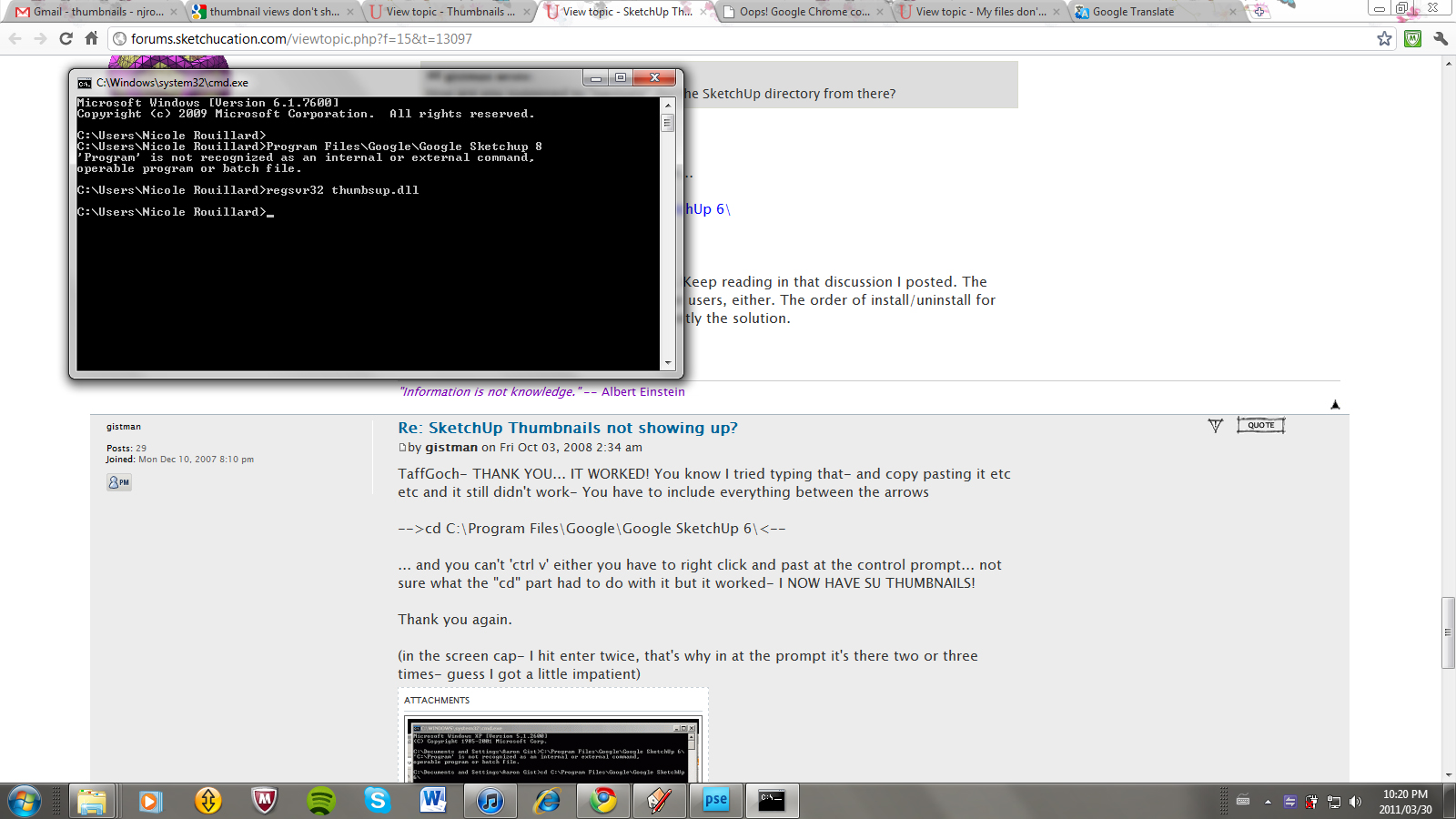

                        printscreen.jpg

                        1 Reply Last reply
                        Reply Quote 0
                        • AnssiA
                          Anssi
                          last edited by

                          @nicolerouillard said:

                          Hey,

                          This is all very interesting. Having trouble navigating to system32. This is the screen I get:

                          You are not giving the system any commands. Typing directory names is not enough - as the error message you get shows.

                          So you should type, followed by Enter (not the explanations I italicized)

                          cd\ (this navigates to the root directory of the current drive)

                          cd "c:\Program Files\Google\Google SketchUp 8" (this navigates to the SU application folder, the quotes are compulsory here)
                          regsvr32 thumbsup.dll

                          Note that this doesn't work if you have a 64-bit operating system.

                          Anssi

                          securi adversus homines, securi adversus deos rem difficillimam adsecuti sunt, ut illis ne voto quidem opus esset

                          1 Reply Last reply
                          Reply Quote 0
                          • S
                            SpookyChick1013
                            last edited by

                            @unknownuser said:

                            You are not giving the system any commands. Typing directory names is not enough - as the error message you get shows.

                            So you should type, followed by Enter (not the explanations I italicized)

                            cd\ (this navigates to the root directory of the current drive)

                            cd "c:\Program Files\Google\Google SketchUp 8" (this navigates to the SU application folder, the quotes are compulsory here)
                            regsvr32 thumbsup.dll

                            Thank you SO much Anssi! I haven't used dos commands in so many years I had forgotten critical little points like those you mentioned, and was struggling with implementing that fix, until I read your post. Now, I will have my thumbnails back, thank the Force!

                            Cathryn

                            https://kuromatsudriveyards.com

                            Fo-su to tomo ni aran koto o...

                            1 Reply Last reply
                            Reply Quote 0
                            • vyctortumbuanV
                              vyctortumbuan
                              last edited by

                              Hello...people.

                              what should i do to fix this?? i was try to follow on the top solution,but im still having a problem.
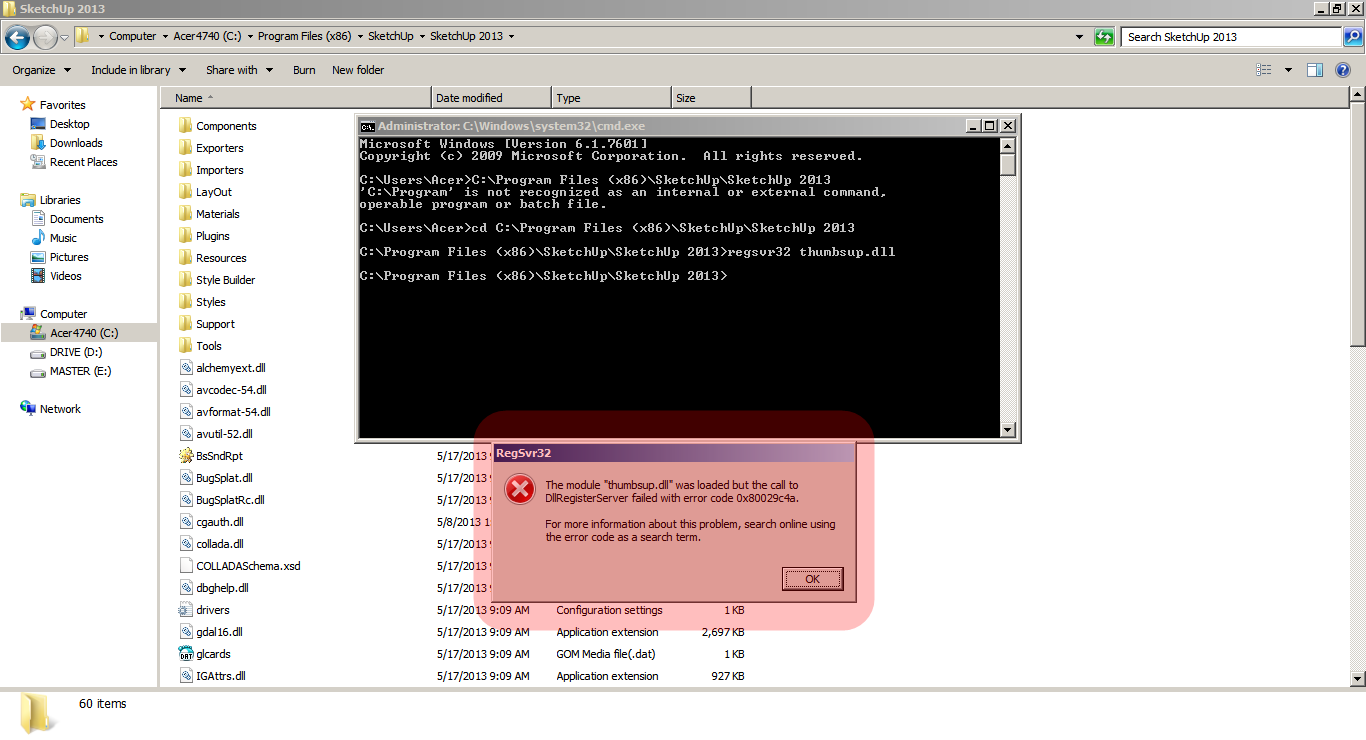

                              capture-20130610-025541.png

                              1 Reply Last reply
                              Reply Quote 0
                              • thomthomT
                                thomthom
                                last edited by

                                Doesn't work on 64bit systems.
                                http://sketchucation.com/forums/viewtopic.php?f=15&t=13097&view=unread#p218683

                                You can use a third party utility such as MagicThumbs to get thumbnails for 64bit systems + huge number of other formats.

                                Thomas Thomassen — SketchUp Monkey & Coding addict
                                List of my plugins and link to the CookieWare fund

                                1 Reply Last reply
                                Reply Quote 0
                                • vyctortumbuanV
                                  vyctortumbuan
                                  last edited by

                                  Thanks Thom.

                                  1 Reply Last reply
                                  Reply Quote 0

                                  Hello! It looks like you're interested in this conversation, but you don't have an account yet.

                                  Getting fed up of having to scroll through the same posts each visit? When you register for an account, you'll always come back to exactly where you were before, and choose to be notified of new replies (either via email, or push notification). You'll also be able to save bookmarks and upvote posts to show your appreciation to other community members.

                                  With your input, this post could be even better 💗

                                  Register Login
                                  • 1
                                  • 2
                                  • 1 / 2
                                  • First post
                                    Last post
                                  Buy SketchPlus
                                  Buy SUbD
                                  Buy WrapR
                                  Buy eBook
                                  Buy Modelur
                                  Buy Vertex Tools
                                  Buy SketchCuisine
                                  Buy FormFonts

                                  Advertisement