sketchucation logo sketchucation
    • Login
    Oops, your profile's looking a bit empty! To help us tailor your experience, please fill in key details like your SketchUp version, skill level, operating system, and more. Update and save your info on your profile page today!
    Mac User? | Join the Rayscaper Beta for Mac Learn More

    [Plugin] Point v1.2

    Scheduled Pinned Locked Moved Plugins
    42 Posts 25 Posters 83.0k Views 25 Watching
    Loading More Posts
    • Oldest to Newest
    • Newest to Oldest
    • Most Votes
    Reply
    • Reply as topic
    Log in to reply
    This topic has been deleted. Only users with topic management privileges can see it.
    • M
      Matt666
      last edited by

      Hi all!
      This plugin seems to have success (Downloaded 123 times)...
      Here is an update (v1.1)... Read the first post for details!
      😉

      Frenglish at its best !
      My scripts

      1 Reply Last reply
      Reply Quote 0
      • GaieusG
        Gaieus
        last edited by

        And I was the first to download this version.
        Funny that there are quite a few "robust" plugins nowadays and we tend to forget about "small" but equally (if not even more) useful scripts that may make our lives so much easier and actually so much more often during every phase of modelling. Sometimes you don't even notice that you are using a plugin because you take it so natural that it's there. Like Weld.rb. Or this one.

        Thanks a lot! 👍

        Gai...

        1 Reply Last reply
        Reply Quote 0
        • Chris FullmerC
          Chris Fullmer
          last edited by

          Great job Matt! Good job on the toolbar too,

          Chris

          Lately you've been tan, suspicious for the winter.
          All my Plugins I've written

          1 Reply Last reply
          Reply Quote 0
          • M
            Matt666
            last edited by

            Thank you! 😳

            Frenglish at its best !
            My scripts

            1 Reply Last reply
            Reply Quote 0
            • P
              PRSS
              last edited by

              This will be really useful for me. Thanks a ton!

              With best regards
              PRSS

              1 Reply Last reply
              Reply Quote 0
              • B
                Bones
                last edited by

                Hi, cool plugin, you done a great job! If there a posible to put arow keys on blue, red , green axes like pen tool does?

                1 Reply Last reply
                Reply Quote 0
                • simon le bonS
                  simon le bon
                  last edited by

                  Cher Matt!

                  Bravo pour cet outil!

                  I agree completely with Gaieus: a seemingly "little" tool that we forget that we need all the time.

                  How could we do without this tool ??
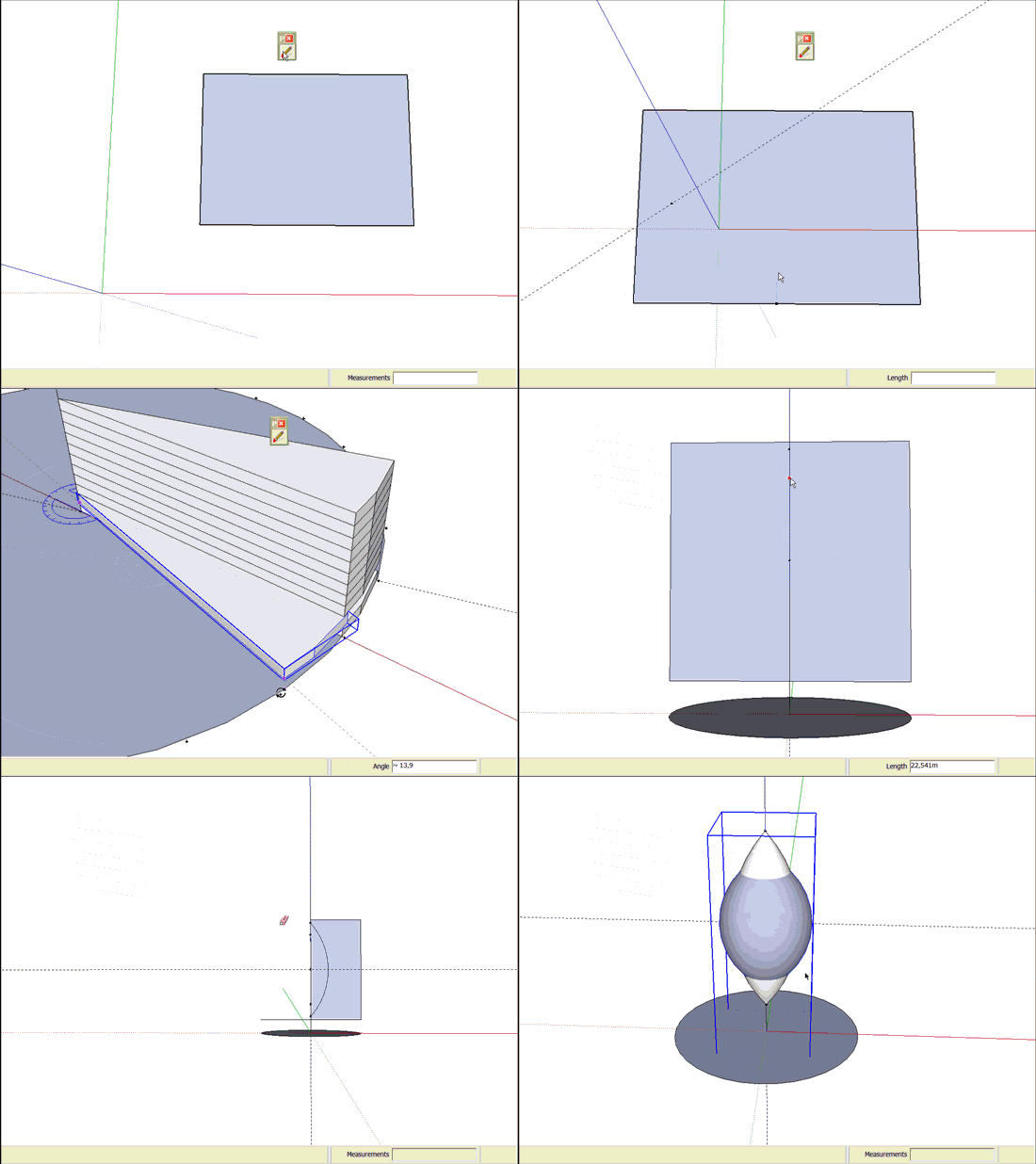
                  http://i274.photobucket.com/albums/jj245/Spendauballet/videos/PoinMatt_A_550x412.gif

                  [flash=550,412:2xppaall]http://www.youtube.com/v/aEBrzJscSP0&hl=fr&fs=1[/flash:2xppaall]

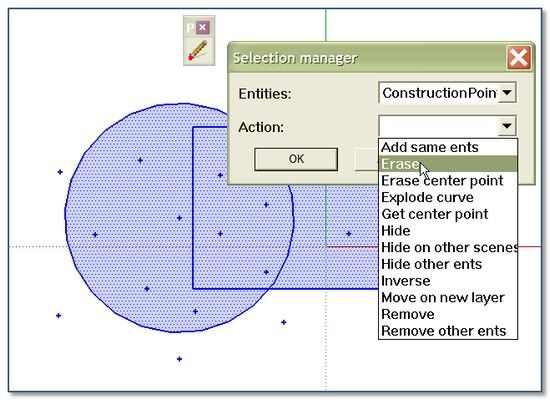
                  But at the end we need to erase all those construction points!!!
                  No problem! Just use the so powerful Matt666's Selection Manager 😉 😉
                  http://i274.photobucket.com/albums/jj245/Spendauballet/SketchUp/th_SelectionManager_Matt.jpg

                  And dear Matt I'm sure you will not be angry about me if i complete the panoply with those daily other useful tools:
                  Jim Foltz's Construction Line Tool
                  Jim Foltz's Arc Centerpoint
                  Todd Burch's CenterPoint
                  Didier Bur's fr_lines_converter

                  👍 👍 Simon

                  1 Reply Last reply
                  Reply Quote 0
                  • Bob JamesB
                    Bob James
                    last edited by

                    Have a problem loading: see attachment.
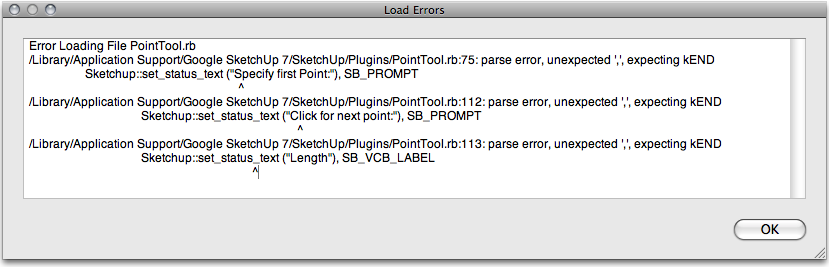

                    Picture 18.png

                    i7-4930K 3.4Ghz, 2x GTX780 6GB, 32GB DDR3-1600 ECC, OCZ Vertex 4 500GB, WD Black 3TB, 32TB NAS, 4x 27" Monitors, SpaceMouse Pro, X-keys XK-60

                    1 Reply Last reply
                    Reply Quote 0
                    • jeff hammondJ
                      jeff hammond
                      last edited by

                      @bob james said:

                      Have a problem loading: see attachment.

                      ditto

                      looks very useful too... anyone know how to make this mac compatible?

                      dotdotdot

                      1 Reply Last reply
                      Reply Quote 0
                      • M
                        Matt666
                        last edited by

                        @ Bones : Hi ! I will give a try... Not sure I can do that...
                        @ Jeff Hammond & Bob James : Ok, thank you for that! I have asked to Fredo6 (because his compatibility between Win & Mac is great), so be patient please! 😄
                        @ simon le bon ... Bah didon belle présentation !! Merci à toi 😳 Thank you for this great presentation!!

                        Frenglish at its best !
                        My scripts

                        1 Reply Last reply
                        Reply Quote 0
                        • simon le bonS
                          simon le bon
                          last edited by

                          👍 😉 😄

                          1 Reply Last reply
                          Reply Quote 0
                          • MALAISEM
                            MALAISE
                            last edited by

                            Obviously useful 👍 👍

                            MALAISE 😄

                            La Connaissance n'a de valeur que partagée

                            1 Reply Last reply
                            Reply Quote 0
                            • M
                              Matt666
                              last edited by

                              Thank you Pierre!
                              A new version 1.2 is available... Try to fix Mac problems.

                              Frenglish at its best !
                              My scripts

                              1 Reply Last reply
                              Reply Quote 0
                              • jeff hammondJ
                                jeff hammond
                                last edited by

                                Merci!

                                it's working nicely now on my mac.
                                btw, i think the provided icon is too small.. it's 16x16 but SU can use 24x24 as well..

                                @simon le bon said:

                                But at the end we need to erase all those construction points!!!
                                No problem! Just use the so powerful Matt666's Selection Manager 😉 😉

                                another option is edit->delete guides.. not as powerful as selection manager but it will get rid of the points as well.

                                dotdotdot

                                1 Reply Last reply
                                Reply Quote 0
                                • A
                                  agrazdi
                                  last edited by

                                  I found this plugin great.
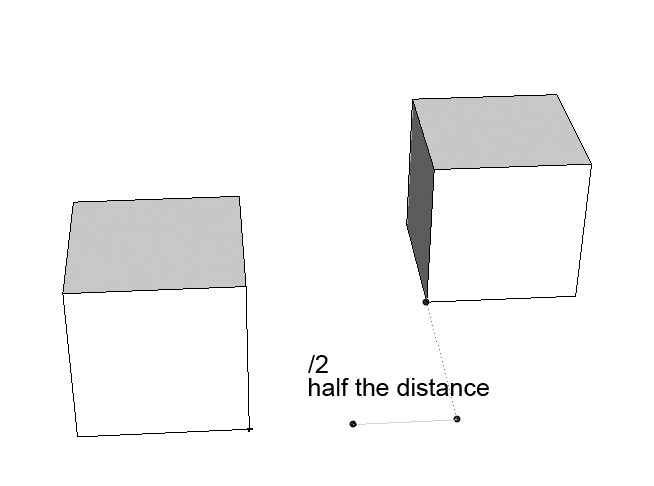
                                  But it could be excelent if after you inferrenced the distance with another object you could tape /# of spaces and add constructions points. Sort of dividing a line in 2,3,4.... spaces.
                                  Is it possible to add this request ?

                                  Thanks

                                  agrazdi


                                  point half.jpg

                                  1 Reply Last reply
                                  Reply Quote 0
                                  • I
                                    ilay7k
                                    last edited by

                                    Matthieu, thank you
                                    great addition for making of general plans

                                    1 Reply Last reply
                                    Reply Quote 0
                                    • M
                                      Matt666
                                      last edited by

                                      Thank you!
                                      agrazdi, I will see what I can do!

                                      Frenglish at its best !
                                      My scripts

                                      1 Reply Last reply
                                      Reply Quote 0
                                      • simon le bonS
                                        simon le bon
                                        last edited by

                                        Hi NewOne,
                                        Your icons are NumberOne 😉
                                        But when i try to use them (32x32), their quality isn't at the "rendez-vous" . Why? I can't say.
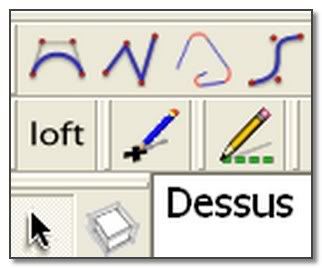
                                        http://i274.photobucket.com/albums/jj245/Spendauballet/SketchUp/Matt_Point.jpg

                                        simon

                                        1 Reply Last reply
                                        Reply Quote 0
                                        • N
                                          NewOne
                                          last edited by

                                          @simon le bon said:

                                          Hi NewOne,
                                          Your icons are NumberOne 😉
                                          But when i try to use them (32x32), their quality isn't at the "rendez-vous" . Why? I can't say.
                                          simon

                                          Well... This is what I do now: try to figure out why on image viewer and on forum page the icon looks nice, but in Sketchup is a little messed up.
                                          QUESTION: how many colors does sketchup accept for icons? true color, 256, or less? 😳

                                          1 Reply Last reply
                                          Reply Quote 0
                                          • J
                                            Jim
                                            last edited by

                                            Sketchup Toolbar icons are 24x24, or 16x16 for the small icons. Tool cursors are 32x32.

                                            Hi

                                            1 Reply Last reply
                                            Reply Quote 0

                                            Hello! It looks like you're interested in this conversation, but you don't have an account yet.

                                            Getting fed up of having to scroll through the same posts each visit? When you register for an account, you'll always come back to exactly where you were before, and choose to be notified of new replies (either via email, or push notification). You'll also be able to save bookmarks and upvote posts to show your appreciation to other community members.

                                            With your input, this post could be even better 💗

                                            Register Login
                                            • 1
                                            • 2
                                            • 3
                                            • 1 / 3
                                            • First post
                                              Last post
                                            Buy SketchPlus
                                            Buy SUbD
                                            Buy WrapR
                                            Buy eBook
                                            Buy Modelur
                                            Buy Vertex Tools
                                            Buy SketchCuisine
                                            Buy FormFonts

                                            Advertisement