What's your beginners tip?
-
Yeah, use google (or ur favorite search-engine) when you tired to repeat your activity with SU!
For example, as beginner I dont know how to make a model with paper.
I rotate and rotate again each side of my model...
Luckily, there are some plugin (fold) that makes my life easier,
Even, I feel blessed since there are free-plugin (no cost), as I were a beginner and has no profit from my current work.So? even often a stupid word (such "Sketchup print model to printer") will make us happier

Best regards,
==x2nie -
In woodworking/construction: Model as you are going to build. Learn the dimensions of the materials you are going to use during the build and adhere strictly to these in your model. And draw the hidden parts as well: if you for example will be using mortise and tenon in a joint then draw these too. While you draw your model as you're going to build it you will go through all kinds of considerations and you will find the best solutions for them.
And it's so much easier to press 'Undo' than trying to glue sawdust back together.

- Kristian
-
Tip_dj no 14
Alternet way to restore toolbars prosition
without using veiw-Toolbar - save toolbars prosition (reg ToolbarsUserCustom-Bar)Ok you know that everytime you boot sketchup the tool bars are set the same as you left
rightnow if you move thing around and if your tool bar get mix up by resizing sketchup bordders and you want to restore toolbars prosition to a standard view (veiw-Toolbar -restore toolbars prosition is ok to use)
but
To return to how it was when you started, just start a new sketchup instance then exit out the old then exit the new.
when you come back toolbar are fix to how they were
-
Tip_dj no 1
This is my best tip all year of 2011
by dukejazz on Mon Dec 19, 2011 7:52 amWhen sketchup starts up it doesn't see any hidden ruby files
(note: With windows explorer toolbar, Tools-folder options-view-show the hidden files = on)
You can hide what you don't need to load, and unhide the require ones that you do.
Later with Jim ruby toolbar you can load the hidden ones.
That's because your telling the script loader about the name, type and location of ea. plug-ins to load...thus no need to double buffering of plug-ins in folders by loaders.
Also the plug-ins are in the folder that are meant to be in.
 win win!
Jim
http://forums.sketchucation.com/viewtopic.php?t=1542
Ruby Toolbar
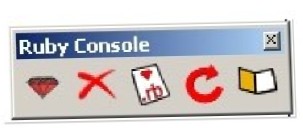
Download here
http://sketchuptips.blogspot.com/2007/08/plugin-ruby-toolbar.html -
if this works you are my hero
@dukejazz said:
Tip_dj no 14
Alternet way to restore toolbars prosition
without using veiw-Toolbar - save toolbars prosition (reg ToolbarsUserCustom-Bar)Ok you know that everytime you boot sketchup the tool bars are set the same as you left
rightnow if you move thing around and if your tool bar get mix up by resizing sketchup bordders and you want to restore toolbars prosition to a standard view (veiw-Toolbar -restore toolbars prosition is ok to use)
but
To return to how it was when you started, just start a new sketchup instance then exit out the old then exit the new.
when you come back toolbar are fix to how they were
-
Some of these are really good advices. I keep having trouble with keeping things tidy, but as it was mentioned so many times, nothing makes the work easier than well created groups.
All i can add is that practice makes perfect so keep working with sketchup on a daily basis. Since I started my regular -couple of hours a day, everyday- practice with sketchup I have learned a lot for such a short time, the progress is easily noticeable. -
@redfoxy said:
Some of these are really good advices. I keep having trouble with keeping things tidy, but as it was mentioned so many times, nothing makes the work easier than well created groups.
All i can add is that practice makes perfect so keep working with sketchup on a daily basis. Since I started my regular -couple of hours a day, everyday- practice with sketchup I have learned a lot for such a short time, the progress is easily noticeable.And it's good to "test" yourself. When I started 6 months ago I would download a random dwg file and covert it to 3d. I would spend all day trying to get it perfect. This morning I did one in less time than it took to drink my coffee, it's a boost to the ego to measure yourself.I have learned to do a full set of house plans etc. but it's still good to go back to basics once in a while and see how well you can do, as compared to a month or so before.
-
What is a "random dwg file" ?

A file yet existing of some houses drawing or something else like cloud points...? -
my new beginners tip....if you want to highlight a portion of your model...apply transparency to the materials of the rest of the model.
-
Begin the plunge [into Sketchup] by using a venue familiar or interesting. In my case, that was woodworking. Having a more objective sight of [clear-to me] goals, I was quicker and more determined to chew deeper into the subject matter and get results. Put a lot sharper bends into my learning curve.
-
Never stop searching the forums and other such websites for tips and tricks. I have been using Sketchup for a couple of years now and just discovered some cool tips from a Basecamp tips and tricks video posted to youtube in 2008.

One from Chris Fulmer regarding the use of scenes as a tool for working with medium to large models. Great tip!
Watching Gaieus model an Ionic column was impressive. Thanks.
and Susan, thanks for pointing out that components are much more useful (to all) when constructed well.
Here is the link
-
hi im new here who can give me a tour on how to download vray for sketch up 2013 thanks and much apreciated your help
-
Here maybe? http://www.chaosgroup.com/en/2/downloads.html?s=v-ray-sketchup
(need to be registered and logged in) -
@gaieus said:
Here maybe? http://www.chaosgroup.com/en/2/downloads.html?s=v-ray-sketchup
(need to be registered and logged in)Thank you sir
-
This may be hard to explain but a little known tip I use is what I call "move without selection" It works on cylinders to make cones...
Draw a circle.
Pull it up into a cylinder.
Rotate so you can see the top.
Now with nothing selected choose the MOVE toolNow hover your tool around the top edge.
If the edge turns blue you are NOT on a cardinal point and if you move, the circle will move in the direction you move it.
BUT if your point is there as an endpoint and the circle is NOT blue you ARE on a cardinal point.
Moving from there causes the circle to get smaller or larger.i use this method to make cones rapidly.
-
That's scaling with Cardinal Points and it is is both handy and it seems, little known. You won't get a perfect cone but it'll be close. It works for polygons, too.
-
@dave r said:
That's scaling with Cardinal Points and it is is both handy and it seems, little known. You won't get a perfect cone but it'll be close. It works for polygons, too.
Scaling with cardinal points is certainly a more accurate term than mine.
Wanna try something difficult? Try to find it explained without knowing what its called! Takes a bit of googling.i didn't know about the polygon part. I'll have to play with that.
Thanks
M
-
Tip_dj no 15
Plugins - InputBox typeThe opening of a ruby plug-in with a InputBox usually opens in the center of SU window.
But if you open a sub window of SU like Outliner and select the top bar.
Then running a plug-in with a InputBox again, now center on the sub window of the outliner
Why is this important to know?
Some times a plug-in cover up what you need to see especially a large InputBox
 -dj
-dj -
Best tip came from Dave R. (moderator). Change your styles to where the back face is a contrasting color, i.e. green or something similar to make it much easier to see when you have faces that are reversed. Thanks Dave.
-
@chris fullmer said:
Always use a 3 button mouse with SketchUp. None of those single button Mac mice....stupidest invention ever.
And use shortcut keys.
Chris
Thanks
love my mac stuff, but guess youre right 













Advertisement