[Plugin] Proper Animation V1.08 Beta(Updated 14/11/10)
-
Isn't there any easy way to export a video from SU (while running Proper Animation)? Kerkythea is not the solution. I have to export nearly 940 frames just for a simple design and while rendering in kerkythea (with Ray Tracing - I need to choose this) it really kills me.
Isn't there a simple way to do it?
-
The simple way is to make a screen shot video which is how I did this:

-
Dear Morisdov,
I have downloaded the latest version of this plugin. THANK YOU SO MUCH FOR SHARING!!! It's so powerful.- It's really great - works great in SU8, and I can animate no problem.
- I can render the animation using Twilight no problem.
- I can open the image sequence created in Virtual Dub and save the image sequence as an .avi no problem.
So what's my problem?

The adjusting of the animation transition times.When I animate an object, and specify 1 second in SketchUp transition time (I always specify zero time for scene delay) it takes 0.5 seconds for the animation of the object, then the remaining .5 seconds is just the object sitting there in place.

Is it impossible to get the animation of the object to take up the entire transition time so that I can render a video where the animation is not taking up only half of each frame, and then just sitting there?
read more explanation only if interested:
If I set the Scene Delay to 2 seconds, Proper Animation animates the motion of the object for 1 second, and then the remaining second the object is sitting there in place.The default for each transition is "-1.0"
 There's no info about this in the "How To" pdf tutorial you created - which is very helpful, in every other way!
  I will presume that "-1.0" value = "use SketchUp Model Info specified Animation Transition Time"
So if I experiment I find that setting transition for each scene to "0.0" makes the image sequences just fly by - with no animation happening, presumably because they have zero time to be animated. Makes sense.
But no matter if I set the transition time in the Proper Animation Transition Time Dialog to "1.0 or 2.0" or "10.0" it appears that the animation always takes place in half the time specified. This results in a "start quick and stop" animation, when I want a smoothly animated sequence... I want the animation to happen during the whole frame.
-
Test animation before easing support (Full HD DivX 2Mb).
Will test the easing support version now. Thanks so much for your help!
Edit- tested.
1 - WORKS GREAT! Appears that by default the transition fills the entire Scene Transition Time now.
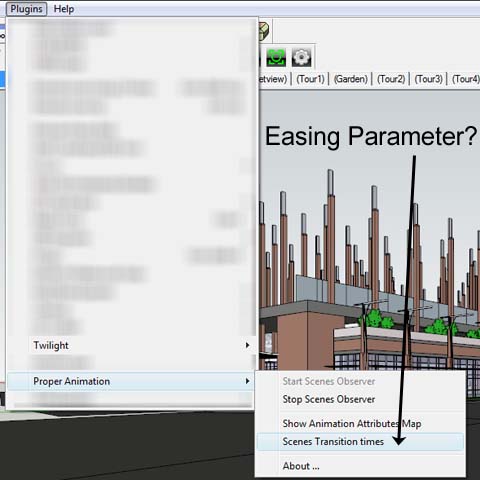
2 - Am I Missing the Easing Parameter choice?
-
@unknownuser said:
2 - Am I Missing the Easing Parameter choice?
Verify you have only a single"proper animation 1.xx.rbs" file in plugins folder.
The "About" dialog window should report 1.08 beta. -
Wow, Fletch. This is crazy. How can a building be built like that? Parts flying in from all over the place!
(Good job however - and cool plugin, Moris!)

-
That's bloody brilliant Fletch. Thanks for sharing
-
Test animation with easing fix. (DivX-small prelim)
ps - I had renamed the "old" properanimation thinking that renaming it would disable it. it didn't.
removing it completely from the folder worked. thanks. -
Thanks Rich.

One small issue now: Must Stop and Start Observer after any change to positions, or adding a scene. Or I have to save and close the file, and re-open it to see the changes made. It seems like it 'updated' itself better before.
But now the scene transitions appear to be much smoother because it appears to cause the animation to occur for the entire transition time at .3 easing setting (and this is customizable). Thank you!
Why ".3"?
-
Final proof of concept video (xvid-550kb) - just to let you know I think it's looking good. Thank you, Morisdov for your responsiveness - It's a great animation plugin and we will continue to promote it via Twilight.
-
morisdov,
Thank you so much for such a great plugin! I was going ask about the animation speed issue, but then I find that there's an update with animation easing adjustment, and everything is wonderful!Don't know if it's a bug necessarily, but the only odd thing I've found while using Proper Animation is when I open a file with >7 animation positions, I have to right click an item, choose "add position 8, 9, etc" in order for them to show on the Animation Easing dialogue box. Otherwise, the dialogue box stops at position 7.
Such an easy thing, but I bring it up in the interest of trying to help develop an even more user-friendly product.Thank you again!
EDIT: Seems once I've done what I outlined above and save the file, I don't have to do it again, so it must have been due to working with a previously made file (using Proper Animation 1.07) with the new version. Just had to let the easing menu know that there are other steps, or something like that.
-
I use SketchUp with Proper Animation for animation of the building.
I render the whole sequence in Twilight Render.
It renders a still image in .jpg format (or whichever format I choose) for each frame of the animation.
Then I open the sequence of images in Virtual Dub.
I set up the audio and apply xvid compression, then save from Virtual Dub as .avi. There's only one compression I have found that is better than xvid, but I don't have it installed yet in Virtual Dub, and xvid works great, and very very fast, while maintaining good quality. (your video must be in dimensions multiple of 4 if you wish to use xvid or some other great codecs) So when you render your animation, keep that in mind.@Morisdov,
If I can be so bold as to have a wish... it would be to add a position anywhere, so if I have 7 positions filled, and want to add something in the beginning, I could add a position 1, and it would move current position 1 to be now 2, 2 to be 3, and so on... this would make editing the animation sequence much easier. It would be nice, along those lines, if you show it to a client and they ask for changes. So now they want something else to happen between position 4 and position 5, you could add a position in between them without replacing position 5 with something different.Hope this idea is clear.
Sorry if it's a bad explanation. -
@fletch said:
Final proof of concept video (xvid-550kb) - just to let you know I think it's looking good. Thank you, Morisdov for your responsiveness - It's a great animation plugin and we will continue to promote it via Twilight.
Hi
wich application did you use?
It looks great and its not a big file.I have designed a large house.
Now I want to make an animation to show how it looks inside the house.When I make an animation with schetup creates a huge avi file of 600 mb and the animation is only 40 sec.
Now I wonder if there is another program where I can make animation and the film is not larger than 5 mb and good quality.
My email danielito12345@gmail.com
swedenIs it 3d studio max or what?
Sincerely,
Daniel -
Hello Flecht and Ladies and Gentleman,
download latest version 1.08 beta - with easing support, from -
http://sites.google.com/site/morisdov/
Please experiment and provide feedback if you find bugs.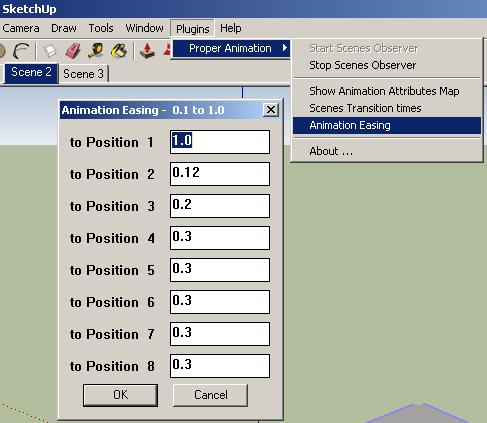
-
@gzekko said:
repeating step - context menu add position x - when reopening saved models
the very latest 1.08 beta download from my site (17/11/2010) will 'load' the number of positions for the context menu - on models created/extended using the latest 1.08 version.
@unknownuser said:
to insert a new position anywhere between two old positions
- add a new animation position as a new last position
- open the 'Animation Attributes Map'
- 'Move Left' the latest last position in between the two old positions
Cheers, moris
-
Thanks a lot for the improvements. Sorry, but I'm quite busy and not enough time
to try it deeper. MALAISE
-
@morisdov said:
@unknownuser said:
to insert a new position anywhere between two old positions
- add a new animation position as a new last position
- open the 'Animation Attributes Map'
- 'Move Left' the latest last position in between the two old positions
Fantastic!
 I love that clicking on the little "A" in that dialog animates each and every thing individually.
 -
Hi to All,
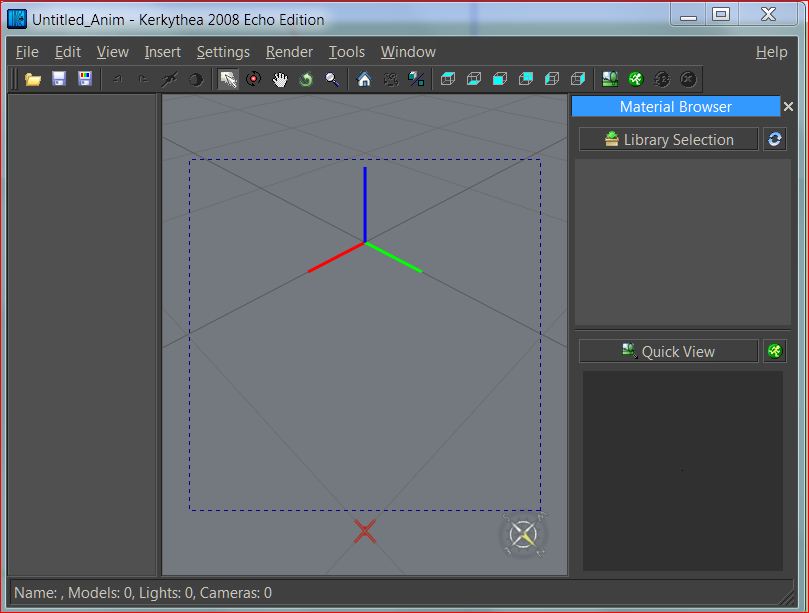
When I came across this thread it occurred to me, to export a Sketchup animation to Kerkythea. But as so often, it did not work for now. Is there anyone here in the forum who has an animation rendered in Kerkythea or has experience with this workflow?
I have the following problem: I created three simple scenes with a rotating cube. If I export them with SU2KT either as scenes or as an animation the workspace remains blank in Kerkythea. I tried too to load the exported script file (.kst) but the result was the same.
I would love it if someone would help me, because I do not know what I'm doing wrong.
Charly

-
Hi
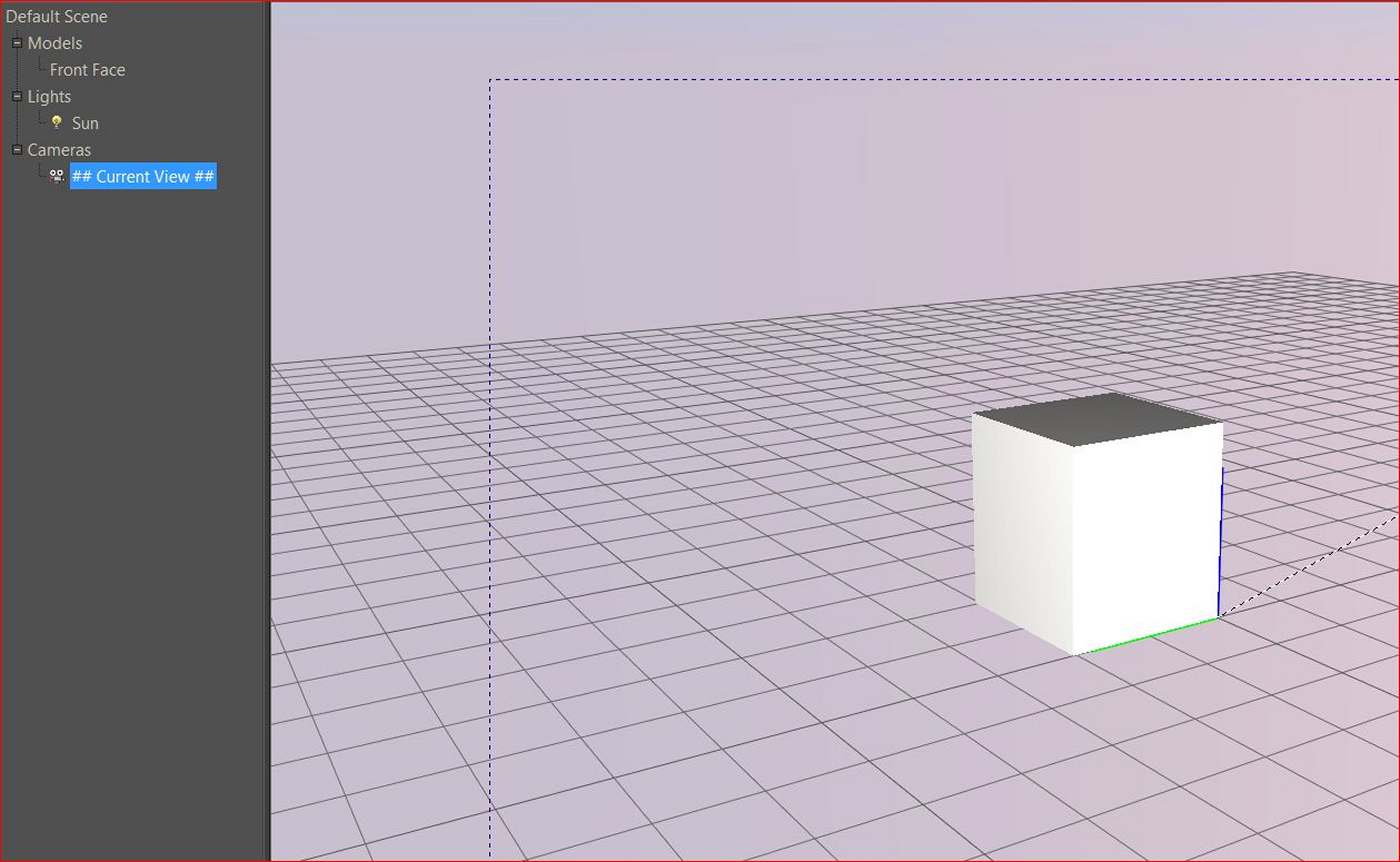
Before i was loading the wrong script. When i loaded the correct script it tooks about 1 and 1/2 hour to render. Below the result no animation!
Charly
-
Excellent update Morris!
I do like Fletch's animation@charly2008 said:
Before i was loading the wrong script. When i loaded the correct script it tooks about 1 and 1/2 hour to render. Below the result no animation!
CharlyI don't want to hijack the thread so please join the Kerkythea thread or PM me with questions.
The important things:- enable Proper Animation observers
- export animation using: Full model per frame
Your animation will be stored in the export folder as jpgs. Use VirtualDub or similar software to build an animation file from them.
... now .. where is that animation feature in SU2Thea ...






Hello! It looks like you're interested in this conversation, but you don't have an account yet.
Getting fed up of having to scroll through the same posts each visit? When you register for an account, you'll always come back to exactly where you were before, and choose to be notified of new replies (either via email, or push notification). You'll also be able to save bookmarks and upvote posts to show your appreciation to other community members.
With your input, this post could be even better 💗
Register Login


Advertisement