sketchucation logo sketchucation
    • 登入
    Oops, your profile's looking a bit empty! To help us tailor your experience, please fill in key details like your SketchUp version, skill level, operating system, and more. Update and save your info on your profile page today!
    🔌 Smart Spline | Fluid way to handle splines for furniture design and complex structures. Download

    [Plugin] Round Edge - v1.0 (by Bezier)

    已排程 已置頂 已鎖定 已移動 Plugins
    166 貼文 83 Posters 164.3k 瀏覽 83 Watching
    正在載入更多貼文
    • 從舊到新
    • 從新到舊
    • 最多點贊
    回覆
    • 在新貼文中回覆
    登入後回覆
    此主題已被刪除。只有擁有主題管理權限的使用者可以查看。
    • M 離線
      mateo soletic
      最後由 編輯

      Fredo,
      Thank You very much.

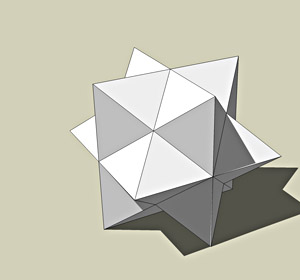
      Concept Illustrations

      1 條回覆 最後回覆 回覆 引用 0
      • jujuJ 離線
        juju
        最後由 編輯

        Nice! Thanks!

        Save the Earth, it's the only planet with chocolate.

        1 條回覆 最後回覆 回覆 引用 0
        • S 離線
          STRANGEZOND
          最後由 編輯

          Thanks! Very useful!

          1 條回覆 最後回覆 回覆 引用 0
          • D 離線
            dtrarch
            最後由 編輯

            Hi Fredo

            I thought this would never show up.
            Simply amazing and thank you so very much.

            dtr

            1 條回覆 最後回覆 回覆 引用 0
            • boofredlayB 離線
              boofredlay
              最後由 編輯

              Thank you!

              http://www.coroflot.com/boofredlay

              1 條回覆 最後回覆 回覆 引用 0
              • urgenU 離線
                urgen
                最後由 編輯

                ...CO-O-O-O-O-O-O-O-O-O-O-O-OL! 👍 🎉 😄

                http://img181.imageshack.us/img181/2699/100lr0.jpg


                http://img181.imageshack.us/img181/3900/101vl6.jpg


                100.skp

                --pupil forever...------

                1 條回覆 最後回覆 回覆 引用 0
                • pilouP 離線
                  pilou
                  最後由 編輯

                  A cousin of TopMod? 😉

                  Frenchy Pilou
                  Is beautiful that please without concept!
                  My Little site :)

                  1 條回覆 最後回覆 回覆 引用 0
                  • urgenU 離線
                    urgen
                    最後由 編輯

                    ...standart shape (components)+Round Edge - v1.0 ...delete some faces 😉 😄


                    103.jpg

                    --pupil forever...------

                    1 條回覆 最後回覆 回覆 引用 0
                    • StinkieS 離線
                      Stinkie
                      最後由 編輯

                      Thank you! Very cool.

                      1 條回覆 最後回覆 回覆 引用 0
                      • B 離線
                        breezmisha
                        最後由 編輯

                        (= all try not wait! thanks great! 😍

                        1 條回覆 最後回覆 回覆 引用 0
                        • B 離線
                          Ben Ritter
                          最後由 編輯

                          Fredo,

                          Thank you very much.

                          1 條回覆 最後回覆 回覆 引用 0
                          • C 離線
                            cnicolapc
                            最後由 編輯

                            Thank You very much.

                            1 條回覆 最後回覆 回覆 引用 0
                            • fredo6F 離線
                              fredo6
                              最後由 編輯

                              @kmead said:

                              I do have a quibble which may or may not be shared by all:

                              The intersection of the rounded edges should meet in a semi-spherical intersection when three arcs meet at a corner, versus the hipped or groined intersection that is now occurring.

                              I think it would be manageable to make a 'polished, round' join for 3 edges, whatever is their orientation. It's probably a geometrical headache, but the method would be mathematically exact, and imply no surface intersection.

                              This is simply based on the remark that if the 3 edges are mutually orthogonal, as in a cube, you can draw a spherical join. Then, because you can always transform geometrically 3 edges with any orientations into orthogonal axes (via 3 plane shear transformations), you could deform the join as well with these transformations. This would give a junction with no groined intersection. This would work for 2 edges too.

                              For 4 edges or more, I am not sure there is a geometrical shear transformation, preserving parallels, that could allow to transform them into a regular topology. But maybe I am wrong!

                              Anyway, this is just for future work, but it's an interesting idea to explore.

                              1 條回覆 最後回覆 回覆 引用 0
                              • S 離線
                                ScottPara
                                最後由 編輯

                                I tried the ruby and I am impressed just in the time savings involved. My question is why is it still making hard corners? The far cube is from the script the closest one is using the longer method of rounding the profile the extruding and then rounding the top and bottom flats. Am I missing something, as I thought this is what the result I would have got fromt he script.

                                Scott
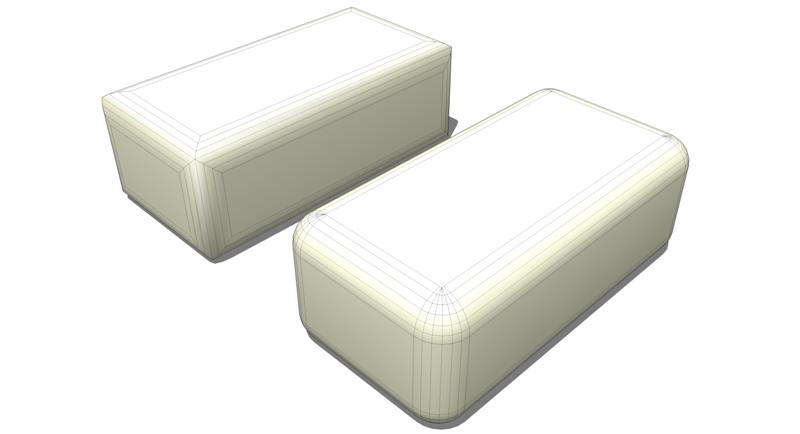

                                rounded (Medium).jpg

                                Love the fact that some HATE my avatar.....

                                1 條回覆 最後回覆 回覆 引用 0
                                • fredo6F 離線
                                  fredo6
                                  最後由 編輯

                                  As said in my previous post, I need to check if it's manageable when edges have any orientation (I think it is), and also confirm that it only works for intersection of 2 or 3 edges only, not more.

                                  Note also that the 'true' rounding generate much more faces at the corners.

                                  The initial version was more a trial and is closer to the spirit of a FollowMe. The interest, in my mind, is that it should be capable to handle custom profiles, allowing to decorate edges with profiled shapes. It also helped me to check how Sketchup handles surface intersections (which you can see is not always perfect, due to precision problems).

                                  So, don't worry, I keep the request in my list.

                                  1 條回覆 最後回覆 回覆 引用 0
                                  • S 離線
                                    ScottPara
                                    最後由 編輯

                                    Thanks Fredo!

                                    Love the fact that some HATE my avatar.....

                                    1 條回覆 最後回覆 回覆 引用 0
                                    • M 離線
                                      marne
                                      最後由 編輯

                                      Wow! Thanks for this great plugin! This is a true little helper. 😄

                                      1 條回覆 最後回覆 回覆 引用 0
                                      • I 離線
                                        ilay7k
                                        最後由 編輯

                                        how many editions of sketchup 7 are...one of is Fredo6Up 😉

                                        Thank you for this Tool!

                                        1 條回覆 最後回覆 回覆 引用 0
                                        • I 離線
                                          Iglesias
                                          最後由 編輯

                                          Thanks a lot Fredo

                                          1 條回覆 最後回覆 回覆 引用 0
                                          • A 離線
                                            alphaonerecon
                                            最後由 編輯

                                            Hello

                                            I'm new to SketchUp and just installed the bezier plug-in.
                                            I am having drastically different results from everyone here so I
                                            am clearly doing something wrong.

                                            I followed the instructions, which are pretty straightforward, correctly but seem to be
                                            missing something.

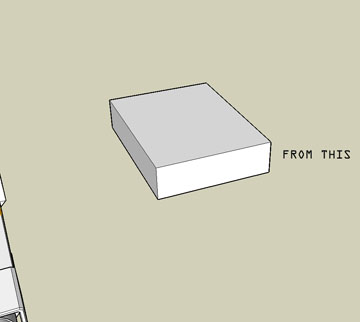
                                            I have enclosed before and after pics of a simple box I attempted to round the corners
                                            on.

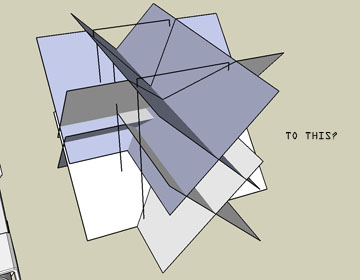
                                            When I applied the tool, this is what happened as a result.

                                            I'm assuming it may have something to do with the pref' box that pops up once the tool is used?

                                            Is the rounding automatic? Do I have to input data for it to work?

                                            Please help this newbie!

                                            Thanks! 😳


                                            before


                                            after

                                            1 條回覆 最後回覆 回覆 引用 0
                                            • 1
                                            • 2
                                            • 3
                                            • 4
                                            • 5
                                            • 6
                                            • 7
                                            • 8
                                            • 9
                                            • 5 / 9
                                            • 第一個貼文
                                              最後的貼文
                                            Buy SketchPlus
                                            Buy SUbD
                                            Buy WrapR
                                            Buy eBook
                                            Buy Modelur
                                            Buy Vertex Tools
                                            Buy SketchCuisine
                                            Buy FormFonts

                                            Advertisement