sketchucation logo sketchucation
    • 登入
    Oops, your profile's looking a bit empty! To help us tailor your experience, please fill in key details like your SketchUp version, skill level, operating system, and more. Update and save your info on your profile page today!
    🔌 Smart Spline | Fluid way to handle splines for furniture design and complex structures. Download

    [Plugin] SketchyBevel 0.1(Updated May 11)

    已排程 已置頂 已鎖定 已移動 Plugins
    142 貼文 84 Posters 126.8k 瀏覽 84 Watching
    正在載入更多貼文
    • 從舊到新
    • 從新到舊
    • 最多點贊
    回覆
    • 在新貼文中回覆
    登入後回覆
    此主題已被刪除。只有擁有主題管理權限的使用者可以查看。
    • S 離線
      sketchyup
      最後由 編輯

      This plugin should help with a model I'm currently working on. Thanks 😄

      1 條回覆 最後回覆 回覆 引用 0
      • D 離線
        daphne0804
        最後由 編輯

        Thanks!This is VERY useful 😄

        1 條回覆 最後回覆 回覆 引用 0
        • free agentF 離線
          free agent
          最後由 編輯

          Cphillips: as amazing useful as this script is (carzy that sketchup doesnt have this built in) did you manage to work on it a bit? it puts a masave hault on production to have to delete faces and close them (sometimes that doesnt work and and i have to keep deleting face faces and closing to figure out which is the problem face)

          http:i167.photobucket.comalbumsu143FreeAgent84bug.gif

          1 條回覆 最後回覆 回覆 引用 0
          • I 離線
            IHU
            最後由 編輯

            hope this helps 😐

            1 條回覆 最後回覆 回覆 引用 0
            • jujuJ 離線
              juju
              最後由 編輯

              @ihu said:

              hope this helps 😐

              you hope what helps?

              Save the Earth, it's the only planet with chocolate.

              1 條回覆 最後回覆 回覆 引用 0
              • S 離線
                somchailee
                最後由 編輯

                Thanks A Lot

                1 條回覆 最後回覆 回覆 引用 0
                • M 離線
                  moomin
                  最後由 編輯

                  thanks.

                  1 條回覆 最後回覆 回覆 引用 0
                  • N 離線
                    NewOne
                    最後由 編輯

                    Hy CPhillips very nice script!! Really usefull (sorry, dropped my pen)

                    But in some cases I encounter some strange behaviours with this script.
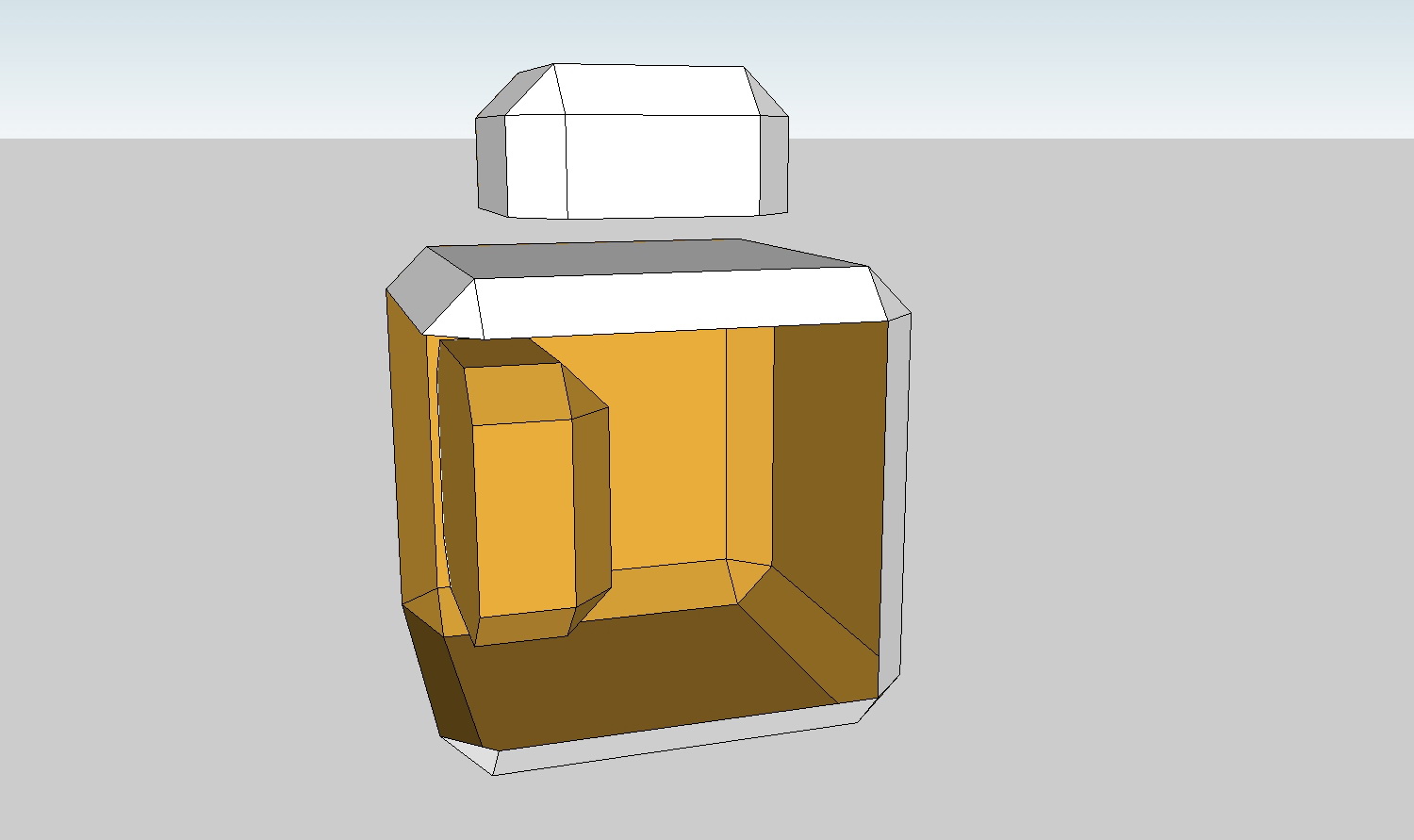
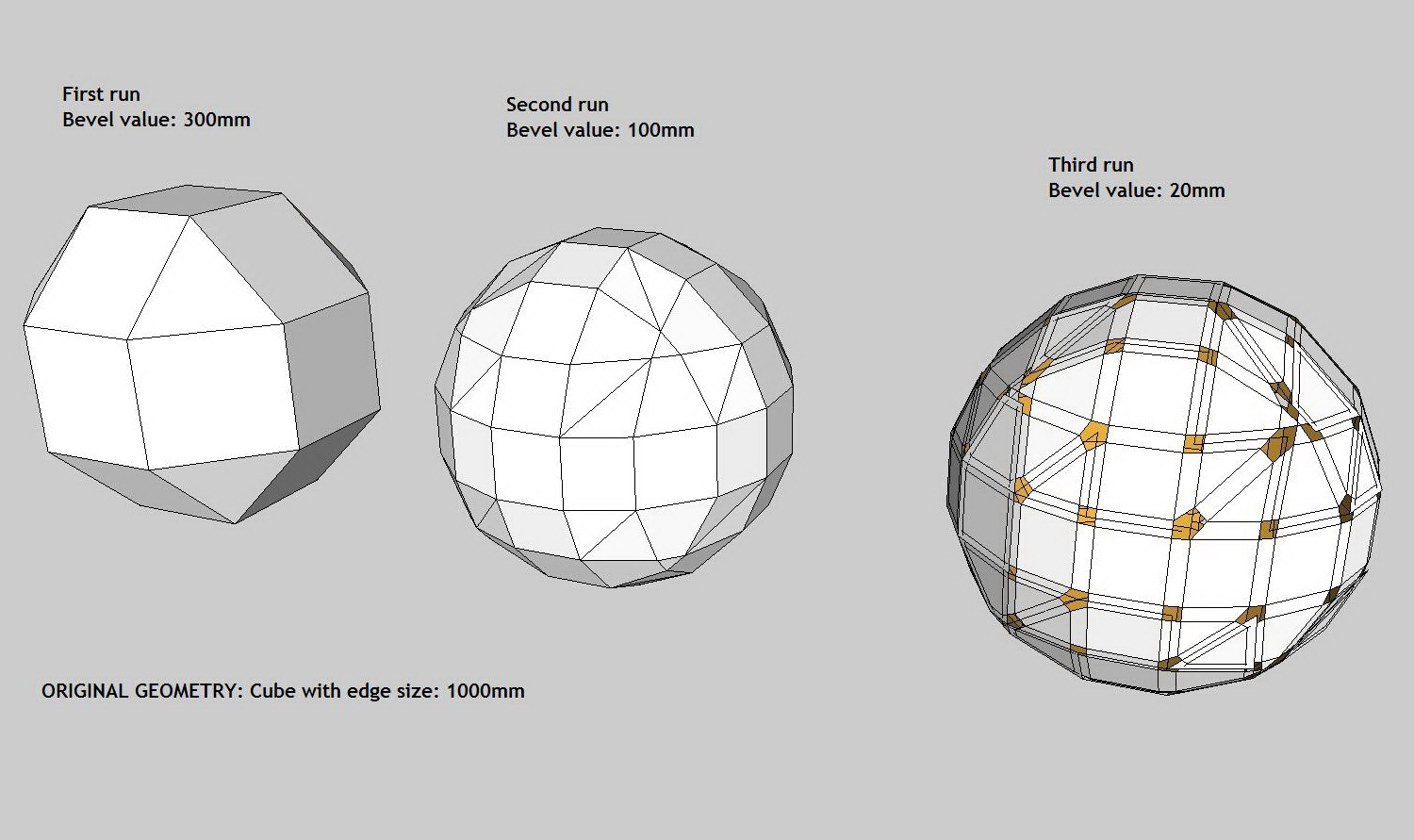
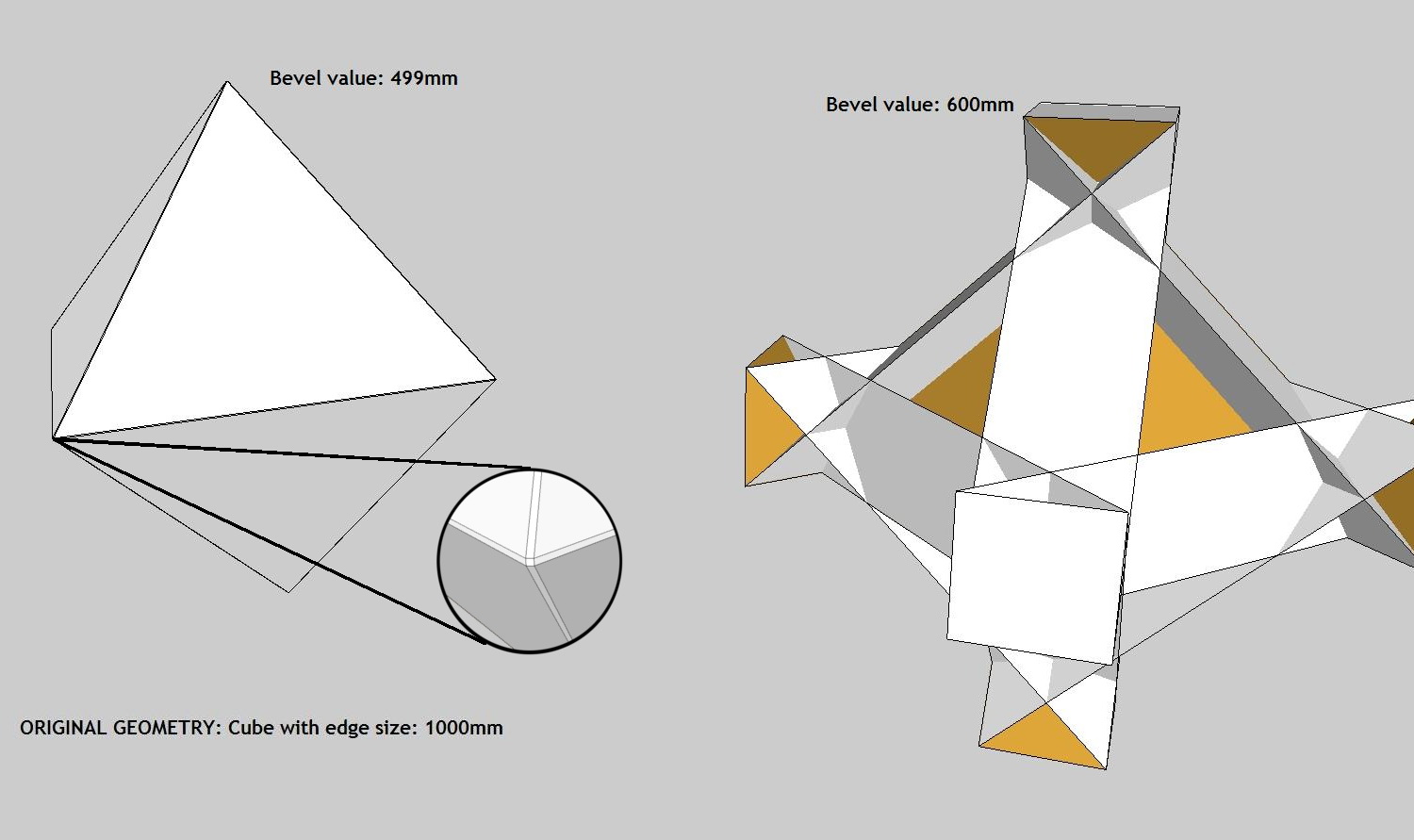
                    See the attached images.
                    What exactly does "Cap Holes" ?
                    Images 1 - 3 are self-explanatory. For img 4 i might have some simple ideas to avoid happening that: What if the script can find the smallest distance between two paralel edges from the selected geometry and don't use a greater value for bevel than is supported on that object.
                    One more thing: for rounding edges the script could run twice calculating 1/3 from first bevel value, then make edges soften. I don't understand why third run gives me all the times that result with missing faces and rezidual geometry.

                    I'm not criticing your work, I'm amazed and using it enthusiasticly. Just trying to help with ideeas.
                    Thank again.

                    1.jpg


                    2.jpg


                    3.jpg


                    4.jpg

                    1 條回覆 最後回覆 回覆 引用 0
                    • McGyverM 離線
                      McGyver
                      最後由 編輯

                      Thank you for a very useful tool! I just started using it today and it works pretty well. I can't imagine why this or something like it is not built into the program yet... thank you for sharing such a time saving tool!

                      Visit My ShareCG Freebie Gallery

                      1 條回覆 最後回覆 回覆 引用 0
                      • free agentF 離線
                        free agent
                        最後由 編輯

                        maybe its a SU7 incompatablity thing but i get a 80% crash rate with this tool, does anyone else experience this.

                        crash crash crash crash crash... such a useful but doesnt work for me, have to resort to using round edge by bezier.

                        http:i167.photobucket.comalbumsu143FreeAgent84bug.gif

                        1 條回覆 最後回覆 回覆 引用 0
                        • C 離線
                          CPhillips
                          最後由 編輯

                          @unknownuser said:

                          maybe its a SU7 incompatablity thing but i get a 80% crash rate with this tool, does anyone else experience this.

                          crash crash crash crash crash... such a useful but doesnt work for me, have to resort to using round edge by bezier.

                          Can you post the steps that make it crash?

                          1 條回覆 最後回覆 回覆 引用 0
                          • C 離線
                            ccloudsky
                            最後由 編輯

                            it's goood
                            thx

                            1 條回覆 最後回覆 回覆 引用 0
                            • L 離線
                              lnyy
                              最後由 編輯

                              下载过程何其艰辛~!!

                              谢谢~~·

                              1 條回覆 最後回覆 回覆 引用 0
                              • N 離線
                                NOHD
                                最後由 編輯

                                please teach me how to use this Ruby console or .rb files. i dont even have the slightest clue on how to install this plug in..=( im willing to learn.=(

                                1 條回覆 最後回覆 回覆 引用 0
                                • massimoM 離線
                                  massimo Moderator
                                  最後由 編輯

                                  Simply put the .rb file in your Sketchup plugins folder. Then you will find the bevel tool in context menu (right button click of the mouse).

                                  1 條回覆 最後回覆 回覆 引用 0
                                  • D 離線
                                    demonpepper
                                    最後由 編輯

                                    thank you 👍

                                    1 條回覆 最後回覆 回覆 引用 0
                                    • A 離線
                                      Agisen
                                      最後由 編輯

                                      Thank you very much

                                      1 條回覆 最後回覆 回覆 引用 0
                                      • M 離線
                                        maxandvv
                                        最後由 編輯

                                        I'm an asian (yellow),can I have it?thank you!!

                                        1 條回覆 最後回覆 回覆 引用 0
                                        • D 離線
                                          danieljhatton
                                          最後由 編輯

                                          @massimo said:

                                          Simply put the .rb file in your Sketchup plugins folder. Then you will find the bevel tool in context menu (right button click of the mouse).

                                          I'm doing that in Sketchup Plugins folder in Snow Leopard, but I'm not finding anything on Right Click. Any help is appreciated.

                                          1 條回覆 最後回覆 回覆 引用 0
                                          • M 離線
                                            markbowen
                                            最後由 編輯

                                            @cphillips said:

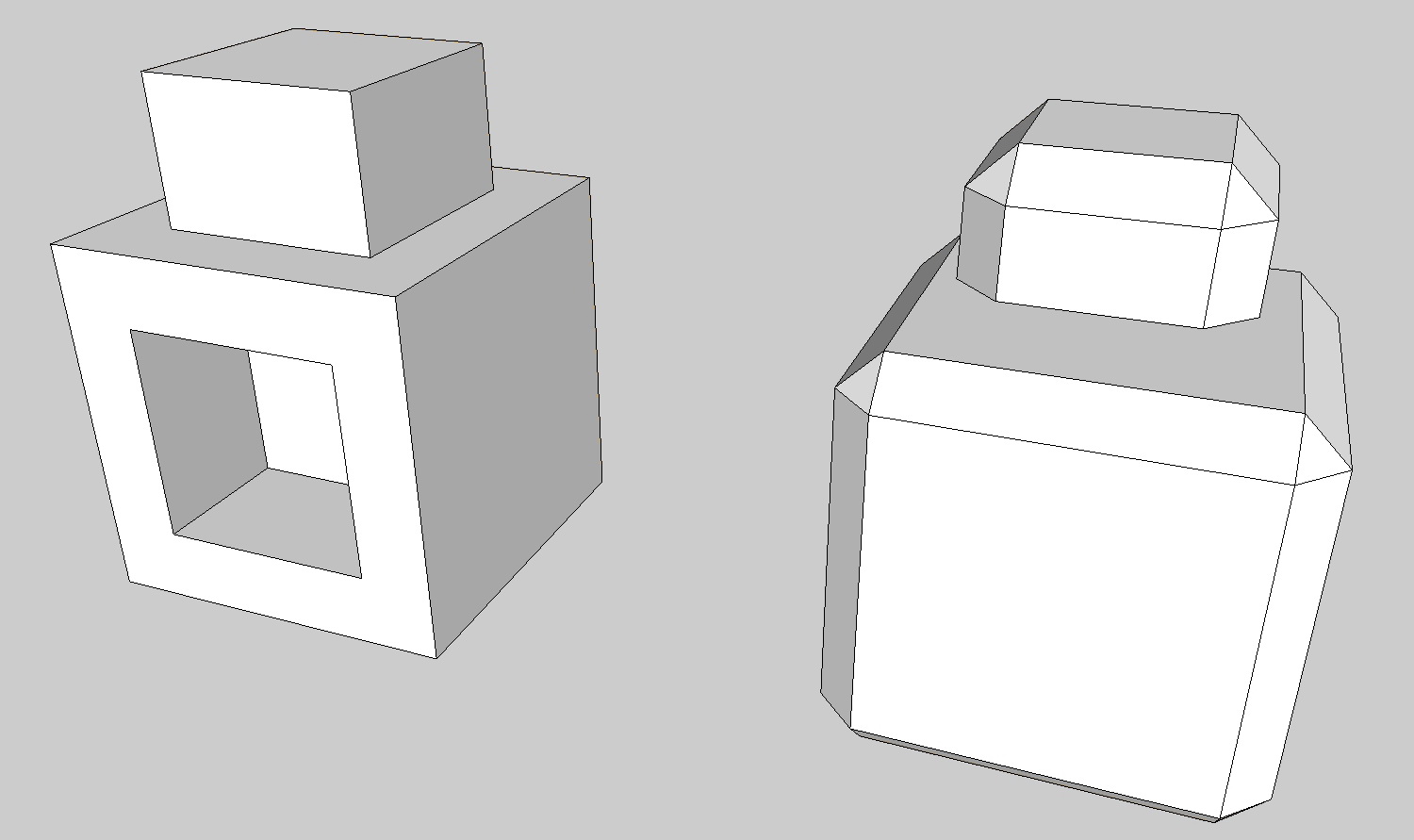
                                            Like the built in Outliner tool Bevel doesnt work with "holes" in faces. You can usually work around those problems by subdividing the face with a hole.

                                            Here is an example. The mesh on the left doesn't Bevel right. But add a line to break up the hole and it works. Then you can just erase the extra edges.

                                            [attachment=0:2ckr4p9x]<!-- ia0 -->bevel-holes.png<!-- ia0 -->[/attachment:2ckr4p9x]

                                            Sorry for bumping an old thread like this but I just installed this plugin today and was trying to get what you have shown above working but I can't for the life of me get what you have shown in your images in SU.

                                            I made a box then push-pulled another box on top of that and placed in a line like you have shown. When I select all and control click (OSX) on the selected items and choose Bevel it just deselects what I have but doesn't apply any bevel to the objects.

                                            Please could someone let me in on what I'm doing wrong?

                                            Best wishes,

                                            Mark

                                            1 條回覆 最後回覆 回覆 引用 0
                                            • 1
                                            • 2
                                            • 3
                                            • 4
                                            • 5
                                            • 6
                                            • 7
                                            • 8
                                            • 6 / 8
                                            • 第一個貼文
                                              最後的貼文
                                            Buy SketchPlus
                                            Buy SUbD
                                            Buy WrapR
                                            Buy eBook
                                            Buy Modelur
                                            Buy Vertex Tools
                                            Buy SketchCuisine
                                            Buy FormFonts

                                            Advertisement