Render Fredo6 Animator clips with Rayscaper
-
Hey, Rayscaper users!
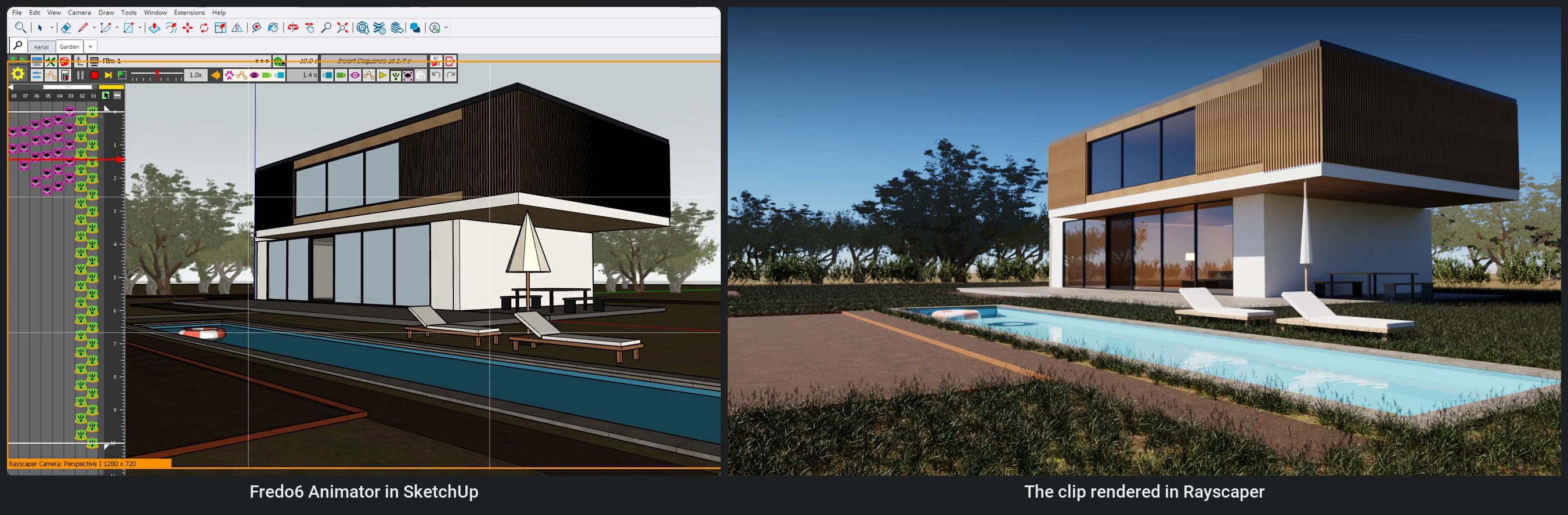
Since 0.9.103, Rayscaper renders Fredo6 Animator clips. Animating SketchUp scenes moves the camera from one scene to the next. With Animator the model itself moves: objects slide, turn and grow, tags appear one after the other, and the camera flies along a path of its own. Rayscaper renders every frame of it, path traced, and makes the MP4.
The Example: A Villa Garden
A float drifts across the pool, the parasol opens, the garden bed fills with plants row by row and the sliding door opens, while the camera flies towards the house. The clip is 10 seconds: 241 frames at 24 frames per second.
The scene is free to download, with the clip stored in the model: rayscaper-animator.skp (8.8 MB).
Render It
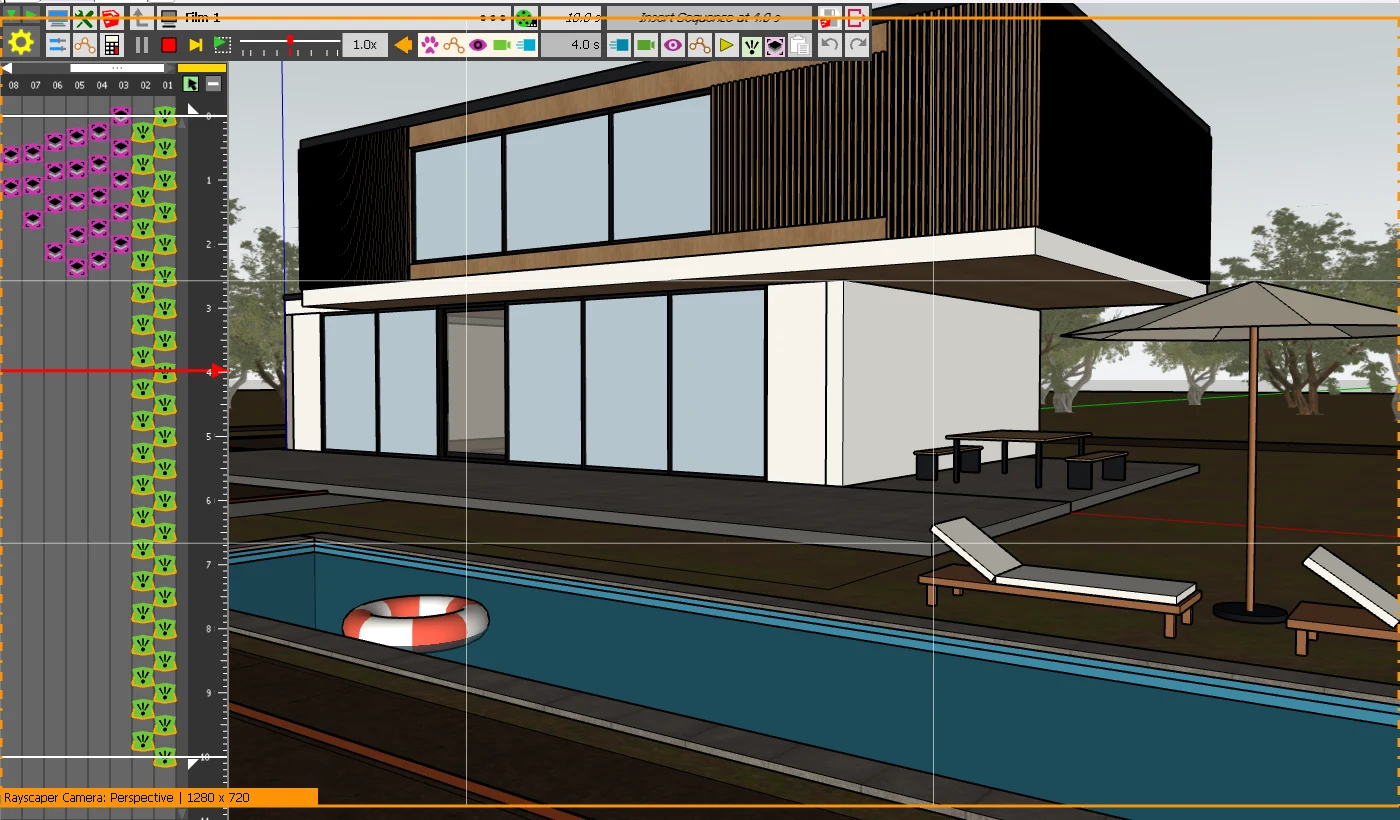
- Save the model and close Animator's editor.
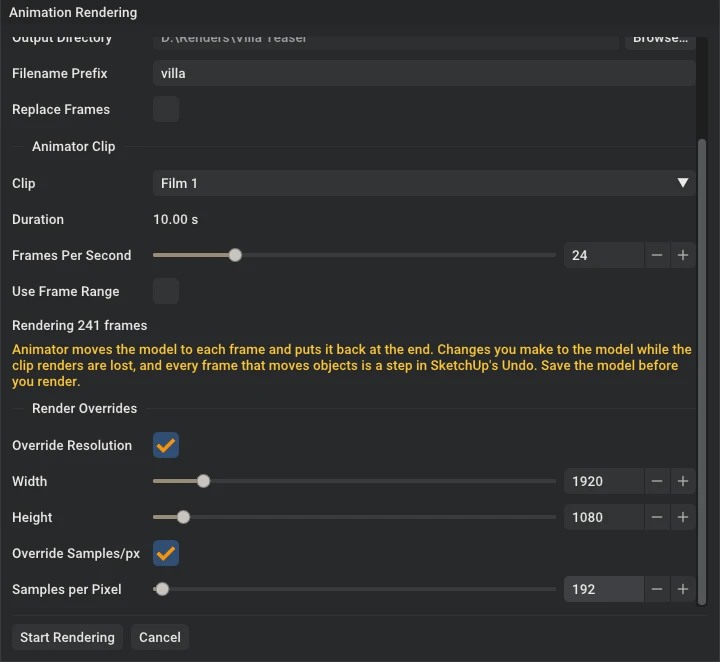
- Click Start Render, then File > Render Animation... in Rayscaper.
- Under Animate, choose Animator Clip and pick the clip.
- Render a preview first: override the resolution to 640 x 360 and the samples to 16. It shows the timing and the camera path in a few minutes.
- Then render the final frames. The example took about two hours at 1920 x 1080 with 192 samples per pixel on an RTX 3080, half a minute a frame.
Animator moves the model to each frame in SketchUp, Rayscaper renders and saves it, and at the end Animator puts the model back as it was. With Save Video on, Rayscaper encodes the frames into an MP4 for you.
Good to Know
- Preview while you animate. Click Start Render and play the clip in Animator: the render follows the objects, the tags and the camera.
- Save before you render. Changes you make while a clip renders are lost, and every frame that moves objects is a step in SketchUp's Undo.
- Lock Camera off. A clip that moves the camera needs Lock Camera off in Rayscaper.
- You need Animator from SketchUcation, with its license or trial. The free version of Rayscaper renders the frames at up to 1280 pixels, with a watermark.
The Fredo6 Animator guide goes through every step, including how the example's clip was made.
You need Rayscaper 0.9.103, which isn't on the SketchUcation store yet: download it directly.
Help Me Build the Community

Made something with Animator and Rayscaper? Please share it here! I'd love to see what you make.
Follow me on X.
Happy Rendering!
Thomas -
 P pixelcruncher referenced this topic
-
Wish I still had SketchUp ans RayScaper so I could mess with this combination. I have used both of these tools in the past and am excited to see this combo working together.
to both of you @pixelcruncher and @fredo6.

Hello! It looks like you're interested in this conversation, but you don't have an account yet.
Getting fed up of having to scroll through the same posts each visit? When you register for an account, you'll always come back to exactly where you were before, and choose to be notified of new replies (either via email, or push notification). You'll also be able to save bookmarks and upvote posts to show your appreciation to other community members.
With your input, this post could be even better 💗
Register Login


Advertisement