Modlumi - Easy 3D modelling



-
Modlumi 0.15 is out
Download it for Windows from https://modlumi.com/download/latest/windows, or open the browser version at https://modlumi.com/app/. If you already run 0.14 on Windows, it will offer you the update.
New feature
- Choose how many segments an arc has. As in SketchUp, type a count such as 12s and press Enter, or press + and -, before the first click or while drawing. Later arcs keep the count, from 2 to 360.
Fixes
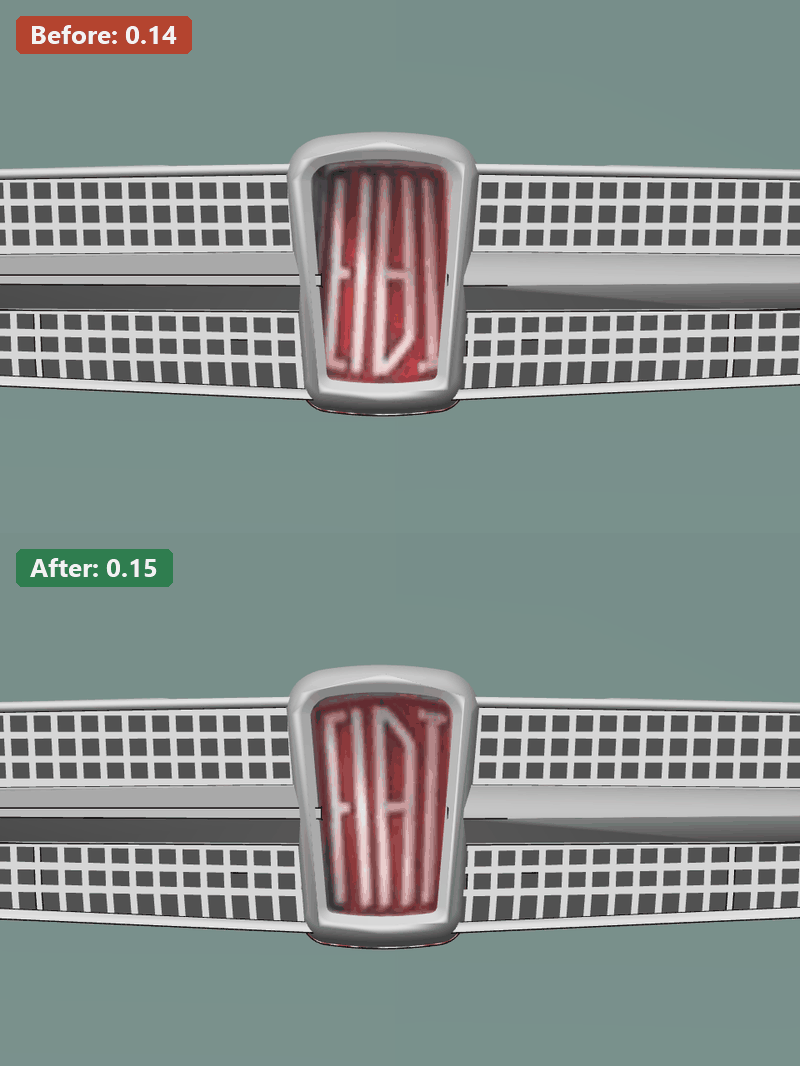
- Textures show the right way up. Every image texture rendered upside down, including textures in imported SketchUp models. It was easy to miss on wood or brick and obvious on logos and text.
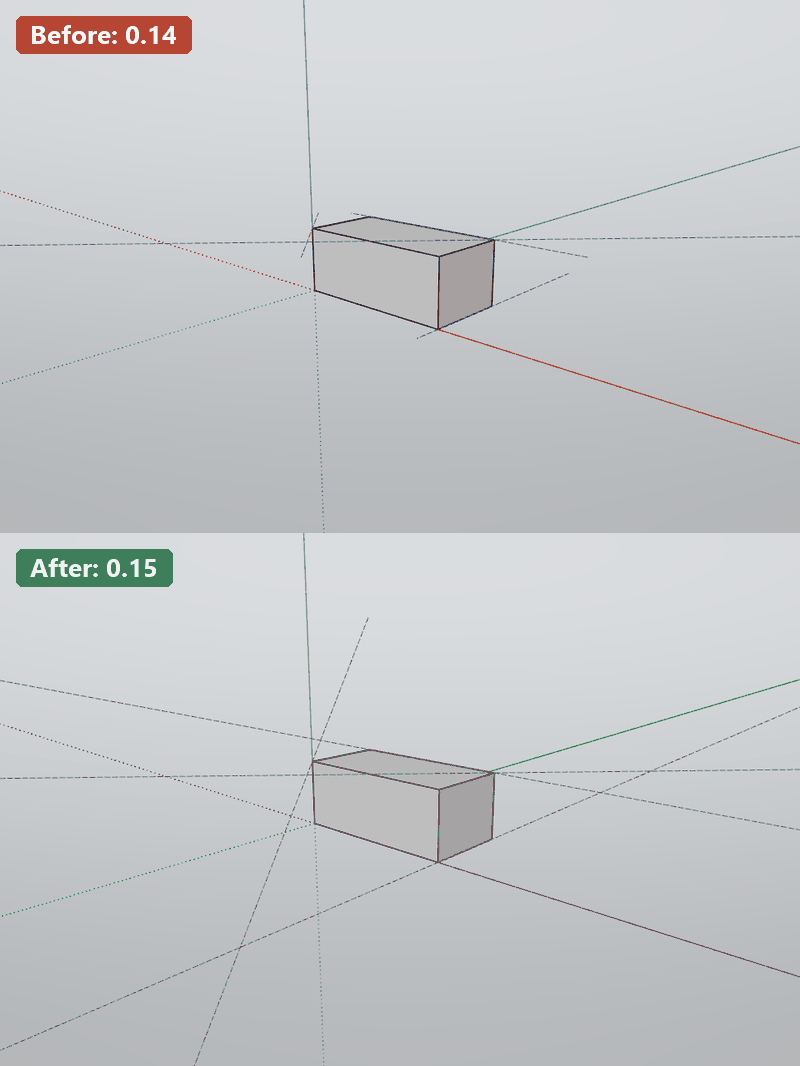
- Guide lines reach the edges of the view again. In 0.14 guide lines stopped partway across the screen and changed length as you orbited.
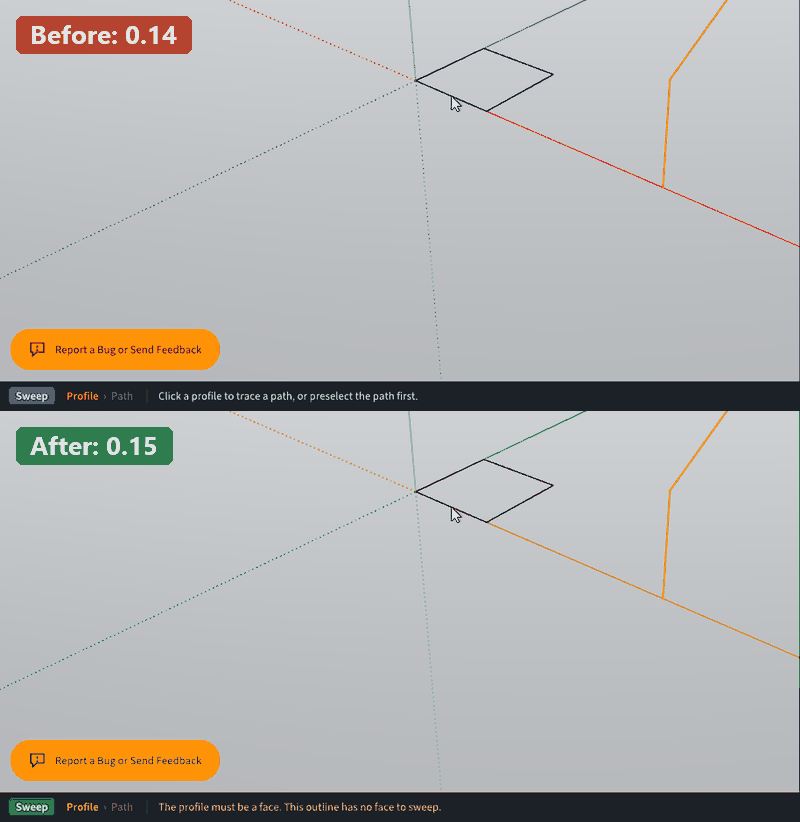
- Sweep tells you when the profile you point at has no face. Clicking an outline of edges with no face did nothing and showed no message. The status bar now says that the profile must be a face.
- The Windows installer is named after the release. The installer's file name and the version in Windows' installed apps list showed only a code such as 9dd7225. They now start with the release number: modlumi-0.15-f3066c8-Setup-x64.exe.
Full release notes: https://modlumi.com/docs/release-notes/
Thanks for the reports. Keep them coming!
-
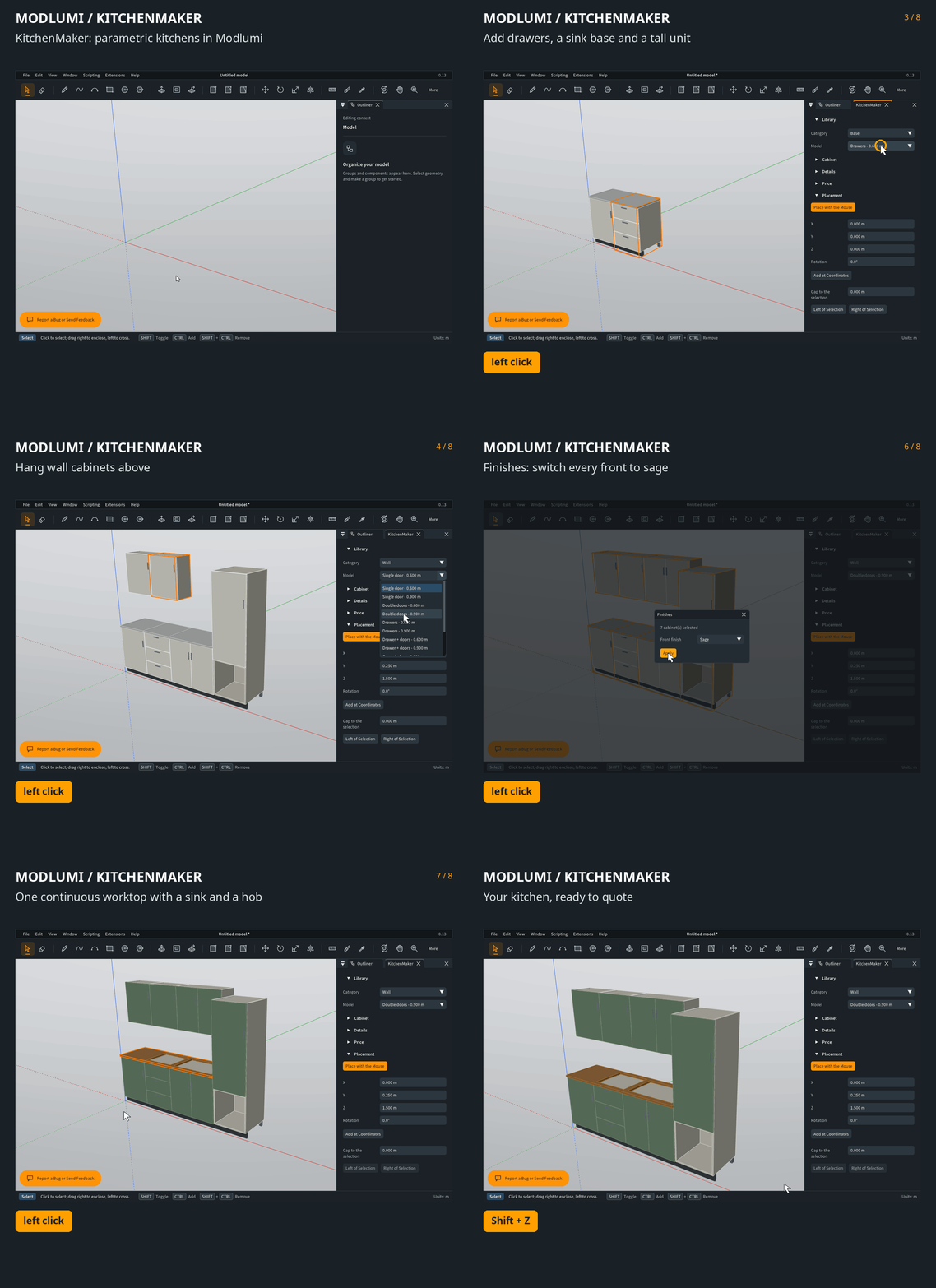
Here's another plugin. Mind you, this is all vibe-coded; it doesn't have the same level of care as Modlumi itself. It's an experiment to see how far I could take the API and what was still lacking:
GitHub - thomasloockx/modlumi-kitchenmaker: Parametric kitchen cabinets for Modlumi, ported from IngeTrazo KitchenMaker V.2 for SketchUp (GPL-3.0)
Parametric kitchen cabinets for Modlumi, ported from IngeTrazo KitchenMaker V.2 for SketchUp (GPL-3.0) - thomasloockx/modlumi-kitchenmaker

GitHub (github.com)
If you wanna build your own plugins: https://modlumi.com/docs/guides/getting-started/
-
your link is off
Thomas I can't import image texture with the desktop version.. -
@Krass Thanks! The repository was still private by mistake; the link works now: https://github.com/thomasloockx/modlumi-kitchenmaker
About the image texture: I can't reproduce it here yet. Could you tell me:
- How you import it: Materials > New image material..., or a texture inside an imported .skp?
- What happens: an error message, or nothing at all?
- The image's format (PNG, JPEG, WebP, TIFF...), its size, and the folder it's in (for example, does the path have accents in it?)
A screenshot or the image itself would help too.
-
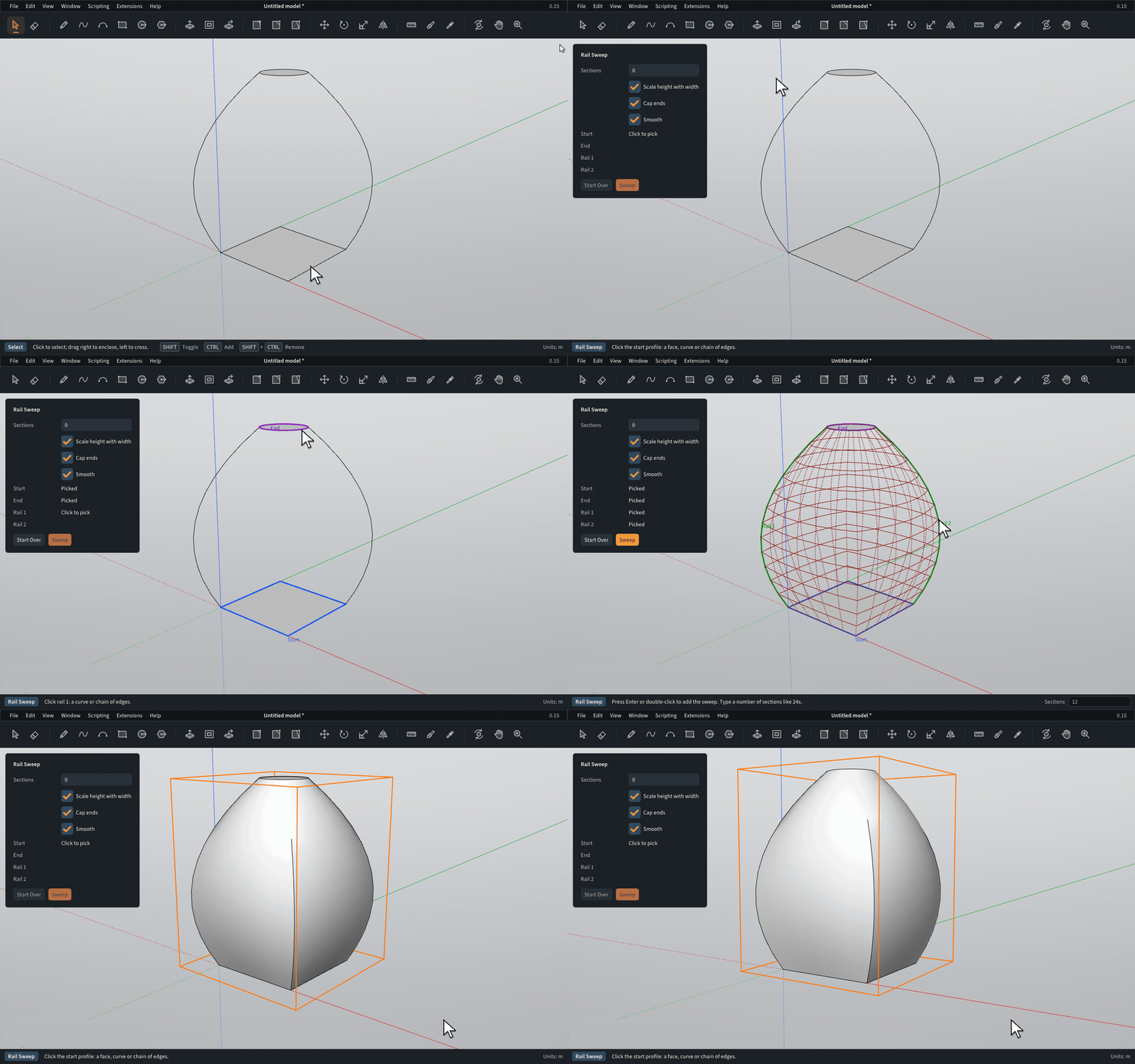
@pilou About your request for a sweep between 2 profiles and 2 rails: is it something like this?
You pick a start profile, an end profile and two rails. The section blends from one profile into the other, and the rails set where each section sits, how it turns and how wide it is. Closed profiles get capped, so you end up with a solid.
Mind you, this is just a demo: a vibe-coded plugin to explore what we can do with the plugin API, not a fully fleshed-out tool. But I think it could become a nice plugin. Let me know if this is what you had in mind, or what's missing.
-
This one above is perfect for the 2 Rails / Profils! Excellent for a speedy volume!
Of course you can add a "scalling rail" like a third rail but...I had thought about also a more simple first : Sweep with %
 (like the% Move Rotate existing)
So same face Start and End but with a different size! And only one rail !
Both seems useful! -
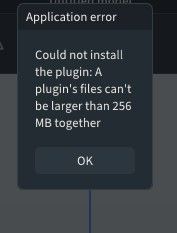
I'm reading the instructions carefully, but I can't manage to install the plugin.
Krass
-
for th image import issue, it works now.
For hte kitchen maker plugin. Do we only have to download plugin.json and and pic it from the plugin manger? -
Guide Lines and Points works as expected in Web version 0.15
But absolutely not in the Desktop version 0.15 ! So Bug! -
Request
Multiple Push Pull
A random selection after a True Bend for example!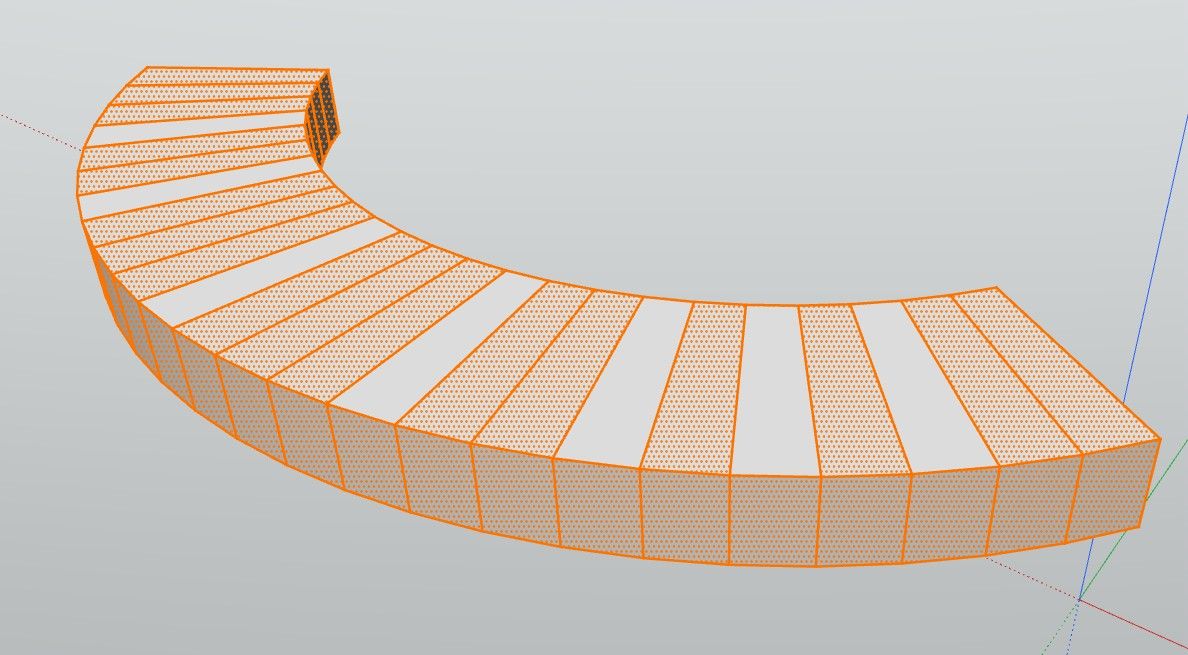
-


-
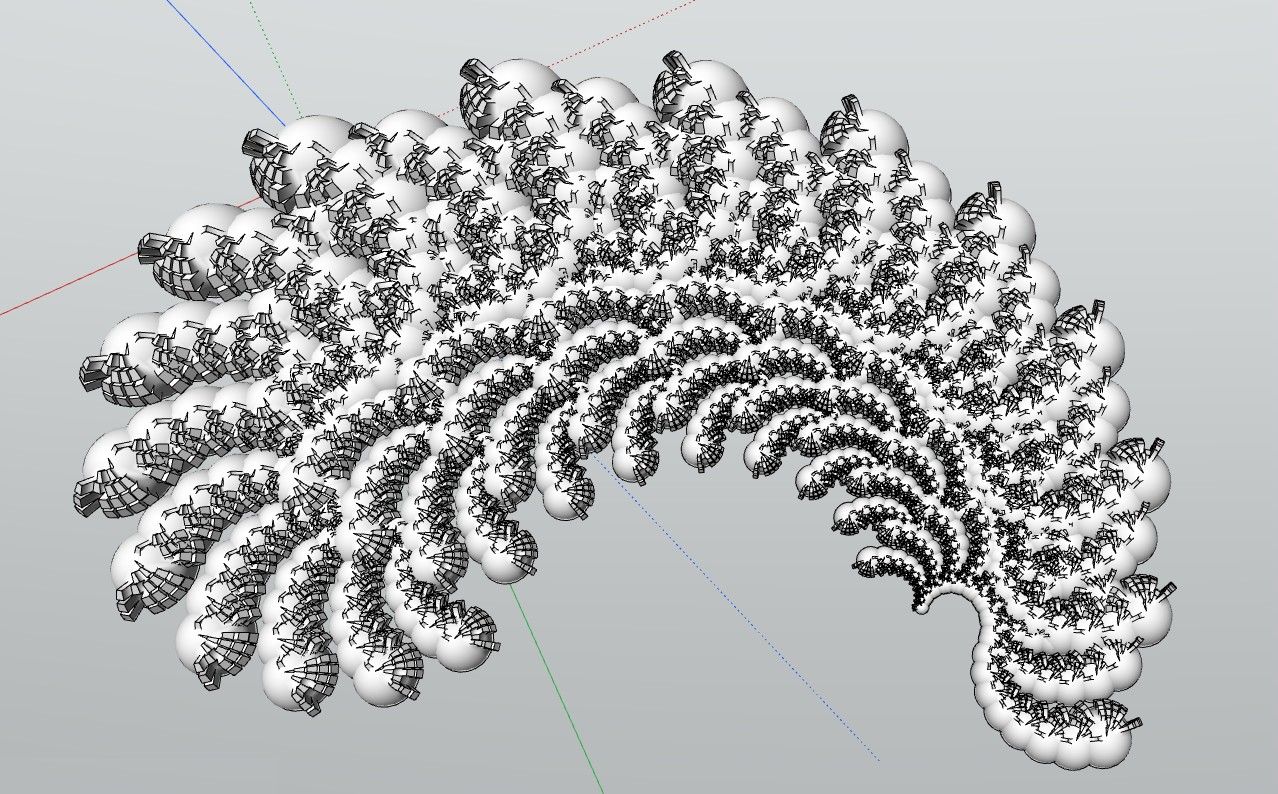
Funny the file .modl above is just 55 Kb!

-
I'm reading the instructions carefully, but I can't manage to install the plugin.
for th image import issue, it works now.
For hte kitchen maker plugin. Do we only have to download plugin.json and and pic it from the plugin manger?What did you do different for the image import that it works now?
I assume you only downloaded the
plugin.jsonfile, and picked that? Modlumi assumes a plugin lives in its own folder so it will pick all files surrounding thatplugin.jsonfile. You need to download the full github repo as a zip file. Sorry about that, the instructions on the GitHub repo were vague. I'm fixing that!I've put detailed instructions here: https://modlumi.com/docs/user-guide/plugins/#install-a-plugin-from-github - Can you let me know if that works?
Cheers,
Thomas -
Hello Thomas,
I'm not familiar with Gihub, so I still can't find any "ZIP" or "Download ZIP" button on the Github page -
ok, I found it following your installing manual, Sorry. My impatience...
-
No worries! GitHub is a website where you can host program source code for free. It'll become even more important in the future because more and more non-programmers are using AI to create code. GitHub is the perfect place to share that code.
-
-
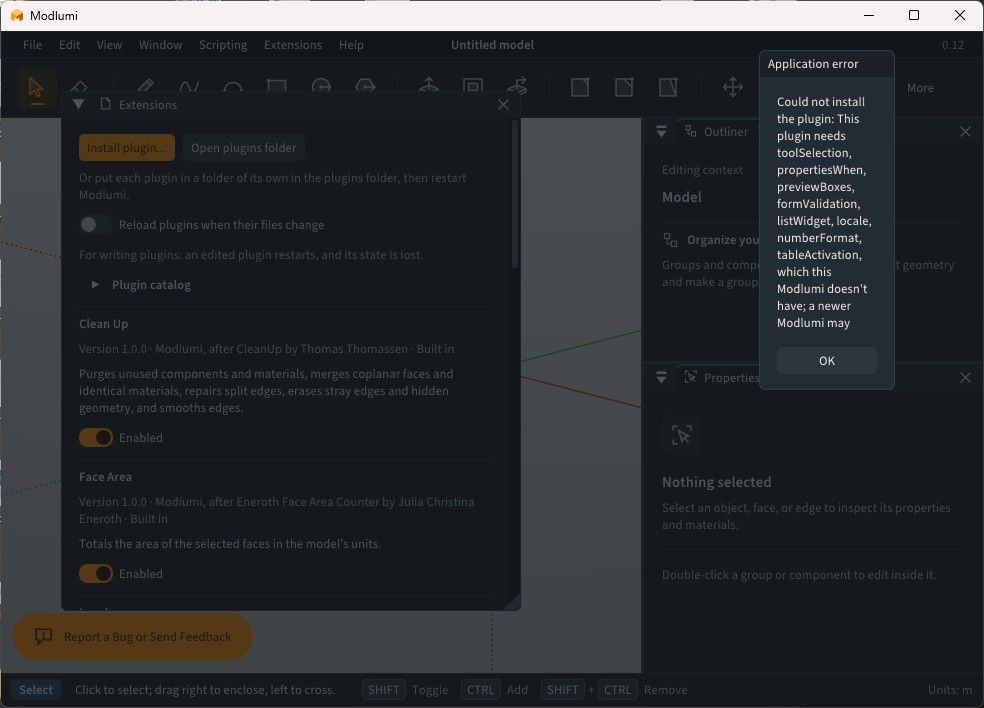
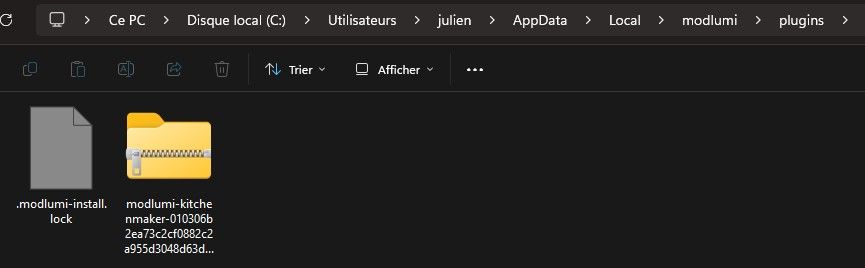
I downloaded the zip file and first placed it on my desktop, then went to modlumi/extensions/install a plugin/; I selected the zip file and got an error.
So, I moved the zip file to the user/local/modlumi/plugins folder and tried again, but got another error message. -
-
@krass You need to upgrade to v0.15. Your build is out of date.



Hello! It looks like you're interested in this conversation, but you don't have an account yet.
Getting fed up of having to scroll through the same posts each visit? When you register for an account, you'll always come back to exactly where you were before, and choose to be notified of new replies (either via email, or push notification). You'll also be able to save bookmarks and upvote posts to show your appreciation to other community members.
With your input, this post could be even better 💗
Register Login


Advertisement