sketchucation logo sketchucation
    • Login
    Oops, your profile's looking a bit empty! To help us tailor your experience, please fill in key details like your SketchUp version, skill level, operating system, and more. Update and save your info on your profile page today!
    ⚠️ Update | Sketchucation Tools 5.0.8 released with licensing improvements and bugfixes Download

    Modlumi - Easy 3D modelling


    Scheduled Pinned Locked Moved Corner Bar
    109 Posts 7 Posters 3.2k Views 6 Watching
    Loading More Posts
    • Oldest to Newest
    • Newest to Oldest
    • Most Votes
    Reply
    • Reply as topic
    Log in to reply
    This topic has been deleted. Only users with topic management privileges can see it.
    • pixelcruncherP
      pixelcruncher Extension Creator @pilou
      last edited by

      @pilou Thanks for testing this! I tried to reproduce it, but couldn't break it yet.

      Could you post the .modl file (File β†’ Save As) or a GIF of the true diagonal case where it goes wrong? Then I can chase it down.

      Booleans are on the list too.

      Cheers!

      Thomas

      I'm the developer of Rayscaper: https://rayscaper.com/ - Fast and easy rendering for SketchUp.

      1 Reply Last reply
      Reply Quote 0
      • pilouP
        pilou
        last edited by pilou

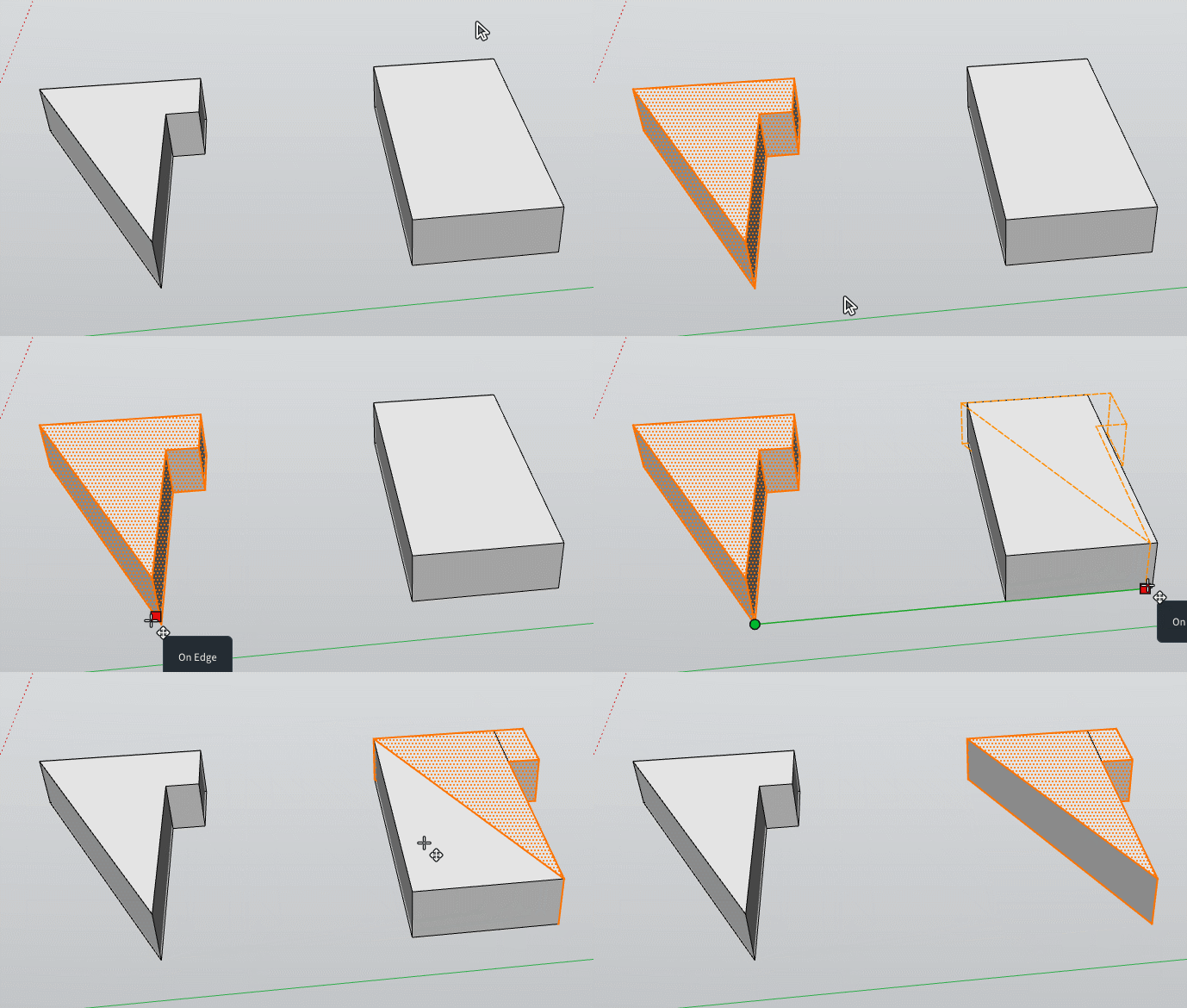
        @pixelcruncher The Push Pull in this case is in fact a sort of an erase object! πŸ™‚
        Your Move Copy Rotate */ % is a killer one! πŸ™‚

        Test_a.zip .modl linked!
        GIF_test_yes_but.gif

        Frenchy Pilou
        Is beautiful that please without concept!
        My Little site :)

        1 Reply Last reply
        Reply Quote 0
        • pilouP
          pilou
          last edited by pilou

          In fact that works but as we can't select one of the 2 objects at the end! πŸ™‚
          It's not usable! πŸ™‚ (or a special selection ... a named selection...
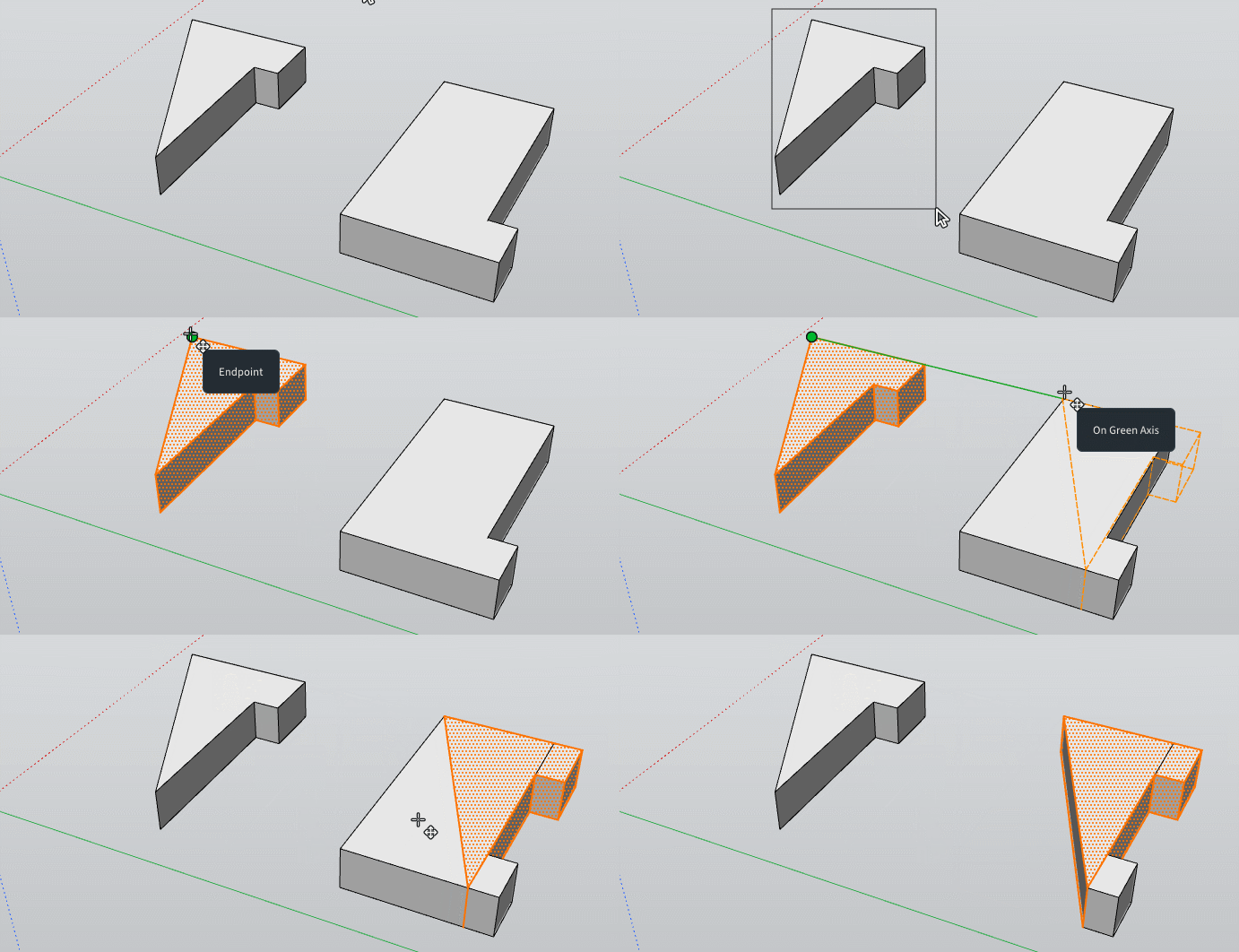
          GIF_testb.gif

          Test_b.zip

          Frenchy Pilou
          Is beautiful that please without concept!
          My Little site :)

          1 Reply Last reply
          Reply Quote 0
          • pilouP
            pilou
            last edited by pilou

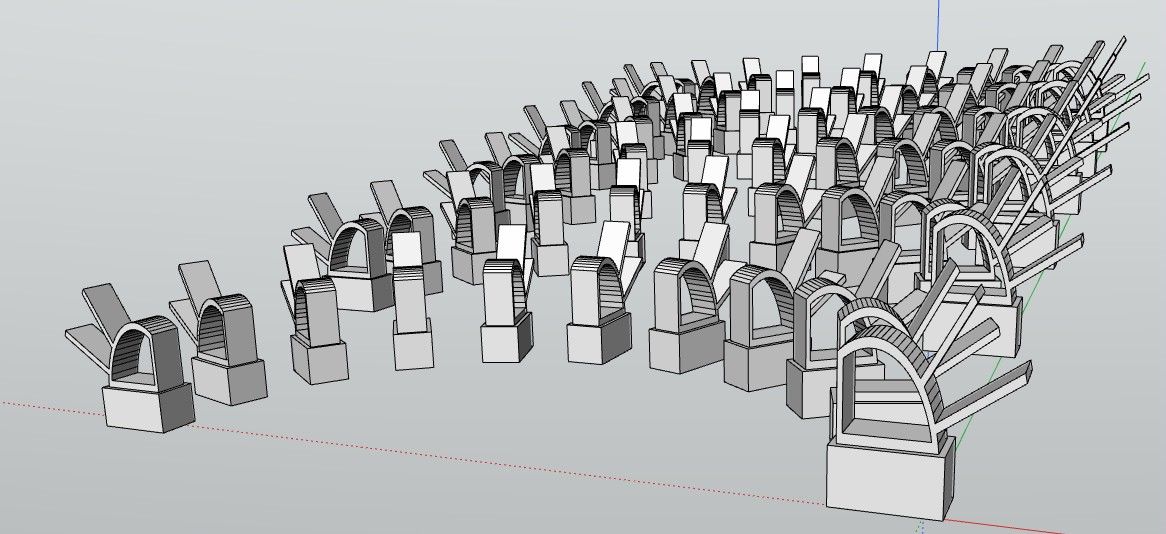
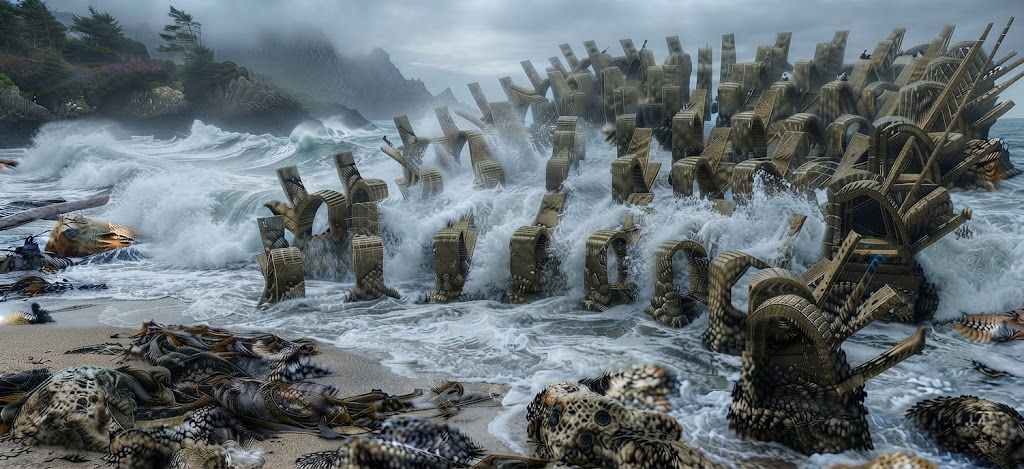
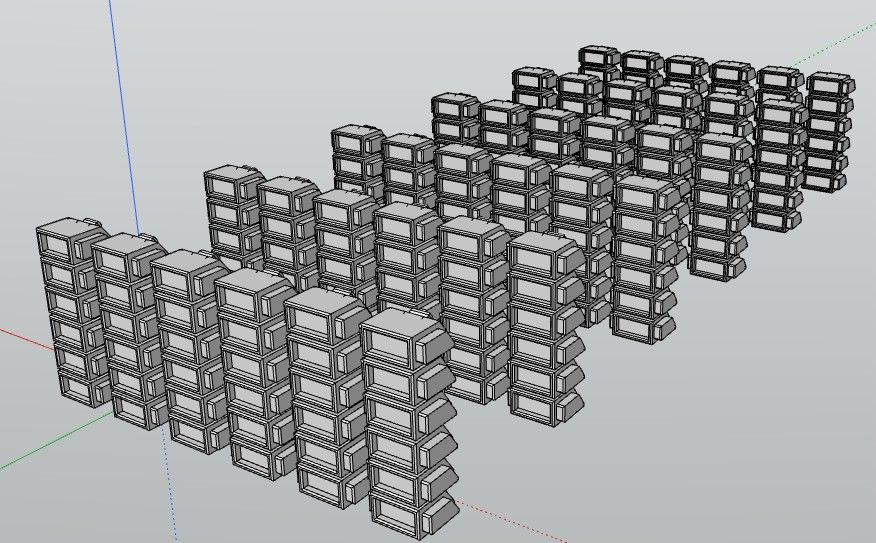
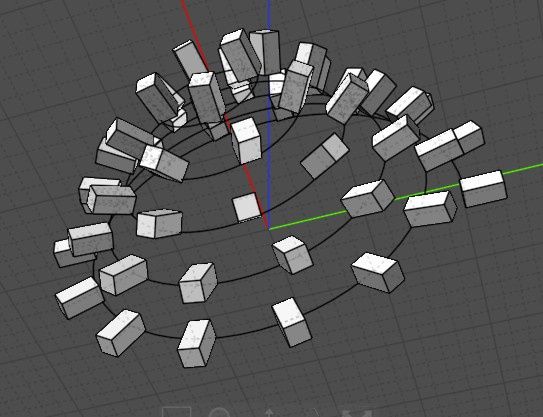
            A component along a rail! πŸ™‚
            Imagine that you can make! πŸ™‚

            Here not ModLumi but we can make quasi the same with your previous Scale Rotation...
            W1dbKmB.jpg

            UKoOV3c.jpg

            Frenchy Pilou
            Is beautiful that please without concept!
            My Little site :)

            1 Reply Last reply
            Reply Quote 1
            • pilouP
              pilou
              last edited by pilou

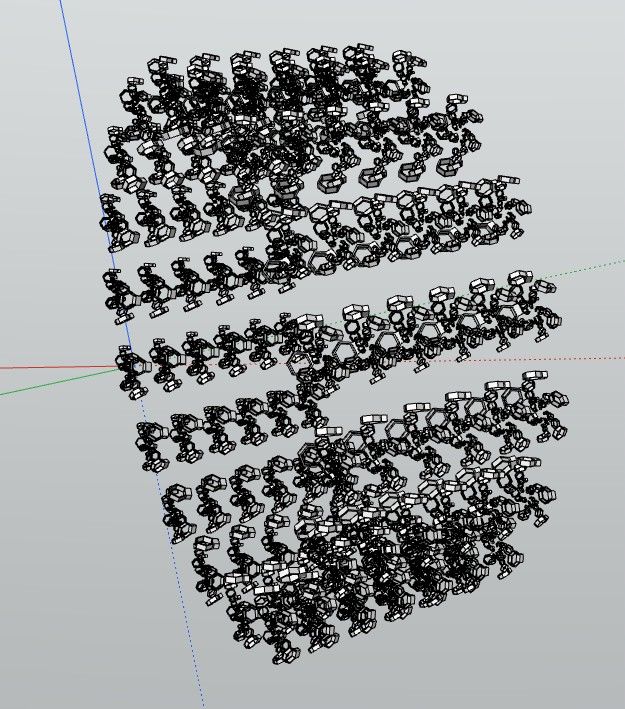
              Component of Components)
              Replace each objet by anything (when function will existing)... etc...size... orientation...
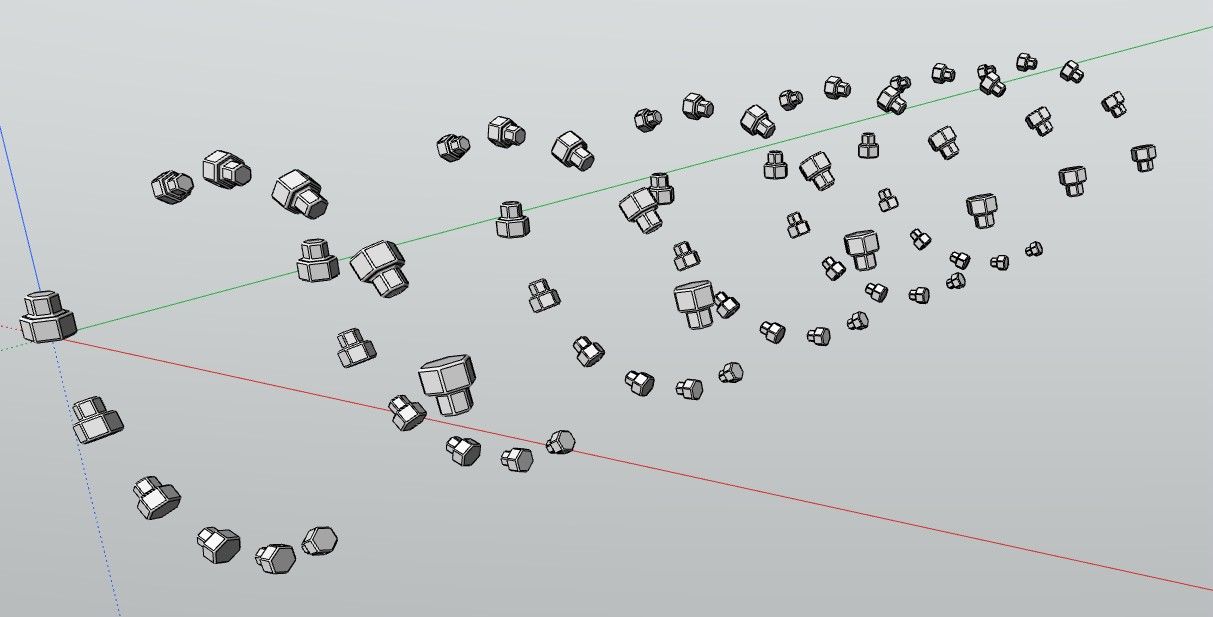
              birds.jpg

              Here only size!
              c5a79845-3708-447a-81c9-84dbf224aaea.jpg

              Frenchy Pilou
              Is beautiful that please without concept!
              My Little site :)

              1 Reply Last reply
              Reply Quote 1
              • pilouP
                pilou
                last edited by pilou

                So easy! πŸ™‚ Copy, Rotation + CTRL , */ % , Component of Components
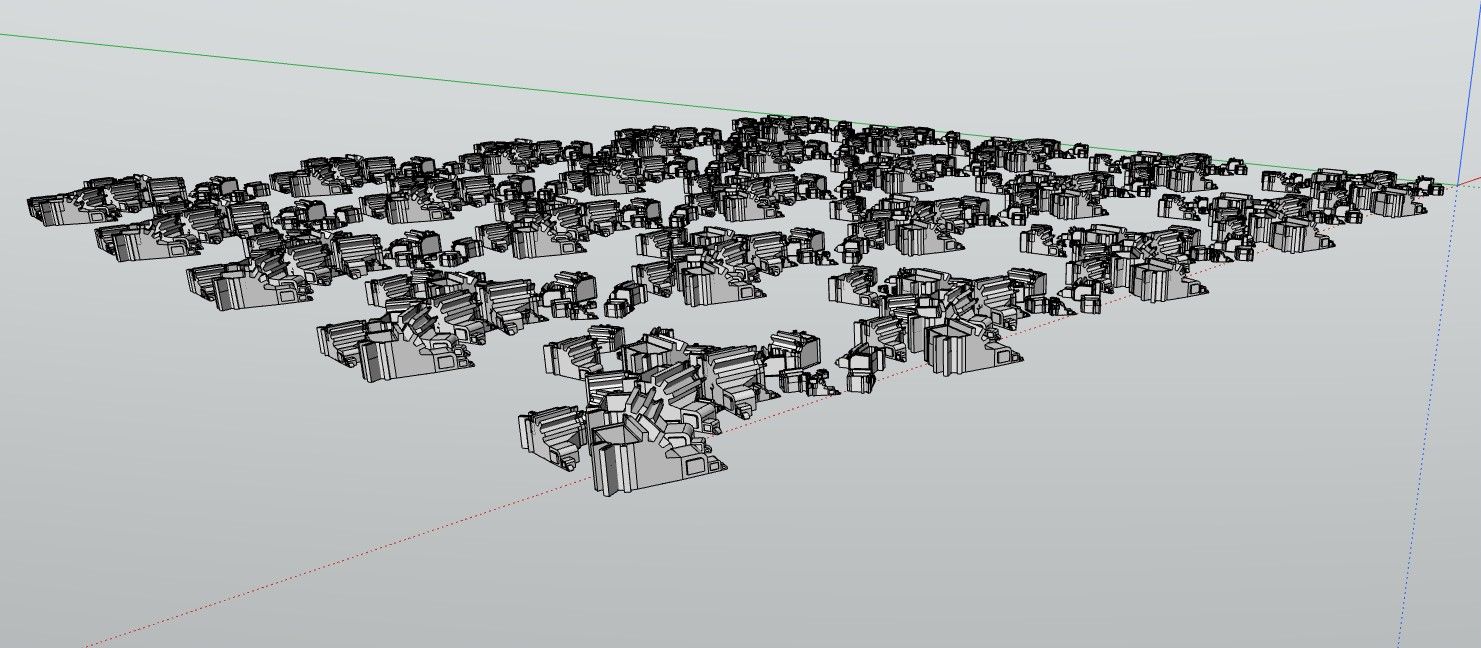

                desert.jpg

                ab454c7a-e81b-4a71-8929-32a2522f385d.jpg

                Frenchy Pilou
                Is beautiful that please without concept!
                My Little site :)

                1 Reply Last reply
                Reply Quote 1
                • pilouP
                  pilou
                  last edited by pilou

                  Etc...

                  0b154ac1-2444-4e03-98a8-05175028a155.jpg

                  1a57ec70-030e-48c5-b92e-ceea581457ad.jpg

                  Frenchy Pilou
                  Is beautiful that please without concept!
                  My Little site :)

                  1 Reply Last reply
                  Reply Quote 0
                  • pilouP
                    pilou
                    last edited by pilou

                    Request : Possibility in the OutLiner to explode a group (s) or a component(s) !

                    Frenchy Pilou
                    Is beautiful that please without concept!
                    My Little site :)

                    1 Reply Last reply
                    Reply Quote 0
                    • pilouP
                      pilou
                      last edited by

                      roc.jpg

                      9048e897-e443-40dc-ac1b-01ef2c7a8c4f.jpg

                      Frenchy Pilou
                      Is beautiful that please without concept!
                      My Little site :)

                      1 Reply Last reply
                      Reply Quote 1
                      • pixelcruncherP
                        pixelcruncher Extension Creator
                        last edited by

                        Modlumi 0.10 is out: guides, Intersect Faces and solid booleans

                        Modlumi 0.10 is live at https://modlumi.com/app. Many of these changes started as requests and bug reports in this thread, most of them from @pilou. Thank you!

                        Guide lines and guide points

                        Measure (T) now places guides. Click an edge, then click again to place a parallel guide line, and type a distance to set the exact offset. Start on a corner or other point to place a guide point, or double-click an edge to place a guide along it. Guides can be selected, moved, copied, erased and hidden like other geometry, and the drawing tools snap to where a guide crosses an edge.
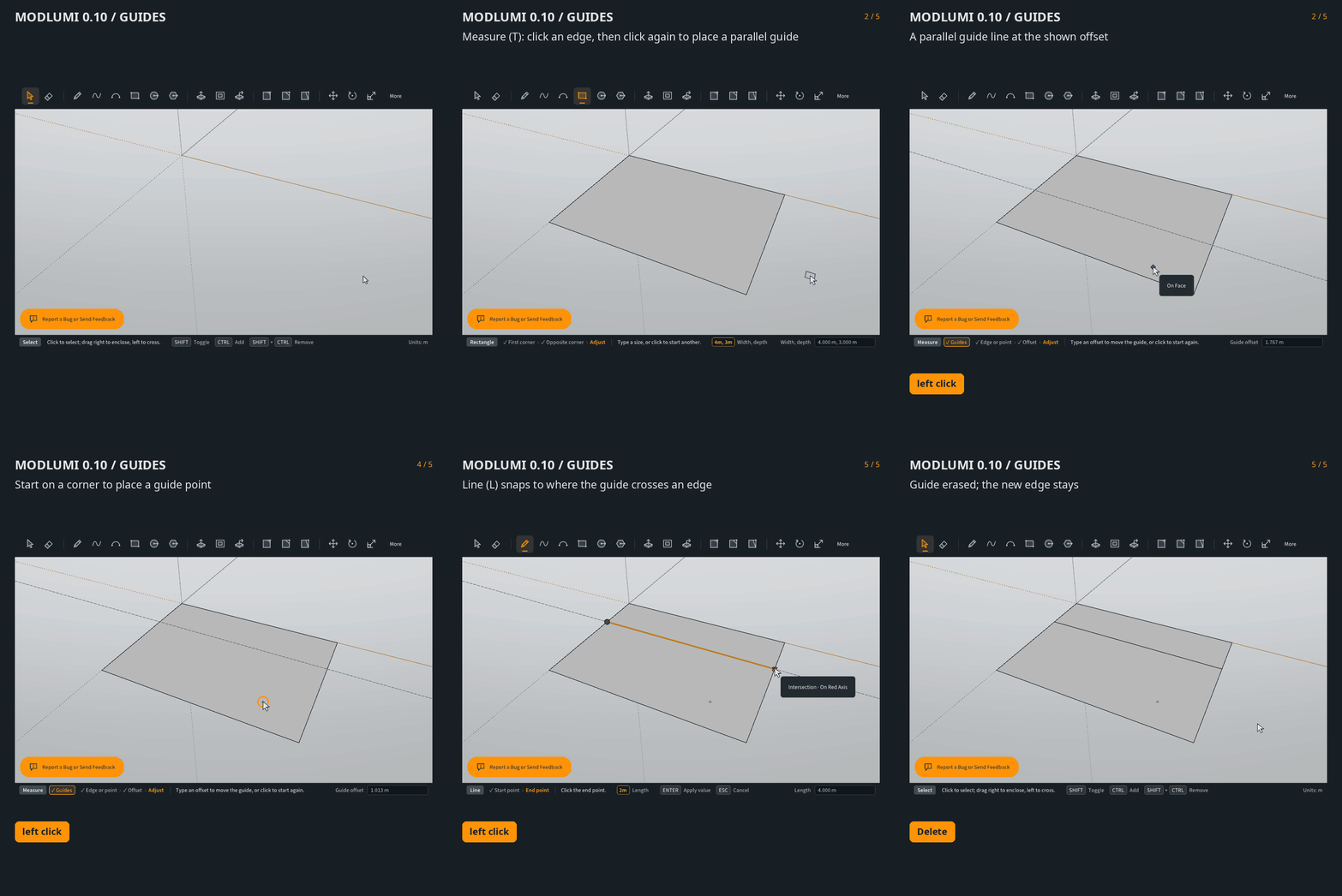
                        Guides with Measure

                        Intersect Faces

                        Edit β€Ί Intersect Faces (also in the right-click menu) has With Model, With Selection and With Context. Edges are added wherever faces cross, the faces are split, and only the new edges are selected.
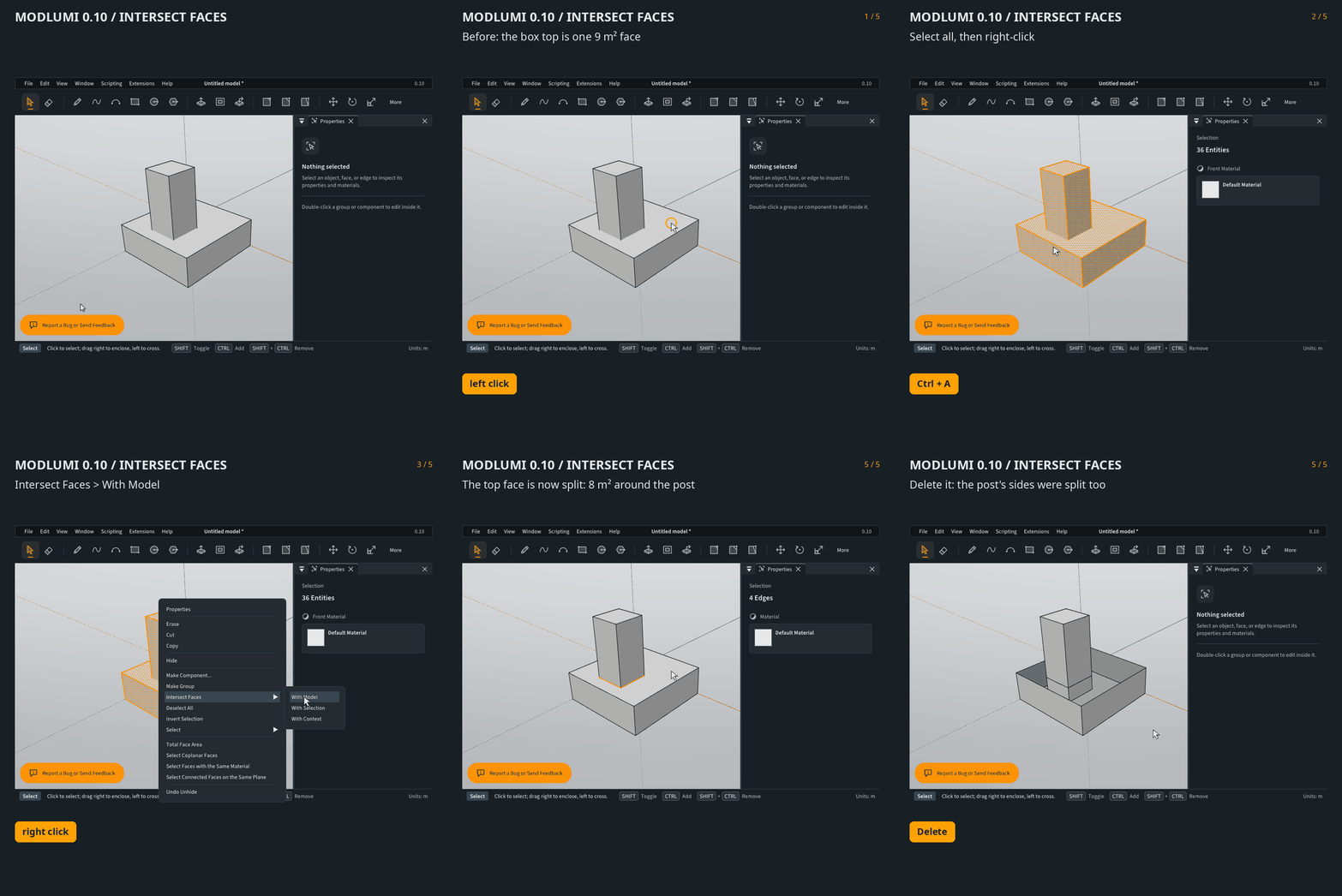
                        Intersect Faces

                        Solids: check, volume and booleans

                        Select a group or component, and Properties tells you whether it is solid and shows its volume.
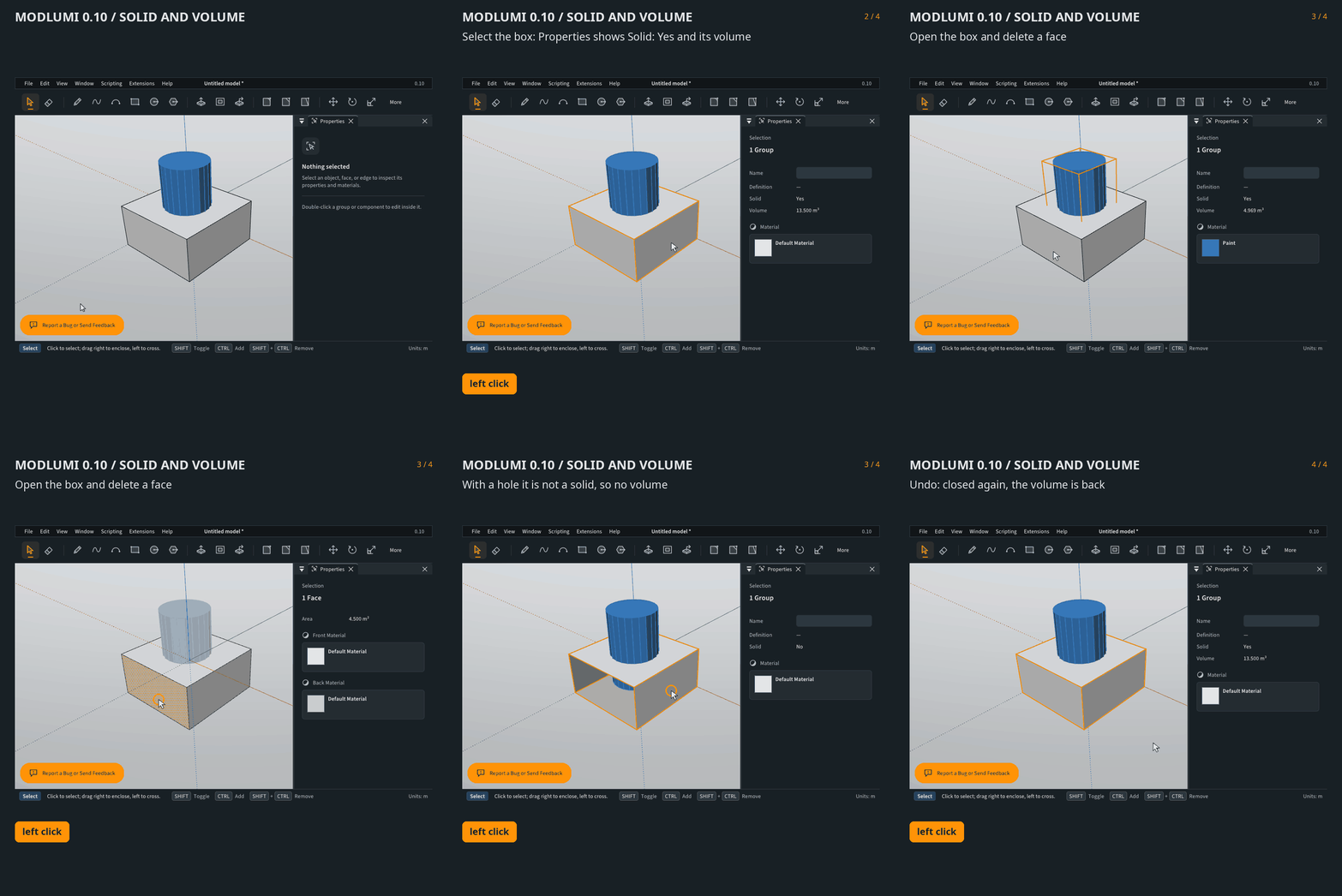
                        Solid check and volume

                        Combine Solids β€Ί Union, Subtract and Intersect combine two solid groups or components into a new group. Faces keep their materials, and the seams where the solids met are merged.
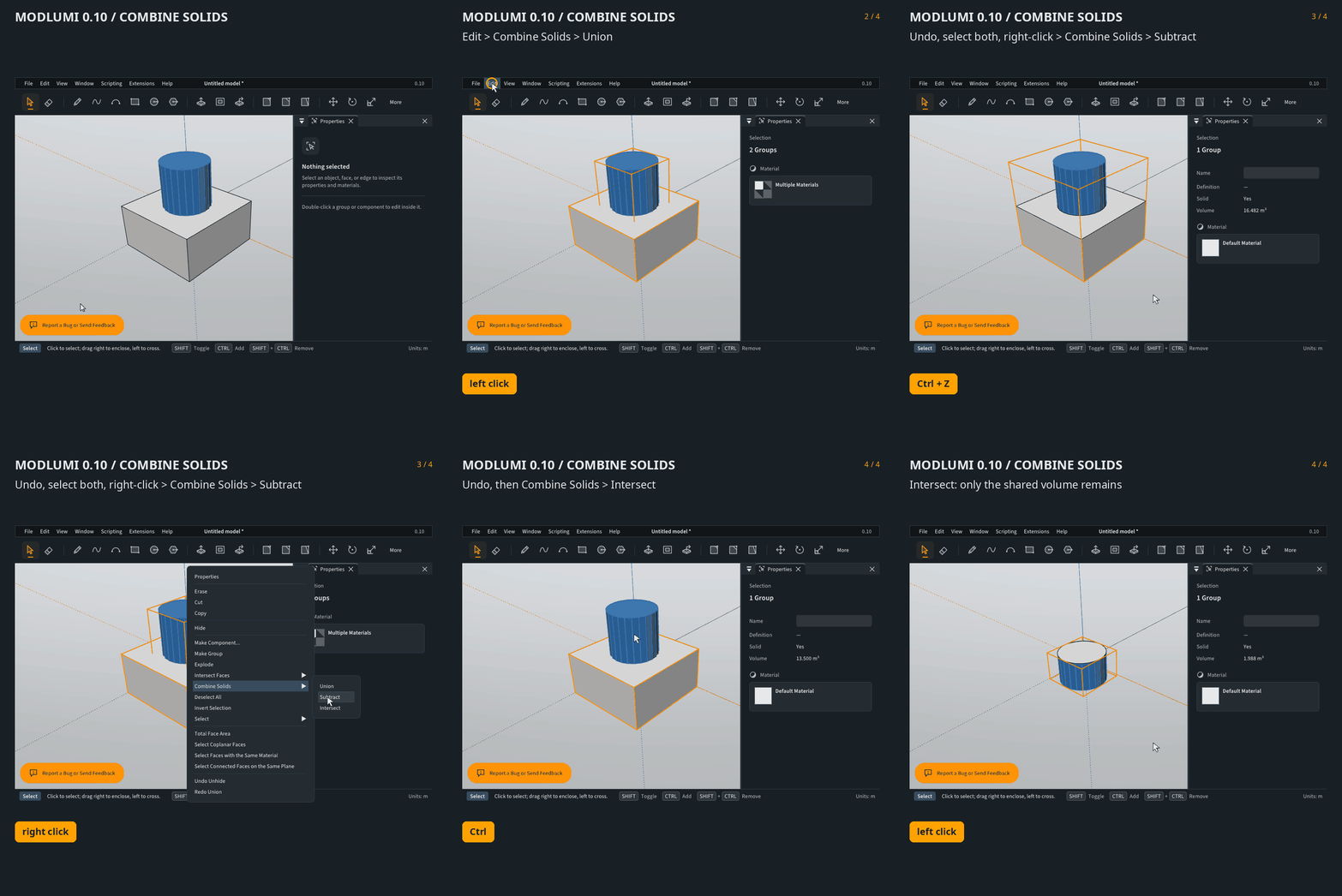
                        Combine Solids

                        Drag and drop

                        Drag a .skp or .modl file onto Modlumi to open it, in the browser or on the desktop. If you have unsaved changes, Modlumi asks first. Models without a saved view open framed to fit, like Zoom Extents.
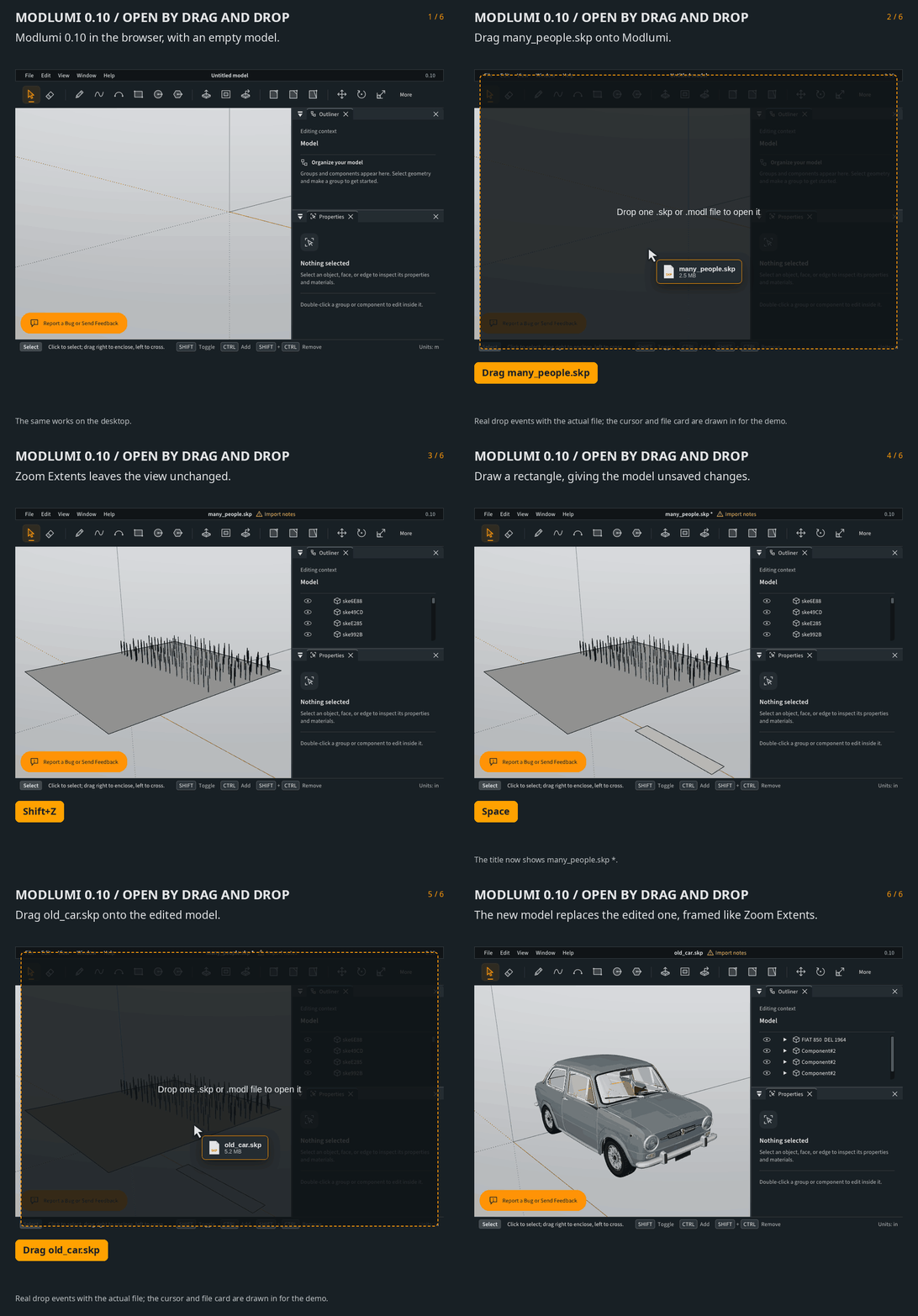
                        Open by drag and drop

                        Fixes

                        • Extruding a plate whose holes are filled with their own faces keeps its base. Before, the slab was left open underneath.
                        • Rectangle, Circle and Polygon now draw on the face you snapped to at corners and edges, instead of jumping to a neighbouring wall.
                        • Drawing a closed outline around edges that cross a face, such as around a post standing through a floor, now cuts a hole.
                        • Copies placed over imported models keep all their faces.
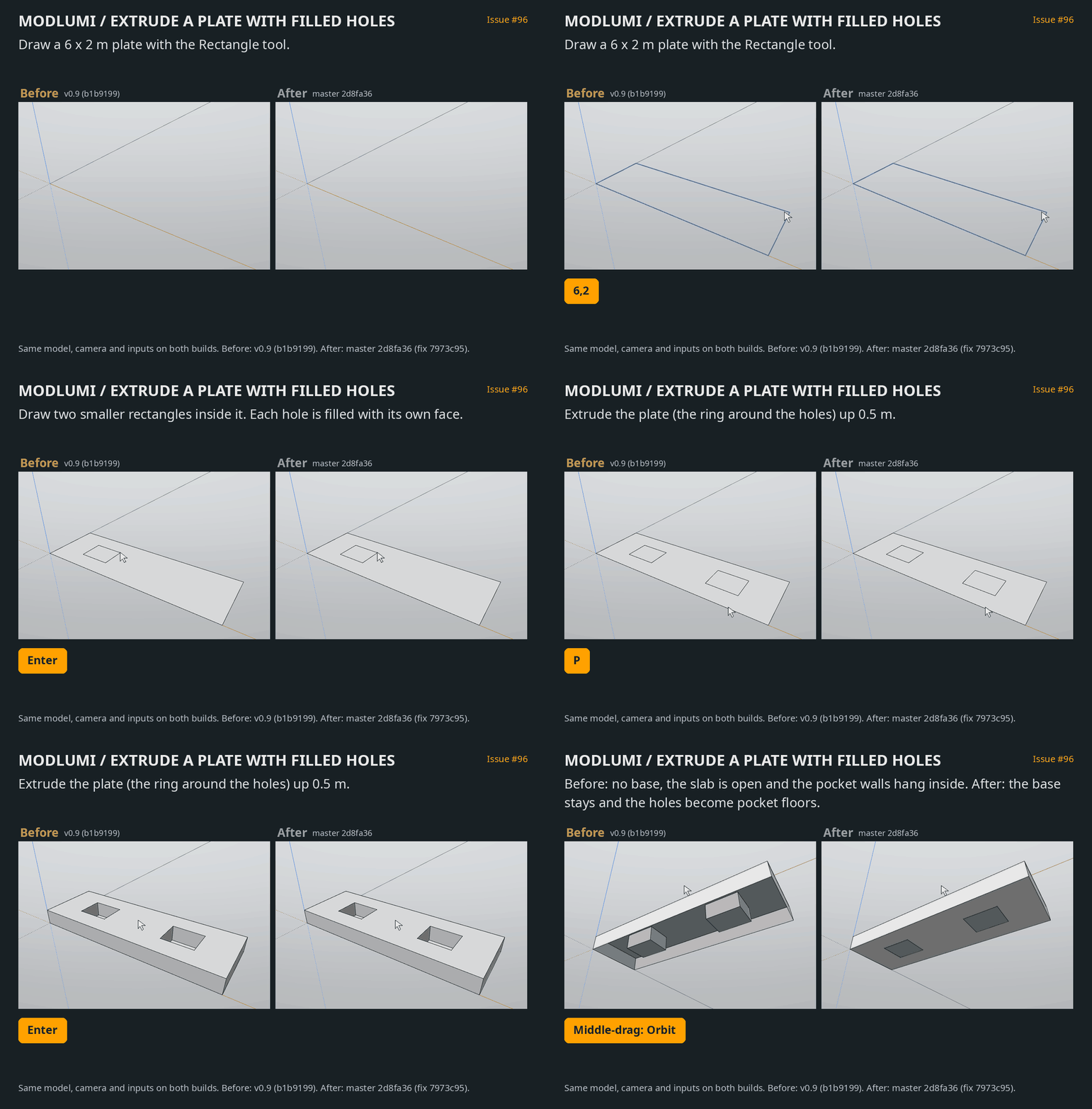
                        Extruding a plate with filled holes

                        Full release notes: https://modlumi.com/docs/release-notes/

                        As always, bug reports and ideas are welcome here or through the feedback button in the app.
                        ,

                        I'm the developer of Rayscaper: https://rayscaper.com/ - Fast and easy rendering for SketchUp.

                        1 Reply Last reply
                        Reply Quote 0
                        • KrassK
                          Krass
                          last edited by

                          Great !

                          Krass

                          1 Reply Last reply
                          Reply Quote 0
                          • KrassK
                            Krass
                            last edited by

                            minor bug
                            chrome_QB5yynleGc.png

                            Krass

                            1 Reply Last reply
                            Reply Quote 0
                            • pilouP
                              pilou
                              last edited by pilou

                              Very cool big release! Bravo!
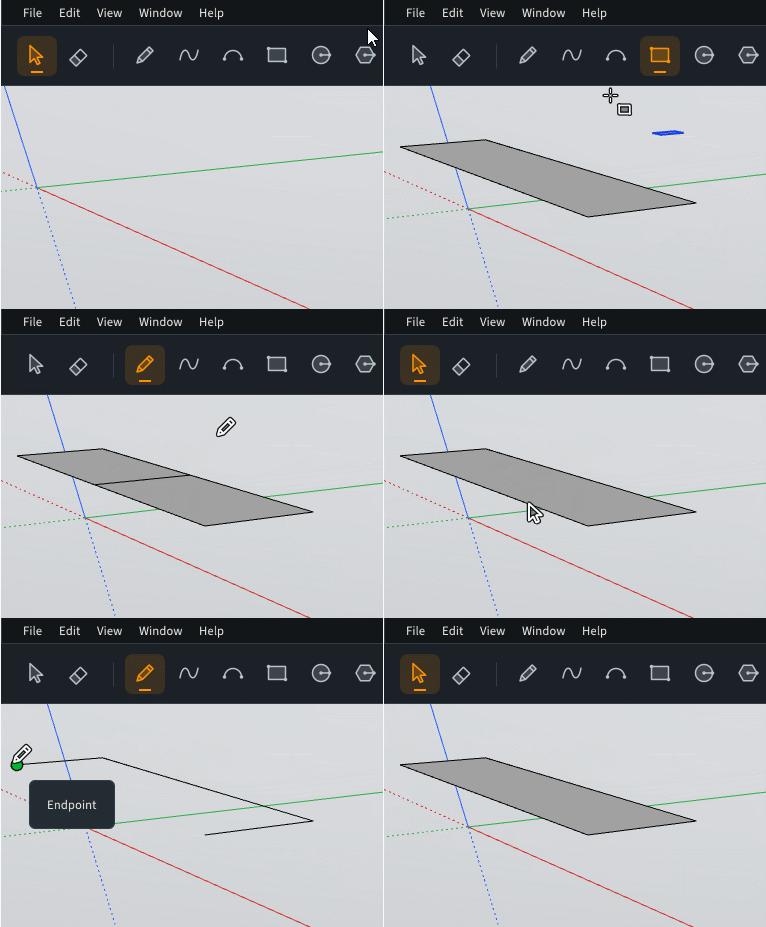
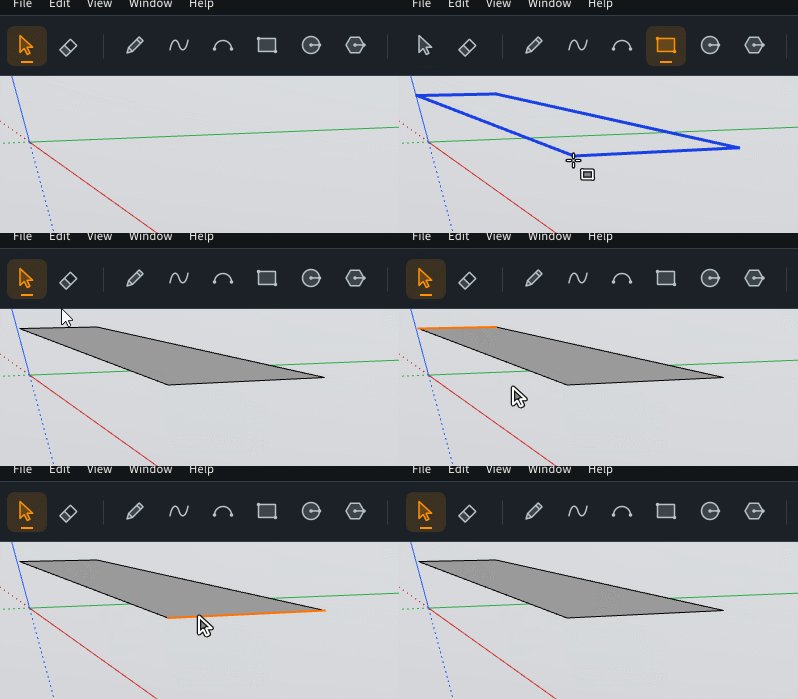
                              Seems to me there is always a big structural bug here?
                              Will be the same in 3D!
                              For me a new rectangle must have only 4 sides selectable! ?
                              That is the case when you create a new rectangle from nothing! πŸ˜‰

                              Here the bug ? Will be the same even i kill the 4 "double sides" front and behind ! So I keep the 2 lateral sides!
                              The 4 he middle sides are always living when i redraw them! πŸ™‚ (not show here but...
                              GIF_always_bug.gif

                              Normal way! πŸ˜‰
                              GIF_4_sides.gif

                              Some very ennoying for many modeling! πŸ˜‰

                              Frenchy Pilou
                              Is beautiful that please without concept!
                              My Little site :)

                              1 Reply Last reply
                              Reply Quote 0
                              • pilouP
                                pilou
                                last edited by pilou

                                Link Preview Image

                                I am not sure that is the more frequent result wished πŸ˜‰

                                More true holes along the Push Pull.

                                For the moment we must do following because it's hard to select only numerous plain "facets" !

                                Select all the piece with numerous ones!
                                Invert selection
                                Hide (the inversed selection)
                                Select all the piece with numerous facetts
                                Double Click on the surface around pieces to kill numerous facetts
                                Inverse Selection
                                Kill plain faces
                                Push Pull

                                So a little request : "Inverse Selected & Hide" πŸ™‚ (not vital as we can make it by hand but...)
                                True holes at the end!
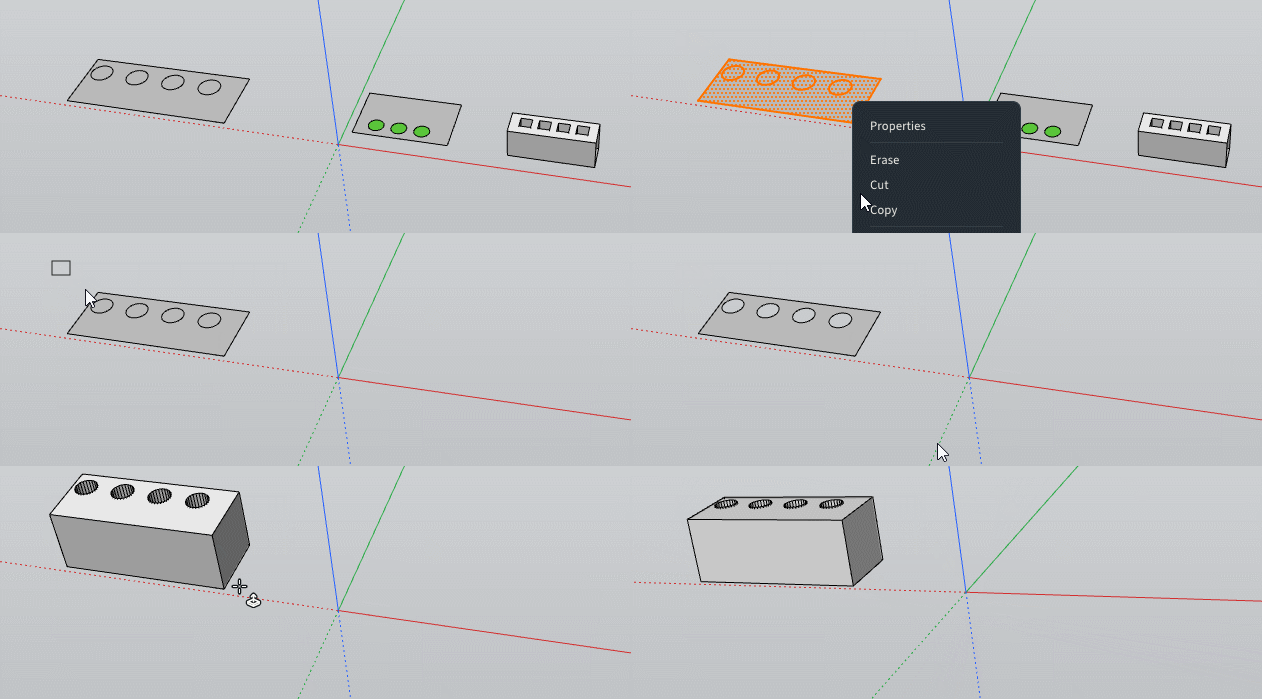
                                GIF_process_numerous.gif

                                Frenchy Pilou
                                Is beautiful that please without concept!
                                My Little site :)

                                1 Reply Last reply
                                Reply Quote 0
                                • pilouP
                                  pilou
                                  last edited by pilou

                                  Request: Perpendicular Snap from Lines, Points Guides...
                                  Also in 3D space!

                                  Frenchy Pilou
                                  Is beautiful that please without concept!
                                  My Little site :)

                                  1 Reply Last reply
                                  Reply Quote 0
                                  • pilouP
                                    pilou
                                    last edited by

                                    robothead.jpg

                                    robotshh.jpg

                                    Frenchy Pilou
                                    Is beautiful that please without concept!
                                    My Little site :)

                                    1 Reply Last reply
                                    Reply Quote 1
                                    • pilouP
                                      pilou
                                      last edited by

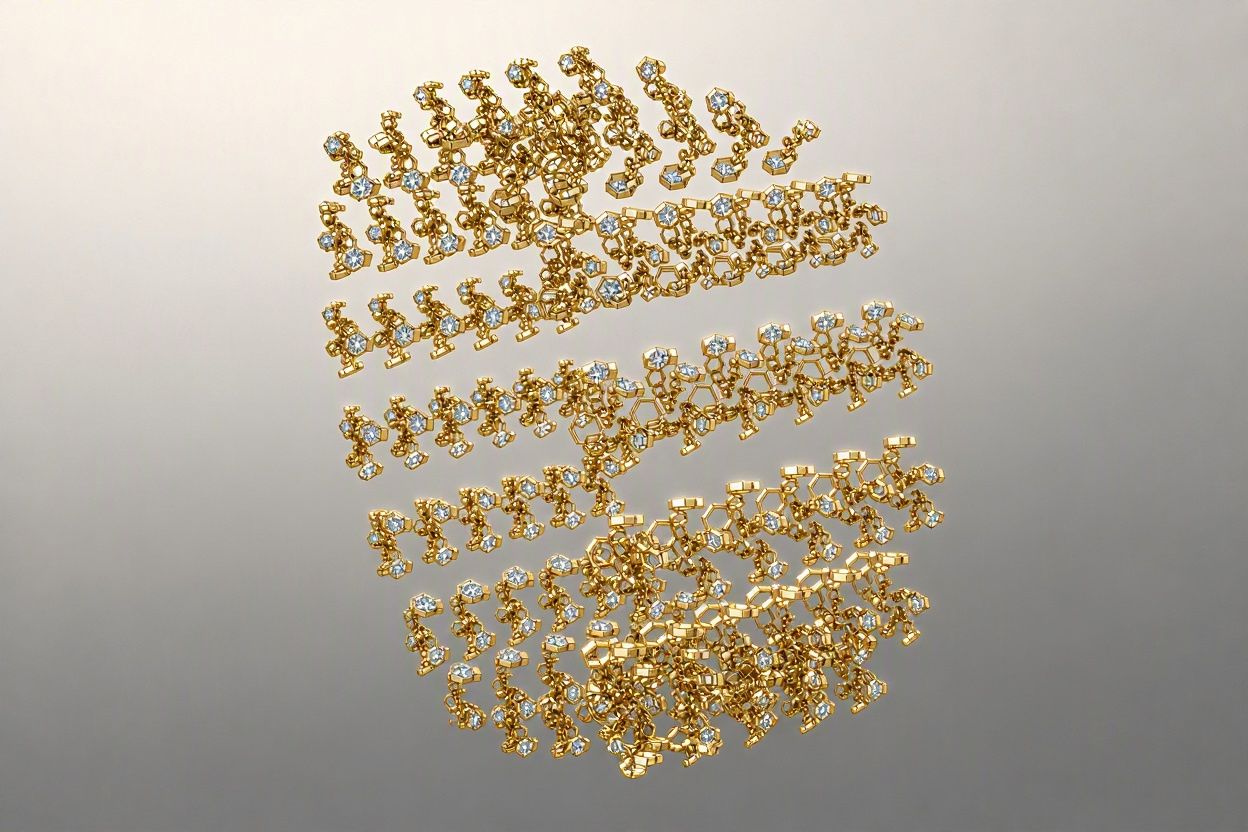
                                      bijouxjpg.jpg

                                      bij.jpg

                                      Frenchy Pilou
                                      Is beautiful that please without concept!
                                      My Little site :)

                                      1 Reply Last reply
                                      Reply Quote 1
                                      • pixelcruncherP
                                        pixelcruncher Extension Creator
                                        last edited by

                                        Modlumi 0.11 is out: more solid tools, typed points and smoother rendering

                                        Modlumi 0.11 is live at https://modlumi.com/app. Thanks to @Krass and @pilou for the bug reports in this thread. Both are fixed in this release.

                                        More solid tools

                                        Combine Solids now also has Trim, Split and Outer Shell:

                                        • Trim cuts the second selected solid out of the first and keeps the second.
                                        • Split separates two solids into what each holds alone and what they share.
                                        • Outer Shell keeps only the outside of one or more solids.

                                        Union and Intersect now take more than two solids at once. Cutting large solids is also much faster. A detailed part of almost 6,000 faces now takes about a second instead of half a minute.
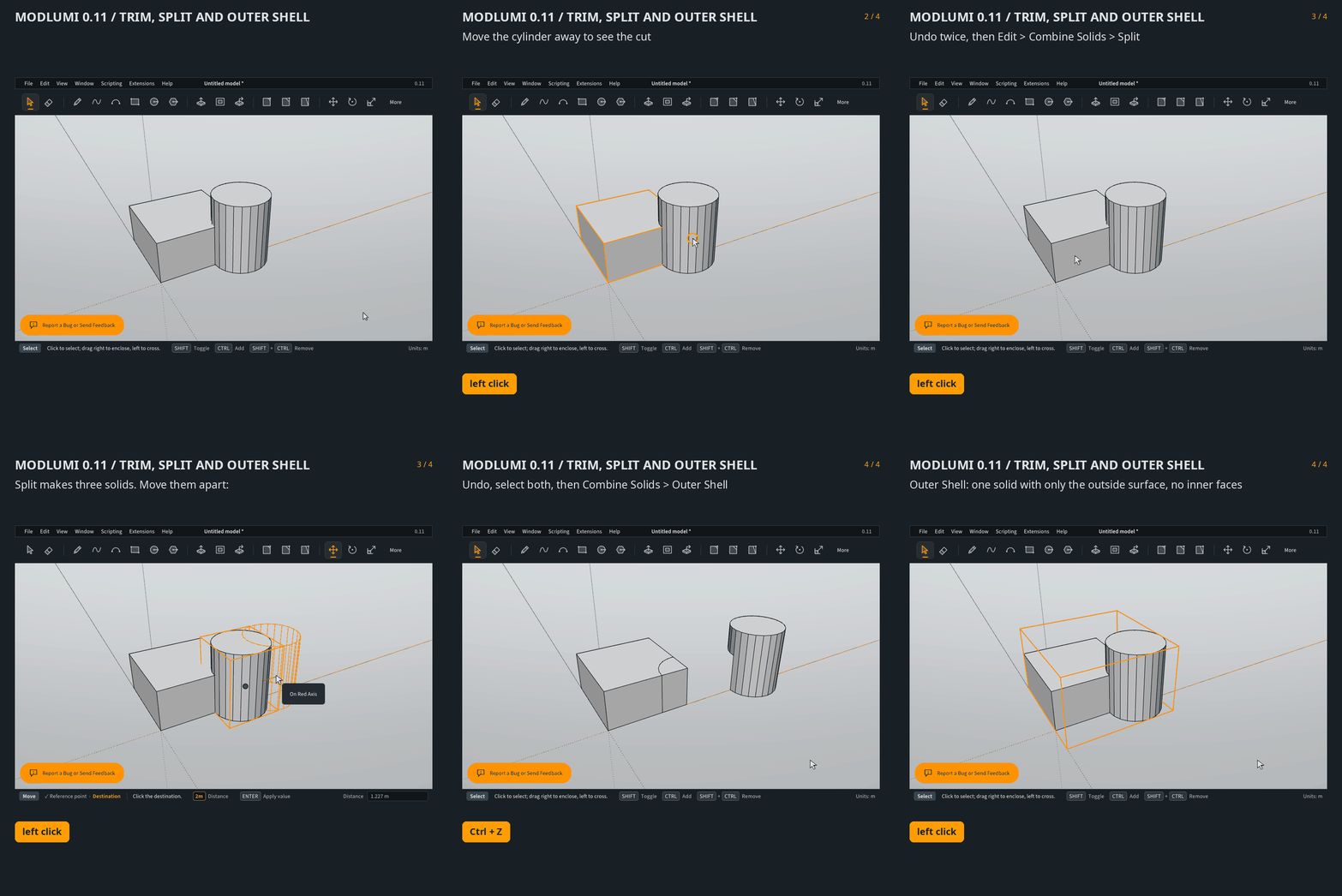
                                        Trim, Split and Outer Shell

                                        Type points in the Line tool

                                        While drawing a line, type [x, y, z] to go to an exact position on the drawing axes, or <dx, dy, dz> to move relative to the start point. A component left blank keeps the start point's value, so [, , 2] goes straight up to a height of 2.

                                        Typed lengths that end right on an existing corner now land exactly on it, so a chain of typed lengths closes its face. The chain also keeps going when a segment touches existing edges, and only stops when you return to the first point.
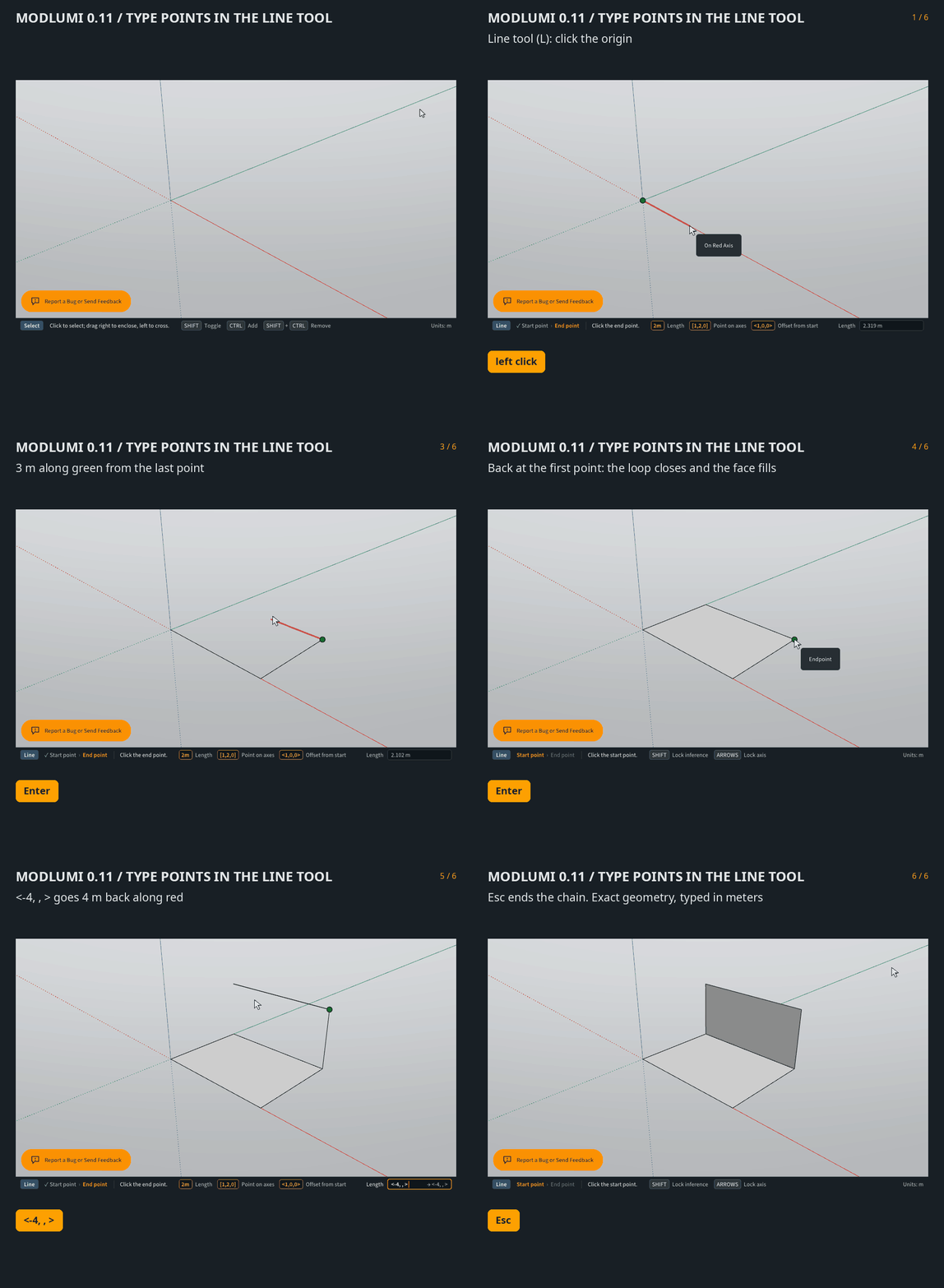
                                        Typed points in the Line tool

                                        Smoother rendering

                                        Curved surfaces with smoothed edges, such as imported car bodies, now render smooth instead of showing their facets. Translucent materials painted on both sides of a face, like window glass, stay see-through when you look at them from the inside.
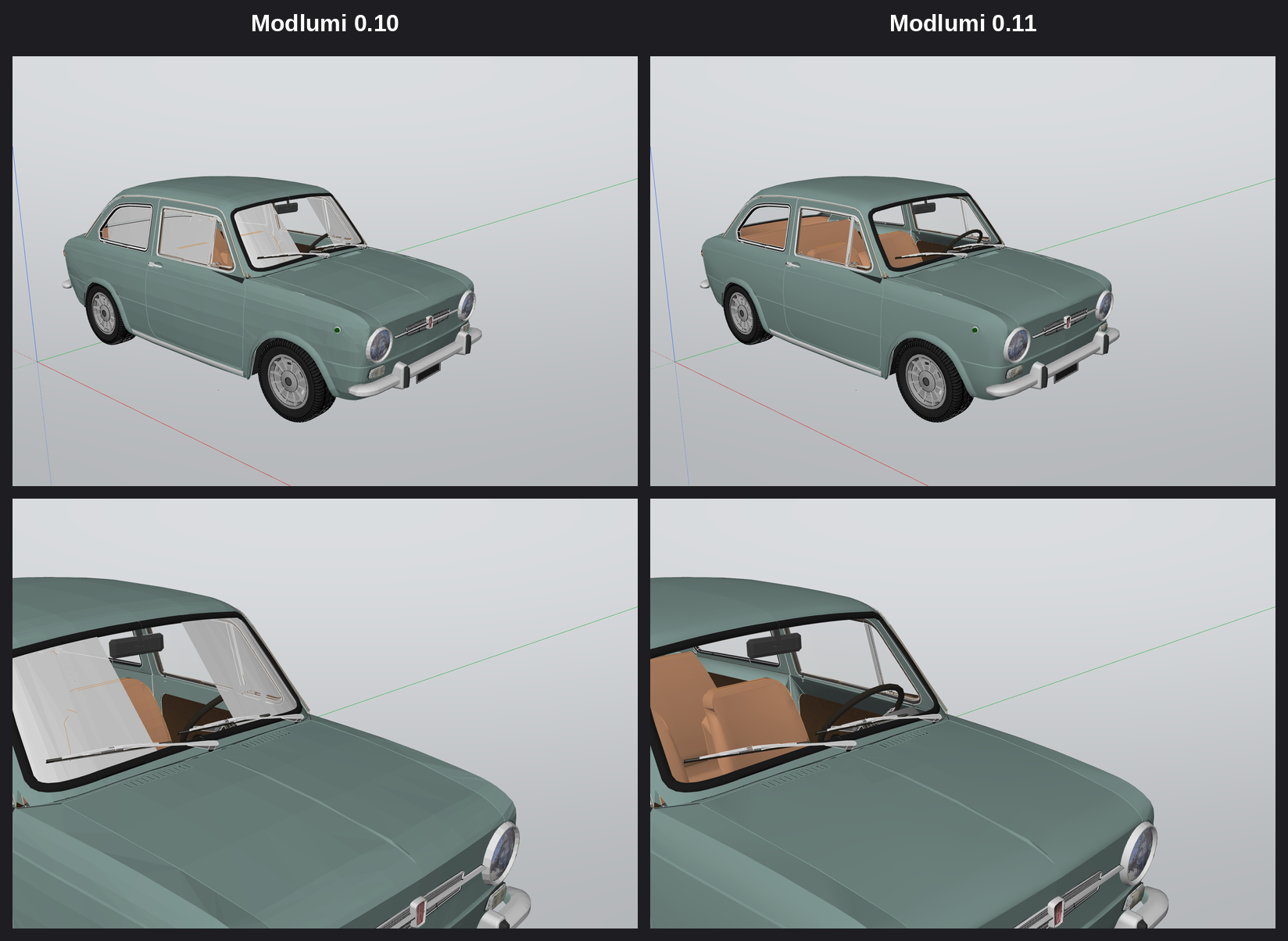
                                        Smooth shading and glass, 0.10 vs 0.11

                                        Fixes

                                        • Erasing a line drawn across a face rejoins the sides it split, so a rectangle is back to four edges.
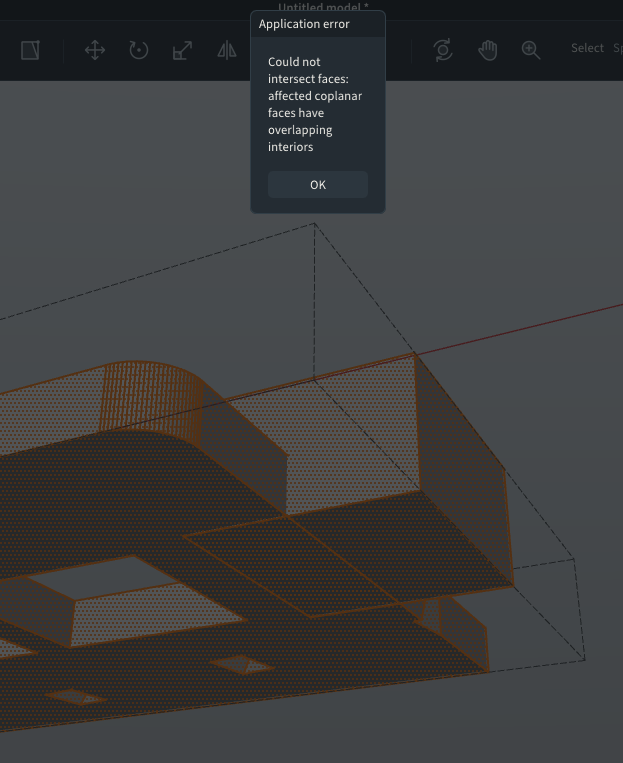
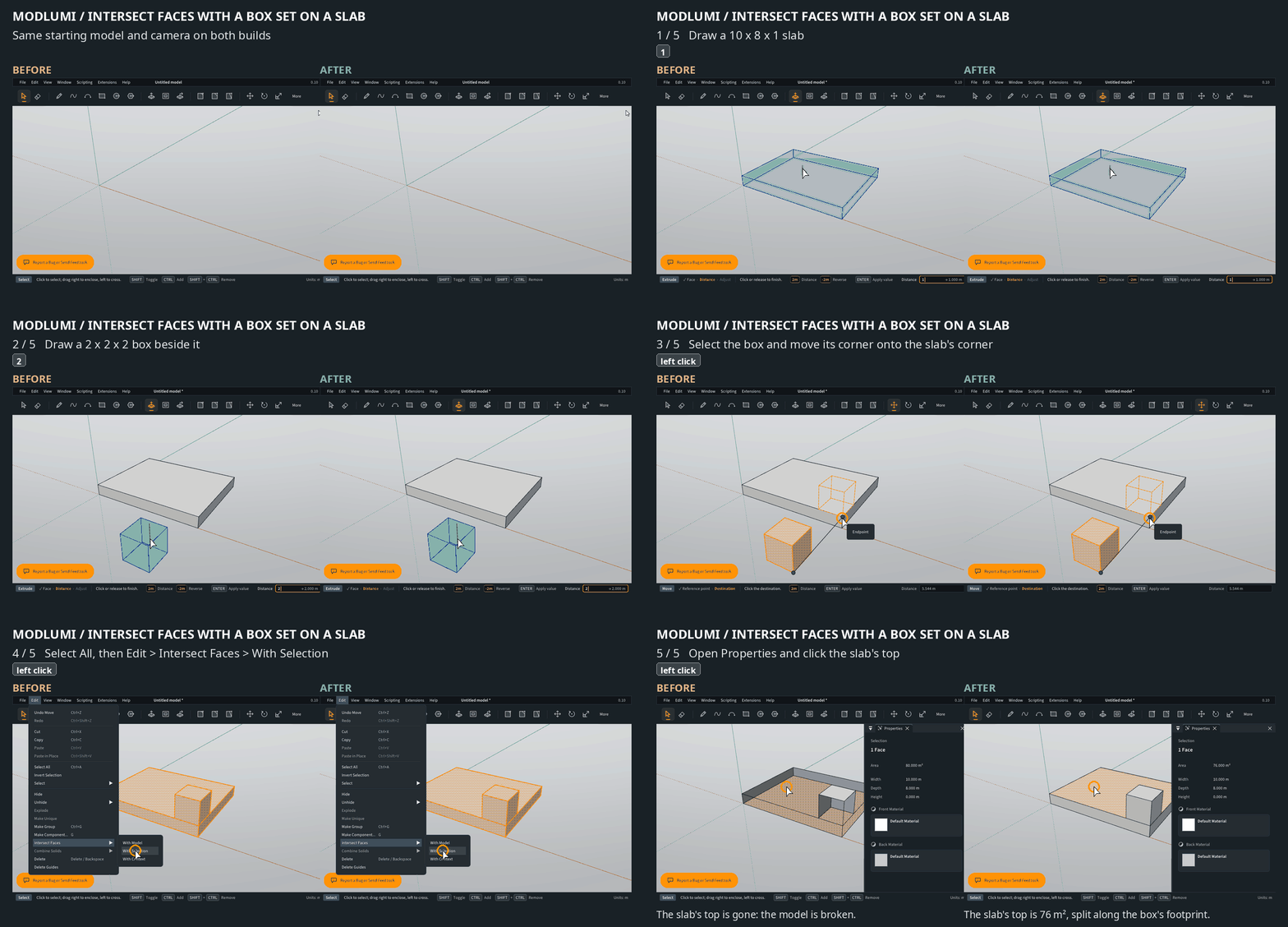
                                        • Intersect Faces works on a loose box set on a slab, instead of failing with "overlapping interiors".
                                        • Union no longer fails for two boxes standing on the same floor, shifted against each other.
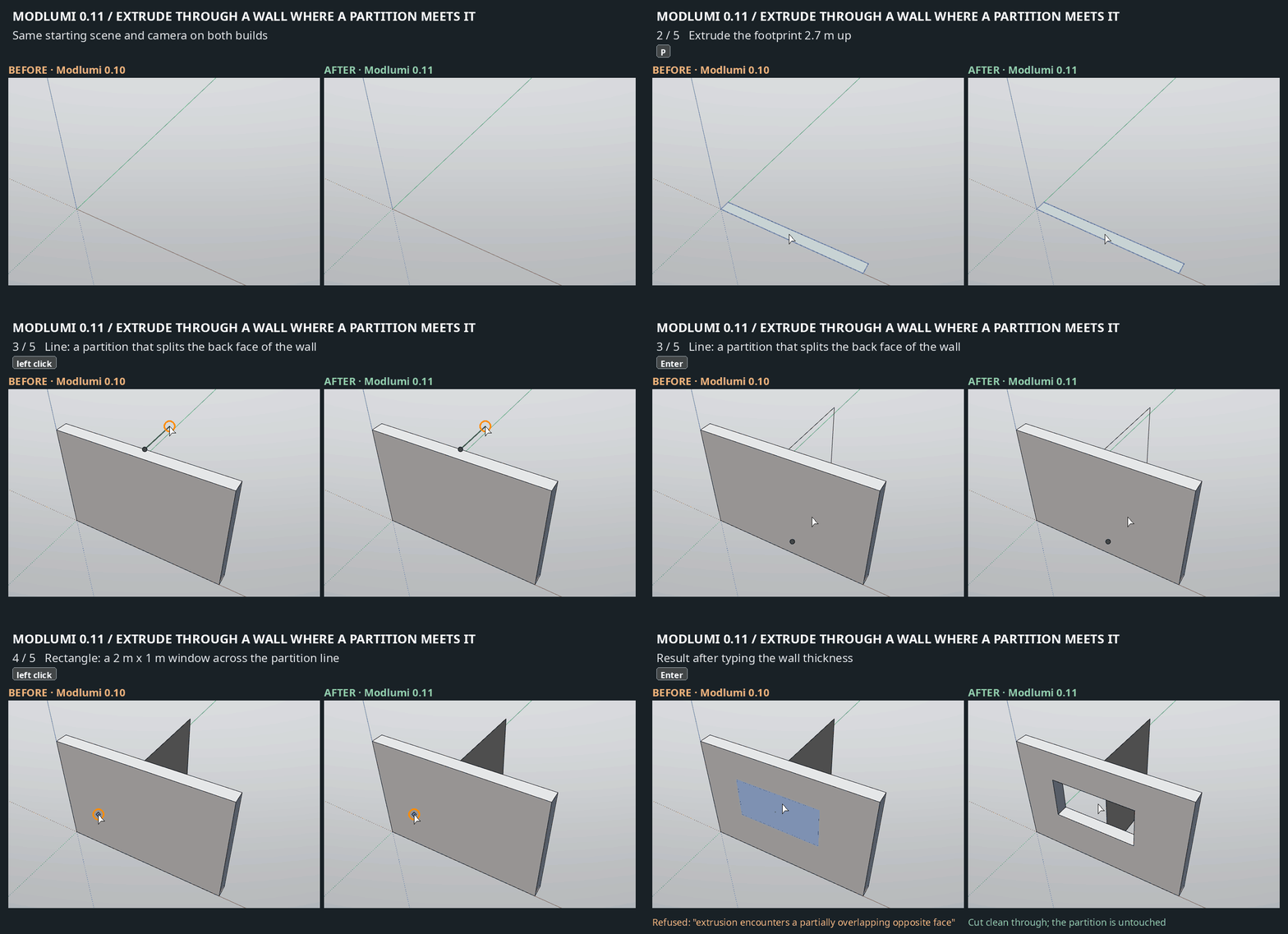
                                        • Extruding through a wall works where the far side is made of several faces, such as at a corner or where a partition meets the wall. A typed depth equal to the wall thickness now cuts cleanly through instead of leaving a thin skin.
                                        • Partitions in a floor plan can be extruded after the outer walls have been raised.
                                        • In a parallel-projection plan view, zooming in no longer hides the upper storeys.
                                        • When an extrusion or cut can't be made, the reason now shows in red in the status bar.
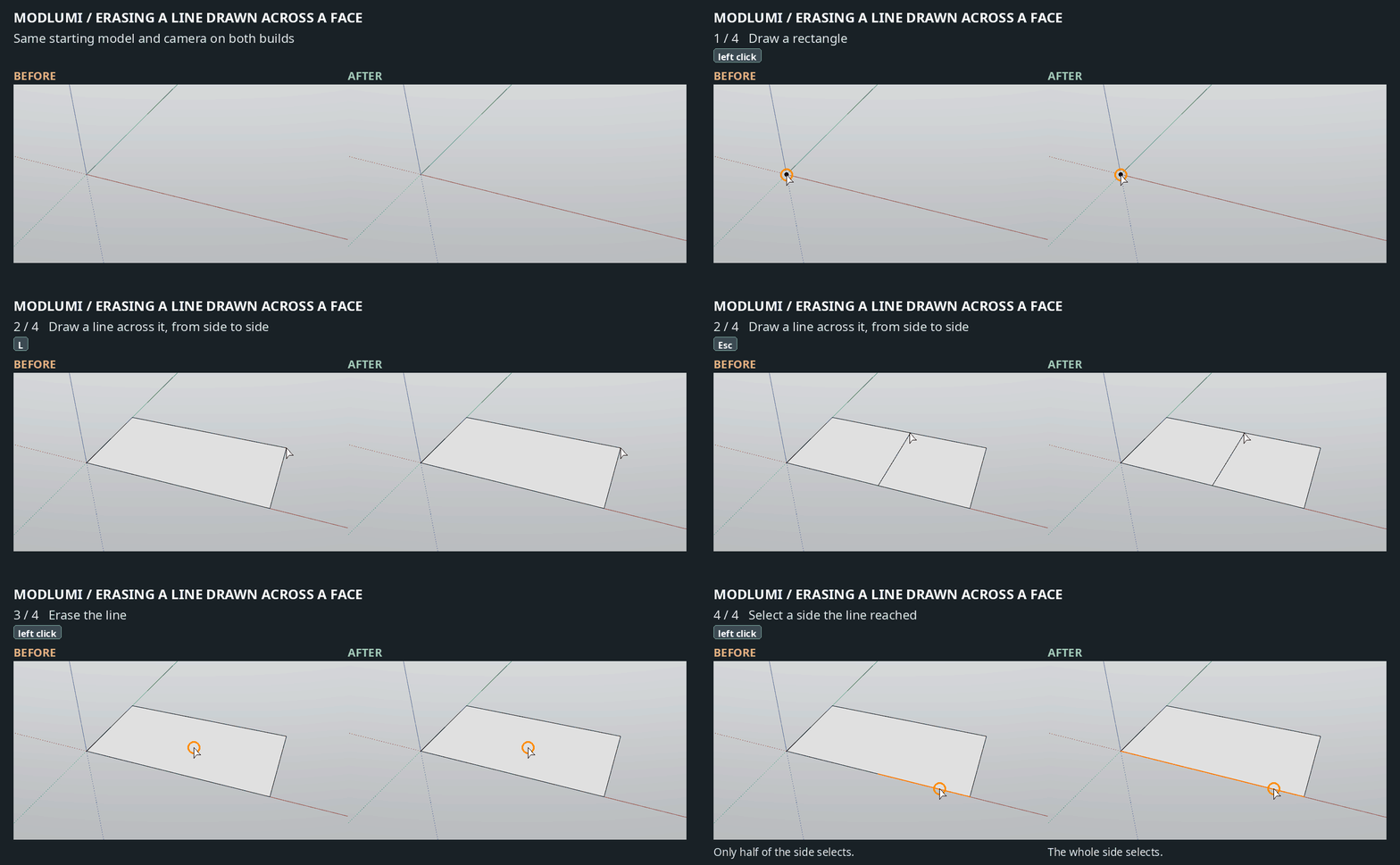
                                        Erasing a line drawn across a face, before and after

                                        Intersect Faces with a box set on a slab, before and after

                                        Extruding through a wall where a partition meets it, before and after

                                        Full release notes: https://modlumi.com/docs/release-notes/

                                        As always, bug reports and ideas are welcome here or through the feedback button in the app.

                                        I'm the developer of Rayscaper: https://rayscaper.com/ - Fast and easy rendering for SketchUp.

                                        1 Reply Last reply
                                        Reply Quote 0
                                        • pilouP
                                          pilou
                                          last edited by pilou

                                          What a reactivity! πŸ™‚
                                          But sorry this one is always a bug for me ! V 0.11
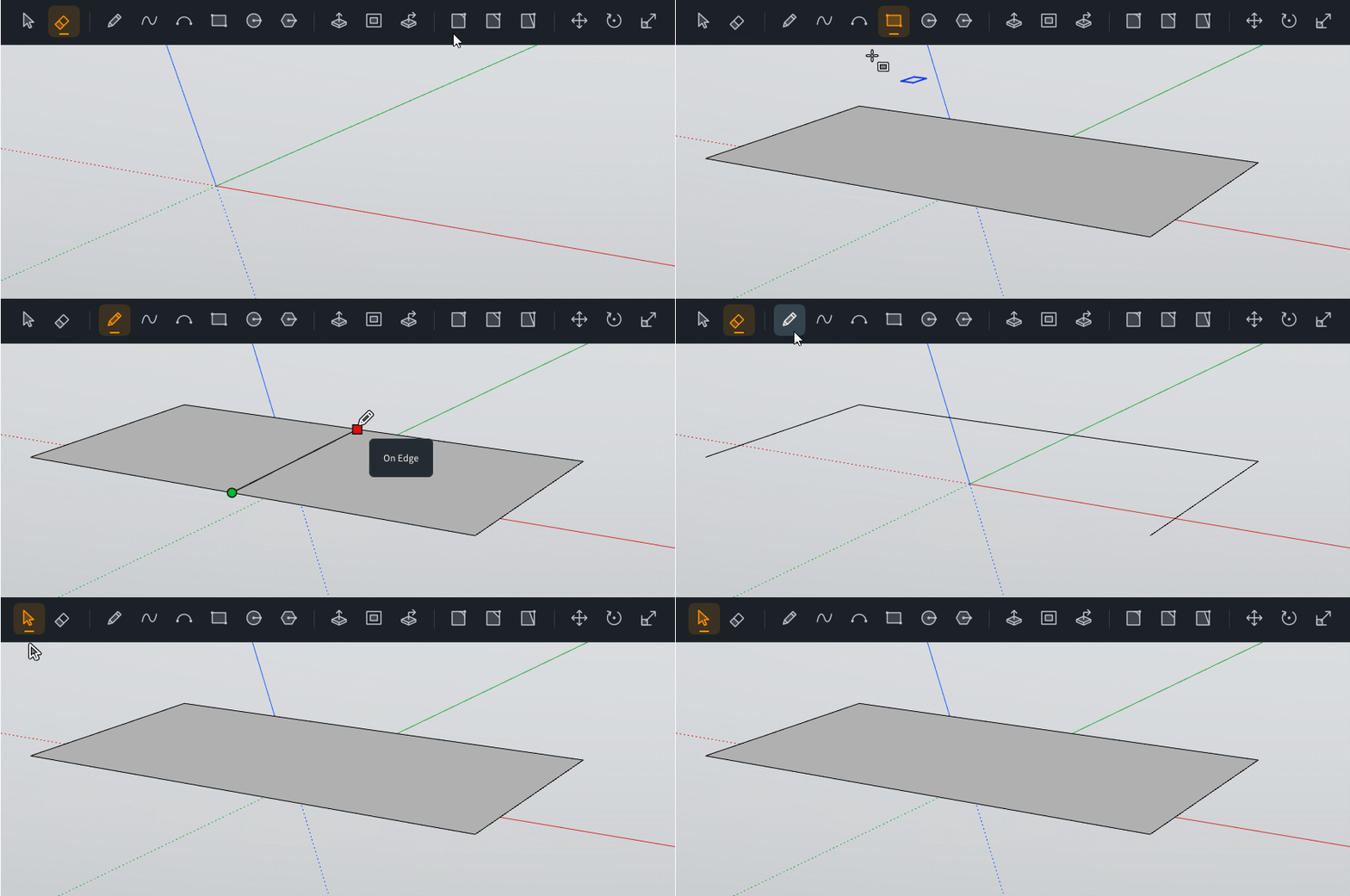
                                          GIF_always a bug1 10-10-2026 23-41-07.gif

                                          Frenchy Pilou
                                          Is beautiful that please without concept!
                                          My Little site :)

                                          pixelcruncherP 1 Reply Last reply
                                          Reply Quote 0
                                          • pixelcruncherP
                                            pixelcruncher Extension Creator @pilou
                                            last edited by

                                            @pilou Yikes, I thought I fixed this. Will have another look at this one. I'm already cooking up v0.12, so this will be fixed in v0.13 or later. Desktop release is also coming soon.

                                            Cheers,
                                            Thomas

                                            I'm the developer of Rayscaper: https://rayscaper.com/ - Fast and easy rendering for SketchUp.

                                            1 Reply Last reply
                                            Reply Quote 0

                                            Hello! It looks like you're interested in this conversation, but you don't have an account yet.

                                            Getting fed up of having to scroll through the same posts each visit? When you register for an account, you'll always come back to exactly where you were before, and choose to be notified of new replies (either via email, or push notification). You'll also be able to save bookmarks and upvote posts to show your appreciation to other community members.

                                            With your input, this post could be even better πŸ’—

                                            Register Login
                                            • 1
                                            • 2
                                            • 3
                                            • 4
                                            • 5
                                            • 6
                                            • 5 / 6
                                            • First post
                                              Last post
                                            Buy SketchPlus
                                            Buy SUbD
                                            Buy WrapR
                                            Buy eBook
                                            Buy Modelur
                                            Buy Vertex Tools
                                            Buy SketchCuisine
                                            Buy FormFonts

                                            Advertisement