[Plugin] LordOfTheToolbars - v4.0a - 22 Sep 26




-
Hi everyone,
I’ve noticed some odd behavior in SketchUp 2026.
If I delete the folder of any Fredo6 plugin — for example, Fredo6_VisuHole — from the SketchUp Plugins directory in Roaming (only the folder, not the main RB/executable file), SketchUp throws the following error on startup:“Installation of Fredo6_VisuHole is probably incorrect. Subfolder is missing.”
What’s strange is that LOTT and Vignette still work fine after this. It doesn’t matter which Fredo6 plugin folder I remove — the same thing happens.
When I restore the deleted folder, SketchUp starts normally again, but then the behavior becomes the same as what Ramzix described earlier.
-
nope, just a small laptop
-
There is a very old bug, the Vignette Stripe doesn't stay where you put it - after SU restart, it will reset its position to the default, whether you lock it or not, it will do the same thing.
And another one (but i think this one may not have a solution), i have two Favorites Palettes that i use in compact mode as toolbars (horizontal stripes, permanently open), every time you minimize and maximize the SU window, these Palettes navigate about 1-2 mm to the left, until eventually you have to move them back..., and so on.
Also, the same behaviour if they are locked or unlocked.I use mainly SU 2023, in W11.
None of this happened in SU 2022 (and SU 2023), before the LOTT update to be fully compatible with SU 2024. -
There is no reliable way to set more than 20 columns per palette, fixed (non-scrollable).
-
I ended up using palettes as toolbars, only because regular toolbars created with LOTT, if undocked, all end up vertically when you restart SketchUp.
But then i realized that palettes are nicer and cleaner as toolbars, than regular toolbars... -
Is there a reason LOTT stopped loading during startup of SU today?
-
Which version do you have?
-
@fredo6 2.9C
-
Ah I've found the culprit. I forgot I had installed an update for D5 Livesync 1.7.0.0001 There seems to be a problem with this one. I rolled back to D5 1.6 and LOTT is back.
-
LOTT stopped working after I installed the latest version of Enscape. I don't know 100% that it's related to Enscape but it's the latest thing I updated and then I realised LOTT is not working at all, no toolbars, nothing. In both SU 2024 and 2025. Can anyone help?
-
@taoklai I had to revert to the previous version of D5 livesync in my case. You should do that with Enscape for a while, until Fredo find a fix.
-
https://youtu.be/Wl5v466L04g?t=876
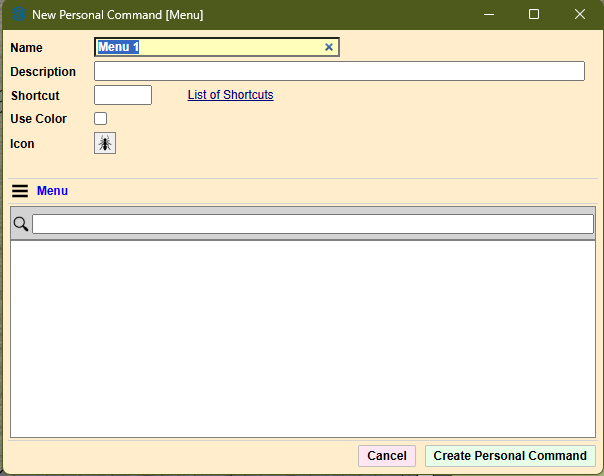
create custom command using menu option is not working for me as i wish to create a command button for COPY ALONG CURVE, but the list for selecting the menu is absolutely empty, so searching is also not working. What am i doing wrong?
-
As of SU2023, the Menu-related features are no longer supported by LOTT. This is due to a change in the GUI framework of Sketchup (called Qt).
-
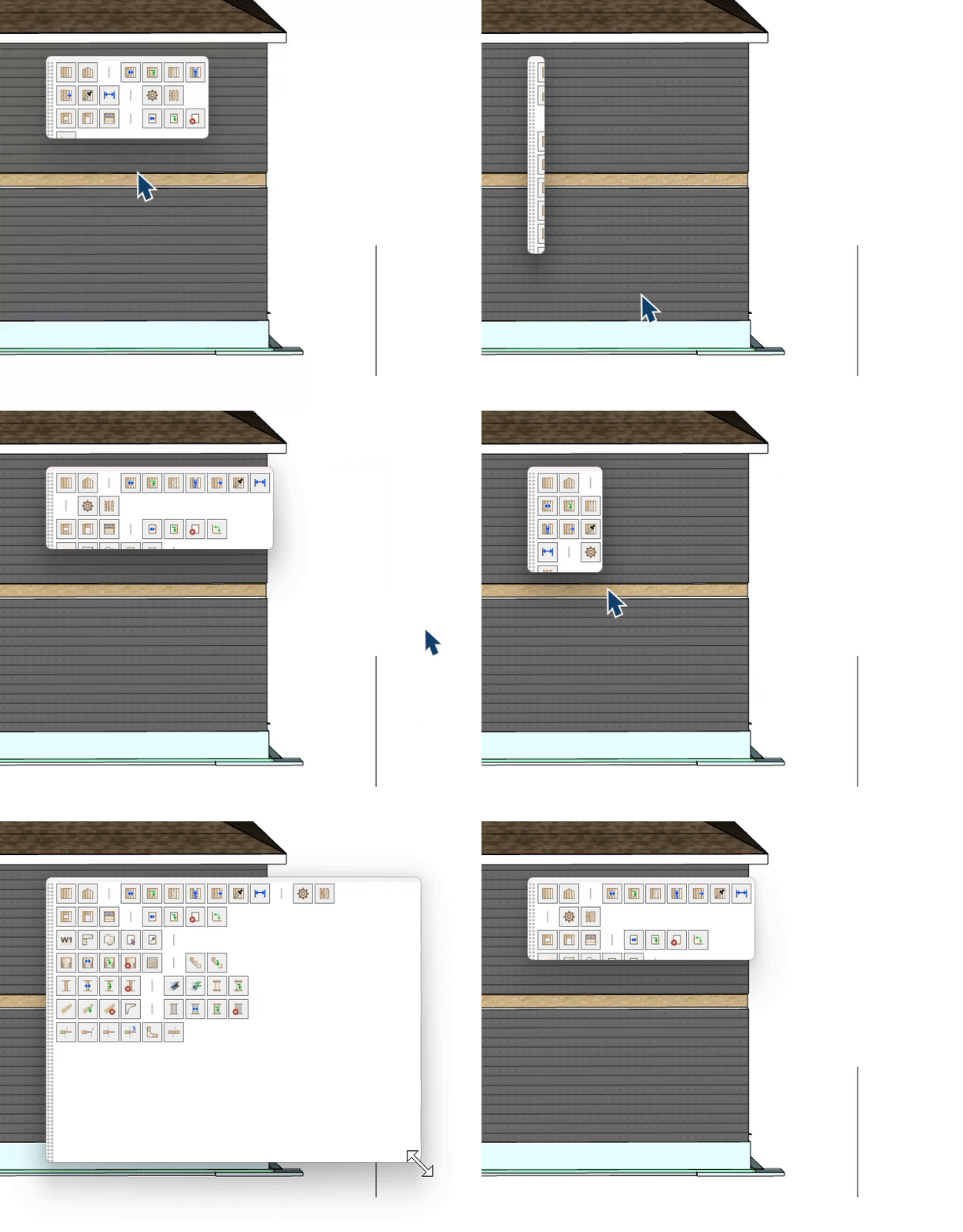
Hey @fredo6 What am I doing Wrong here? Lol
-
@LinearGraphs You are not doing anything wrong; this happens sometimes.
Change the parameters 2-3 times, and then everything should be back to normal. -
I don't know what you mean by changing the parameters, but I had to delete the pallet and import it again for everything to be in working order. All better.
-
@LinearGraphs I meant parameters of the palette, in palette properties.
-
@fredo6 Ok, thanks for replying.
-
Hi Fredo, per your request here is the post about the conflict I was having between D5 Renderer and LordOfTheToolbars.
Error: Is a directory @ rb_sysopen - .../plugins/d5_converter
The Cause:
LordOfTheToolbars was scanning all plugins to build its toolbar menu. When it encountered the d5_converter folder, it tried to open it as a file to read/copy it, but it's a directory, not a file. This happened in the ghost_command_register function.The Analysis:
The D5 Converter structure is standard (a .rb loader file + a subfolder with extension code)
Nothing weird about D5's structure
LordOfTheToolbars wasn't properly checking if something is a directory before trying to open/copy itSummary:
The extension causing the conflict is LordOfTheToolbars. It's failing when scanning the plugins folder because it tries to open the d5_converter directory as if it were a file (using rb_sysopen), triggering the "Is a directory" error. The fix would be adding a directory check before attempting to open/copy files in the ghost_command_register function. -
I am having an issue with conflict between D5 render live sync plugin.
When the live sync version was D5_LiveSync_Sketchup_usa_1.6.1.0020, there was no issue.
After i update it to D5_LiveSync_Sketchup_usa_1.7.0.0001.
The LOTT vignette strip stopped loading.
I am forced to roll back to older 1.6 version to get the LOTT to load properly.
Kindly look into this issue if possible.
Regards..



Hello! It looks like you're interested in this conversation, but you don't have an account yet.
Getting fed up of having to scroll through the same posts each visit? When you register for an account, you'll always come back to exactly where you were before, and choose to be notified of new replies (either via email, or push notification). You'll also be able to save bookmarks and upvote posts to show your appreciation to other community members.
With your input, this post could be even better 💗
Register Login


Advertisement