[Plugin] FredoTools::ColorPaint - v1.2a - 02 Nov 19
-
ColorPaint is a standalone script (for SU2016 and above) which is part of FredoTools. It implements a configurable Color Selector, independent from models and persistent across SketchUp sessions and SketchUp versions.
ColorPaint includes a large range of color palettes to which you can add your own.
ColorPaint is installed as part of FredoTools 3.7 and above.
See the main post for FredoTools for installation.
IMPORTANT: ColorPaint is available for SU2016 and above only. Note that it will not appear in the menu or toolbar for earlier versions of Sketchup.
No documentation, but you can have a look at the Quick Start section and the Video below
- SU Versions: SU2016 and above
- Platforms: Windows and Mac
- Languages: English, French
- Menus: by default, ColorPaint is installed in Tools > FredoTools. It also appears in the Contextual menu when you select a group or component.
- Icon toolbar: Fredo6 Tools. There is only a single icon. By default, it is not shown. You need to go to the Default Parameters… dialog of FredoTools to enable the icon.

- The plugin is free, for private and commercial usage.
FredoTools::ColorPaint - Quick Introduction
FredoTools::ColorPaint - Overview of features
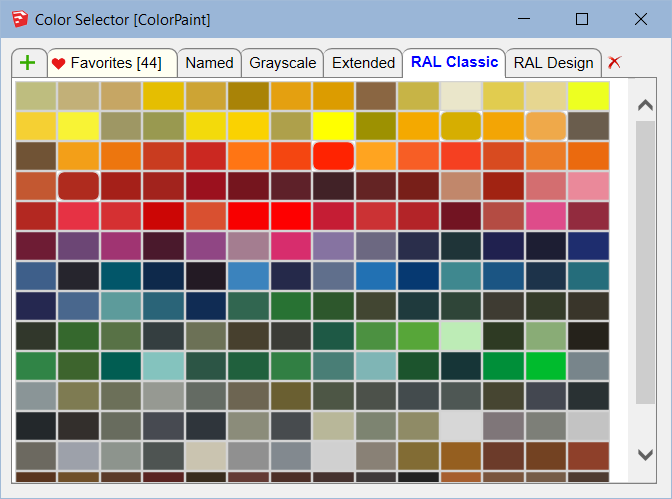
Color Selector
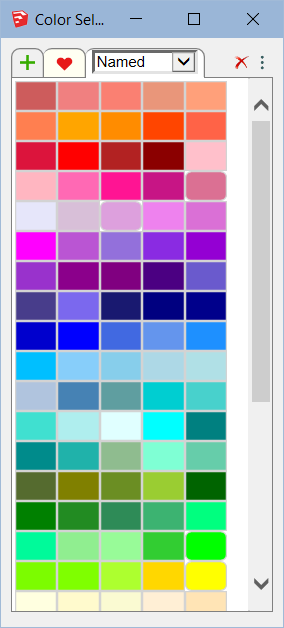
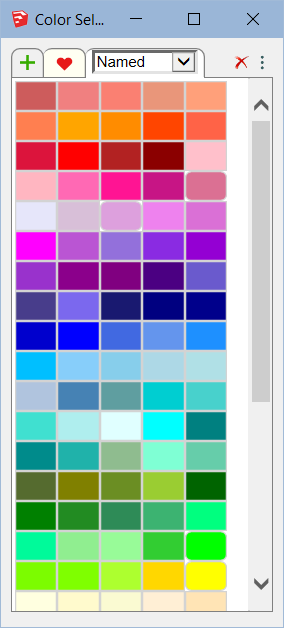
Just launch ColorPaint to show the Color Selector Dialog box.
-
Paint faces: Single click on a color thumbnail to transfer the color to the Sketchup Material browser and paint with the native Sketchup Paint tool, or with ThruPaint if in automatic mode.
-
Resize the dialog box: you can freely resize the dialog box. If not all tabs are visible, gently mouse-wheel in the Tab zone to make them appear (or use the blue arrows at the top right).
Favorites
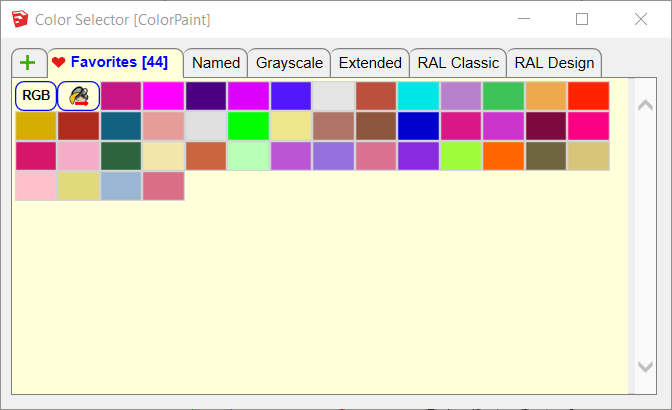
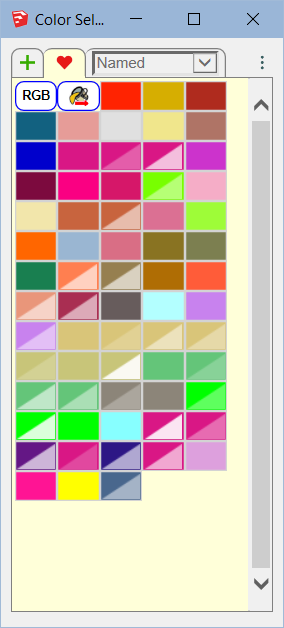
Favorites keeps your preferred colors, independently of any model and across Sketchup sessions.
-
To Add a color to Favorites: when in any other palette tabs, slightly click-drag a thumbnail (in any direction) and release when you see the red heart appear. Undo / Redo supported via Ctrl-Z / Ctrl-Y.
-
To Remove a color from Favorites: when in the Favorites tab, slightly click-drag a thumbnail (in any direction) and release when you see the red cross appear. Undo / Redo supported via Ctrl-Z / Ctrl-Y.
-
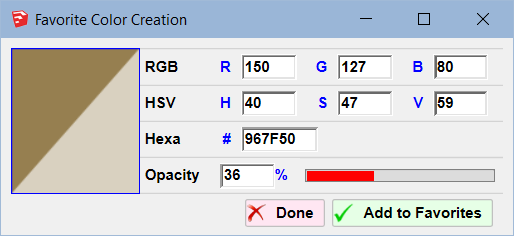
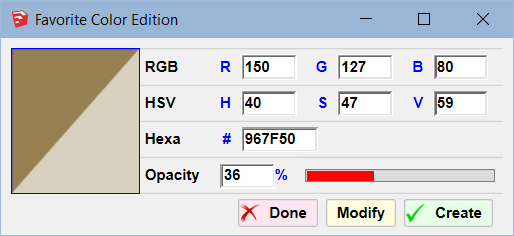
Specifying a color by RGB, HSV or Hexa code: In the Favorites tab, click on the RGB button.

A small dialog box will appear where you can enter the color specifications.
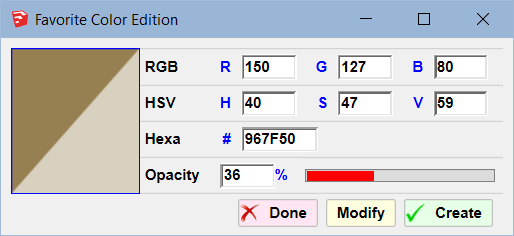
- Editing a color in the Favorites: You can also edit an existing color in the favorite, using a Right-Click or a Ctrl-Click on its thumbnail. You can then modify the color specification, including opacity, and then either replace the color or create a new one.
- Transferring the color of the current material in the Sketchup material browser: Use the button to perform the transfer to Favorites:

- if the material is a pure color, the color is transferred
- if the material is textured, then its dominant color is transferred
Note: Since the native Sketchup material browser includes a feature to sample a color anywhere in the screen, you can use this Transfer method to add it to the favorite.
Adding / Removing custom color palettes
ColorPaint includes predefined color palettes (Named, Grayscale, Extended, RAL Classic, RAL Design). But you can add your own color palettes (shown as Tab), based on color files. These files are in Text format and follow a simple syntax (separator is space or tab)
- Line1: name
- Line2: Description
- subsequent lines: R G B values (0-255) followed optionally by a name
To load a color file, just click on the Plus Tab. A short message box will appear. You can then browse for a file (extension .txt) in your environment and load it.
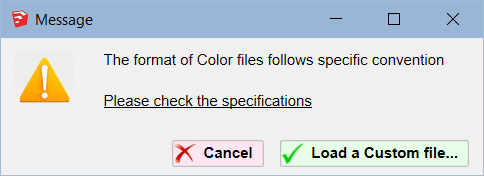
You can remove a palette tab by making it current and clicking on the small red-cross icon on the top-right.
If you remove a Predefined color palette, you can reload it later; click on the Plus Tab. The message box includes an additional button for loading Predefined color palettes:
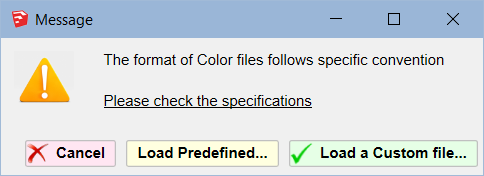
If you click on the Load Predefined button, you will be shown a list of the missing Predefined from which to choose.
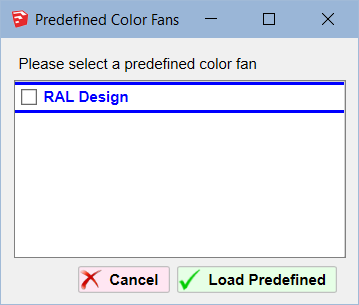
Display mode: Tab versus Combo
ColorPaint offers 2 display modes:
- Tab mode, with scrolling row of tabs at the top of the lists
- Combo mode, with a single Combo box, also scrollable by moue wheel.
You can switch from one mode to another by clicking on the Option Configuration button and selecting the preferred option.
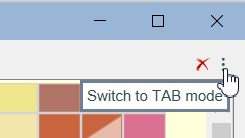
The Combo mode is more compact and allows to keep the dialog narrower.
ColorPaint 1.0a – 16 Oct 19: Initial public release in FredoTools 3.6a
-
Repaint the world!

-
Pilou, surely this was designed with you in mind!

-
NEW RELEASE: ColorPaint 1.2a - 02 Nov 19
ColorPaint 1.2a includes
- Support of transparency
- Combobox mode for the color palettes in the main dialog box (in addition to Tab mode)
- Edition of Favorite colors
- Cosmetic adjustments and bug fixing.
It is available as of FredoTools v3.7a.
See FredoTools plugin home page for Download.
See also main post of this thread for User Discussion.
Fredo
-
Adding transparency, that is a nice new feature!
-
There should be a search button

-
thank for you.
-
There could be a way to view colors by name, so you don't have to mouse over them to know what the label is.
-
-
Hello. Is it possible to disable the ability to remove color by moving the cursor to the side? I noticed that I often accidentally delete my favorite colors. When I select a color by clicking the left mouse button, and if I move the cursor during the selection, the color is deleted. This happens randomly and quite often. Without the ability to change the color back. It really upsets me. Please redo the deletion using the right mouse button. I will be very grateful to you. Or can you tell me if I can fix it myself? Thank you.
-
I increased the dragging distance so that you really need to drag the thumbnail to add it or remove it from favorites.
I also made the Undo / redo work, via Ctrl-Z / Ctrl-Y on Windows and Cmd-Z / Cmd-Shift Z on Mac. It was not working for whatever reason.
This is included in LibFredo6 v15.8c, just released.
-
@fredo6 This is a minor but important update. My nerves will be fine now)))) Thank you very much.
-
@AISmebel
Thanks to confirm this is better now.




Hello! It looks like you're interested in this conversation, but you don't have an account yet.
Getting fed up of having to scroll through the same posts each visit? When you register for an account, you'll always come back to exactly where you were before, and choose to be notified of new replies (either via email, or push notification). You'll also be able to save bookmarks and upvote posts to show your appreciation to other community members.
With your input, this post could be even better 💗
Register Login


Advertisement