sketchucation logo sketchucation
    • Login
    Oops, your profile's looking a bit empty! To help us tailor your experience, please fill in key details like your SketchUp version, skill level, operating system, and more. Update and save your info on your profile page today!
    πŸ”Œ Smart Spline | Fluid way to handle splines for furniture design and complex structures. Download

    [Plugin] FredoTools::ColorPaint - v1.2a - 02 Nov 19

    Scheduled Pinned Locked Moved Plugins
    13 Posts 8 Posters 14.4k Views 8 Watching
    Loading More Posts
    • Oldest to Newest
    • Newest to Oldest
    • Most Votes
    Reply
    • Reply as topic
    Log in to reply
    This topic has been deleted. Only users with topic management privileges can see it.
    • pilouP Offline
      pilou
      last edited by

      Repaint the world! 😎

      Frenchy Pilou
      Is beautiful that please without concept!
      My Little site :)

      1 Reply Last reply Reply Quote 0
      • CadFatherC Offline
        CadFather
        last edited by

        Pilou, surely this was designed with you in mind! β˜€

        1 Reply Last reply Reply Quote 0
        • fredo6F Offline
          fredo6
          last edited by

          NEW RELEASE: ColorPaint 1.2a - 02 Nov 19

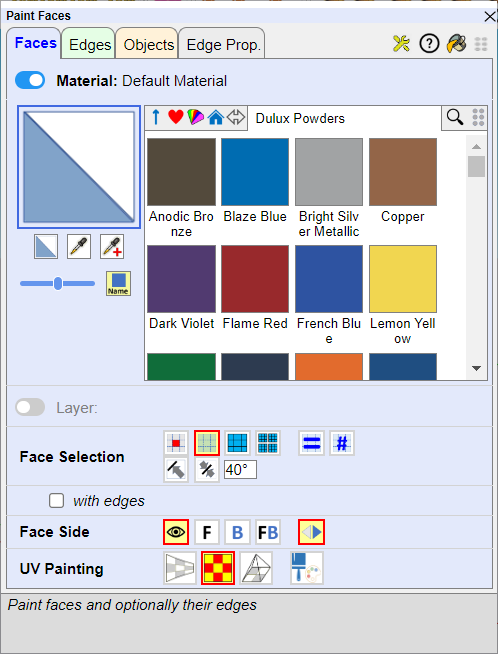
          ColorPaint 1.2a includes

          • Support of transparency
          • Combobox mode for the color palettes in the main dialog box (in addition to Tab mode)
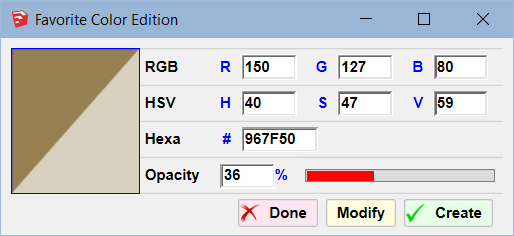
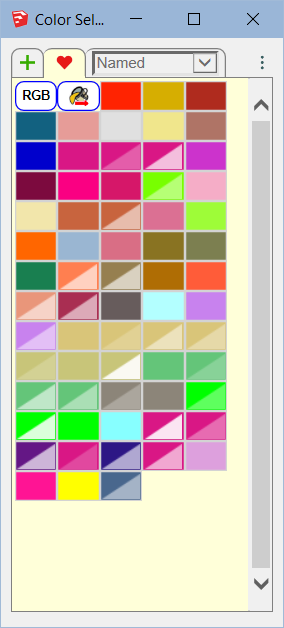
          • Edition of Favorite colors
          • Cosmetic adjustments and bug fixing.

          It is available as of FredoTools v3.7a.
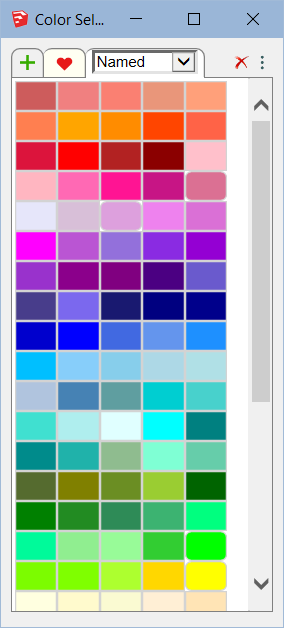
          ColorPaint - Combo mode.png

          ColorPaint - Color Edition.png

          ColorPaint - Transparency thumbnails.png


          See FredoTools plugin home page for Download.

          See also main post of this thread for User Discussion.

          Fredo

          1 Reply Last reply Reply Quote 0
          • JClementsJ Offline
            JClements
            last edited by

            Adding transparency, that is a nice new feature!

            John | Illustrator | Beaverton, Oregon

            1 Reply Last reply Reply Quote 0
            • W Offline
              wChewie
              last edited by

              There should be a search button 😞

              1 Reply Last reply Reply Quote 0
              • A Offline
                abomosa
                last edited by

                thank for you.

                1 Reply Last reply Reply Quote 0
                • D Offline
                  Daantje Newcomers
                  last edited by

                  There could be a way to view colors by name, so you don't have to mouse over them to know what the label is.

                  fredo6F 1 Reply Last reply Reply Quote 1
                  • fredo6F Offline
                    fredo6 @Daantje
                    last edited by

                    @Daantje

                    Possibly, you can use ThruPaint, which includes the same color fans but also displays the color names.

                    7babf36a-b906-4ac9-8038-4d9a623fa18e-image.png

                    1 Reply Last reply Reply Quote 0
                    • A Offline
                      AISmebel
                      last edited by AISmebel

                      Hello. Is it possible to disable the ability to remove color by moving the cursor to the side? I noticed that I often accidentally delete my favorite colors. When I select a color by clicking the left mouse button, and if I move the cursor during the selection, the color is deleted. This happens randomly and quite often. Without the ability to change the color back. It really upsets me. Please redo the deletion using the right mouse button. I will be very grateful to you. Or can you tell me if I can fix it myself? Thank you.

                      fredo6F 1 Reply Last reply Reply Quote 0
                      • fredo6F Offline
                        fredo6 @AISmebel
                        last edited by

                        @AISmebel

                        I increased the dragging distance so that you really need to drag the thumbnail to add it or remove it from favorites.

                        I also made the Undo / redo work, via Ctrl-Z / Ctrl-Y on Windows and Cmd-Z / Cmd-Shift Z on Mac. It was not working for whatever reason.

                        This is included in LibFredo6 v15.8c, just released.

                        A 1 Reply Last reply Reply Quote 0
                        • A Offline
                          AISmebel @fredo6
                          last edited by AISmebel

                          @fredo6 This is a minor but important update. My nerves will be fine now)))) Thank you very much.

                          fredo6F 1 Reply Last reply Reply Quote 0
                          • fredo6F Offline
                            fredo6 @AISmebel
                            last edited by

                            @AISmebel
                            Thanks to confirm this is better now.

                            1 Reply Last reply Reply Quote 0
                            • 1 / 1
                            • First post
                              Last post
                            Buy SketchPlus
                            Buy SUbD
                            Buy WrapR
                            Buy eBook
                            Buy Modelur
                            Buy Vertex Tools
                            Buy SketchCuisine
                            Buy FormFonts

                            Advertisement