sketchucation logo sketchucation
    • Login
    Oops, your profile's looking a bit empty! To help us tailor your experience, please fill in key details like your SketchUp version, skill level, operating system, and more. Update and save your info on your profile page today!
    ⚠️ Update | Sketchucation Tools 5.0.8 released with licensing improvements and bugfixes Download

    Power Toolbar (2.5) - fix for 2019

    Scheduled Pinned Locked Moved Plugins
    78 Posts 39 Posters 130.9k Views 39 Watching
    Loading More Posts
    • Oldest to Newest
    • Newest to Oldest
    • Most Votes
    Reply
    • Reply as topic
    Log in to reply
    This topic has been deleted. Only users with topic management privileges can see it.
    • jujuJ
      juju
      last edited by

      @berylho said:

      I'm using 19.3 version, but even I have downloaded the newest version of the Powerbar, the tool bar still isn't showing...and there is no error message either.

      Have you checked View > Toolbars to see if there is a checkmark next to its entry?

      Save the Earth, it's the only planet with chocolate.

      1 Reply Last reply
      Reply Quote 0
      • Dave RD
        Dave R
        last edited by

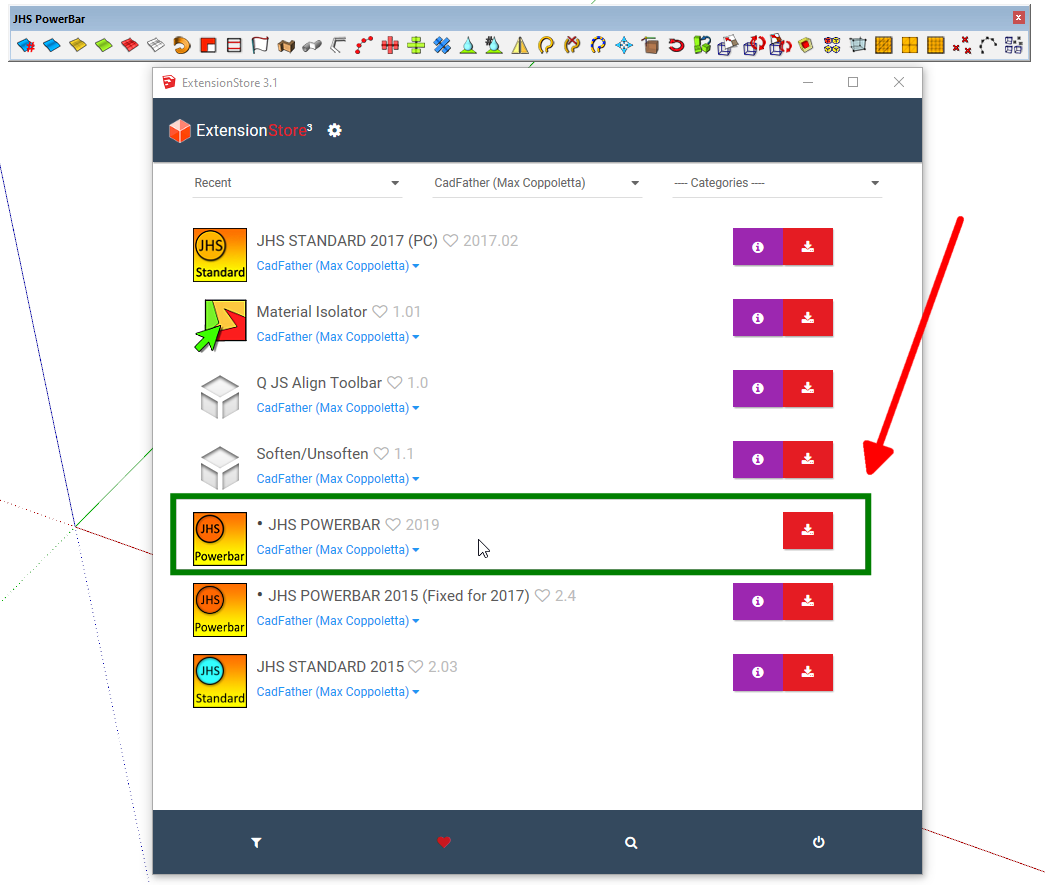
        I don't have any use for it but I just installed it in SU2019.3 to see what would happen. I clicked the Install button and nearly instantly, the toolbar appeared at the top of the model window.
        Screenshot - 12_25_2019 , 11_01_09 AM.png

        Etaoin Shrdlu

        %

        (THERE'S NO PLACE LIKE)

        G28 X0.0 Y0.0 Z0.0

        M30

        %

        1 Reply Last reply
        Reply Quote 0
        • A
          arielkarmi
          last edited by

          Hi

          Im using sketchup 2020 on a Mac. Installed the extension but cant find the tools. Its also showing as an unsigned extension. I tried to install 2019. Same issue.

          Any advice?

          1 Reply Last reply
          Reply Quote 0
          • A
            Apocan
            last edited by

            indiremiyorum yardımcı olurmusunuz ?

            1 Reply Last reply
            Reply Quote 0
            • jujuJ
              juju
              last edited by

              @apocan said:

              indiremiyorum yardımcı olurmusunuz ?

              bless your soul

              Save the Earth, it's the only planet with chocolate.

              1 Reply Last reply
              Reply Quote 0
              • Y
                yjanssen
                last edited by

                Does not work on sketchup 2020 pro...
                does not come up

                1 Reply Last reply
                Reply Quote 0
                • Dave RD
                  Dave R
                  last edited by

                  @yjanssen said:

                  Does not work on sketchup 2020 pro...

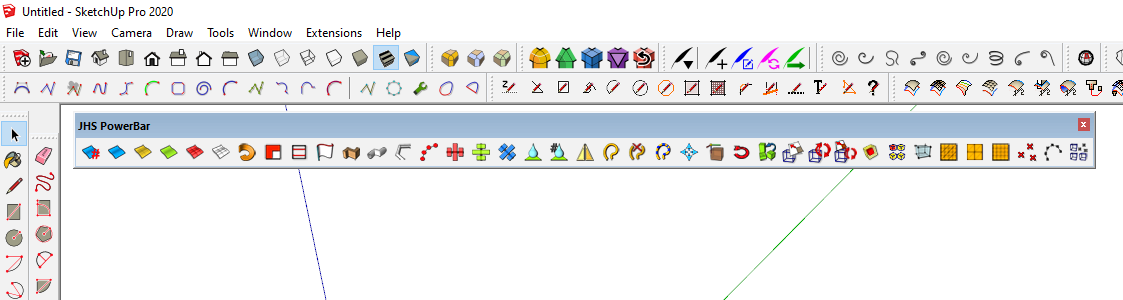
                  Actually it does work just fine in SketchUp 2020.
                  Screenshot - 12_6_2020 , 9_08_39 AM.png

                  Make sure you've installed the correct version.

                  Etaoin Shrdlu

                  %

                  (THERE'S NO PLACE LIKE)

                  G28 X0.0 Y0.0 Z0.0

                  M30

                  %

                  1 Reply Last reply
                  Reply Quote 0
                  • D
                    darkhelmet
                    last edited by

                    Thx to @cadfather for this awesome plugin. I kinda figured out most of the functionality however I don't understand how Rotix works - it shows the 3 planes in the upper left, but how do I then rotate an object?

                    1 Reply Last reply
                    Reply Quote 0
                    • R
                      rv1974
                      last edited by

                      @juju said:

                      @apocan said:

                      indiremiyorum yardımcı olurmusunuz ?

                      bless your soul

                      Universal approach. It must get sticky in FAQ 😄

                      1 Reply Last reply
                      Reply Quote 0
                      • M
                        maxosmedia
                        last edited by

                        Hi Max! Great thanks for you beautiful JHSPowerbar!
                        But... after install it, sketchup loses the ability to execute the standard command " customize toolbar" (RMB on gray plate on the top of viewport" and similarly: view/ customize toolbar.sketchup is frozen until "force quit"...

                        JHS POWERBAR 2020 v2020.1
                        Sketchup 22.0. 353
                        Mac OsX 13.0.1
                        Apple MiPro 2021

                        there is no such problem on the 2014 machine:
                        Sketchup 22.0. 353
                        Mac OsX 13.0.1
                        macbookpro (retina, 15 inch, early 2013, intel)
mac os x 10.15.7
                        <<< ---the extension works fine and does not create problems for the Sketchup main functionality

                        1 Reply Last reply
                        Reply Quote 0
                        • CadFatherC
                          CadFather
                          last edited by

                          Hi,

                          unfortunately i don't have a mac on which to test the bugs.

                          if any mac using author wants to have a look, that's fine.

                          time is a bit tight, but hope to update JHSPB sometime in late february if i can.

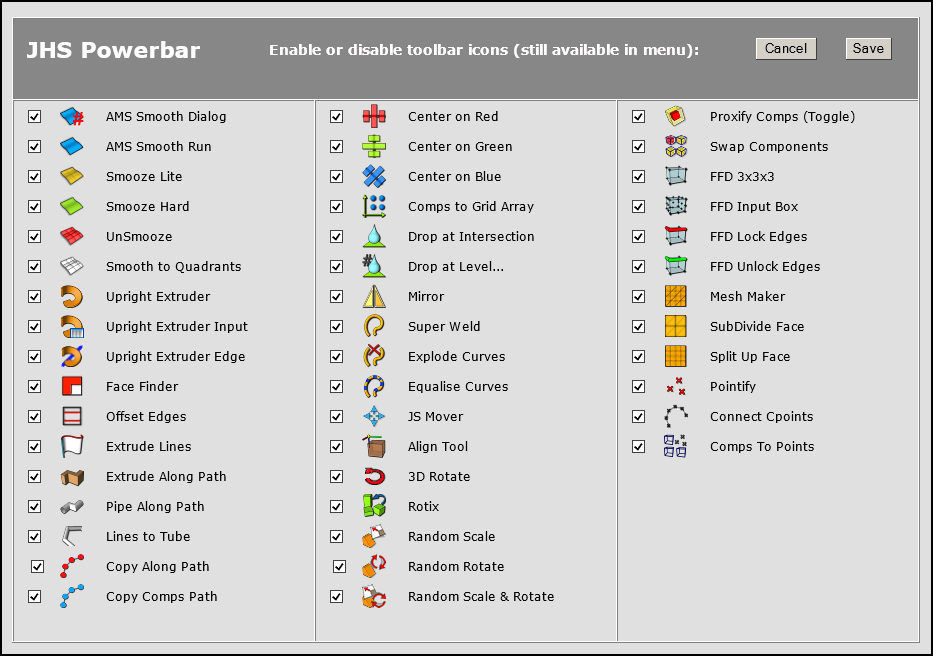
                          meantime, i just thought that you can edit manually the toolbar file:

                          "jhs_pb_settings.txt"

                          true means the icon will show, false it is hidden.

                          if you reference the list with the image below, you can make it easier to see which icons will checked (true) or not (false).

                          ICONS V2.2.jpg

                          1 Reply Last reply
                          Reply Quote 0

                          Hello! It looks like you're interested in this conversation, but you don't have an account yet.

                          Getting fed up of having to scroll through the same posts each visit? When you register for an account, you'll always come back to exactly where you were before, and choose to be notified of new replies (either via email, or push notification). You'll also be able to save bookmarks and upvote posts to show your appreciation to other community members.

                          With your input, this post could be even better 💗

                          Register Login
                          • 1
                          • 2
                          • 3
                          • 4
                          • 4 / 4
                          • First post
                            Last post
                          Buy SketchPlus
                          Buy SUbD
                          Buy WrapR
                          Buy eBook
                          Buy Modelur
                          Buy Vertex Tools
                          Buy SketchCuisine
                          Buy FormFonts

                          Advertisement

