SOLVED: Replacing image texture without upsetting mapping
-
Ok will try this .... similar to the export/import method which also works.
Now imagine a row of 10 similar objects and the hassle trying to get 1 to 10 on them. There should be a simple command/plugin to split any material and make it unlinked and unique.
-
Another way is to combine both textures into one map and simply move the UV of the second cone to the desired area of the map....hope that helps.
-
Agreed. A make unique material option would be ideal.
-
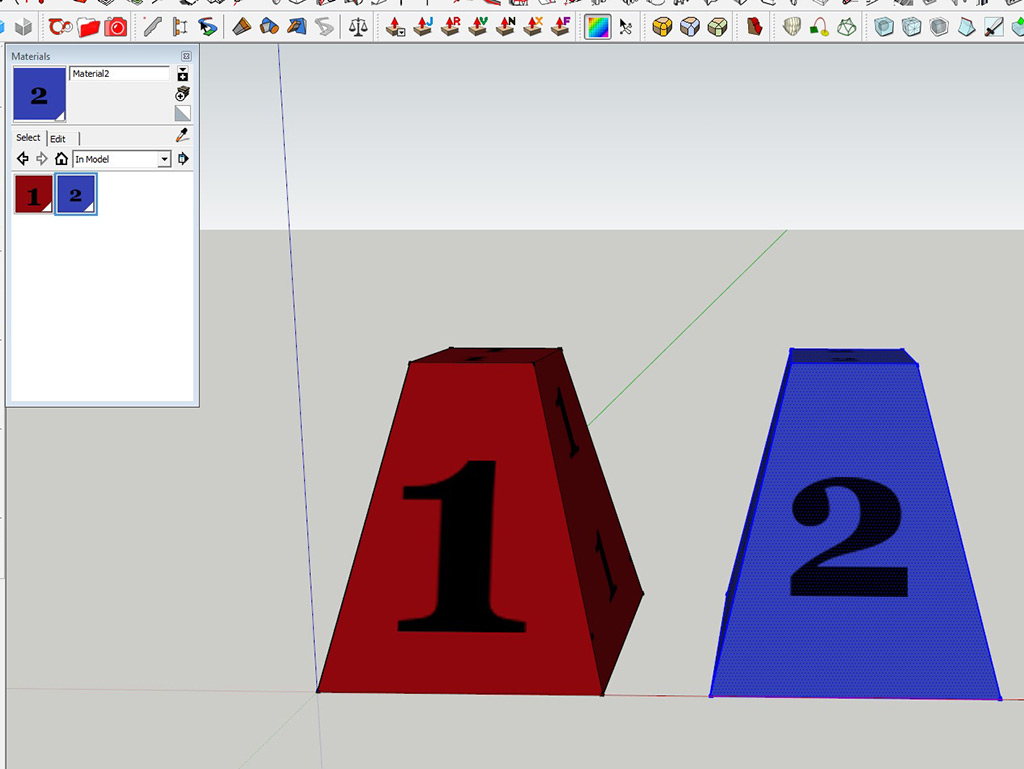
What we are aiming at is a scenario where:
Instead of shifting around a relatively complex UVW mapping,
simply flip in/out unique material texture images onto group/component copies. -
@thomaslaidesign said:
What we are aiming at is a scenario where:
Instead of shifting around a relatively complex UVW mapping,
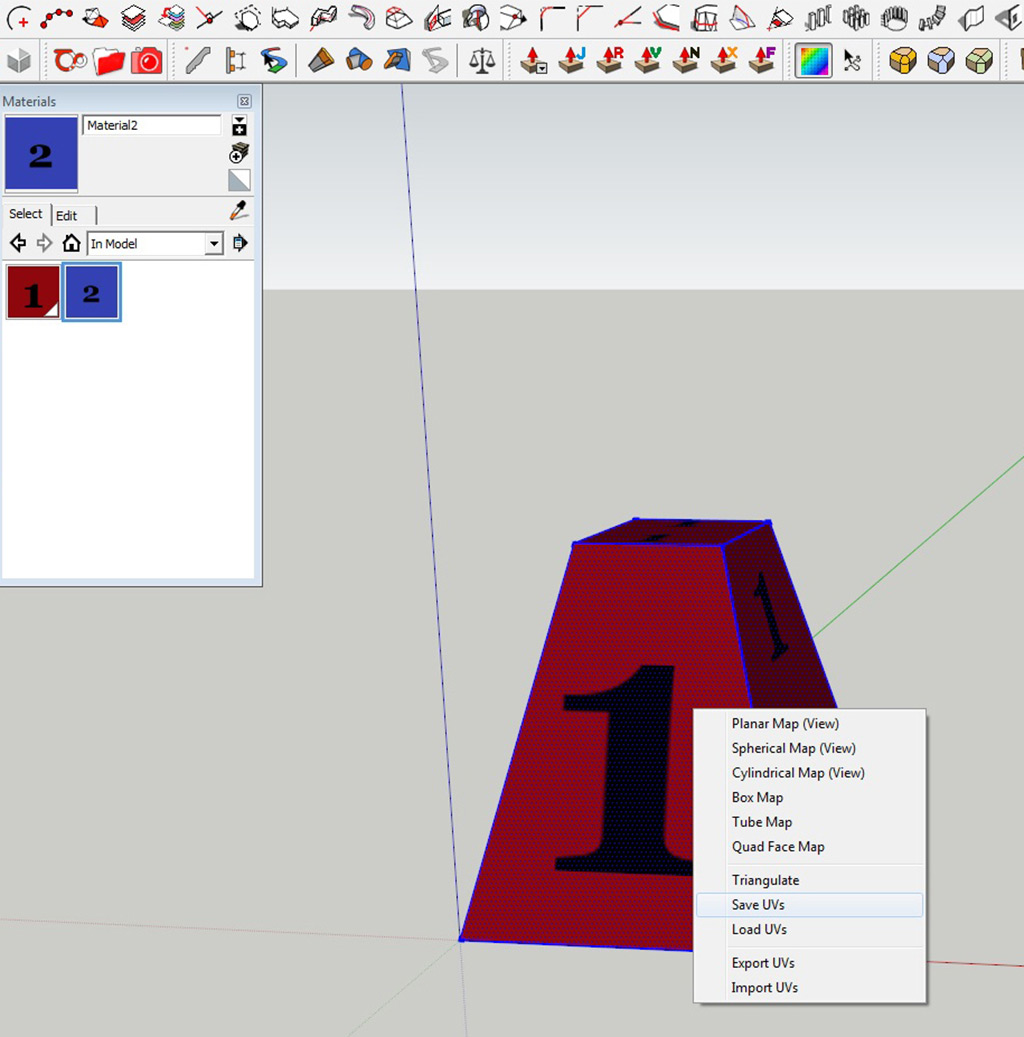
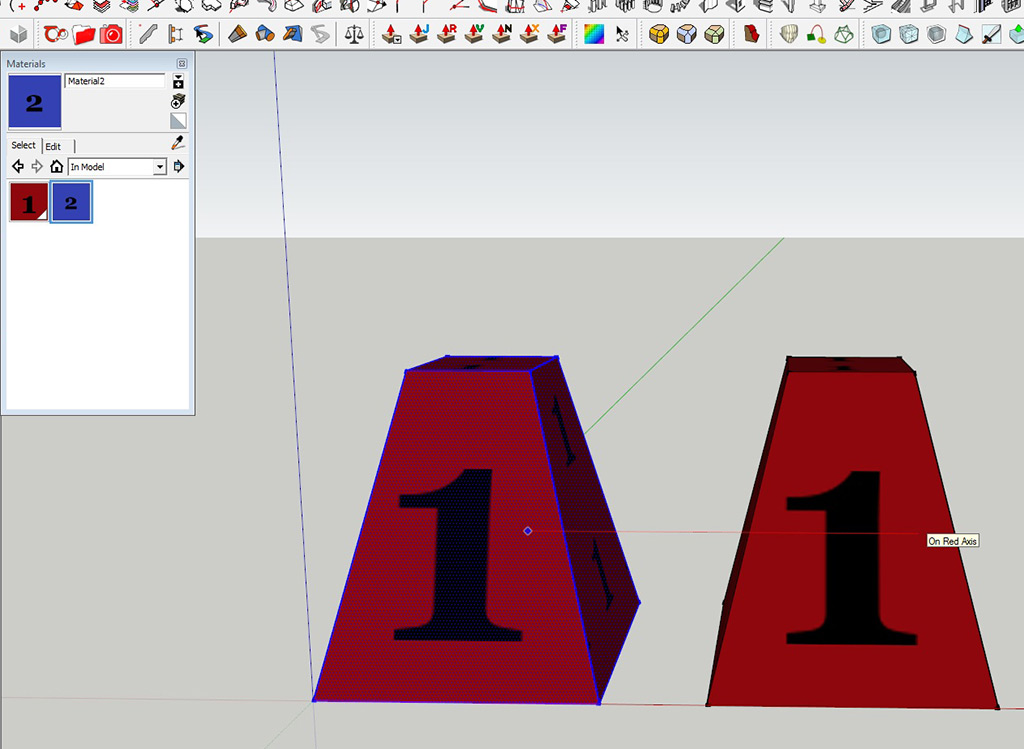
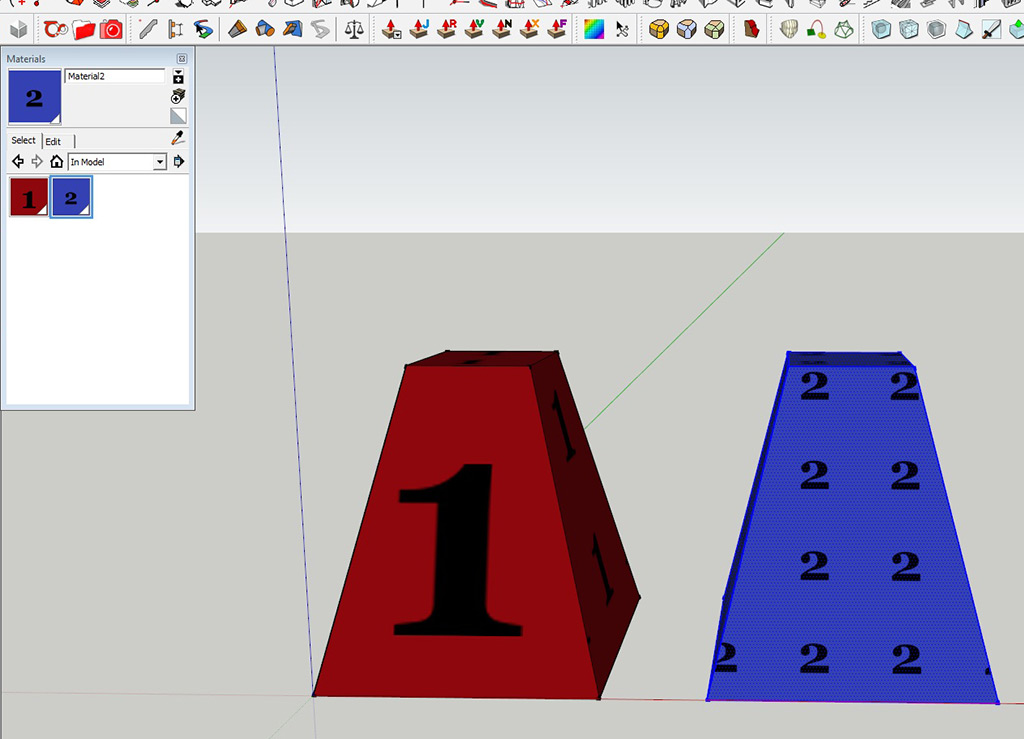
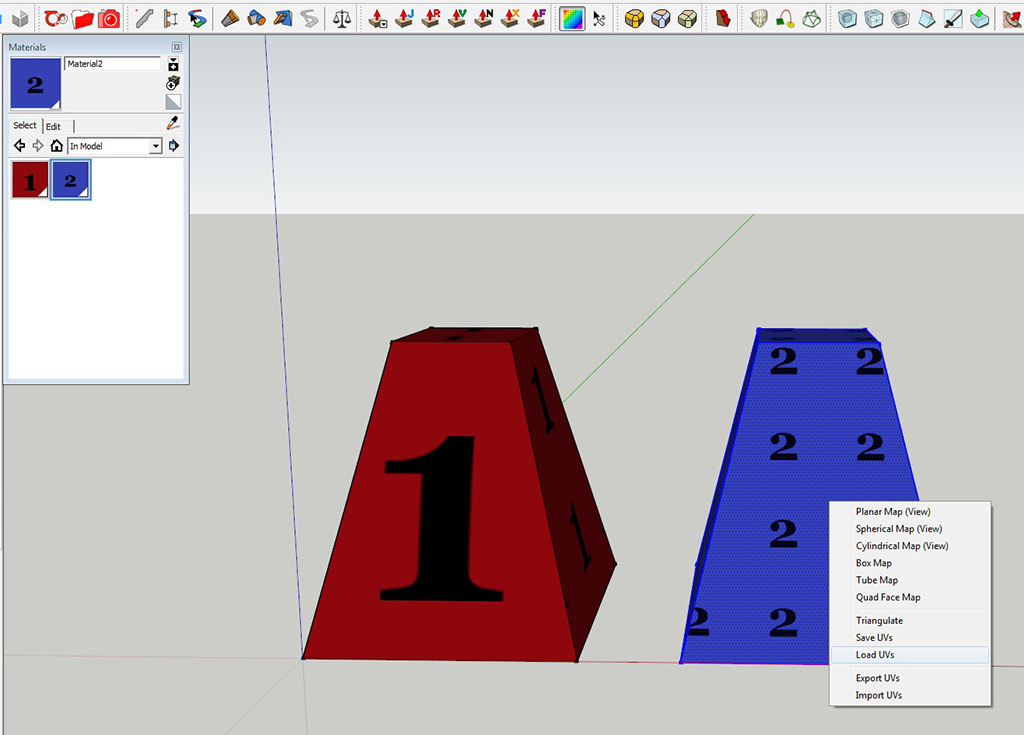
simply flip in/out unique material texture images onto group/component copies.Ok, I see....If you have Sketch UV, you can save the UV of the 1st cone, apply new texture to the second one and load the UV.....
-
Wow! Thanks for the Plug-in info.....
Good things come in little plug-in packages!
SOLVED! -
I'm so glad this question was asked. Was having the same issue and ran into some bumps. The answers here help. Had a brain fart and forgot about SketchUV's save function. Good call. Thanks.
-
There is a similar function in ThruPaint...
-
EZ solution here. NO PLUGINS
- Map your OBJECT1 with MAP1
- Open another instance of SU
- Copy & paste your OBJECT1 to SU2 (It is mapped correctly)
- Replace MAP1 with MAP2 (only texture) in SU1
- Copy & paste your OBJECT1 From SU1 to SU2
- BAM! You have OBJECT2 in SU2 with MAP2
You might want to rename your materials after all.
-
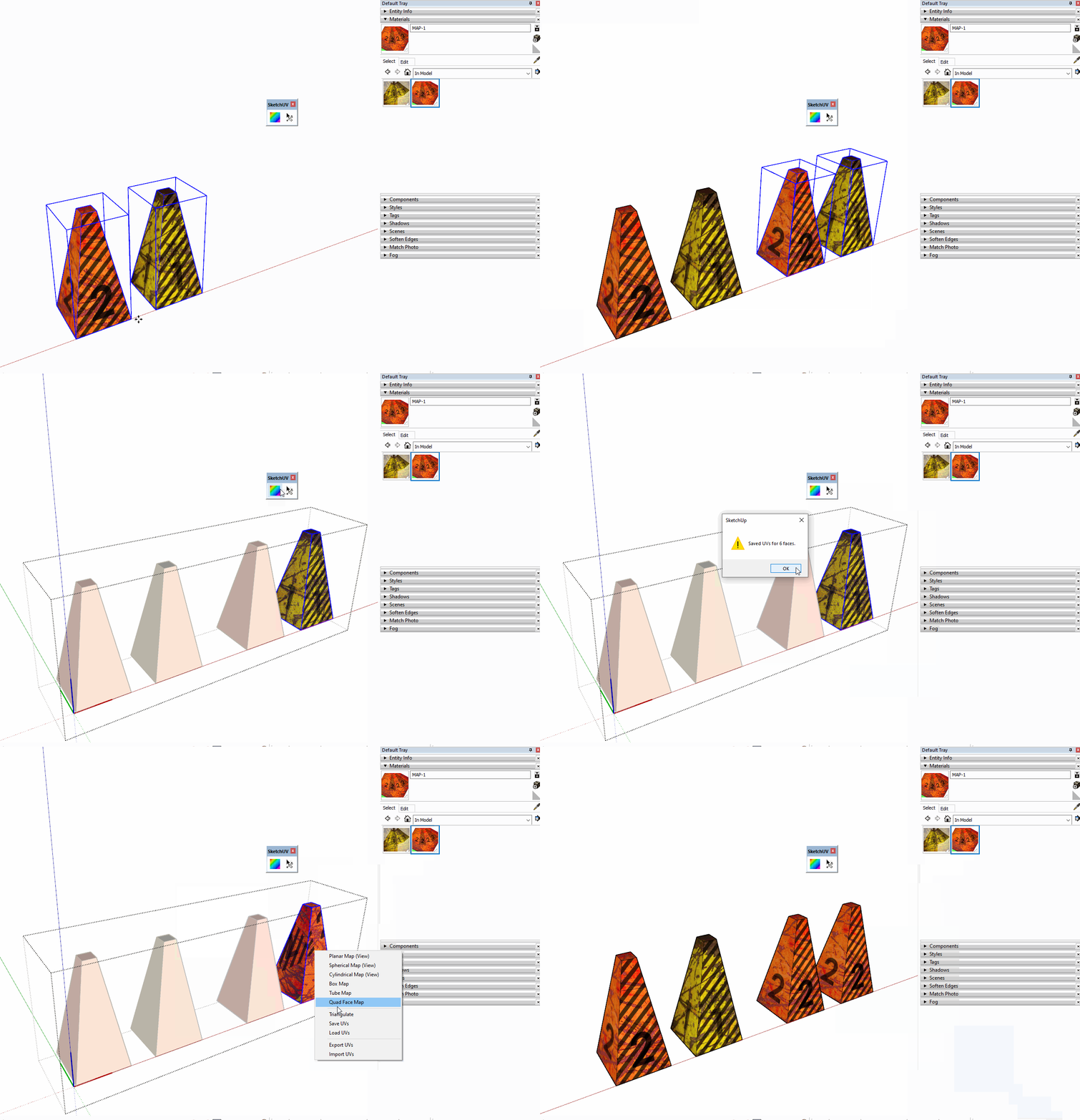
I see it says it is Solved but here is my use of SketchUV Save and Load UV feature.



Hello! It looks like you're interested in this conversation, but you don't have an account yet.
Getting fed up of having to scroll through the same posts each visit? When you register for an account, you'll always come back to exactly where you were before, and choose to be notified of new replies (either via email, or push notification). You'll also be able to save bookmarks and upvote posts to show your appreciation to other community members.
With your input, this post could be even better 💗
Register Login


Advertisement