Animator and VRay
-
Hello Fredo,
First, thank you very much for your fantastic plugin. I have been using it extensively for the past 18 months.
I also have the same problem described in previous posts when using V-Ray with Animator. It only renders the first frame. I thought my project was too complex so I tried with a very simple one: a moving cube. Still did not work. I use SU 2020 and V-Ray 4.20.01However, I tried on my laptop with SU 2017 and V-Ray 4.10.01 and it surprisingly works wonderfully. I don't know anything about technical stuff but I thought it was worth mentionning that.
Thank you very much again!
-
Again, thank you for your fantastic plugins. They've revolutionised the way I produce my models.
I too am having the same issues. I'm running SketchUp 2017 with V-Ray for SketchUp 4.20.02 on a Mac.
When trying to render the animation only the 1st frame is repeatedly rendered.When I process without VRay it works fine and also the preview in SketchUp displays fines.
Thanks you in advance.
-
Hi Fredo,
Thank you for the amazing plugin.
However i am having the same issue on sketchup 2020 with Vray 4.2002.
It keeps rendering the first frame.
How can i fix this?Thank you for your effort!
-
The problem with VRay 4.2 rendering should be fixed with LibFredo6 v10.9a.
Fredo
-
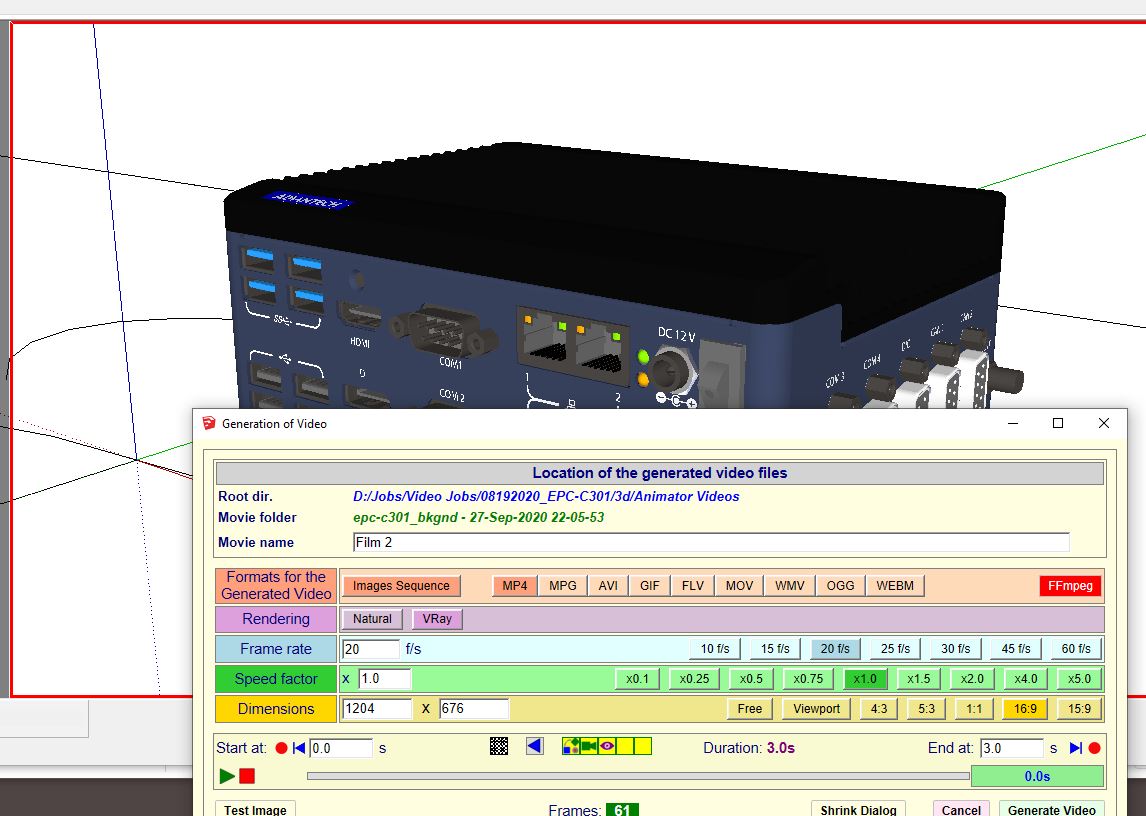
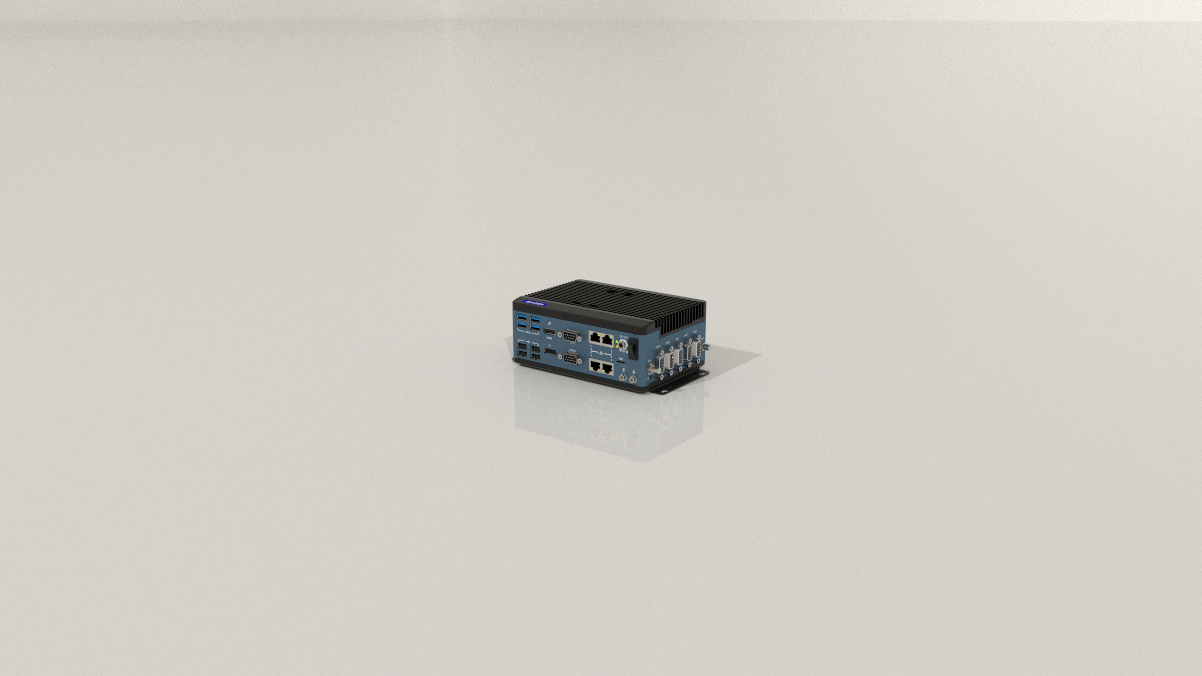
only scratched Animator's surface, so far I've noticed one issue:
Somehow when render with VRAY, the object in the scene is small, but when render with Natural, the object is correct (nice and big).
Not sure where can I change in setup where what I see is what I get?
-
@aenc_randyc said:
Somehow when render with VRAY, the object in the scene is small, but when render with Natural, the object is correct (nice and big).
Could you send me the model so that I try to reproduce.
It might be that VRay is configured to change the view camera.
-
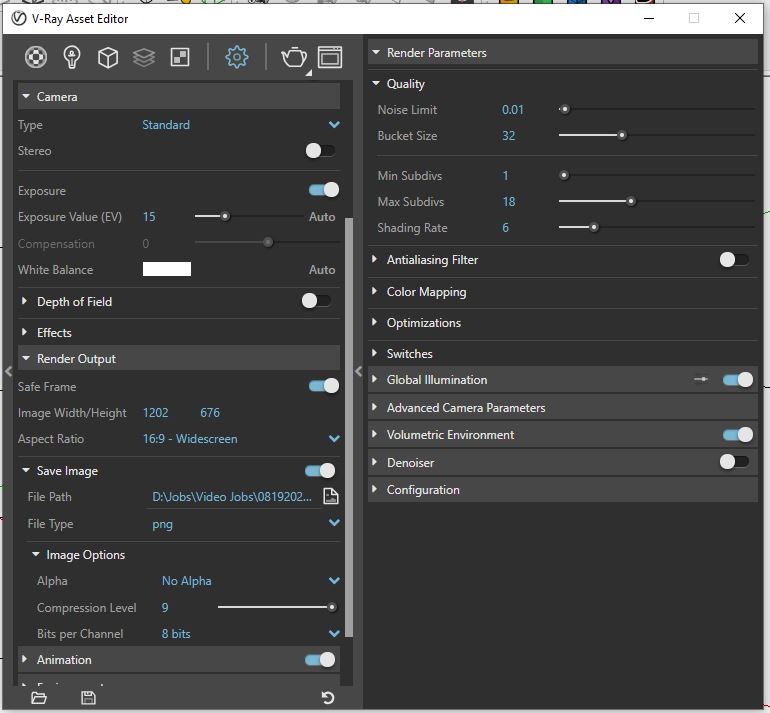
Thanks Fredo, here is my Vray setting for your review. I don't see anything that could suggest changing the view camera.
@fredo6 said:
@aenc_randyc said:
Somehow when render with VRAY, the object in the scene is small, but when render with Natural, the object is correct (nice and big).
Could you send me the model so that I try to reproduce.
It might be that VRay is configured to change the view camera.
-
As of Animator v2.9a and LibFredo6 11.4a, VRay 5 is supported (in addition to previous versions of VRay).
Fredo
-
@fredo6 said:
As of Animator v2.9a and LibFredo6 11.4a, VRay 5 is supported (in addition to previous versions of VRay).
Fredo
Hi there!
I'm just wondering if I'm saving as image sequence, can I control the format of the frames? I'm rendering with V-ray 5 on Sketchup 2020 and the result I'm getting is in .png and our preferred format is jpg.
How can I do this?
-
@kennedyaz said:
I'm just wondering if I'm saving as image sequence, can I control the format of the frames? I'm rendering with V-ray 5 on Sketchup 2020 and the result I'm getting is in .png and our preferred format is jpg.
You cannot....
What is the problem to have PNG images?

Hello! It looks like you're interested in this conversation, but you don't have an account yet.
Getting fed up of having to scroll through the same posts each visit? When you register for an account, you'll always come back to exactly where you were before, and choose to be notified of new replies (either via email, or push notification). You'll also be able to save bookmarks and upvote posts to show your appreciation to other community members.
With your input, this post could be even better 💗
Register Login


Advertisement