Migrating SU from old SSD to new SSD
-
I had to install a new 480gb SSD when my old 128gb SSD crashed.
 It is fully readable but not bootable. I have both SSD mounted, 480 is
  128 id E:.
I reinstalled SU 2015 on
but none of my old settings are there (expected)Which directories/files on the old SSD do I need to copy over to regain my toolbars, add-ons, materials, etc?
-
I dont think you can do as you wish, but You can download sketchup make 2017 make for free. https://help.sketchup.com/en/downloading-older-versions
-
@jgb said:
I had to install a new 480gb SSD when my old 128gb SSD crashed.
It is fully readable but not bootable. I have both SSD mounted, 480 is 128 id E:.I reinstalled SU 2015 on
but none of my old settings are there (expected)Which directories/files on the old SSD do I need to copy over to regain my toolbars, add-ons, materials, etc?
Rather do a fresh install of everything, copying things over will not work for some things, may work for a few extensions, but overall it's a bad idea, more pain than the shortcut is worth.
-
It was a fresh install, but on a new clean SSD. Now all I want to do is recreate the same old directory structures with the configuration and settings files copied over from the old SSD.
I just need to know where those dirs and files are located on the old SSD. For RBZ files I can reinstall, but there are some native SU files that contain general settings like KB shortcuts, etc.
I have no idea where they are as they are usually buried deep in some obscure tree. -
L I Am
I can't install 2017. 2016 is as high as I can go. My system is 32 bit and 2017 and later are 64 bit.
Actually my hardware is all 64 bit but long ago I inadvertently installed Win 10 32 bit and now I am stuck with it.
-
You could find the Sketchup KB shortcuts on te registry of the old drive.
https://jchornsey.wordpress.com/2015/03/11/accessing-another-windows-computers-registry-from-a-disk-in-windows-8-1/
But be very carefull!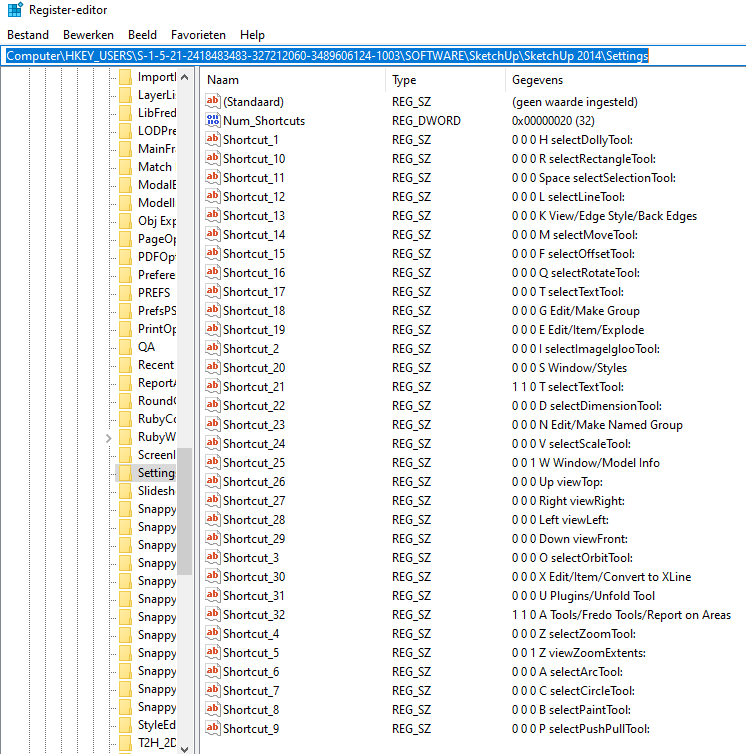
-
@jgb said:
L I Am
I can't install 2017. 2016 is as high as I can go. My system is 32 bit and 2017 and later are 64 bit.
Actually my hardware is all 64 bit but long ago I inadvertently installed Win 10 32 bit and now I am stuck with it.
If your C drive failed and you're reinstalling, then rather go for the 64-bit version? I have not come across any 32-bit software (that I use) that would not run on Win 10 64-bit.
-
I have been considering that path. Just too lazy to do it.
In the mean time, ver 2015 is up and "almost" working. A lot of KB shortcuts are missing.
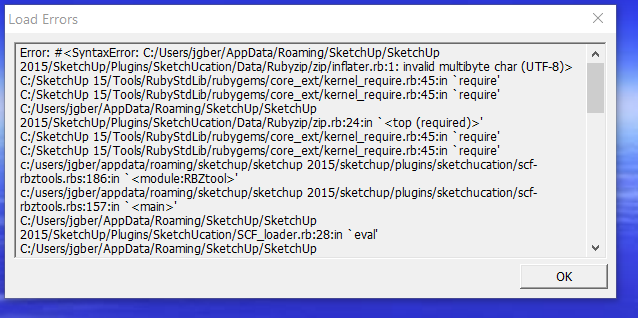
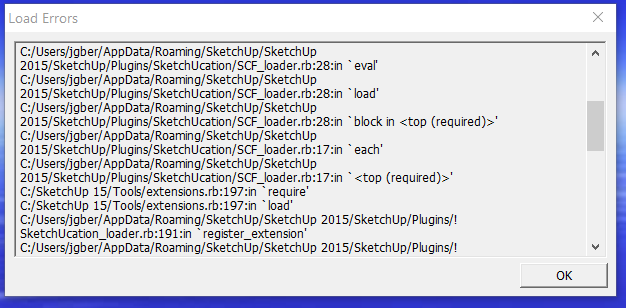
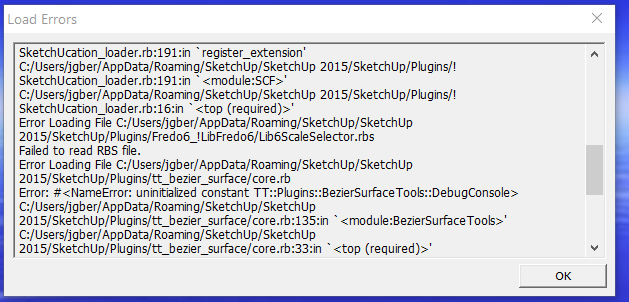
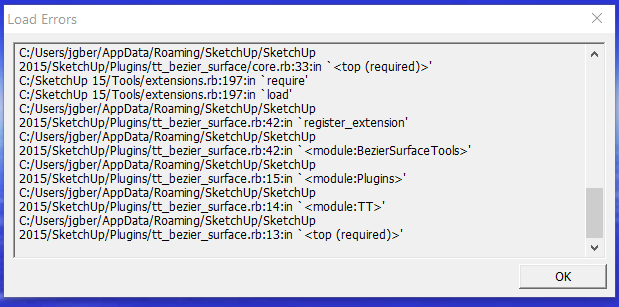
And when I cold start 2015 I get a long list of load errors (attached). I have a long list of plugins and extensions some seem to work, others are MIA.I know I have to reload some (hopefully not all) so if someone can tell me which plugins failed to load, I would appreciate that.
If you need it, I can screenshot the plugins directory.
-
You can read the names of the extensions in the paths after SketchUp/Plugins. This is why you were advised to install the extensions fresh from their sources. If you'd done that there'd be no chasing these loading errors.




Hello! It looks like you're interested in this conversation, but you don't have an account yet.
Getting fed up of having to scroll through the same posts each visit? When you register for an account, you'll always come back to exactly where you were before, and choose to be notified of new replies (either via email, or push notification). You'll also be able to save bookmarks and upvote posts to show your appreciation to other community members.
With your input, this post could be even better 💗
Register Login


Advertisement