Delete hidden components
-
I was asked how to delete a bunch of hidden components.
The workarounds I can imagine are to select the Model and copy it into a new Sketchup instance without the hidden Geometrie or to make a Group of the Object and unhide the rest to select and delete.But if the model is around 100MB and I talk about 50000 Components, it took a lot of time.
Any Idea for a more elegant solution, maybe with a plugin?
-
Try the Outliner tool in SU (Window > Outliner). Any group that hidden will be in italics. You can select multiple items and delete from this list.
-
If you want to erase ALL hidden component-instances/groups/images used in the model then this one-liner copy/pasted into the Ruby Console + <enter> will do it: it's one step udoable
m=Sketchup.active_model;m.start_operation('x');m.definitions.each{|d|d.instances.each{|i|i.erase! if i.hidden?}};m.commit_operationyou can limit it to just component-instances with this version...
m=Sketchup.active_model;m.start_operation('x');m.definitions.each{|d|next if d.group? || d.image?;d.instances.each{|i|i.erase! if i.hidden?}};m.commit_operationIf you want to erase other hidden stuff like geometry then it's more complex...
-
My CleanUp plugin has a Erase Hidden Geometry function. anything that isn't visible when you run it is erased. (It off course ensures not to erase hidden edges that make up a visible face - or acting as the cutout profile for a cutout component.)
-
@burkhard said:
I was asked how to delete a bunch of hidden components.
The workarounds I can imagine are to select the Model and copy it into a new Sketchup instance without the hidden Geometrie or to make a Group of the Object and unhide the rest to select and delete.This may not be a good method because if there are nested and at the same time hidden groups/components in top level groups/components that you are copying, it will take those to the new model, too.
-
Thanks to all...

-
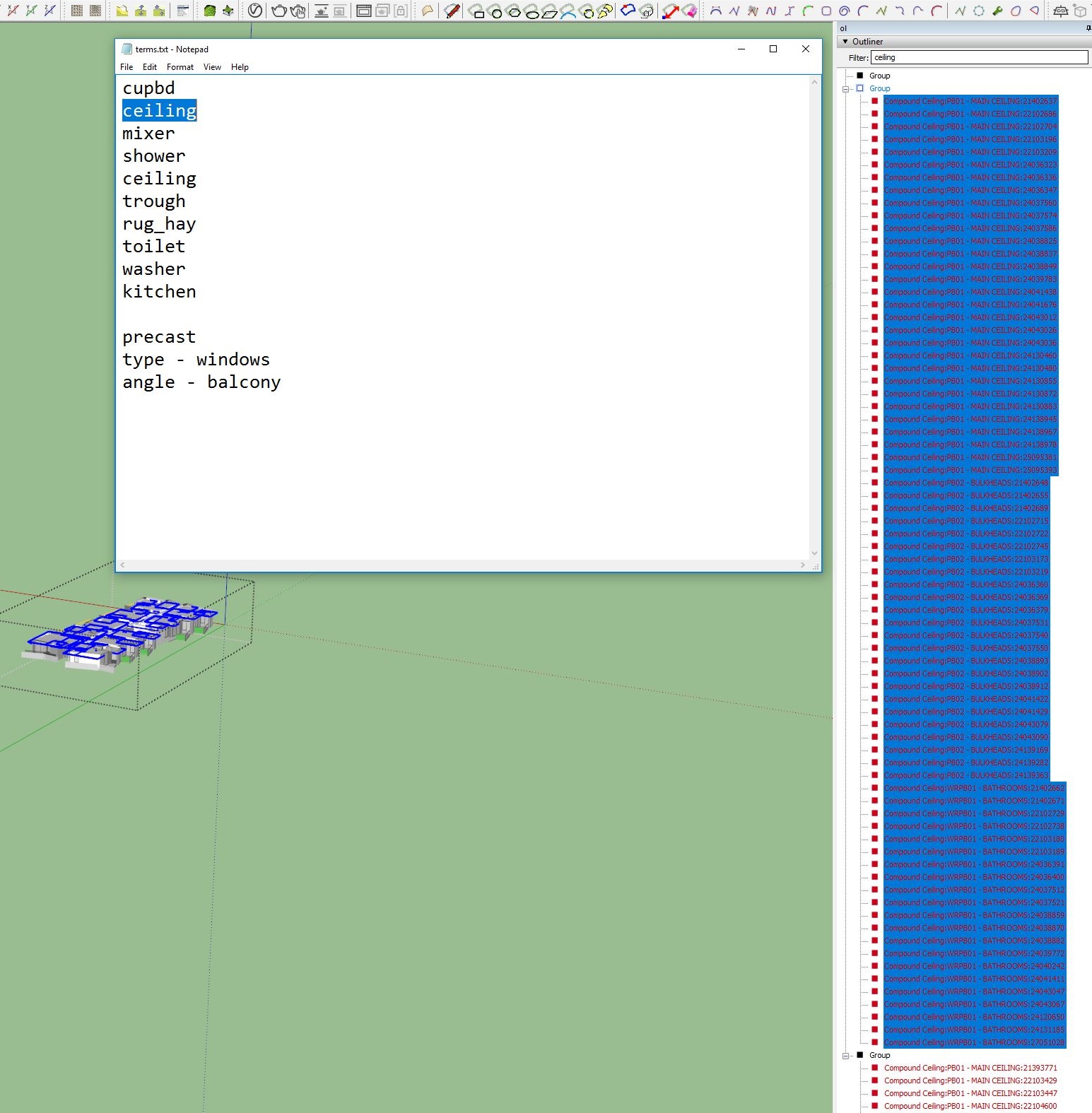
Hi Guys, I'm trying to do similar.
Is there a way to write a script that could delete all items that get called in outliner per search term. I am trying to clean up a model for rendering provided by a client. The file has every bathroom, sink, door, light, etc for thousands of apartments. Unless I explode everything I have to delete by each level I have managed to separate everything into.
Currently I have to go through each definition X each building X each level. Each time I select and delete it takes like 5 minutes. I have already spent a day doing this. It's getting really tedious.






Hello! It looks like you're interested in this conversation, but you don't have an account yet.
Getting fed up of having to scroll through the same posts each visit? When you register for an account, you'll always come back to exactly where you were before, and choose to be notified of new replies (either via email, or push notification). You'll also be able to save bookmarks and upvote posts to show your appreciation to other community members.
With your input, this post could be even better 💗
Register Login


Advertisement