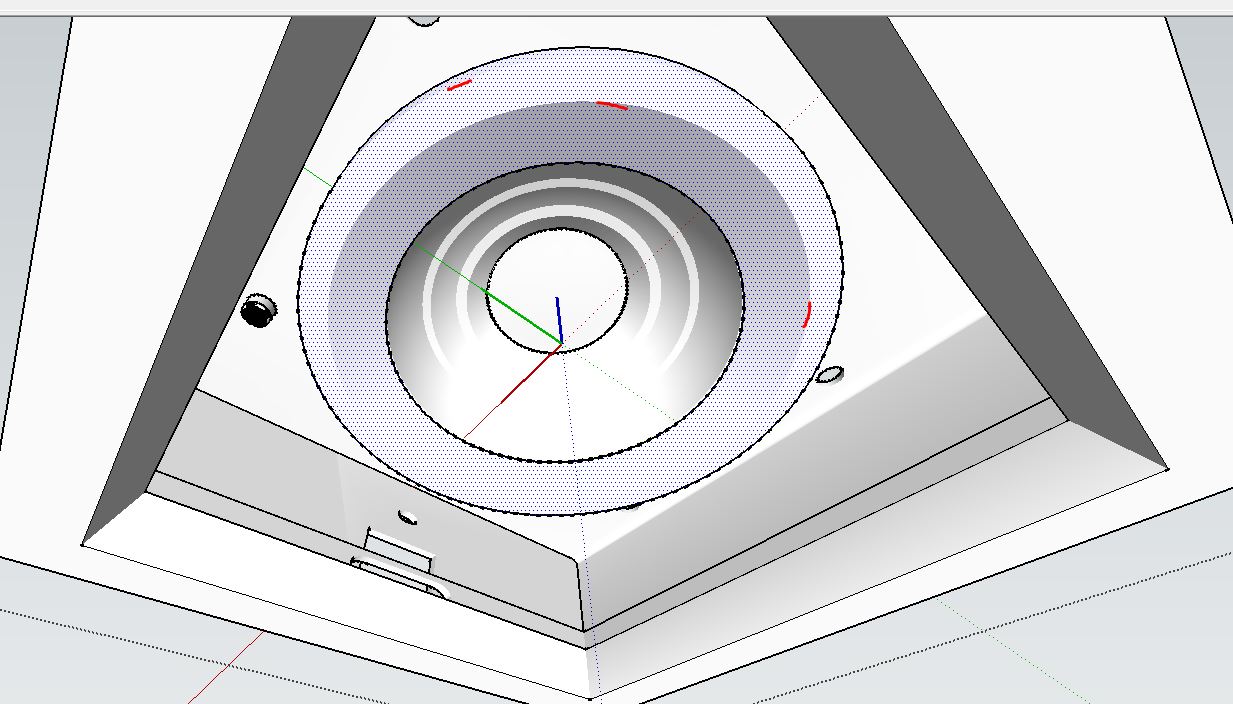
Help. How can I get the edges of the two Faces intersecting.
-
Help. How can I get the edges of the two Faces intersecting.
I have this component but there is no edges between the two faces intersection.
Please tell me what to do. I attached the screen shot.
-
hard to say. Try show hidden geometry. Try getting all edges and faces onto Layer0.
-
@pbacot said:
hard to say. Try show hidden geometry. Try getting all edges and faces onto Layer0.
I already do it unhide all the edges, I also use Fredo hide/unhide all edges but still no edge.
-
Upload the SKP file so we can see exactly what's going on.
-
Also please clarify which two faces you are referring to.
-
Have you set View > Hidden Geometry > ON ?
That, combined with a Style that displays edges, and has profiles set to show thicker...
Perhaps used in conjunction with toggling X-ray mode ON/OFF, and also using View > Monochrome mode, to remove visual clutter from any textures etc, and show up any reversed faces...These could at least let you see all edges etc...



Hello! It looks like you're interested in this conversation, but you don't have an account yet.
Getting fed up of having to scroll through the same posts each visit? When you register for an account, you'll always come back to exactly where you were before, and choose to be notified of new replies (either via email, or push notification). You'll also be able to save bookmarks and upvote posts to show your appreciation to other community members.
With your input, this post could be even better 💗
Register Login


Advertisement