sketchucation logo sketchucation
    • Login
    Oops, your profile's looking a bit empty! To help us tailor your experience, please fill in key details like your SketchUp version, skill level, operating system, and more. Update and save your info on your profile page today!
    ⚠️ Important | Libfredo 15.6b introduces important bugfixes for Fredo's Extensions Update

    Two Tool Bars?

    Scheduled Pinned Locked Moved SketchUp Discussions
    sketchup
    7 Posts 4 Posters 876 Views 4 Watching
    Loading More Posts
    • Oldest to Newest
    • Newest to Oldest
    • Most Votes
    Reply
    • Reply as topic
    Log in to reply
    This topic has been deleted. Only users with topic management privileges can see it.
    • Joe WoodJ Offline
      Joe Wood
      last edited by

      Folks, I opened up SUp 2015 this morning and saw two tool bars over on the left? I didn't touch anything! πŸ™‚

      so what do I do about this?? Using Win 7 if that matters.
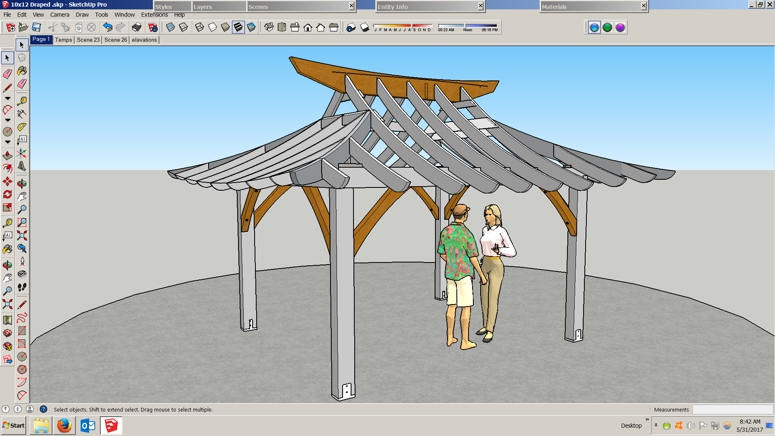
      1 Two.jpg

      Joe Wood
      woodsshop.com/

      1 Reply Last reply Reply Quote 0
      • TIGT Offline
        TIG Moderator
        last edited by

        Can you re-post: highlighting those 'toolbars' in question.
        As it is we can't readily see which ones are confusing you...

        TIG

        1 Reply Last reply Reply Quote 0
        • Joe WoodJ Offline
          Joe Wood
          last edited by

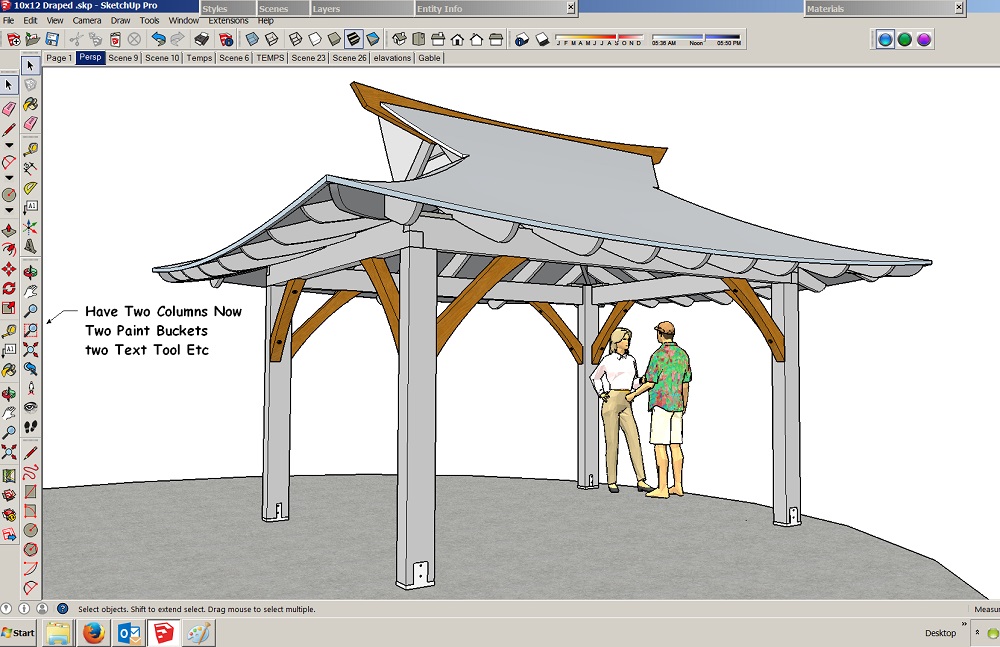
          It's those two columns of tools on the left, I only had one,

          now I have two Paint Buckets, two Select Tools two Erasers ..
          10x12 Draped Azumaya.jpg

          Joe Wood
          woodsshop.com/

          1 Reply Last reply Reply Quote 0
          • filibisF Offline
            filibis
            last edited by

            One of them is 'Getting Started' toolbar and the other is 'Large Toolset'.
            Right click to your toolbar area and enable/disable as you wish.

            1 Reply Last reply Reply Quote 0
            • pilouP Offline
              pilou
              last edited by

              Some one has click it inside the Menu Display / Tools Bar πŸ˜‰
              Have you a cat ? πŸ˜„

              Frenchy Pilou
              Is beautiful that please without concept!
              My Little site :)

              1 Reply Last reply Reply Quote 0
              • Joe WoodJ Offline
                Joe Wood
                last edited by

                Right on, thanks for that, it was the Getting Started! I wonder how that got added?

                Joe Wood
                woodsshop.com/

                1 Reply Last reply Reply Quote 0
                • Joe WoodJ Offline
                  Joe Wood
                  last edited by

                  no Cat, not even a dawg anymore!

                  Joe Wood
                  woodsshop.com/

                  1 Reply Last reply Reply Quote 0
                  • 1 / 1
                  • First post
                    Last post
                  Buy SketchPlus
                  Buy SUbD
                  Buy WrapR
                  Buy eBook
                  Buy Modelur
                  Buy Vertex Tools
                  Buy SketchCuisine
                  Buy FormFonts

                  Advertisement


