Vray Texture is stretching out
-
Hi,
I'm relatively new to this forum and Vray, so this may or may not be an easy fix. When I'm applying vismat textures to individual faces on a model, the faces that aren't square in shape have this strange patchwork of the stretched texture across the surface (see attached image), while those that are more rectilinear and square come out just fine in the render.
Would anyone know what the problem is or how it can be fixed? Thanks for any help i can get!
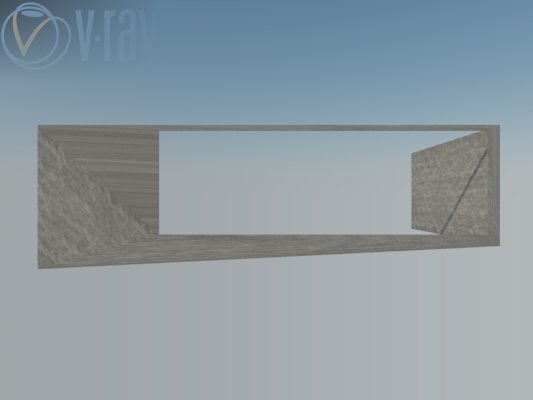
-
there are few methods. simplest is this one.
right click on your texture surface( curve or mesh type that is not perfect ) texture>projected> and then select all and apply.
-
Odds are, you have a bump or displacement on the material with out having a Diffuse texture in the material slot. Add a diffuse texture to the material and render it again to see if that fixes the problem.
-
Newbie 101 - 1) Just stay clear of displacement until you are comfortable with VR, use bumps for now. 2) If you download vrmats from places other than the Chaos site, I would be very careful as these may have displacement, odd settings, high subdiv values that will slow you renders down, etc. Learn to make VR materials from scratch to fully understand what does what. Chaos has some great tuts on YouTube.

Hello! It looks like you're interested in this conversation, but you don't have an account yet.
Getting fed up of having to scroll through the same posts each visit? When you register for an account, you'll always come back to exactly where you were before, and choose to be notified of new replies (either via email, or push notification). You'll also be able to save bookmarks and upvote posts to show your appreciation to other community members.
With your input, this post could be even better 💗
Register Login


Advertisement