sketchucation logo sketchucation
    • Login
    Oops, your profile's looking a bit empty! To help us tailor your experience, please fill in key details like your SketchUp version, skill level, operating system, and more. Update and save your info on your profile page today!
    Mac User? | Join the Rayscaper Beta for Mac Learn More

    [REQ]Auto Perspective

    Scheduled Pinned Locked Moved Plugins
    17 Posts 5 Posters 2.2k Views 5 Watching
    Loading More Posts
    • Oldest to Newest
    • Newest to Oldest
    • Most Votes
    Reply
    • Reply as topic
    Log in to reply
    This topic has been deleted. Only users with topic management privileges can see it.
    • K
      kaas
      last edited by

      It's a great idea so I had a go and it seems to work under Windows.

      Save this code as a .rb file and drop it into the plugins folder. I'm a Ruby newby so it might violate proper code habits but feel free to comment.

      require 'sketchup.rb'
      
      module MB
      class OrbitToPerspectiveObserver < Sketchup;;ToolsObserver
      	def onActiveToolChanged(tools, tool_name, tool_id)
      		if tool_id==10508
      			camera = Sketchup.active_model.active_view.camera
      			status = camera.perspective?
      			if !status
      				camera.perspective = true
      			end
      		end
      	end
      end
      
      class OrbitAppObserver < Sketchup;;AppObserver 
      	def onNewModel(model)
      		model.tools.add_observer(OrbitToPerspectiveObserver.new)
      	end
      	def onOpenModel(model)
      		model.tools.add_observer(OrbitToPerspectiveObserver.new)
      	end
      end
      
      Sketchup.add_observer(OrbitAppObserver.new)
      
      end #module
      

      edit: changed the code so it will now auto-start when Sketchup starts OR a new file is made. Note: double-clicking on a file in windows explorer will not get noticed by these observers

      1 Reply Last reply
      Reply Quote 0
      • D
        driven
        last edited by

        @rich o brien said:

        Snapping out of ortho on orbit seems a logical move.

        on the mac, orbit automatically switches to perspective and remains there, doesn't that happen on a PC?

        john

        learn from the mistakes of others, you may not live long enough to make them all yourself...

        1 Reply Last reply
        Reply Quote 0
        • Rich O BrienR
          Rich O Brien Moderator
          last edited by

          If I am in ortho and orbit i remain in ortho

          Download the free D'oh Book for SketchUp πŸ“–

          1 Reply Last reply
          Reply Quote 0
          • Dave RD
            Dave R
            last edited by

            @driven said:

            @rich o brien said:

            Snapping out of ortho on orbit seems a logical move.

            on the mac, orbit automatically switches to perspective and remains there, doesn't that happen on a PC?

            john

            I don't see that on my Mac. When I orbit the view shows an isometric view but it is still parallel projection.

            Etaoin Shrdlu

            %

            (THERE'S NO PLACE LIKE)

            G28 X0.0 Y0.0 Z0.0

            M30

            %

            1 Reply Last reply
            Reply Quote 0
            • D
              driven
              last edited by

              If I am in ortho and orbit i remain in perspective

              learn from the mistakes of others, you may not live long enough to make them all yourself...

              1 Reply Last reply
              Reply Quote 0
              • Dave RD
                Dave R
                last edited by

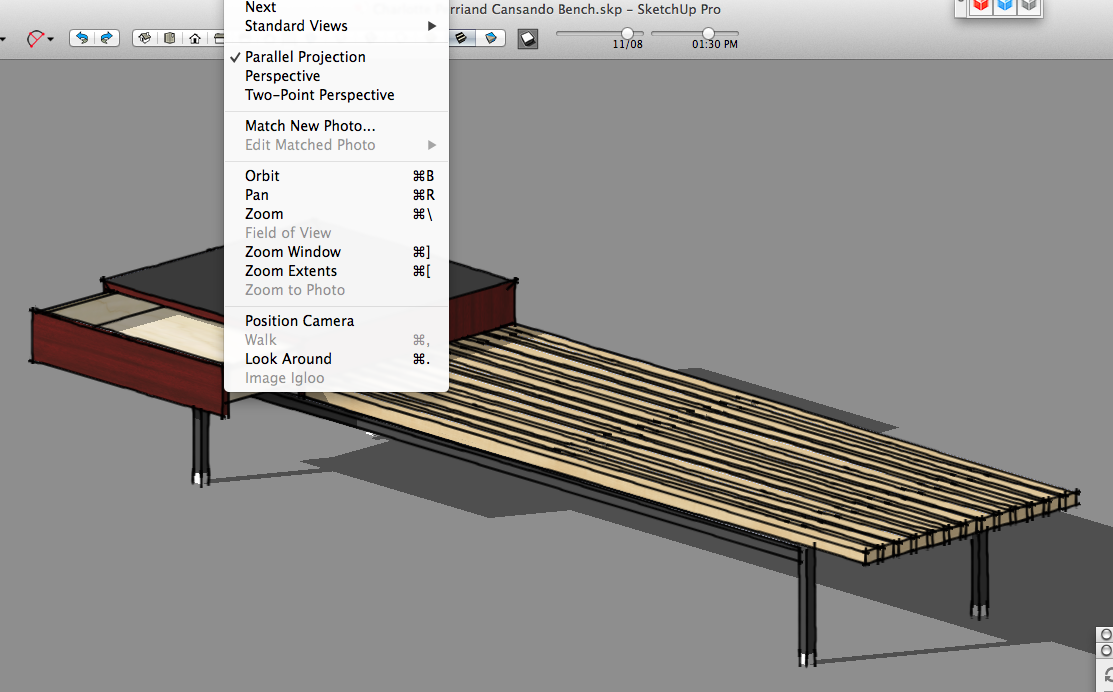
                This is what I see on my Mac:

                Front view.
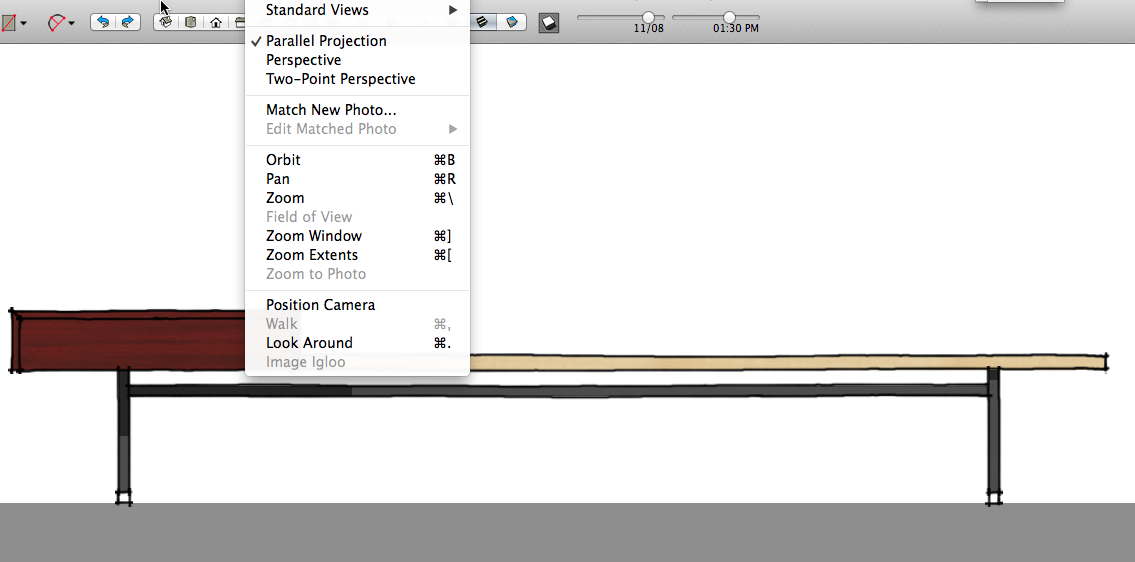
                front.png

                After orbiting.
                orbit parallel.png

                After manually switching camera to Perspective .
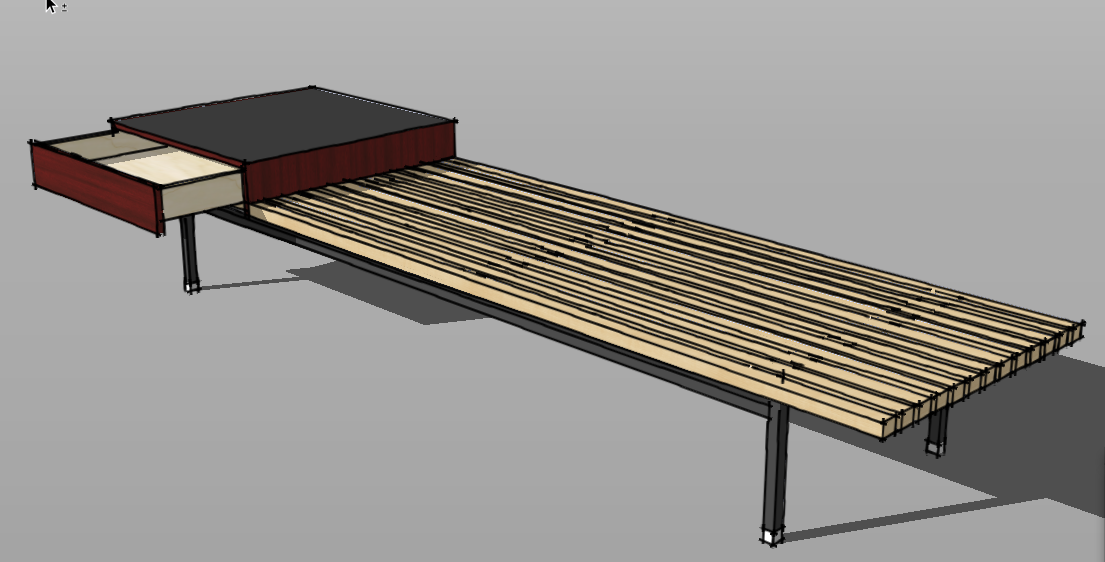
                perspect.png

                Etaoin Shrdlu

                %

                (THERE'S NO PLACE LIKE)

                G28 X0.0 Y0.0 Z0.0

                M30

                %

                1 Reply Last reply
                Reply Quote 0
                • D
                  driven
                  last edited by

                  @dave r said:

                  I don't see that on my Mac. When I orbit the view shows an isometric view but it is still parallel projection.

                  I select Menu >> Camera >> Parallel Projection

                  I Orbit

                  I check Menu >> Camera : Perspective is selected

                  are you seeing something else??

                  EDIT: I had left the code from above active when I started test, it causes Perspective to 'Stick'

                  john

                  learn from the mistakes of others, you may not live long enough to make them all yourself...

                  1 Reply Last reply
                  Reply Quote 0
                  • Rich O BrienR
                    Rich O Brien Moderator
                    last edited by

                    @john

                    paralell remains....

                    john.gif

                    Download the free D'oh Book for SketchUp πŸ“–

                    1 Reply Last reply
                    Reply Quote 0
                    • Rich O BrienR
                      Rich O Brien Moderator
                      last edited by

                      click that image to play it

                      Download the free D'oh Book for SketchUp πŸ“–

                      1 Reply Last reply
                      Reply Quote 0
                      • D
                        driven
                        last edited by

                        your to quick dave I edited my question because

                        I had left the code from above active when I started test, it causes Perspective to 'Stick'

                        oops and thanks
                        john

                        learn from the mistakes of others, you may not live long enough to make them all yourself...

                        1 Reply Last reply
                        Reply Quote 0
                        • JQLJ
                          JQL
                          last edited by

                          @rich o brien said:

                          click that image to play it

                          What did you use to do this Image Rich. It would help in a project I'm developing... πŸ˜„

                          www.casca.pt
                          Visit us on facebook!

                          1 Reply Last reply
                          Reply Quote 0

                          Hello! It looks like you're interested in this conversation, but you don't have an account yet.

                          Getting fed up of having to scroll through the same posts each visit? When you register for an account, you'll always come back to exactly where you were before, and choose to be notified of new replies (either via email, or push notification). You'll also be able to save bookmarks and upvote posts to show your appreciation to other community members.

                          With your input, this post could be even better πŸ’—

                          Register Login
                          • 1 / 1
                          • First post
                            Last post
                          Buy SketchPlus
                          Buy SUbD
                          Buy WrapR
                          Buy eBook
                          Buy Modelur
                          Buy Vertex Tools
                          Buy SketchCuisine
                          Buy FormFonts

                          Advertisement