Strange color of tree inTwilight
-
Just started using Twilight about a week and this model is from Sketchup Texture 3d challenge. I used one of SCF 48 3d trees "ashe_01 and you can see for your self somethings wrong
 . I changed sky color, spherical sky and some other tweaks but still no joy. Any ideas?
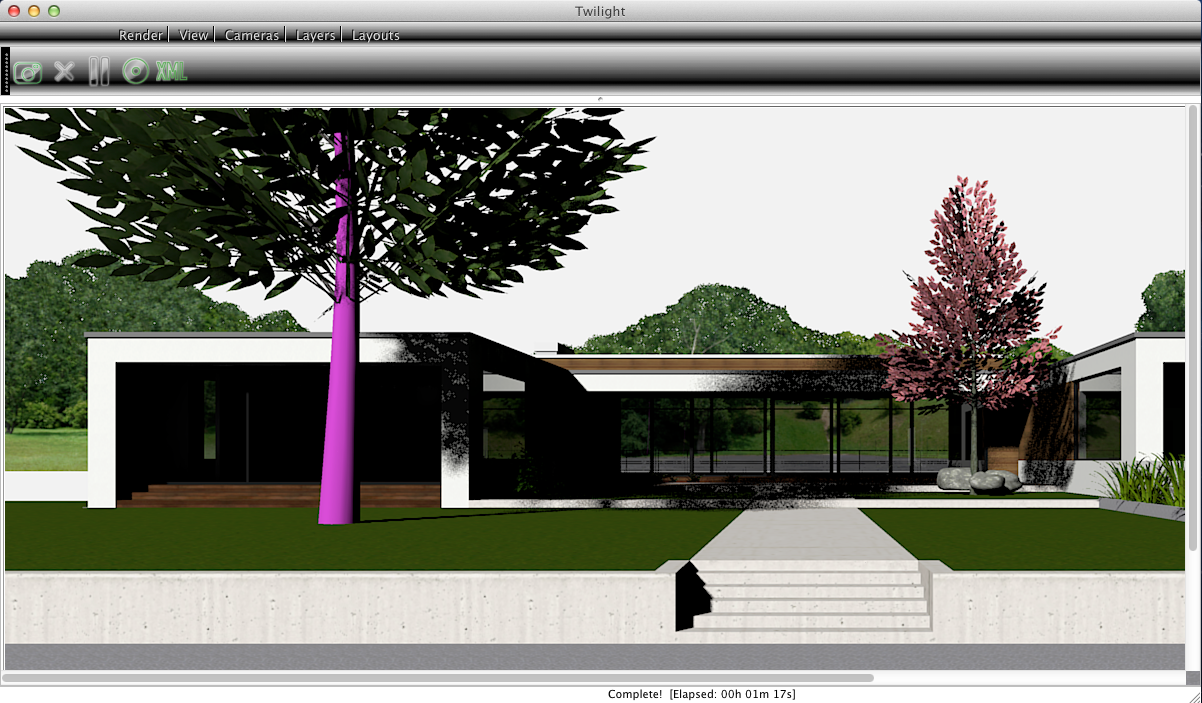
-
That was already covered here.
Perhaps Rich could add a note on the download page of the store? -
@ massimo ok but not sure how to do that.
-
-Click on "in model" materials icon;
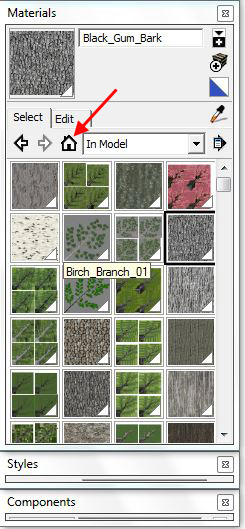
-right click on a mat-->edit texture image;
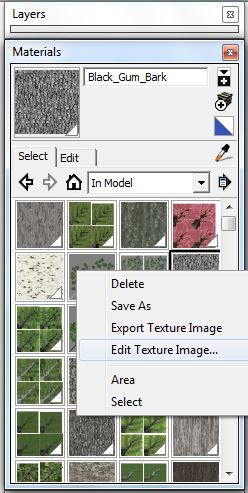
-that will open the pre-defined image editor;
-for example in PS go to image-->mode and change the mode to RGB;
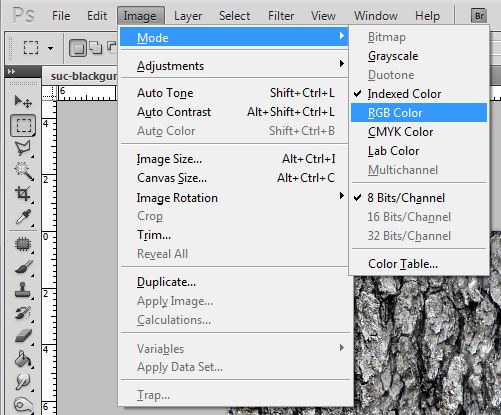
-then file-->save. -
thanks
-
You're welcome.

-
I changed all the ashe trees, how many more are like that any idea?
-
Much better

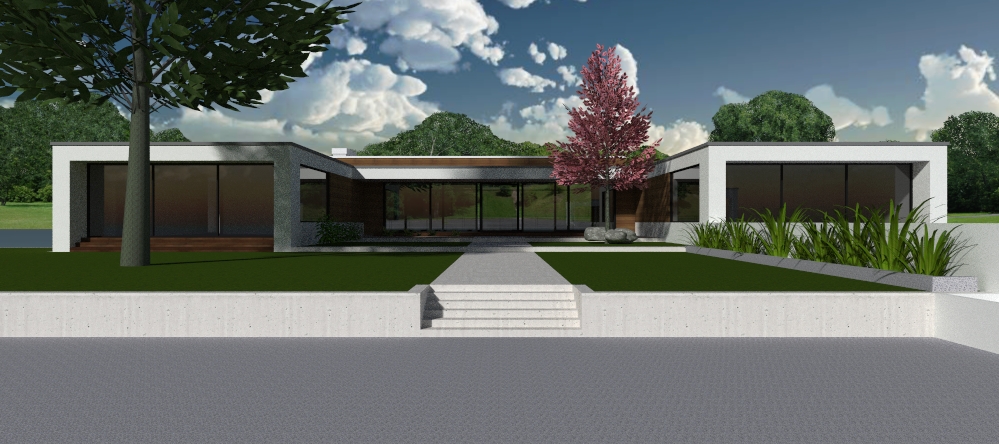
-
Ill batch rework the images and reupload tomorrow


Hello! It looks like you're interested in this conversation, but you don't have an account yet.
Getting fed up of having to scroll through the same posts each visit? When you register for an account, you'll always come back to exactly where you were before, and choose to be notified of new replies (either via email, or push notification). You'll also be able to save bookmarks and upvote posts to show your appreciation to other community members.
With your input, this post could be even better 💗
Register Login


Advertisement