[Plugin] SketchUcation Tools
-
@rich o brien said:
Someone on IE8 please test pluginstore 2 for me?
Clear cache beforehand to force new css update
It produced "Bugsplat"

Sketchucation Tool 1.1.3 still works fine though.
-
When you're ready to tell us what you did prior to the splat let us know...
-
It just crashed SketchUp.
Ed: Restarted SketchUp 8 and it works just fine now

-
For me - a Eureka moment - works repeatedly open/close Store. Also works after opening IE8 again elsewhere. Also works after closing SU and restarting SU. Thank You for your efforts - This community never ceases to impress.
-
Can either of your gents please take a screenshot of the PluginStore on your system?
-
@rich o brien said:
When you're ready to tell us what you did prior to the splat let us know...
Restarted SketchUp 8, with IE 8; all three Sketchucation Tool buttons works just fine.
Thank you very much, Rich
Does it really have anything to do with the tool? Or, the html page?
-
Yor wish is my command.
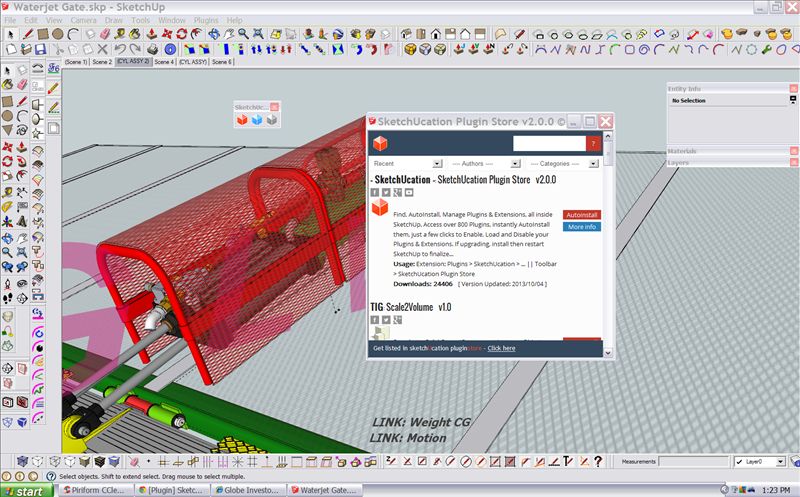
-
Ok, thank you. I see an issue with the icons. Wrongly postioned...
Tomorrow. Thanks for taking the time to help
-
@rich o brien said:
Can either of your gents please take a screenshot of the PluginStore on your system?
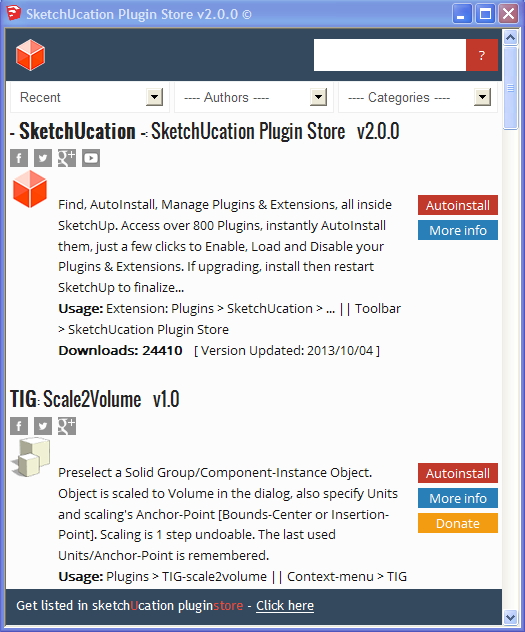
-
I back button and a forward button would be nice to have -
After doing a search, for instance, and then wanting to go back to the previous results... -
Backspace on your keyboard
Sent from my iPad
-
I think it's ok for me now.
Bravo for the masters, and thank you very much.
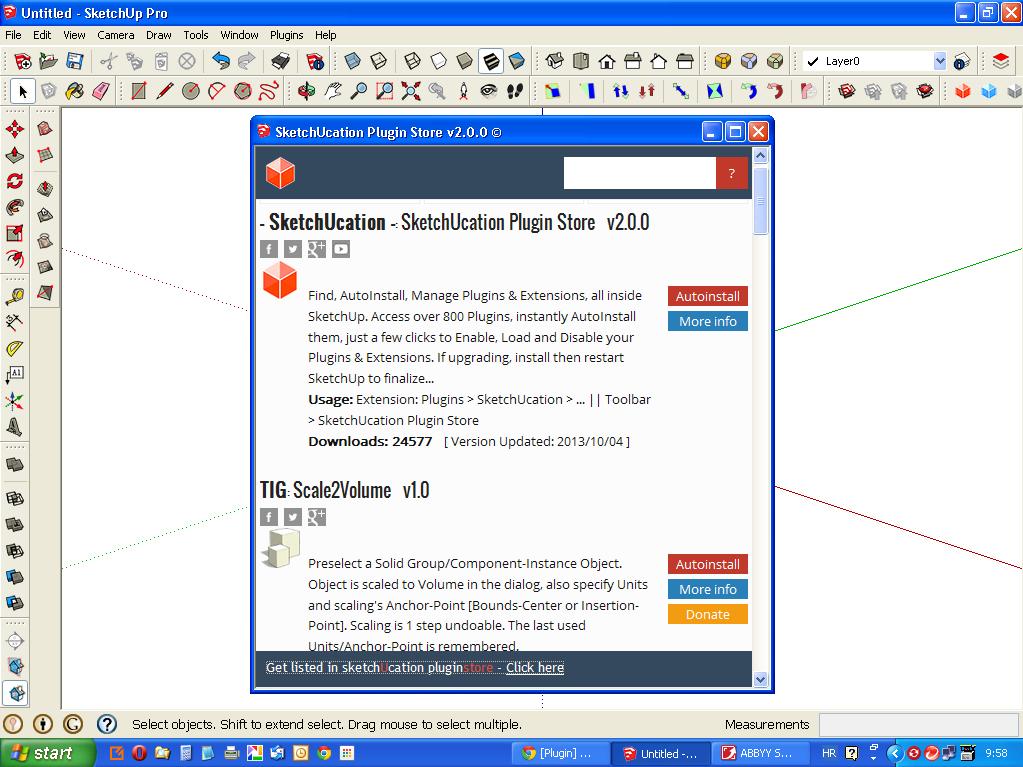
-
@rich o brien said:
Someone on IE8 please test pluginstore 2 for me?
Clear cache beforehand to force new css update
The IE Compatibility Mode is rather good for testing backwards compatibility in IE.
-
I'm sure it was being tested that way in IE10, but without testing in a real IE8 setup, then who can ever be 100% sure...
Incidentally, I think it also now stops itself being cached, and has some other improved housekeeping etc... -
Still a problem with the icon though
-
'Rich
What 'icon' problem?
It looks fine in all recent screenshots.
Can you post a highlighted screegrab
-
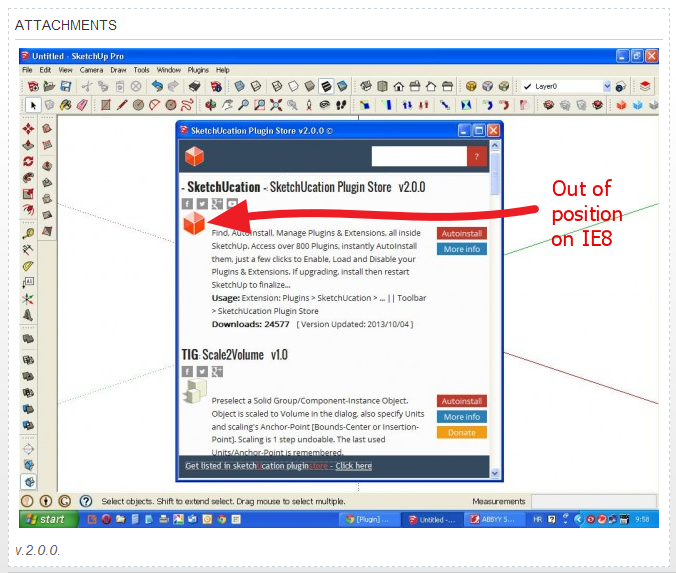
-
Now I see it !
Consider this addition to the cssimg.smallimage { vertical-align; top; ... -
fixed
-
Does that now work in IE8 testing ?
Not for me...
In IE8 I'm still seeing the 'jumped-up' img, or rather the three cells of text to its right seems to be aligned to the bottom of its td cell and NOT its top ?
Perhaps css
td { padding: 0 4px; **vertical-align: top;** }
too ?If that breaks other td's then add it to the html for that td as
<td style="vertical-align: top;">
OR make a new td class 'descriptioncontainer' ?





Hello! It looks like you're interested in this conversation, but you don't have an account yet.
Getting fed up of having to scroll through the same posts each visit? When you register for an account, you'll always come back to exactly where you were before, and choose to be notified of new replies (either via email, or push notification). You'll also be able to save bookmarks and upvote posts to show your appreciation to other community members.
With your input, this post could be even better 💗
Register Login


Advertisement