sketchucation logo sketchucation
    • Login
    Oops, your profile's looking a bit empty! To help us tailor your experience, please fill in key details like your SketchUp version, skill level, operating system, and more. Update and save your info on your profile page today!
    Mac User? | Join the Rayscaper Beta for Mac Learn More

    Multi Face Scale Offset?

    Scheduled Pinned Locked Moved Plugins
    22 Posts 5 Posters 6.1k Views 5 Watching
    Loading More Posts
    • Oldest to Newest
    • Newest to Oldest
    • Most Votes
    Reply
    • Reply as topic
    Log in to reply
    This topic has been deleted. Only users with topic management privileges can see it.
    • A
      Aerilius
      last edited by

      A modification of Multi Face Offset where the resulting face has an area of the previous face ยฑ x%.

      The challenge would be to predict the offset area, which is not exactly the previous face multiplied by (100+x)%.

      1 Reply Last reply
      Reply Quote 0
      • olisheaO
        olishea
        last edited by

        Will make an image now. I think Greeble may be able to do it...

        oli

        1 Reply Last reply
        Reply Quote 0
        • olisheaO
          olishea
          last edited by

          Greeble still requires minimum/maximum DISTANCES. you can only scale the greebled face.

          @aerilius said:

          A modification of Multi Face Offset where the resulting face has an area of the previous face ยฑ x%.

          The challenge would be to predict the offset area, which is not exactly the previous face multiplied by (100+x)%.

          That's how I should have written it!! You understand. I'm making an image now.

          oli

          1 Reply Last reply
          Reply Quote 0
          • olisheaO
            olishea
            last edited by

            Here we go...added image to original post.

            oli

            1 Reply Last reply
            Reply Quote 0
            • cottyC
              cotty
              last edited by

              ...a combination of TIGs Scale Face to target area, his smart offset and the multi...?

              my SketchUp gallery

              1 Reply Last reply
              Reply Quote 0
              • pilouP
                pilou
                last edited by

                Ok but in this case your structure will have a curious form of supports! ๐Ÿ˜„

                How do you will resolve the junctions ? ๐Ÿ’š
                Juxtaposition ?

                I don't believe that a plug is yet existing for all levels in the same time ๐Ÿ˜•
                Or maybe something with Panelization by Sdmitch ?

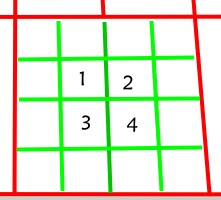
                And on your example it is not 50 % but 25 % !!! ๐Ÿ˜‰
                4 / 16 = 25 % ๐Ÿ˜‰

                25.jpg

                Frenchy Pilou
                Is beautiful that please without concept!
                My Little site :)

                1 Reply Last reply
                Reply Quote 0
                • olisheaO
                  olishea
                  last edited by

                  @unknownuser said:

                  Ok but in this case your structure will have a curious form of supports! ๐Ÿ˜„

                  How do you will resolve the junctions ? ๐Ÿ’š
                  Juxtaposition ?

                  I don't believe that a plug is yet existing for all levels in the same time ๐Ÿ˜•
                  Or maybe something with Panelization by Sdmitch ?

                  And on your example it is not 50 % but 25 % !!! ๐Ÿ˜‰
                  4 / 16 = 25 % ๐Ÿ˜‰

                  [attachment=1:1ltkz9b9]<!-- ia1 -->25.jpg<!-- ia1 -->[/attachment:1ltkz9b9]

                  Lol of course more coffee for me....scaling by 0.5 gives new area of 25% of the original. Thanks Pilou, you're on the ball today!! ๐Ÿ‘

                  Let me worry about the structure.....that model is just an example. Where there are smaller quads, I want the structure to become more "filigree".

                  Cheers Cotty, will look into those now.

                  Pilou, this is what I'm going for....but mesh isn't great.
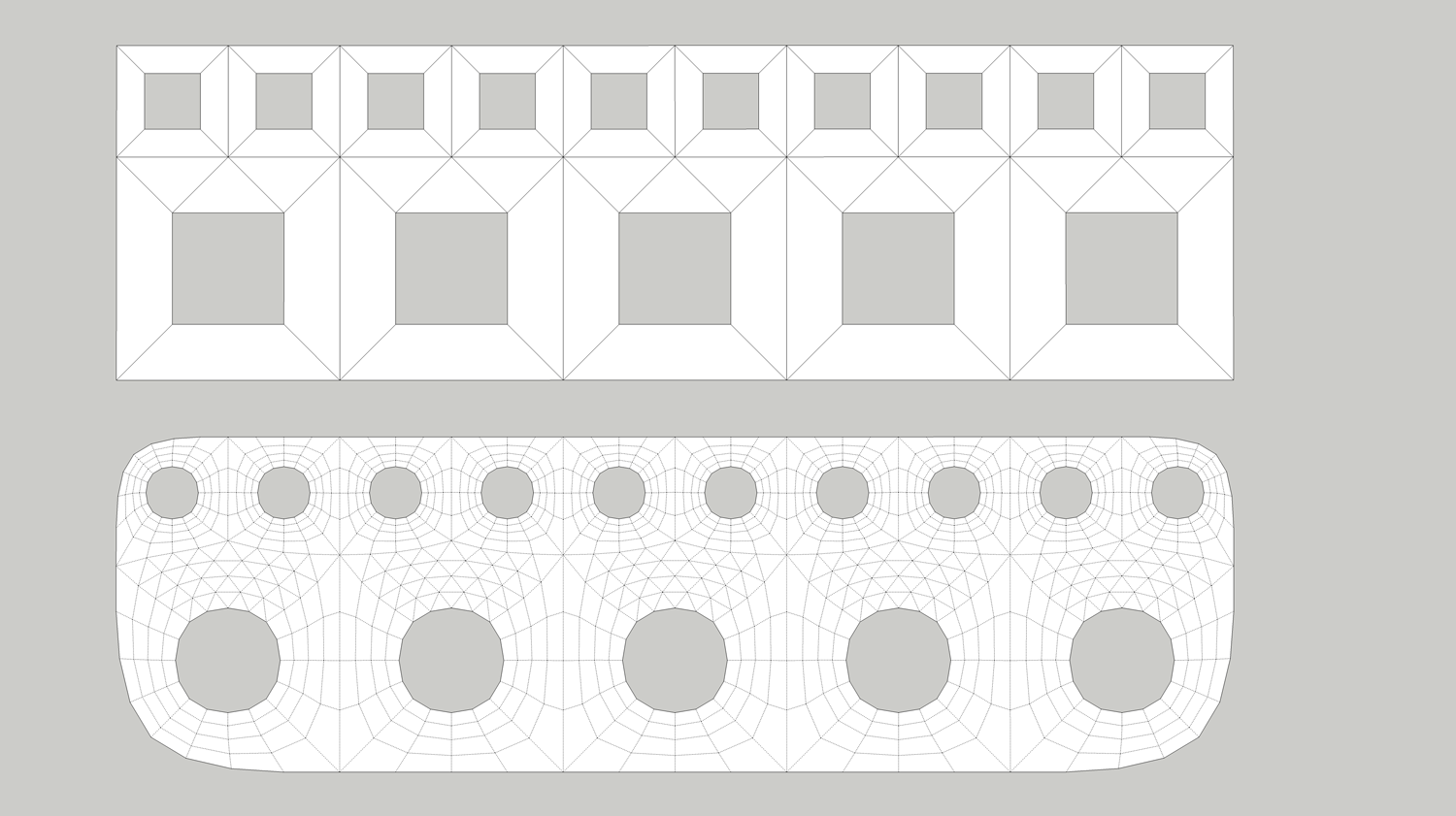

                  mf02.png

                  oli

                  1 Reply Last reply
                  Reply Quote 0
                  • A
                    Aerilius
                    last edited by

                    Ooops, this is Ruby (not JavaScript). Fixed!

                    1 Reply Last reply
                    Reply Quote 0
                    • pilouP
                      pilou
                      last edited by

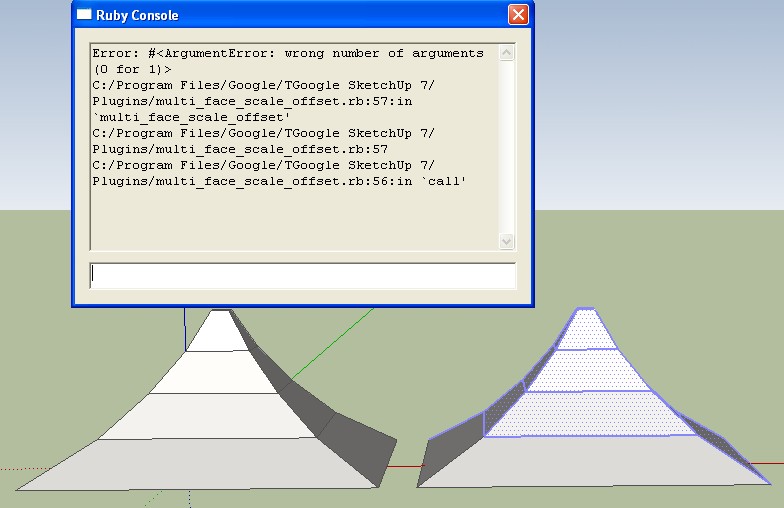
                      I select my faces then call the Plug : nothing appen! ๐Ÿ˜ฎ
                      (tested in v7 )
                      Same for simple boxes

                      error.jpg

                      Frenchy Pilou
                      Is beautiful that please without concept!
                      My Little site :)

                      1 Reply Last reply
                      Reply Quote 0
                      • pilouP
                        pilou
                        last edited by

                        Ok! Cool! Works fine! โ˜€

                        Maybe will be useful that the new faces will be the new selection! ๐Ÿ’ญ
                        here the selection are still out the new faces at the end of the plugin!
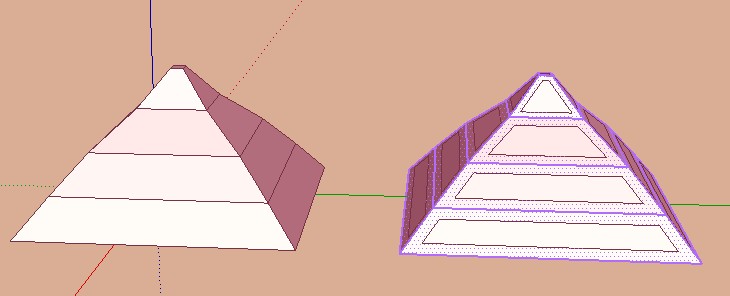
                        mtfoffset1.jpg

                        Frenchy Pilou
                        Is beautiful that please without concept!
                        My Little site :)

                        1 Reply Last reply
                        Reply Quote 0
                        • A
                          Aerilius
                          last edited by

                          Now selection of new faces.
                          With colors, for you ๐Ÿ˜†
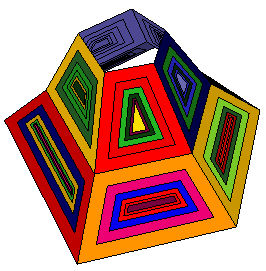

                          pilou style.png

                          1 Reply Last reply
                          Reply Quote 0
                          • pilouP
                            pilou
                            last edited by

                            Very cool! ๐Ÿ˜Ž
                            Maybe you can Inverse the number enter on inner "White / Blue" Surface
                            I must enter -50 on "White" surface !

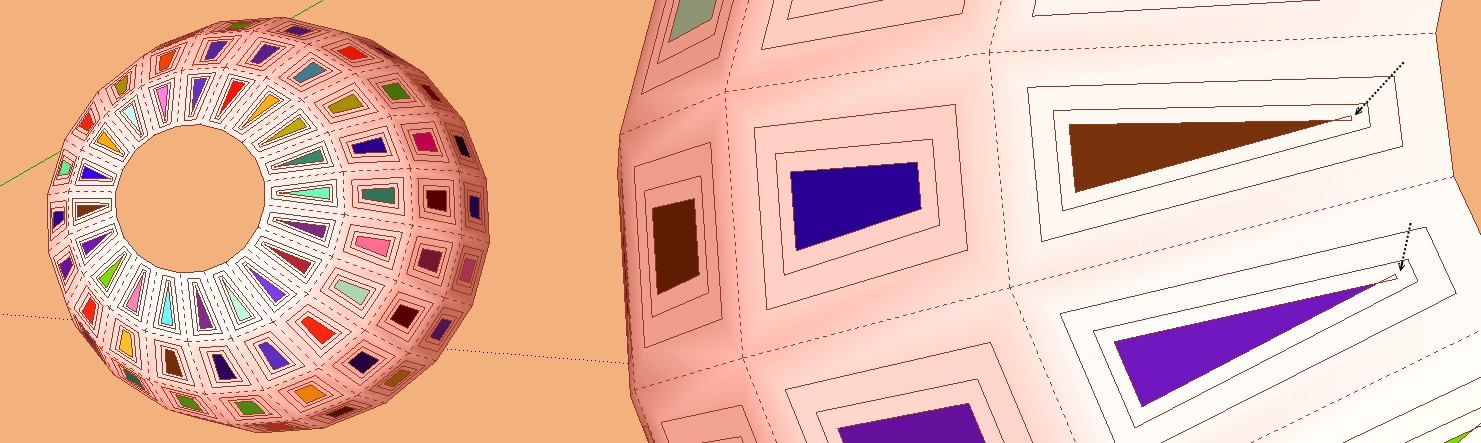
                            And a little problem ๐Ÿ˜‰

                            cools.jpg

                            cools.jpg


                            cools1.jpg

                            Frenchy Pilou
                            Is beautiful that please without concept!
                            My Little site :)

                            1 Reply Last reply
                            Reply Quote 0
                            • A
                              Aerilius
                              last edited by

                              That is a bug in offset (same bug is also in SketchUp's offset tool). I now changed the direction, and if you install TIG's smart offset, it will use that.

                              1 Reply Last reply
                              Reply Quote 0
                              • A
                                Aerilius
                                last edited by

                                Ok, this could do it:
                                This modified script (based on Remus' multi_face_offset.rb) does a relative offset depending on the area of the face and the given percentage.
                                The percentage is not mathematically accurate for any shape (only accurate for rectangle and circle).


                                requires offset.rb (http://www.smustard.com/freescripts/Offset)

                                1 Reply Last reply
                                Reply Quote 0
                                • pilouP
                                  pilou
                                  last edited by

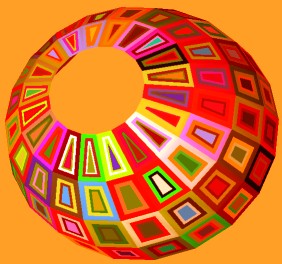
                                  Many thx! โ˜€

                                  cools2.jpg

                                  cools3.jpg

                                  Frenchy Pilou
                                  Is beautiful that please without concept!
                                  My Little site :)

                                  1 Reply Last reply
                                  Reply Quote 0
                                  • TIGT
                                    TIG Moderator
                                    last edited by

                                    @aerilius said:

                                    That is a bug in offset (same bug is also in SketchUp's offset tool). I now changed the direction, and if you install TIG's smart offset, it will use that.
                                    My Smart-Offset is also not perfect ! I have some improvements to make but these are at the bottom of a long 'to-do-list'... On relatively simple forms it will avoid the standard offset's 'bowtie' issues...

                                    TIG

                                    1 Reply Last reply
                                    Reply Quote 0
                                    • olisheaO
                                      olishea
                                      last edited by

                                      I just got back home to check this thread!!

                                      WOW!!

                                      Gonna give it a go now.

                                      No, don't make the new faces the selection!! Just double the offset %....I can use split donut if old faces remain selected....or maybe give a choice before execution, or maybe it makes no difference anyway.This is exciting!! ๐Ÿ˜„

                                      oli

                                      1 Reply Last reply
                                      Reply Quote 0
                                      • olisheaO
                                        olishea
                                        last edited by

                                        IT WORKS!!!! ๐Ÿ˜ Great plugin! ๐Ÿ˜„

                                        oli

                                        1 Reply Last reply
                                        Reply Quote 0
                                        • A
                                          Aerilius
                                          last edited by

                                          Time to start with Ruby ๐Ÿ˜‰
                                          When you open the ruby file, you can see where I have written "Select new faces".
                                          Just comment out line 54 and 55 by adding a # at the beginning of the line.

                                          1 Reply Last reply
                                          Reply Quote 0
                                          • olisheaO
                                            olishea
                                            last edited by

                                            Will give it a go now. Excellent work Aerilius!!

                                            And GREAT images Pilou! ๐Ÿ˜„

                                            oli

                                            1 Reply Last reply
                                            Reply Quote 0

                                            Hello! It looks like you're interested in this conversation, but you don't have an account yet.

                                            Getting fed up of having to scroll through the same posts each visit? When you register for an account, you'll always come back to exactly where you were before, and choose to be notified of new replies (either via email, or push notification). You'll also be able to save bookmarks and upvote posts to show your appreciation to other community members.

                                            With your input, this post could be even better ๐Ÿ’—

                                            Register Login
                                            • 1
                                            • 2
                                            • 1 / 2
                                            • First post
                                              Last post
                                            Buy SketchPlus
                                            Buy SUbD
                                            Buy WrapR
                                            Buy eBook
                                            Buy Modelur
                                            Buy Vertex Tools
                                            Buy SketchCuisine
                                            Buy FormFonts

                                            Advertisement