[plugin] Clip or Trim Terrain Mesh (Update)
-
You guys are absolute legends. You take modeling to a whole new level.
I was hesitant to join SketchUcation because i hate useless info, but honestly: you guys rock!
Special thanx to Gaieus and ThomThom for their constant useful contributions.
-
@dinkdesign said:
Special thanx to Gaieus and ThomThom for their constant useful contributions.
Well, I really had to approve this post (even though I have not contributed with anything in this topic).

-
Sam, thank you for sharing your efforts.
-
Hi Sam, during your tutorial video at about 1:20 you say, 'If its only zoomed out 3 or 4 clicks....'
What are you referring too here?

-
I viewed the tutorial and I don't hear what you heard but I would assume that I am referring to zooming out from the smallest possible patch 3 or 4 clicks.
-
Thanks for the reply, Sam.
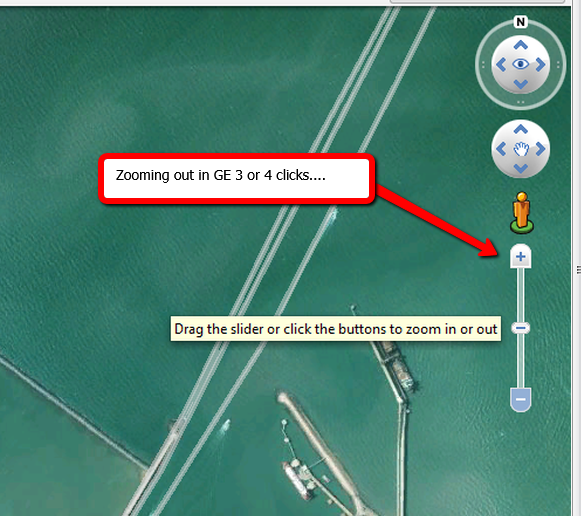
At about 1min 20sec you refer to 'if its only zoomed out 3 or 4 clicks [no more than that] the grid of the two patches match....'
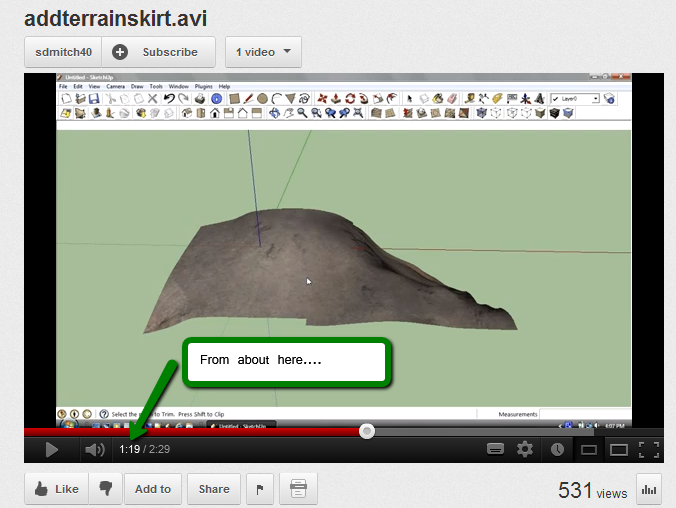
Are you referring to zooming in Google Earth:
-
Yes, the Google Earth get location zoom. I thought you were talking about the clip and trim plugin not the add skirt.
-
My bad, Sam. I can see how you would have been ill informed....

Thank you.
-
Is there a way to make these plugins work with SU 8?
-
@greatcurve said:
Is there a way to make these plugins work with SU 8?
Are you getting errors?
The author uses SU8 - as his profile says - and usually if a plugin doesn't work with a version it's explicitly stated in the plugin description. I believe this should work with SU8. -
Works fine in v8
-
Sorry. I'm learning to use google/SU terrain tools as they are quite handy for making large terrains as opposed to Max.
Gaieus helped me out on the Lumion forum and I was able to get everything going.
-
This is amazingly fantastic - biiig thanx.
-
sdmitch,
Thanks for sharing the terrain skirt plugin. -
Hello Experts,
When I use this plugin it tells me to select a Google Terrain patch
I have a trianglar mesh terrain file which is very big
How can I add a skirt and also add a bottom make it into a solid?I have tried TIG's jointpush and pull tool, but I only manage to do the skirt and
cannot manage to get a solid. (Unless manually....but thats too much work)
Thanks
Michiel -
@mluy said:
Hello Experts,
When I use this plugin it tells me to select a Google Terrain patch
I have a trianglar mesh terrain file which is very big
How can I add a skirt and also add a bottom make it into a solid?I have tried TIG's jointpush and pull tool, but I only manage to do the skirt and
cannot manage to get a solid. (Unless manually....but thats too much work)
Thanks
MichielThe Add Terrain Skirt plugin on my blog page does not require the mesh to be a Google Earth Terrain.
-
@sdmitch said:
The Add Terrain Skirt plugin on my blog page does not require the mesh to be a Google Earth Terrain.
- So why don't you post the improved plugin (that does not require the mesh to be a Google Earth Terrain) here at Sketchucation?
It is a bit easier for people to install it using the Sketchucation Extension Store directly from within SU.
-
Because I don't want to?
Download from the blog. Send to a compressed folder. change extension from zip to rbz. Install as usual.





Hello! It looks like you're interested in this conversation, but you don't have an account yet.
Getting fed up of having to scroll through the same posts each visit? When you register for an account, you'll always come back to exactly where you were before, and choose to be notified of new replies (either via email, or push notification). You'll also be able to save bookmarks and upvote posts to show your appreciation to other community members.
With your input, this post could be even better 💗
Register Login


Advertisement