sketchucation logo sketchucation
    • Login
    Oops, your profile's looking a bit empty! To help us tailor your experience, please fill in key details like your SketchUp version, skill level, operating system, and more. Update and save your info on your profile page today!
    ⚠️ Update | Sketchucation Tools 5.0.8 released with licensing improvements and bugfixes Download

    Subscript and superscript letters and numbers

    Scheduled Pinned Locked Moved Newbie Forum
    sketchup
    16 Posts 7 Posters 18.7k Views 7 Watching
    Loading More Posts
    • Oldest to Newest
    • Newest to Oldest
    • Most Votes
    Reply
    • Reply as topic
    Log in to reply
    This topic has been deleted. Only users with topic management privileges can see it.
    • G
      giorgio78
      last edited by

      Is it possible to have letters and numbers in Sketchup written in superscript or subscript way?
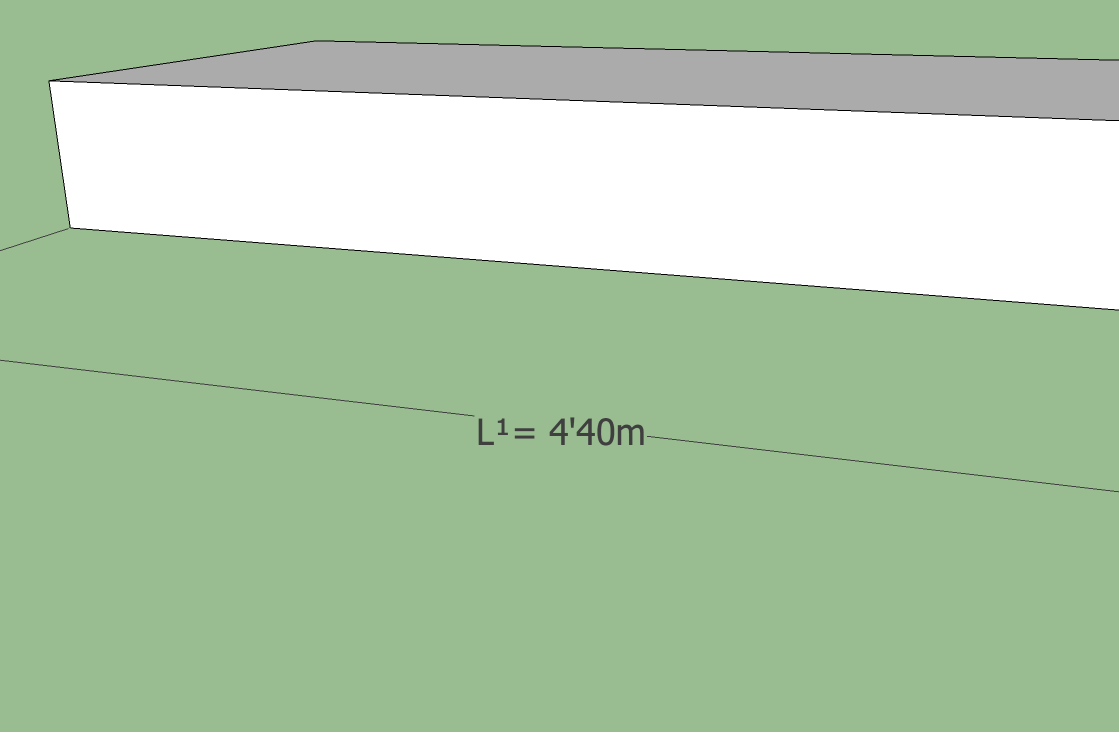
      For example I would like to change dimension mark L1= 4'40m in file attached the way that 1 is wrriten in the subscript form. Any ideas how to do that?


      Example.skp

      1 Reply Last reply
      Reply Quote 0
      • Dave RD
        Dave R
        last edited by

        Like this?

        Example.png

        I did it on my Mac using the Character Viewer. I think the same thing can be done with Character Map on the PC.


        Example.skp

        Etaoin Shrdlu

        %

        (THERE'S NO PLACE LIKE)

        G28 X0.0 Y0.0 Z0.0

        M30

        %

        1 Reply Last reply
        Reply Quote 0
        • TIGT
          TIG Moderator
          last edited by

          Is relatively easy on a PC... use System Tools > Character Map [suitable for any font you are using], and copy/paste the desired odd characters... unless you have say a Chinese system when you might find that some of the more unusual [but standard] characters are not provided in even the most common of fonts like Arial - I recently had to advise a Chinese PC user to edit my AreaTag tool to use "12.3 m2" instead of the usual "12.3 m²" as he was getting a blank character !

          Another way [on PC] is to type in 'codes'...
          So typically, to get a ² when editing the text hold down the Alt key and type 00178 and then release Alt to write the required character. It works in Sketchup Text editing as well as other PC apps.
          Here's a list of some useful 'Alt' codes:

          ¡ Alt + 0161
          ¿ Alt + 0191
          ¢ Alt + 0162
          £ Alt + 0163
          © Alt + 0169
          ® Alt + 0174
          ° Alt + 0176 [degree]
          ± Alt + 0177
          ÷ Alt + 0247
          × Alt + 0215
          Ø Alt + 0216
          µ Alt + 0181
          « Alt + 0171
          » Alt + 0187

          º Alt + 0186 [zero]
          ¹ Alt + 0185
          ² Alt + 00178
          ³ Alt + 00179

          ¼ Alt + 0188
          ½ Alt + 0189
          ¾ Alt + 0190

          à Alt + 0224
          ä Alt + 0228
          ç Alt + 0231
          è Alt + 0232
          é Alt + 0233
          ê Alt + 0234
          ë Alt + 0235
          î Alt + 0238
          ñ Alt + 0241
          ö Alt + 0246
          ü Alt + 0252
          ß Alt + 0223

          Other characters depend on the font used, then use the Windows Character Map to select/copy+paste them...

          TIG

          1 Reply Last reply
          Reply Quote 0
          • Jean LemireJ
            Jean Lemire
            last edited by

            Hi folks.

            On my work PC with Windows XP-Pro 64 bits, I can use the Calibri font that contains the subscripts and superscript numbers from 0 to 9, allowing you to compose any combination you want.

            Just ideas.

            Jean (Johnny) Lemire from Repentigny, Quebec, Canada.

            1 Reply Last reply
            Reply Quote 0
            • TIGT
              TIG Moderator
              last edited by

              @jean lemire said:

              Hi folks.
              On my work PC with Windows XP-Pro 64 bits, I can use the Calibri font that contains the subscripts and superscript numbers from 0 to 9, allowing you to compose any combination you want.
              Just ideas.
              How do you 'access' the ones above 3 ?
              They have no Alt+ code, so I assume you use must 'Character Map' to Copy>Paste them... ?

              TIG

              1 Reply Last reply
              Reply Quote 0
              • Dave RD
                Dave R
                last edited by

                You can use the insert function from Character Map to insert special characters into the text in SketchUp.

                Etaoin Shrdlu

                %

                (THERE'S NO PLACE LIKE)

                G28 X0.0 Y0.0 Z0.0

                M30

                %

                1 Reply Last reply
                Reply Quote 0
                • Dave RD
                  Dave R
                  last edited by

                  @aerilius said:

                  A frequent question... You can just copy these characters here from Unicode range U+2070 to U+2089:
                  ⁰¹²³⁴⁵⁶⁷⁸⁹₀₁₂₃₄₅₆₇₈₉
                  (or %(#000000)[Ctrl + Shift + U], then type 2070 [enter])

                  This doesn't appear to work on Windows.

                  Etaoin Shrdlu

                  %

                  (THERE'S NO PLACE LIKE)

                  G28 X0.0 Y0.0 Z0.0

                  M30

                  %

                  1 Reply Last reply
                  Reply Quote 0
                  • G
                    giorgio78
                    last edited by

                    Can anyone do this for me in the upper attached file. Ones with subscript number 1 and ones with superscrip. I need the instructions for PC not for mac. Tig can you tell me please where to write those codes you've mentioned. I've tried as you wrote but no succses. Do you use any special plugin or..........

                    1 Reply Last reply
                    Reply Quote 0
                    • Dave RD
                      Dave R
                      last edited by

                      I already did the superscript version for you. 😒 There aren't subscript numbers shown in the Character Map in the Tahoma font. Will Calibri work?

                      To get the characters as TIG listed, hold Alt while you type the number on the number keypad. This doesn't require a plugin. It's just native Windows stuff.

                      You can also just select and insert the characters from Character Map.

                      Etaoin Shrdlu

                      %

                      (THERE'S NO PLACE LIKE)

                      G28 X0.0 Y0.0 Z0.0

                      M30

                      %

                      1 Reply Last reply
                      Reply Quote 0
                      • G
                        giorgio78
                        last edited by

                        For me it works only that way..

                        @unknownuser said:

                        Is relatively easy on a PC... use System Tools > Character Map [suitable for any font you are using], and copy/paste the desired odd characters... unless you have say a Chinese system when you might find that some of the more unusual [but standard] characters are not provided in even the most common of fonts like Arial - I recently had to advise a Chinese PC user to edit my AreaTag tool to use "12.3 m2" instead of the usual "12.3 m²" as he was getting a blank character !
                        Example.skp

                        1 Reply Last reply
                        Reply Quote 0
                        • Dave RD
                          Dave R
                          last edited by

                          But for the superscript 1, 2 and 3 you should be able to use Alt+...

                          Etaoin Shrdlu

                          %

                          (THERE'S NO PLACE LIKE)

                          G28 X0.0 Y0.0 Z0.0

                          M30

                          %

                          1 Reply Last reply
                          Reply Quote 0
                          • emerald15E
                            emerald15
                            last edited by

                            re: TIGs list of special character codes (for which I thank)... after half an hour of trying these - eh, so that'll be the numeric keys on the side then?! 😆

                            1 Reply Last reply
                            Reply Quote 0
                            • TIGT
                              TIG Moderator
                              last edited by

                              Correct, input the number parts from the numeric keypad 😒

                              TIG

                              1 Reply Last reply
                              Reply Quote 0
                              • Dave RD
                                Dave R
                                last edited by

                                @emerald15 said:

                                re: TIGs list of special character codes (for which I thank)... after half an hour of trying these - eh, so that'll be the numeric keys on the side then?! 😆

                                @dave r said:

                                To get the characters as TIG listed, hold Alt while you type the number on the number keypad. This doesn't require a plugin. It's just native Windows stuff.
                                😉

                                Etaoin Shrdlu

                                %

                                (THERE'S NO PLACE LIKE)

                                G28 X0.0 Y0.0 Z0.0

                                M30

                                %

                                1 Reply Last reply
                                Reply Quote 0
                                • A
                                  Aerilius
                                  last edited by

                                  A frequent question... You can just copy/paste these characters here from Unicode range U+2070 to U+2089:

                                  ⁰¹²³⁴⁵⁶⁷⁸⁹₀₁₂₃₄₅₆₇₈₉
                                  

                                  (or %(#000000)[Ctrl + Shift + U], then type 2070 [enter])

                                  1 Reply Last reply
                                  Reply Quote 0
                                  • pbacotP
                                    pbacot
                                    last edited by

                                    Thank you guys! That looks like that should really do it. I'll give it a run. It will help us have a starting view of our site that's consistent with other working views. Peter


                                    MacOSX MojaveSketchUp Pro v19 Twilight v2 Thea v3 PowerCADD

                                    1 Reply Last reply
                                    Reply Quote 0

                                    Hello! It looks like you're interested in this conversation, but you don't have an account yet.

                                    Getting fed up of having to scroll through the same posts each visit? When you register for an account, you'll always come back to exactly where you were before, and choose to be notified of new replies (either via email, or push notification). You'll also be able to save bookmarks and upvote posts to show your appreciation to other community members.

                                    With your input, this post could be even better 💗

                                    Register Login
                                    • 1 / 1
                                    • First post
                                      Last post
                                    Buy SketchPlus
                                    Buy SUbD
                                    Buy WrapR
                                    Buy eBook
                                    Buy Modelur
                                    Buy Vertex Tools
                                    Buy SketchCuisine
                                    Buy FormFonts

                                    Advertisement