[Plugin] 2 Faces + Path ver. 1.5.
-
Thank you very much!
-
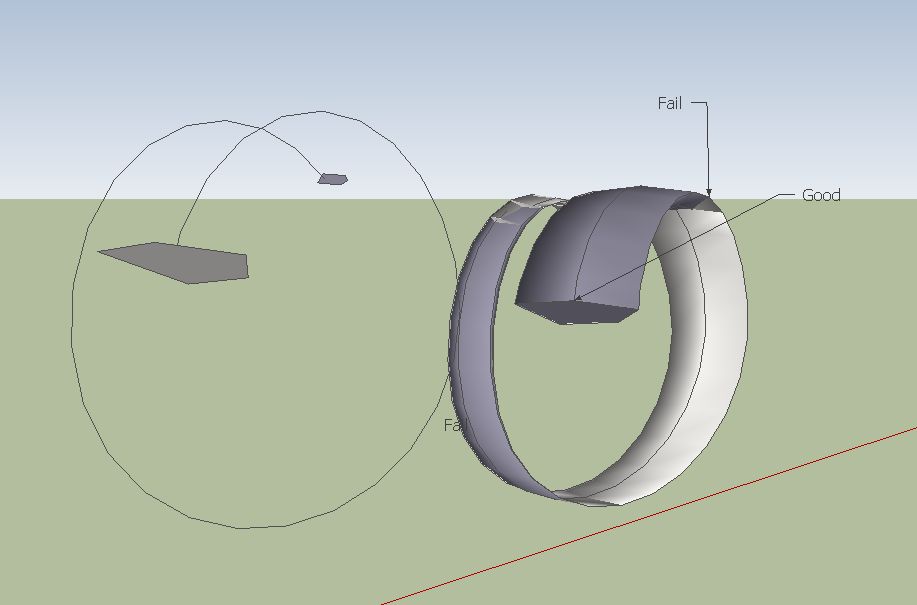
I am having some difficulty with this shape. It is a spiral with a shape, and it tapers as it it travels down the spiral.
I thought this plug would work but I am getting odd results.
Any ideas?
Thank you for all,
-
Use the Perpendicular face tool by Chris Fullmer for put your 2 faces at the extremities of the curve!
Don't take care of their positions explode the groups select all
and launch 2 faces + path
-
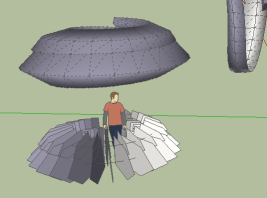
Hi Frenchy,
I used that when I set up the model. Also tried flipping the normals on the shaped ends, various options in the dialog box, its not behaving like I thought. Driving me crazy
-
Maybe it's your curve! I have drawn a new one
With spiral 1.3 -
I was guessing it may be that the spiral was precisely formed.
I'm trying but I still can't get it.
-
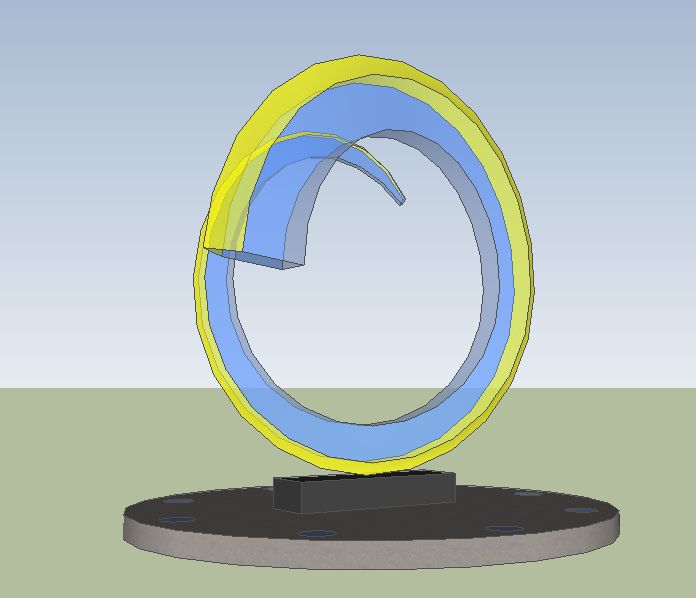
I got it!

Used Shape Bender instead!
-
Thank you much, Kirill.
I'm trying to get up to speed. Not being a ruby cooker, I am ignorant of why a straight 'curve' is needed rather than an edge, multi- segmented or not, though you clearly state that a curve path is what is required. I wish error messages could be generated to help users, say if they make selection errors. Or perhaps that the plug be made to work with edge paths, so slow-witted users wouldn't need error messages.... So much.
-
@brookefox said:
I wish error messages could be generated to help users, say if they make selection errors. Or perhaps that the plug be made to work with edge paths, so slow-witted users wouldn't need error messages.... So much.
You may try new version of 'LSS Toolbar' instead of '2 Faces + Path' plugin.
New version of 'LSS Toolbar' is still under construction, but fortunately '2 faces + path' tool is already implemented and work even more stable, than '2 Faces + Path ver. 1.5' stand-alone plugin.
You may take a look at demonstration video at https://sites.google.com/site/lssoft2011/home/lss-toolbar
-
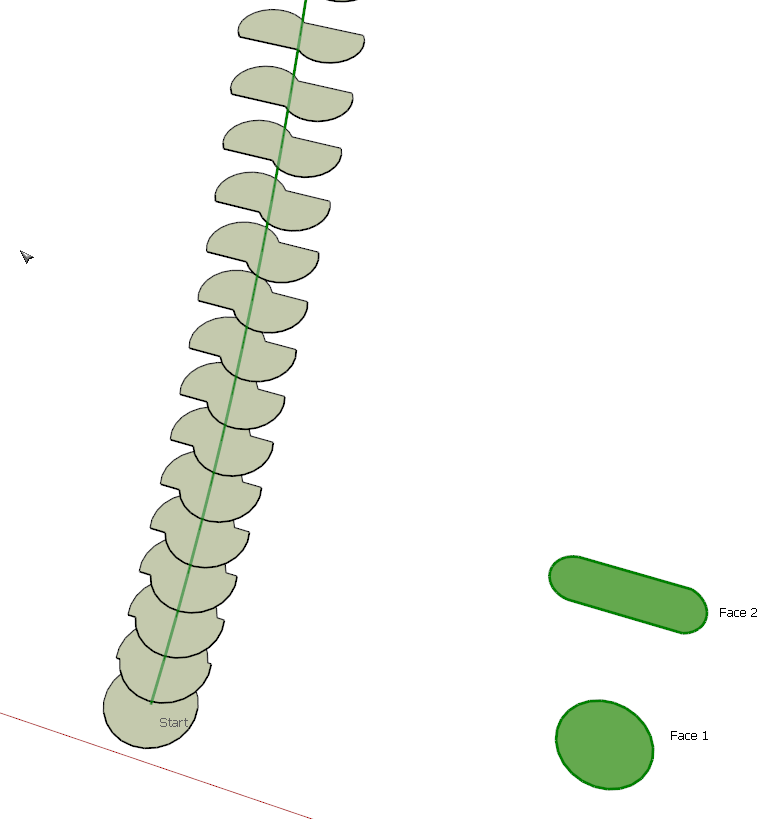
Interesting, Kirill. The first try gave me this result. I would expect a smoother transition from the circle to the lozenge shape. Any suggestions on a way to make the transition correctly?
-
@dave r said:
Interesting, Kirill. The first try gave me this result. I would expect a smoother transition from the circle to the lozenge shape. Any suggestions on a way to make the transition correctly?
Yes you can use 2 command buttons within '2 Faces + Path' section of web-dialog:
- Flip face normal
- Rotate face to dock vertices with other face
It is also possible to fix the situation after 'pathface entity' generation: you can rotate any of two faces manually and refresh 'pathface entity'.
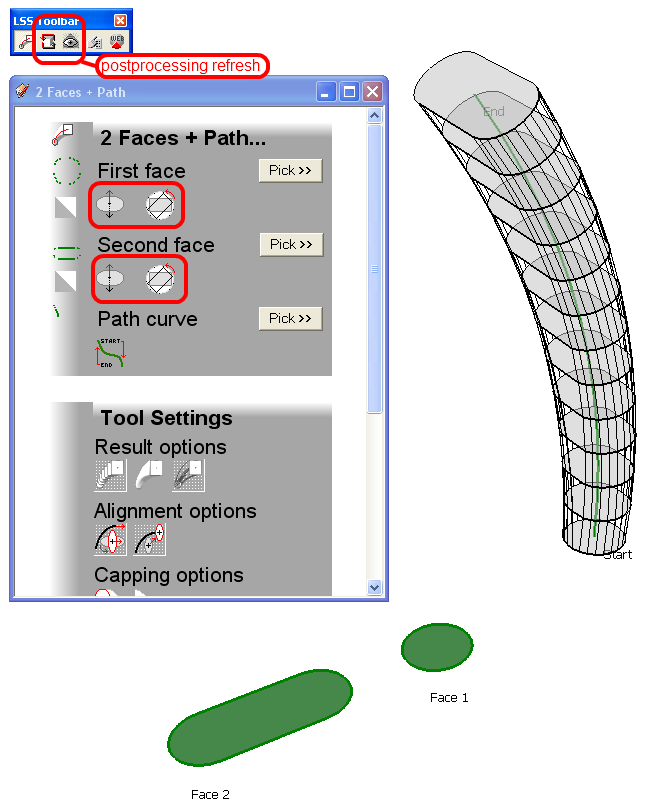
I promise, that I'll write some manuals after 'LSS Toolbar' functionality update completion.
-
looks and sounds good.
been waiting for the new LSS Toolbar.
thank you kirill.




Hello! It looks like you're interested in this conversation, but you don't have an account yet.
Getting fed up of having to scroll through the same posts each visit? When you register for an account, you'll always come back to exactly where you were before, and choose to be notified of new replies (either via email, or push notification). You'll also be able to save bookmarks and upvote posts to show your appreciation to other community members.
With your input, this post could be even better 💗
Register Login


Advertisement