sketchucation logo sketchucation
    • Login
    Oops, your profile's looking a bit empty! To help us tailor your experience, please fill in key details like your SketchUp version, skill level, operating system, and more. Update and save your info on your profile page today!
    ⚠️ Important | Libfredo 15.8b introduces important bugfixes for Fredo's Extensions Update

    Texture/Picture Slippage

    Scheduled Pinned Locked Moved SketchUp Discussions
    sketchup
    15 Posts 5 Posters 544 Views 5 Watching
    Loading More Posts
    • Oldest to Newest
    • Newest to Oldest
    • Most Votes
    Reply
    • Reply as topic
    Log in to reply
    This topic has been deleted. Only users with topic management privileges can see it.
    • TIGT Offline
      TIG Moderator
      last edited by

      Are these images 'real size' ?
      Very small or very large images might distort...
      Have you tried adjusting the Preferences > OpenGL settings to see if it improves the display ?

      TIG

      1 Reply Last reply Reply Quote 0
      • thomthomT Offline
        thomthom
        last edited by

        Never seen that. Does it happen if you disable Hardware Acceleration?

        Thomas Thomassen β€” SketchUp Monkey & Coding addict
        List of my plugins and link to the CookieWare fund

        1 Reply Last reply Reply Quote 0
        • MarianM Offline
          Marian
          last edited by

          @tig said:

          Are these images 'real size' ?
          Very small or very large images might distort...
          Have you tried adjusting the Preferences > OpenGL settings to see if it improves the display ?

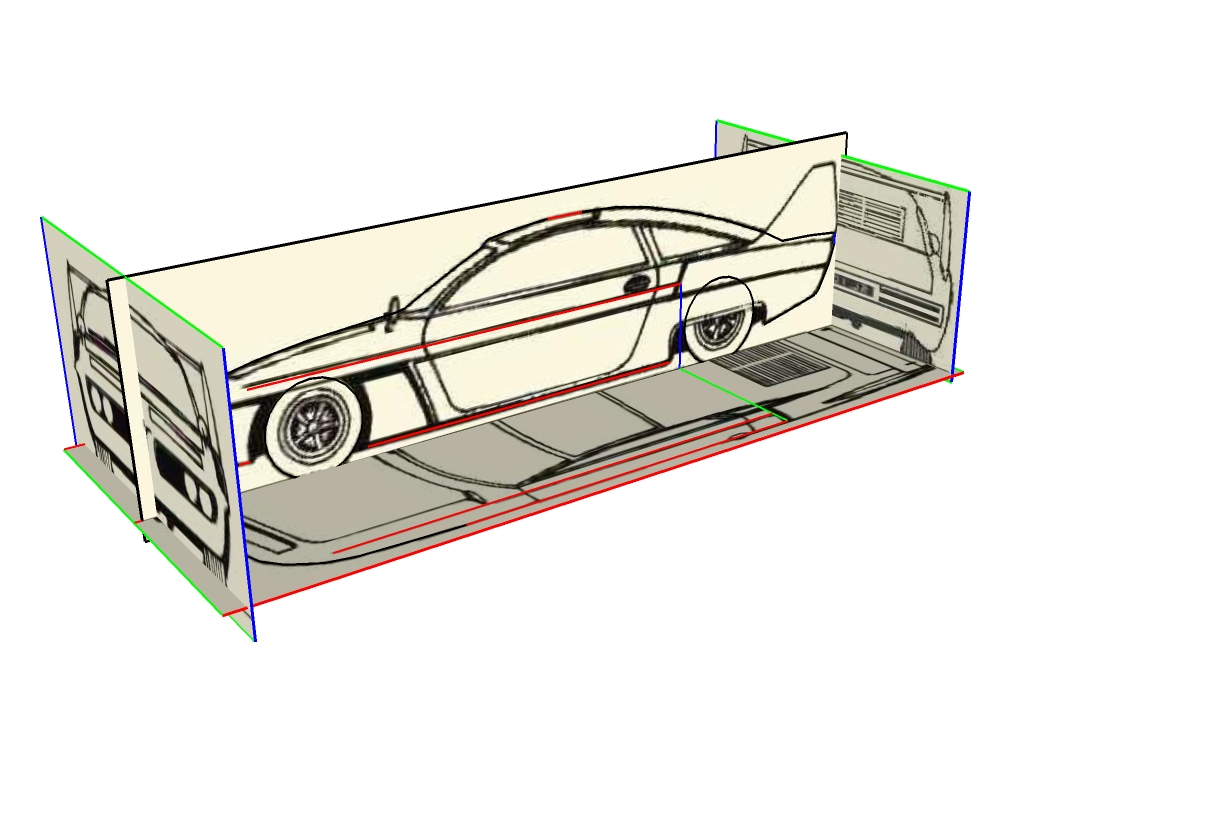
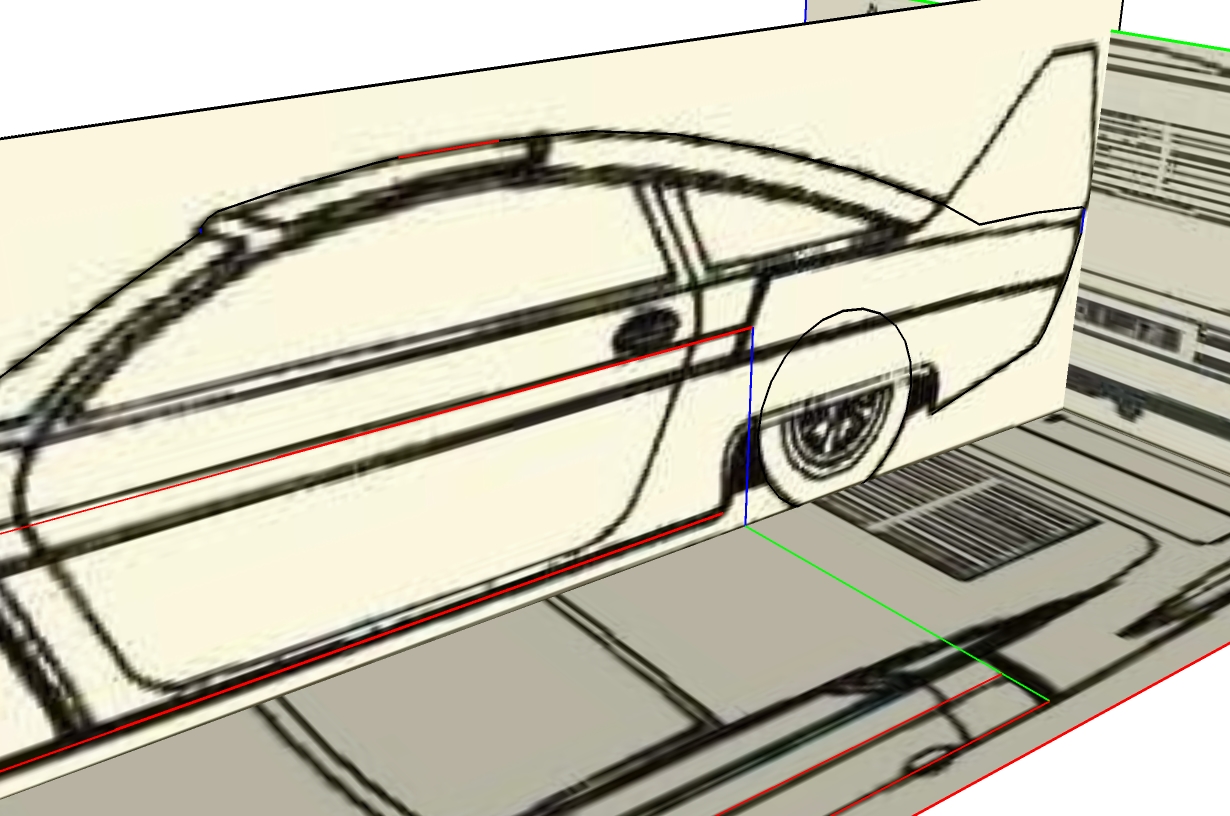
          Yeah they are mostly ,+/- a little scale, the same size at which SU imported them and the length of the picture 6m+.

          @thomthom said:

          Never seen that. Does it happen if you disable Hardware Acceleration?

          Ok so I tried the settings, If I disable hardware accelaration the image dispappears instead of deforming but I now checked "use maximum texture size" and seems to be ok however much I zoom.

          Thanks TIG, didn't think that would solve it.

          http://marian87.deviantart.com/

          1 Reply Last reply Reply Quote 0
          • thomthomT Offline
            thomthom
            last edited by

            Sounds like a graphic card issue. Drivers up to date? What card do you have?

            Thomas Thomassen β€” SketchUp Monkey & Coding addict
            List of my plugins and link to the CookieWare fund

            1 Reply Last reply Reply Quote 0
            • MarianM Offline
              Marian
              last edited by

              @thomthom said:

              Sounds like a graphic card issue. Drivers up to date? What card do you have?

              I have a 4 year old ATI x1550 and did install the latest driver but even that seems to bee little old. I also have an issue with Simlab Composer now after I installed the drivers. The preview of the hdri image is all jumbled up but used to work just fine before. I posted that on their forum no solution as of yet.

              I think it's I time I consider buying a new card but really good ones are expensive and not sure if they are compatible with my motherboard.

              http://marian87.deviantart.com/

              1 Reply Last reply Reply Quote 0
              • MarianM Offline
                Marian
                last edited by

                The problem is back even with the maximum texture size checked 😞

                http://marian87.deviantart.com/

                1 Reply Last reply Reply Quote 0
                • thomthomT Offline
                  thomthom
                  last edited by

                  Can you post the model? So we can test on our system?

                  Thomas Thomassen β€” SketchUp Monkey & Coding addict
                  List of my plugins and link to the CookieWare fund

                  1 Reply Last reply Reply Quote 0
                  • MarianM Offline
                    Marian
                    last edited by

                    Sure here it is.
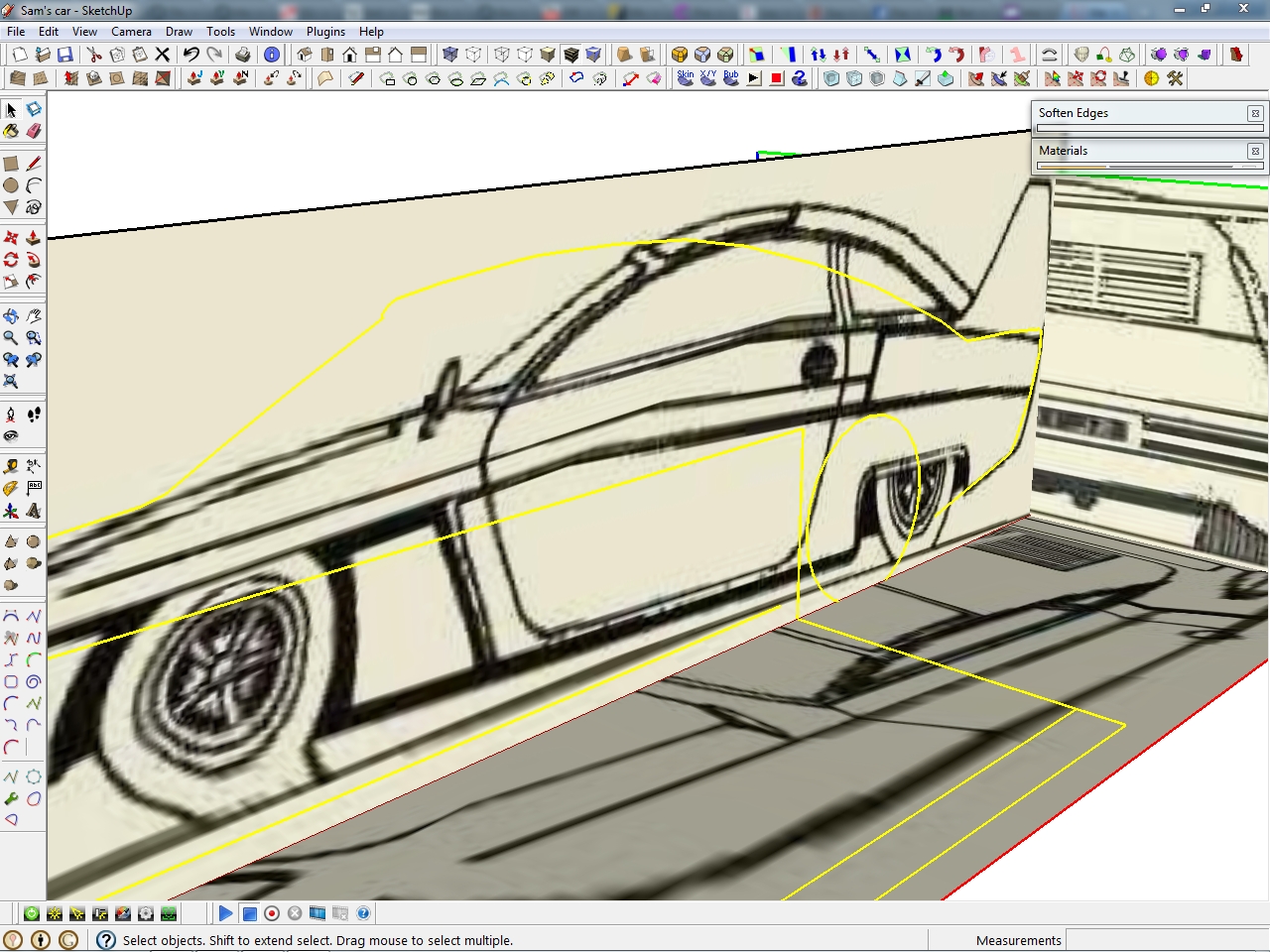
                    Another odd behaviour I observed is that when I select the textured surfaces the deforming goes away, but after I select something else bang there it is. πŸ˜›


                    Sam Loovers saloon.skp

                    http://marian87.deviantart.com/

                    1 Reply Last reply Reply Quote 0
                    • Rich O BrienR Offline
                      Rich O Brien Moderator
                      last edited by

                      I didn't experience any slippage when zooming/orbitting or changing perspective

                      Download the free D'oh Book for SketchUp πŸ“–

                      1 Reply Last reply Reply Quote 0
                      • TIGT Offline
                        TIG Moderator
                        last edited by

                        No issues for me.

                        TIG

                        1 Reply Last reply Reply Quote 0
                        • thomthomT Offline
                          thomthom
                          last edited by

                          @unknownuser said:

                          I didn't experience any slippage when zooming/orbitting or changing perspective

                          Nor do I.
                          This is a graphic card/driver issue.

                          Thomas Thomassen β€” SketchUp Monkey & Coding addict
                          List of my plugins and link to the CookieWare fund

                          1 Reply Last reply Reply Quote 0
                          • MarianM Offline
                            Marian
                            last edited by

                            Drat.

                            http://marian87.deviantart.com/

                            1 Reply Last reply Reply Quote 0
                            • brodieB Offline
                              brodie
                              last edited by

                              I don't have a fix for you but I have encountered that before although it's quite rare. I don't believe I found a solution. I know I tried exploding the component it was in and that sort of thing but I think sometimes it helped and sometimes not. Fortunately for me it wasn't crucial that the texture didn't move.

                              -Brodie

                              steelblue http://www.steelbluellc.com

                              1 Reply Last reply Reply Quote 0
                              • MarianM Offline
                                Marian
                                last edited by

                                Yeah it's an on and off problem. If I go and check uncheck stuff in preferences it works a while than it appears again.


                                http://marian87.deviantart.com/

                                1 Reply Last reply Reply Quote 0
                                • 1 / 1
                                • First post
                                  Last post
                                Buy SketchPlus
                                Buy SUbD
                                Buy WrapR
                                Buy eBook
                                Buy Modelur
                                Buy Vertex Tools
                                Buy SketchCuisine
                                Buy FormFonts

                                Advertisement