Adding Stone window detail
-
How much do you want those profiles be detailed, Lee? (You could obviously detail it extremely but that could be an overkill).
I used single edges then tube along pipe plugin with a simple square diagonally placed on some windows I made. If it is not a close-up, it is fairly good result like this one:
(click on the pic to get to the WH model) -
I am just trying to do some renders of my local, I took some photographs this morning and am just working on the nave at the moment. Your method may work very well. Need to have a play though - not used the tube along pipe plugin ...... yet! Will download it now.
Attached is one of the windows I am trying to re-create ...
Thanks Gai.

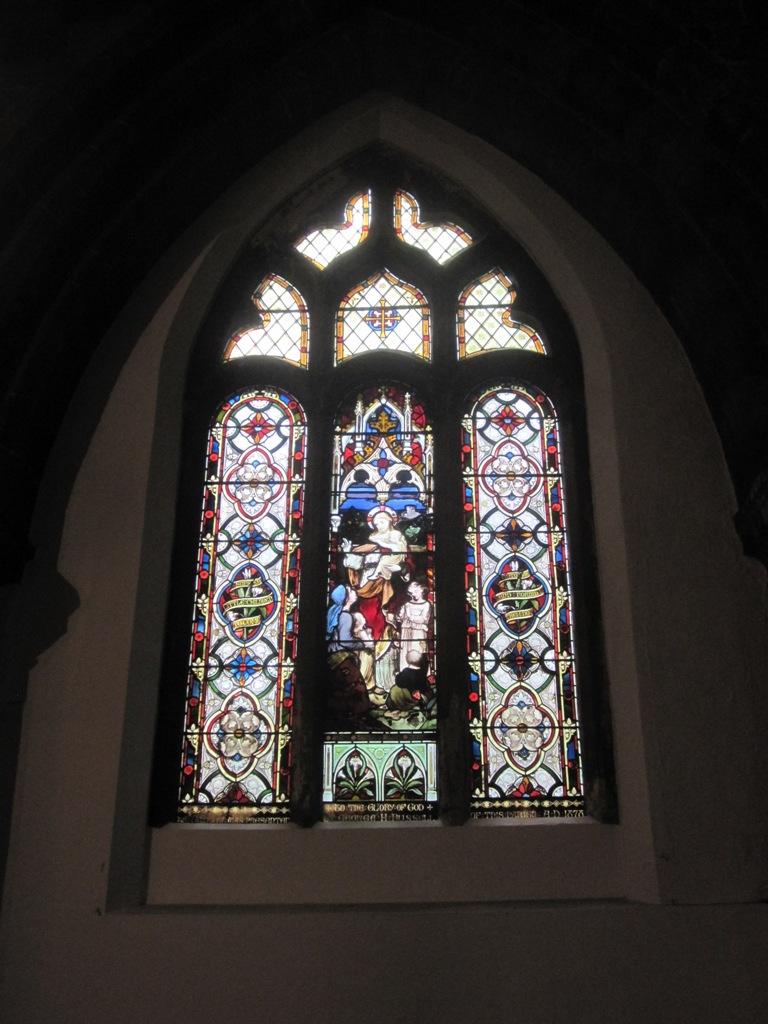
-
P.s. Is this the plugin?
-
It's not too difficult to detail a Gothic window, I did this one years ago with nothing more than the arc tool and follow me:
You could also use the bezier plugin to have more curve options. The only other pointer I could remind you of is to make sure you build your model at 10x or more scale, when the curves intersect at the various points it can leave a lot of holes or SU won't want to intersect the small faces if modeled life size.
-
-
Thanks, chaps. My brother is a stained glass window restorer so would really love to nail the techniques involved. I think I'm making the whole window thing more complicated than it needs to be. Will give it another crack tomorrow with a fresh head.
-
For anyone finding this thread in the future, I created my window(s) by using lines, arcs, follow me and intersection with model. Easy really, if a little bit of a ballache.

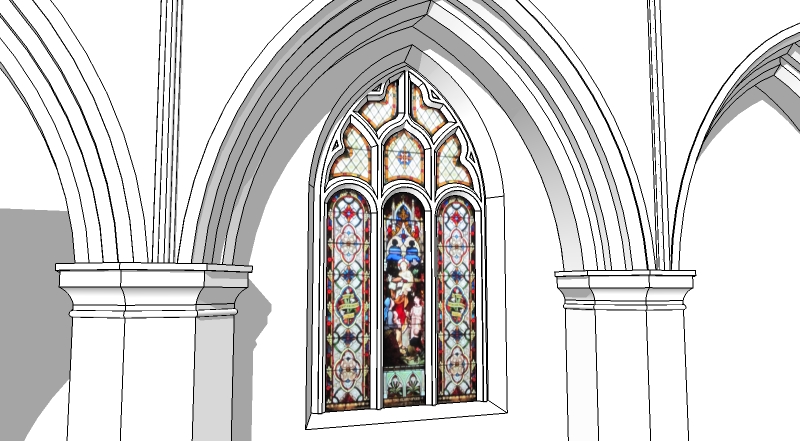
-
Very nicely done. Thanks for showing what you came up with!
-
Thanks, EA.
Attached are a couple of basic renders showing the window. Turned out OK I think.
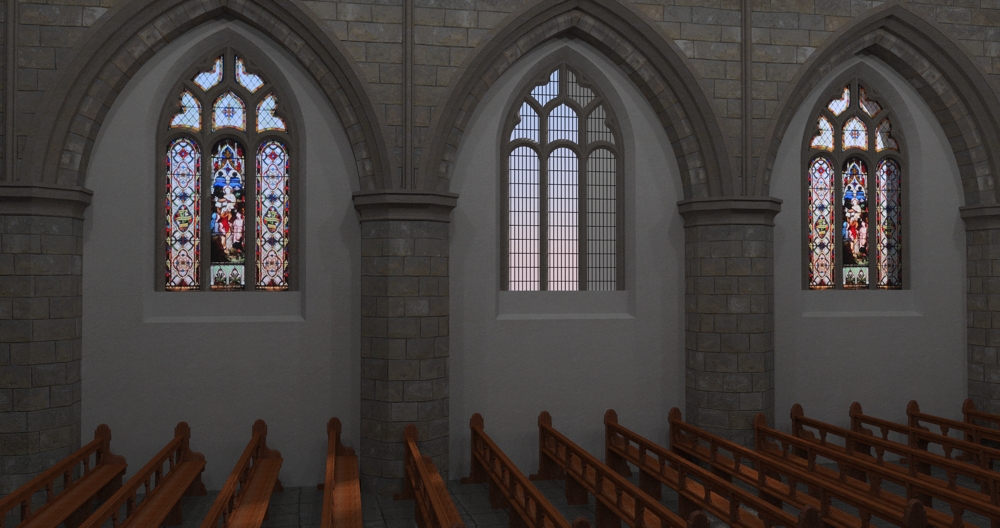
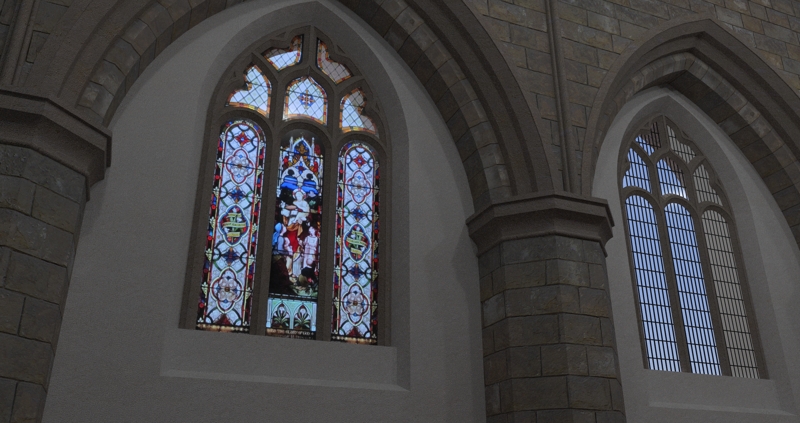
-
Nice detail!
I don't know what you rendered it it, but it would look great with some sunlight coming in and falling on the floor.
-
You have also Lattice-zicer by TIG
or City Street Generator + Clean up by Thomthom
Make face for the big internal facetsand this method
"Multiple Face Offset" By Remus

Windowizer(3 free or 4) By Rick Wilson @Smustard
Selection Only faces by Selection Toys by Thomthom

Invert Selection by TIG -
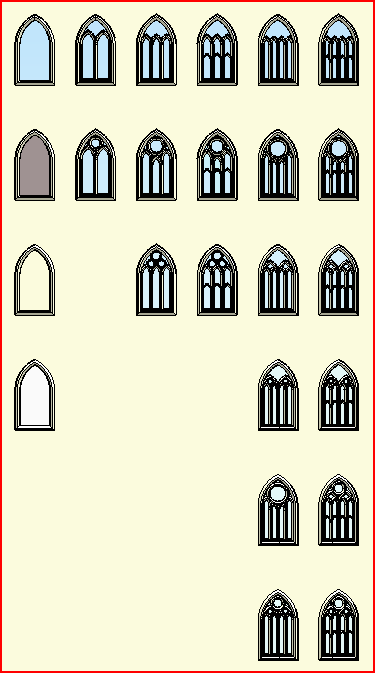
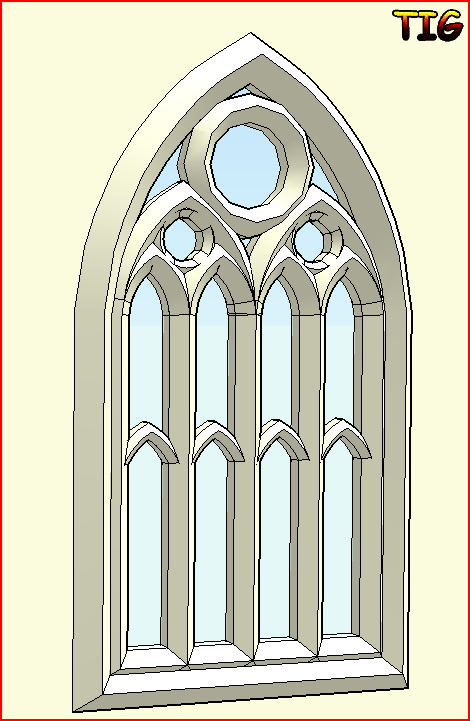
And of course there is a 'GothicWidow' Ruby - but as I helped a Masters student co-write it it's not in the public-domain... Here are all of the permutations you can set for a customized size/arch-spring/pattern etc
-
Thanks

-
Your welcome!
[Just one of my many talents that are still hidden under that proverbial bushel ]
] -
Those look very much like the ones I made with the tube along path plugin (at least the composition and the cross section - as well as the "joins" where the certain pieces still need some care and intersecting).
-
Same idea, it's just all automated from a dialog where you input values for the various dims, arch-type etc.
It needs so manual tidying after creation as that part can be awkward 'in code'...
Here's a tidied, hidden-line version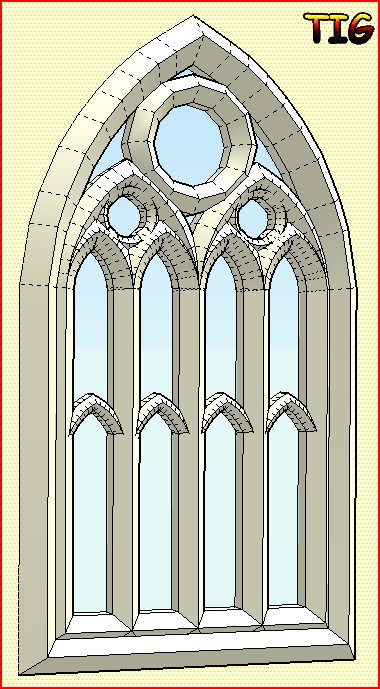
-
Wow, that would have done the trick, TIG!

-
Unfortunately it's subject to a NDA...

-
I won't tell anyone....not even that asshole you hate
-
There was an essay here but maybe (s)he is hairless ?






Hello! It looks like you're interested in this conversation, but you don't have an account yet.
Getting fed up of having to scroll through the same posts each visit? When you register for an account, you'll always come back to exactly where you were before, and choose to be notified of new replies (either via email, or push notification). You'll also be able to save bookmarks and upvote posts to show your appreciation to other community members.
With your input, this post could be even better 💗
Register Login


Advertisement