How do I "cut in" a complex roof? [TUTORIAL]
-
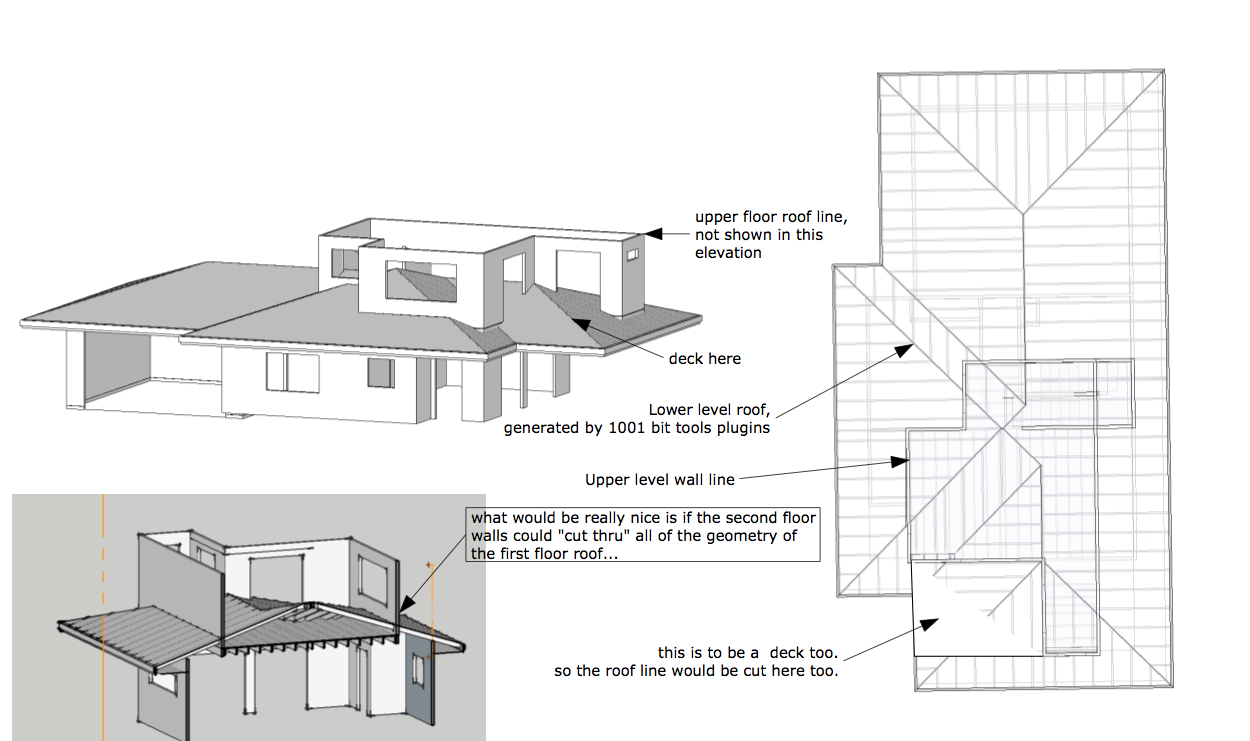
I built the lower level roof, using 1001 bit tools plug in, it works quite well.
But I now get to the sticky part of cutting in the second floor wall line into a multi dimensional geometry...
tried "explode the roof group" and do a intersection and erase the pieces unneeded...
that did not work too well, maybe some one has a rudy that would do this cut in function?
thanks
aloha
red
-
Curious that Intersect selected don't works?
Or Booltools plug if you don't want make the intersection by hands? -
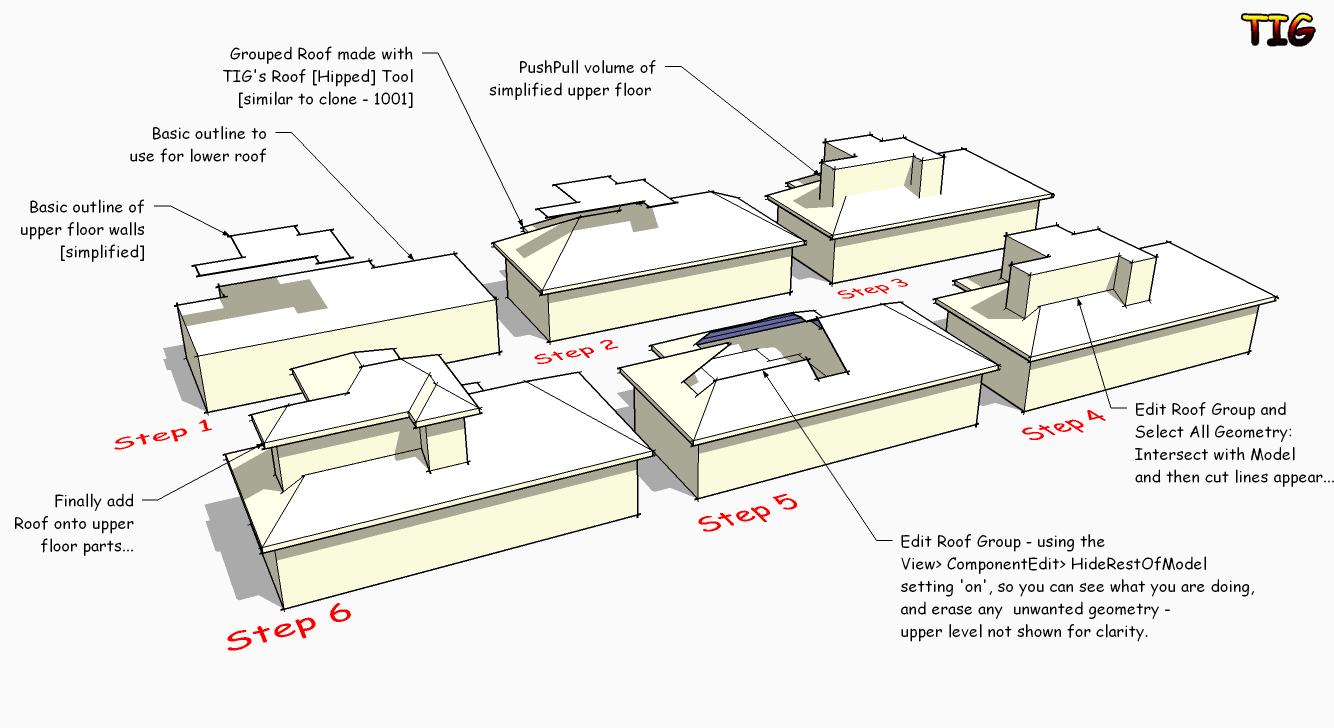
Instead of intersecting the roof with the wall you build on top over it. Create a temporary volume that matches the outer extents of your new structure.
You don't need/want all the intersection with all the faces of that wall structure.
-
Like this
-
that's the one, TIG.....

-
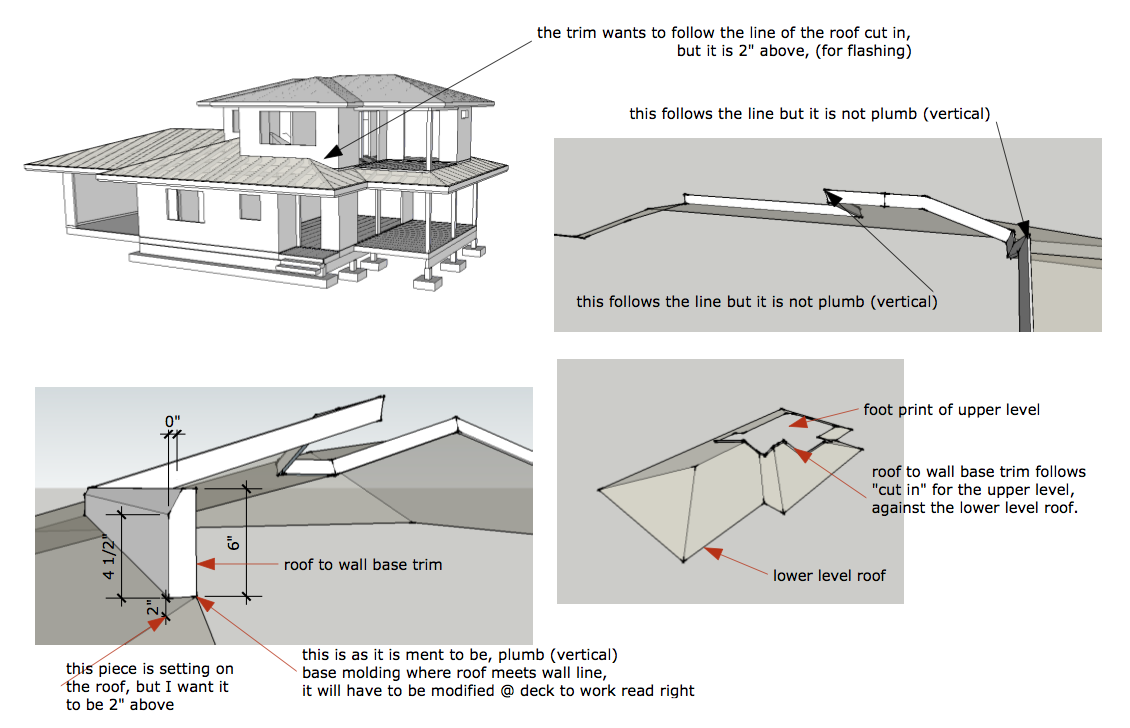 roof to wall trim question.pdfTig,
Like always, amazing,
thanks,
and where do I get your hip roof tool?
I checked Ruby Plugins Depot (the french site) and could not find it.
I got another issue though.
Now I gotta put trim on it!
Isn't there an enhanced follow me tool or a duct tool?
thanks again,
aloha
red -
Follow Me and Keep might do the trick...
-
To make a vertical flashing I'd select the edges of the hole and Edit > Copy them.
Exit the group-edit and Edit > PasteInPlace, make a group of the copied edges.
Now edit that group and select all of the edges, then use my EEbyVector tool to extrude them up in the Z by 6"/150mm or whatever - constrain in Z/blue by holding Shift key once the trail shows blue...
Sort out the faces' orientation and explode the temp EE-group...
We now have a vertical flashing...
We can PushPull its faces "outwards" say 1"/25mm to give thickness and avoid z-fighting - remember you PushPull once entering a dimension, then double-click thereafter - the amount is remembered.
If you must have a chamfered top edge then select those edges and Move them downwards , constrained in the Z/blue again, by 1"/25mm or whatever, using the Alt-key to auto-fold the top's corners...

-
Give this a try too.
A shortcut that worked for a simple test
I used TIG's roof tool which groups and made a profile cutout for the 2nd floor intersect and grouped same.
Then used BooTool Boolean subtract plugin for the cutout.
(just ignore the not a valid solid message) and ++++++Bingo.
No cleanup and ready for the next step.
dtr




Hello! It looks like you're interested in this conversation, but you don't have an account yet.
Getting fed up of having to scroll through the same posts each visit? When you register for an account, you'll always come back to exactly where you were before, and choose to be notified of new replies (either via email, or push notification). You'll also be able to save bookmarks and upvote posts to show your appreciation to other community members.
With your input, this post could be even better 💗
Register Login


Advertisement