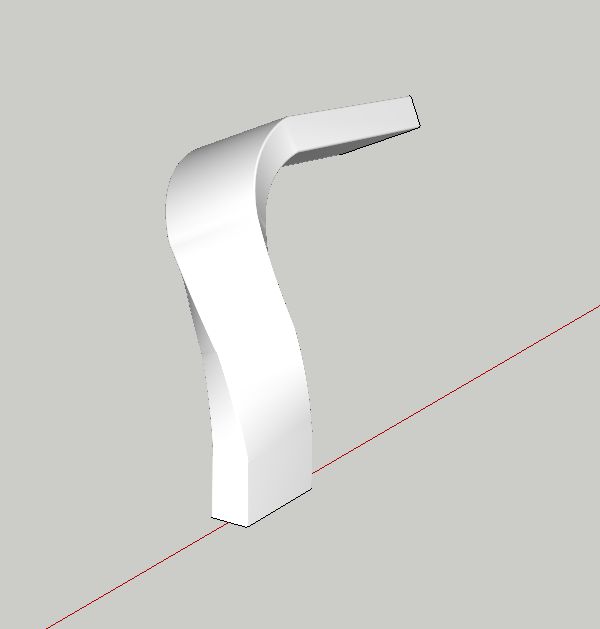
How to model this
-
thanks, i have tried it, but seems not to work.
will try some more.
thanks!
choppir
-
-
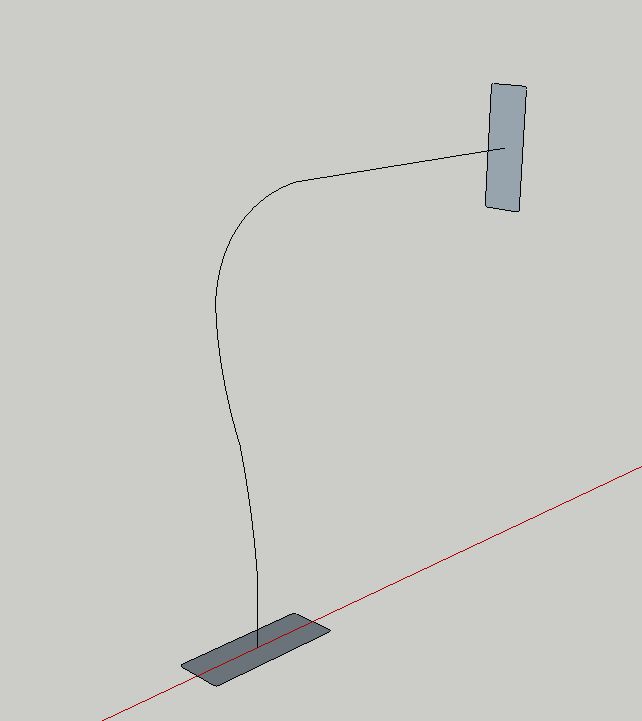
2 Faces + path. Weld the curve for smoother result. Use Perpendicular face tool to put faces perpendicular to the curve.
-
o my sack! you almost got it!
The end and start point should be exactly where it is drawn though...
will have to check how you did this.
Looking good man!
choppir
-
-
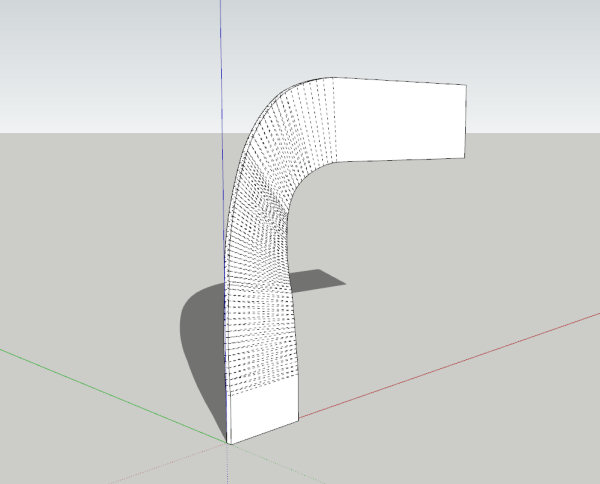
and Radial bend
-
pete, you're missing a 180 in there


-
awesome!!
cheers guys. brilliant! Jeff, that's exactly what i'm looking for.
thanx again!
choppir
-
i got it!
When i twist it, my base point moves to an angle:

but i have to twist 1st, then bend:

-
[edit --- you're missing a bend.. look at the orientation of the ends of the slats on the original picture you posted]
i twisted it 90deg first... then bent it 90deg and bent it again 90deg..

after this, you can use the scale tool to stretch/squish it and fit it into place.. you can also set fredoscale to do the smoothing for you as you go so you don't have all those lines showing up.
-
Did you subdivide that rectangular box before doing the fredo-scale operations?
-
@jwlyon1 said:
Did you subdivide that rectangular box before doing the fredo-scale operations?
nah, fredoscale divides it up for you.. you can select the amount of sections but for the most part, i keep it on auto.
-
Well Dang! I guess I really need to learn how to use FredoScale. Thanks!



Hello! It looks like you're interested in this conversation, but you don't have an account yet.
Getting fed up of having to scroll through the same posts each visit? When you register for an account, you'll always come back to exactly where you were before, and choose to be notified of new replies (either via email, or push notification). You'll also be able to save bookmarks and upvote posts to show your appreciation to other community members.
With your input, this post could be even better 💗
Register Login


Advertisement