sketchucation logo sketchucation
    • Login
    1. Home
    2. ryangarnett
    3. Posts
    ℹ️ Licensed Extensions | FredoBatch, ElevationProfile, FredoSketch, LayOps, MatSim and Pic2Shape will require license from Sept 1st More Info
    R
    Offline
    • Profile
    • Following 0
    • Followers 0
    • Topics 37
    • Posts 122
    • Groups 1

    Posts

    Recent Best Controversial
    • Paste Material on Multiple Faces in Groups

      Hello All,

      I am looking to apply a material to multiple selected faces that are within a group. I would hope to be able to choose one material and be able to apply it to the selected faces only. Currently, I have to use the paint bucket to apply one-by-one and it applies to all the faces. Am I dreaming here?

      Thanks...
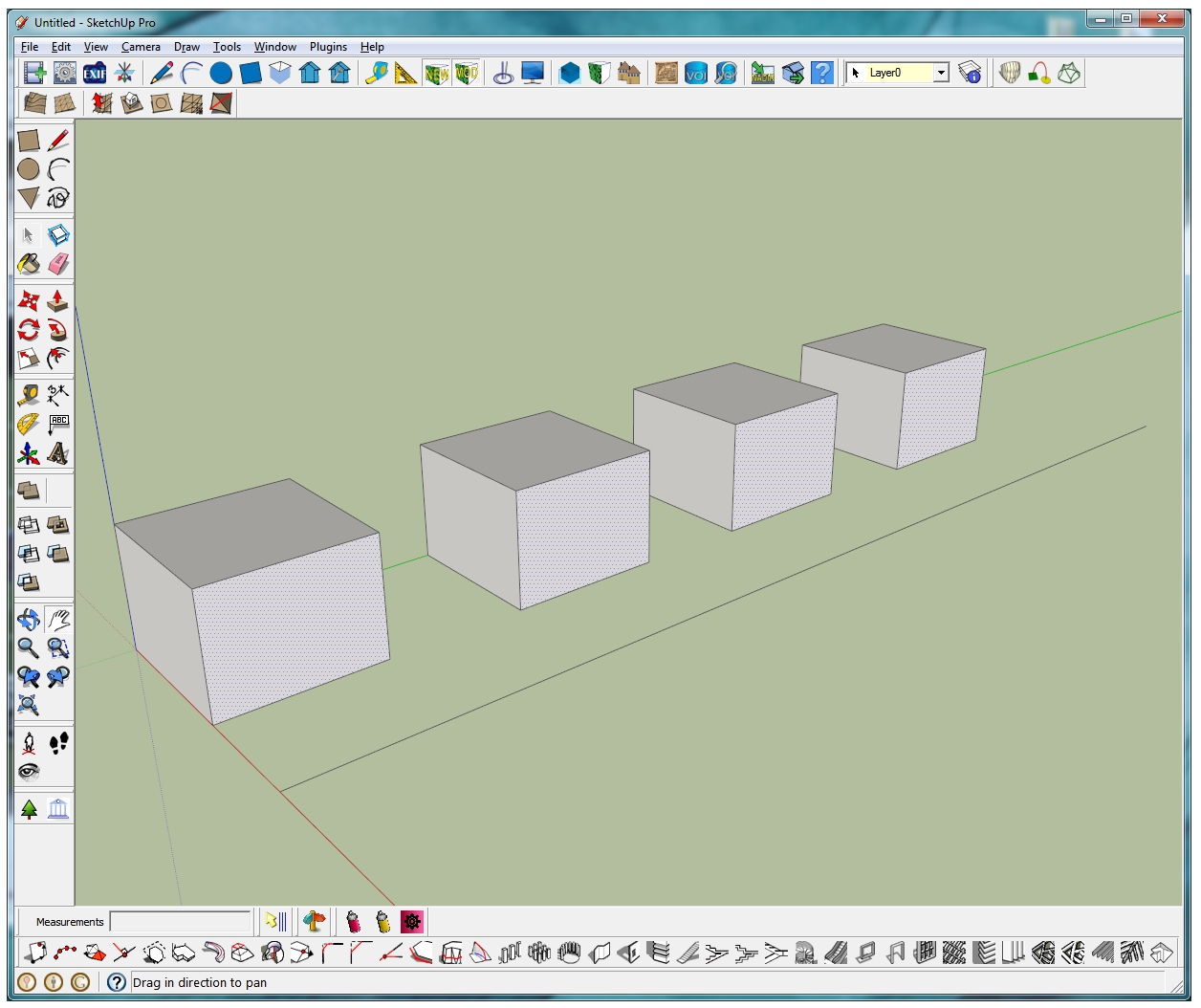

      Each cube is its own group.

      posted in SketchUp Discussions sketchup
      R
      ryangarnett
    • RE: Select all faces facing a road

      Thank you Mitch, I really can't thank you enough.

      posted in SketchUp Discussions
      R
      ryangarnett
    • RE: Select all faces facing a road

      Thank you. I was doing that with no results, but it was because my buildings are Groups. I suppose I will have to ungroup them in order to select the face?

      Thanks again.

      posted in SketchUp Discussions
      R
      ryangarnett
    • RE: Select all faces facing a road

      Did you run this from the Ruby Console? I haven't run scripts within SU before, so this may be a really dumb question.

      posted in SketchUp Discussions
      R
      ryangarnett
    • RE: Select all faces facing a road

      Thats awesome. Thank you. I am going to test this.

      Thanks again.

      posted in SketchUp Discussions
      R
      ryangarnett
    • Multiple Texture Layers on a Single Face

      Hello All,

      This may be a dumb question, so excuse me if it is, but is there a way to add multiple textures to a single face? Layering textures? My example would be if I want to have a brick texture as a background, but would also like to add features such as a door or window. I was thinking of making a texture that had a door and two windows and saving it as a PNG to have transparency, but this over rides the background brick texture. I know I would add the door or window as its own face, or I could make a texture that had the bricks, door and windows all together, but I am looking at setting up a generic texture library for urban modelling. Having a static texture would be limiting in my situation. Any help would be great.

      Thanks...

      posted in SketchUp Discussions sketchup
      R
      ryangarnett
    • Select all faces facing a road

      Hello All,

      I was wondering if there is a way, or a plugin, that will select all faces that face a road. For example, if I have a series of rowhouses that face a road, is there a way to just select the road facing faces? I would be ok with drawing a temporary line that would represent the road, if that is needed for the selection process. I have attached an image of the sample rowhouses and the road orientation.

      Thanks...


      RowHouses.jpg

      posted in SketchUp Discussions sketchup
      R
      ryangarnett
    • RE: SCF PowerToolbar - Component Spray

      Thank you TIG. Prior to installing I made a backup of my original plugin folder. I have since uninstalled the plugins and deleted that folder, re-instating the original plugin folder. I have downloaded the Component Spray plugin as suggested in an earlier post and all works great.

      Thanks for all your help.

      posted in Plugins
      R
      ryangarnett
    • RE: Component Spray Issue

      Thank you TIG for your help. I was using the SCF Powerbar (I am not sure of the exact version, but it was listed as the most recent). I have downloaded the Component Spray v 1.4.3 and it works great. Thanks again.

      posted in SketchUp Discussions
      R
      ryangarnett
    • Component Spray Issue

      Hello All,

      I have downloaded the SCF Power Toolbar with the new version of Component Spray for SU version 8. When I try to use the tool, as shown on the video, the tool does not seem to work. In the video the message dialog in the lower left identifies what is to be done (ie: center of cirle and radius). But when I use it this option does not come up, it remains on the Selector arrow. I must be doing something wrong.

      Any help would be appreciated.

      Thanks...

      posted in SketchUp Discussions sketchup
      R
      ryangarnett
    • SCF PowerToolbar - Component Spray

      Hello All,

      I have downloaded and installed the SCF Power Toolbar plugin. I would like to use the tool to spray trees on my terrain. I have a terrain imported from CAD contours with an air photo draped on top. I can not seem to make the Spray tool to work. I have watched and followed the video in YouTube, but with no success. When I spray, there is nothing, the tool is still the pointer. Any help in the process or what I am doing wrong would be great.

      Thanks...

      posted in Plugins
      R
      ryangarnett
    • WalkAbout3D Joystick

      Hello All,

      I have purchased WalkAbout3D in order to generate published SketchUp models. As apart of this I would like to be able to use a joystick to navigate around the model. I have read on the WalkAbout3D webpage that you can configure the application to use window compatible game controllers. Has anyone successfully done this? If so, can you tell me what configurations was needed and which controller you are using.

      Thanks...

      posted in SketchUp Discussions sketchup
      R
      ryangarnett
    • RE: Disperse trees on terrain

      GAO I just saw that version last nite. I am going to give it a try. The video look really promising. Thanks!

      posted in SketchUp Discussions
      R
      ryangarnett
    • RE: Disperse trees on terrain

      Is it available for version 8? I have installed the version 7 copy, but it is not working.

      posted in SketchUp Discussions
      R
      ryangarnett
    • RE: Disperse trees on terrain

      That might work.

      Thank you....

      posted in SketchUp Discussions
      R
      ryangarnett
    • Disperse trees on terrain

      Hello All,

      Does anyone know of a plugin or method to disperse trees over a terrain file? I have build a terrain (from contours) and I would like to add trees to the area. I am using the RP TreeMaker plugin for the trees. I would like to be able to make a tree and then disperse it X number of times over my terrain, ensuring the tree is stamped to the terrain. And I would rather not have to do it by hand, tree by tree.

      Thanks...

      posted in SketchUp Discussions sketchup
      R
      ryangarnett
    • RE: Colourizing a material

      Thanks Guys. I knew about the external editor. Within other 3D packages you can do a layering effect, similar to the old encyclopaedias that had the human body as a see-through layer. So you would have a material (brick), then you could add a new layer as a colour (purple) and set the transparency. This would allow you to use one material texture, but have an endless colour variation.

      Thanks for the help...

      posted in SketchUp Discussions
      R
      ryangarnett
    • Colourizing a material

      Hi All,

      This may be a dumb question, but is there a way to place a material (ie: metal or brick) and them paste a colour over it, to have the texture roughness of the material, but have a range of different colours?

      Thanks....

      posted in SketchUp Discussions sketchup
      R
      ryangarnett
    • RE: Sub Groups in Layers

      Thank you Dave, that is really good advice. This is somewhat similar to Creator, but a little different in the means of making the group and sub group. Your advice is very good. I have been doing most of this, but I didn't know I could wrap it all together to make the nested version.

      Thanks again...

      posted in SketchUp Discussions
      R
      ryangarnett
    • RE: Sub Groups in Layers

      Thank you Dave, that is exactly what I was thinking. I wanted it for visual purposes. I was not aware there was a nested layers, as this was the reason for my question. I am more comfortable modeling in Creator, which has s grouping system, as it is built on a hierarchy approach, which is accessible to the user.

      Thanks for the help, I will look into this.

      posted in SketchUp Discussions
      R
      ryangarnett
    • 1
    • 2
    • 3
    • 4
    • 5
    • 6
    • 7
    • 5 / 7