sketchucation logo sketchucation
    • Login
    1. Home
    2. Ross Macintosh
    3. Posts
    Oops, your profile's looking a bit empty! To help us tailor your experience, please fill in key details like your SketchUp version, skill level, operating system, and more. Update and save your info on your profile page today!
    Urasik Extensions | Lots of new extensions to check out Learn More
    R
    Offline
    • Profile
    • Following 0
    • Followers 0
    • Topics 77
    • Posts 1,018
    • Groups 1

    Posts

    Recent Best Controversial
    • RE: The long hallway.

      @roger said:

      I used drafting pends and pennies taped under plastic triangles so the ink did not run underneath.

      That brings back memories! I now work in an office where I'm the oldest employee. (I'm 46). Most of our small staff are under 30 and have no pre-computer experience. The guy who sits next to me is 23. I keep thinking I should bring in my old renderings and even just pencil drafted stuff to let them see how the non-computer stuff communicated.

      Regards, Ross

      posted in Gallery
      R
      Ross Macintosh
    • RE: First real project...that I want to improve... (updated)!!!

      Beautiful model Rick. It is yummy. I devour it with my eyes.

      With regards to your question -- are you handy with photoshop or other editors? You could do exactly as you've done plus make a version with the vegetation. Then export a colour image with just the vegetation - having turned off a layer with the building. Take that vegetation only image and process it it in Photoshop or the editor of your choice. You could make it greyscale or process with filters etc. Then merge that with your original house image. Am I making any sense? I hope so.

      Regards, Ross

      posted in Gallery
      R
      Ross Macintosh
    • RE: Colored pencil style - Church project

      Great use of the 'Sketcher' plugin Allan. I've long been a fan of that plugin. You are right about some of the presets being "too chaotic" -- I know exactly what you mean. However one thing to know about them is some that seem too chaotic can actually be useful if you apply to a higher resolution image. All of the sketcher effects are very resolution dependent. It actually allows you to get different effects just by using original images with ddifferent resolutions. Another tip if you are using transparencies to merge sketcher results with other images -- is that before running sketcher on a copy you can blast up the brightness or levels so the sketcher effects are applied only to the darker parts of your original image. (This stuff is hard to describe -- I wish we could get together and discuss technique over a computer and a case of beer).

      Regards, Ross

      posted in Gallery
      R
      Ross Macintosh
    • RE: You like?

      Solo - If you are chatting with Andrew again be sure to suggest that a collection of less tropical species (such as pines, spruce, aspen, cherry, oak, poplar, maples etc) would be popular.

      Your render is sweet. πŸ€“

      posted in Gallery
      R
      Ross Macintosh
    • RE: Southern Members... Ya'll OK?

      Sorry but what happened?

      posted in Corner Bar
      R
      Ross Macintosh
    • RE: Flak 88 mm rederings

      Although I'm not "into" weapons I can clearly see the mechanistic beauty in this big gun and the way it has been lovingly modelled with such attention to detail. I'm sure the fact that this model appeals to me is largely because of Tomislav's keen eye for composition that highlights the pure form of the machine. I see it like the Precisionism paintings of the early 20th Century, where previously unseen beauty was found in machines and industrial artifacts.

      Thanks Tomislav.

      Regards, Ross

      posted in Gallery
      R
      Ross Macintosh
    • RE: Loose sketchy renders...

      Thanks James!
      Of course Gregory's design is what makes the images interesting. On of the minor challenges of using styles is matching the appropriate one with the model and its particular level of detail. Greg's model has lots of detail that seems well suited to seeing it rendered like a pencil sketch. The particular style produces rather soft lines as seen in the monochrome images --- when those soft lines 'bunch' up the don't really become the strong visual blobs that are common problem in many styles.

      Regards, Ross

      posted in Gallery
      R
      Ross Macintosh
    • RE: Loose sketchy renders...

      And here's some zooms...lamidesign-with-ff-graphite-zoom.jpglamidesign-colour-manipulated-by-RM-zoom.jpg

      posted in Gallery
      R
      Ross Macintosh
    • Loose sketchy renders...

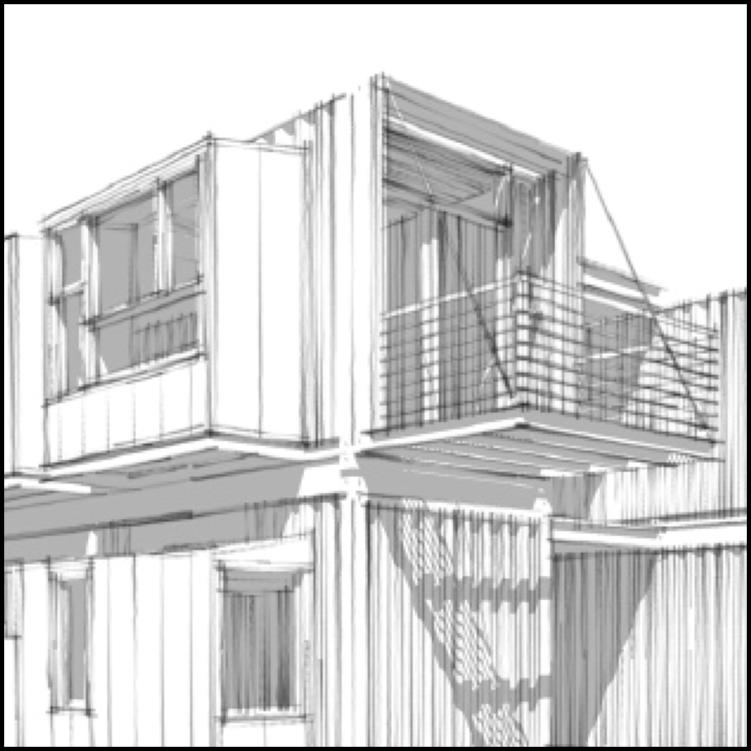
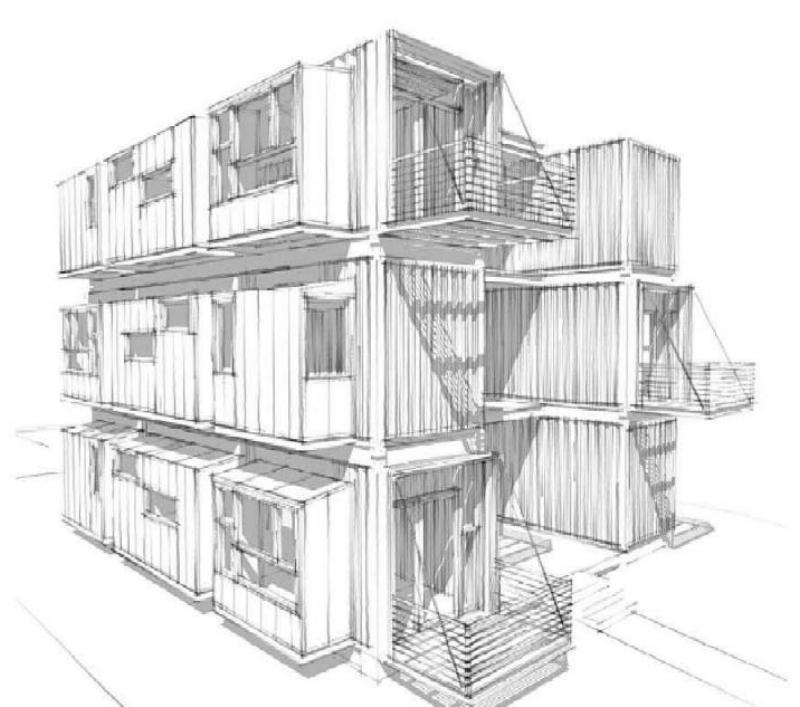
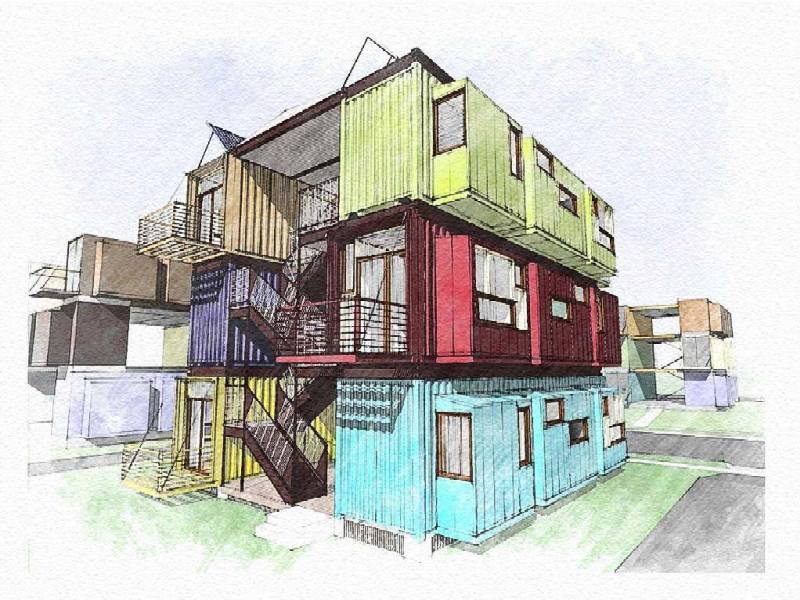
      Some of you may know Gregory La Vardera. He is an architect in New Jersey who was an early adopter of SketchUp. He used to participate in the early days of the old @Last SketchUp Forums. These days he uses SketchUp to communicate designs for his modern house-plans website.

      I attach images of one of Greg's designs that uses modified shipping containers as housing. The images feature the style called 'Soft Graphite Sketch' that I developed for FormFonts. I think Greg's design shows off his considerable design skill plus shows off my style to good effect. The grey-scale image is pure SketchUp output. The colour image is one of Greg's exported images that I manipulated. His image used the 'Soft Graphite Sketch' style with flat colours applied to the model. I used Xara Xtreme vector illustration to modify it to give the colour a more sketchy appearance. The manipulations resulted in the sketchy lines looking more inked than graphite.

      I hope you like them...

      Regards, Ross
      lamidesign-with-ff-graphite.jpglamidesign-colour-manipulated-by-RM.jpg

      posted in Gallery
      R
      Ross Macintosh
    • RE: Vray and Podium Render

      nomeradona - I'm gobsmacked! That's some really tasty work. Thanks for sharing and for making the 'bloom' concept easier to understand.

      Regards, A Fan

      posted in Gallery
      R
      Ross Macintosh
    • RE: Caution

      I suppose I should mention that the middle image did have some post-processing to add in the fog effect.

      Regarding Kerkythea and Podium: As you may know Podium uses the Kerkythea rendering engine, adding an easier to use interface that works inside of SketchUp as a plugin. What is less known is that if you have both programs, you can use your favorite pre-sets from Kerkythea with v1.5 of Podium. Just copy over the .xlm presets from KT to your Podium installation. Where to put the copied files should be pretty obvious. Then when using Podium 1.5 you'll find those KT pre-sets available for use in the dropdown pre-set selector in Podium. Most of them will work and for those who also use Kerkythea it can add more familiarity to the Podium experience.

      Regards, Ross

      posted in Gallery
      R
      Ross Macintosh
    • RE: Caution

      Yes even in the first one I was using a gray background colour rather than turning on the sky. To test the difference I rendered it with the sky turned on -- see the result below...

      http://www.sketchucation.com/forums/scf/sas/Gallery/ross/caution2.jpg

      In looking at both I think I prefer the first image. In general I have trouble with how blue images look when the sky is turned on.

      Regards, Ross

      posted in Gallery
      R
      Ross Macintosh
    • RE: Caution

      http://www.sketchucation.com/forums/scf/sas/Gallery/ross/vessel.jpg

      The vessel is sitting on the ground -- just has a recessed base for that floating look necessary to have it 'feel' like the vessel is actually holding the load.

      The idea of putting a gun in the scene is my little tribute to Alex Colville's painting called Pacific. He is one of my favorite artists and that is my favorite painting of his. Incidentally my mother has a table exactly like that. That painting inspired a scene in the film 'Heat' with actor Robert De Niro.

      Regards, Ross

      posted in Gallery
      R
      Ross Macintosh
    • Caution

      http://www.sketchucation.com/forums/scf/sas/Gallery/ross/caution.jpg

      This is a Podium render. I was playing around with the new bumpmap support that is included in Podium V1.5 and had assembled this scene from various components. The ground effect is a scratched metal texture scaled up large & has an associated bumpmap.

      Regards, Ross

      posted in Gallery
      R
      Ross Macintosh
    • RE: Podium Test

      It tells a story! That is hard to do.

      Excellent Boo!

      posted in Gallery
      R
      Ross Macintosh
    • RE: Kitchen - WIP

      Yes Alexander I can if you are up to a wee bit of a hack. As you may know Podium uses the Kerkythea rendering engine. If you have Kerkethea and Podium installed you will find you can copy the Kerkythea presets into the Podium presets. (You do that by finding the applicable locations in each program's files and doing some copy & paste actions). What you'll find is many of Kerkythea's presets will work in Podium. I give no guarantees -- some may do nothing or worse --> crash Podium. In any case "ambient occlusion" does work. It doesn't automatically do the 'clay' look as ambient Occlusion will render in colour. For the clay look, like in my above attachment, just leave all surfaces in your model white; turn off shadows; turn off 'sky' and set the background to grey (or a sepia colour) and then do the render. In Podium I'm using the 800x600 size plus max. quality and max. jaggy slider settings. I set the ceiling in the kitchen to be a light-emitting material in Podium by selecting the surface and adjusting the Podium light slider. For me the rendering took about 15 minutes max.

      The project is still very much a Work-in-progress. I attach a newer image rendered the same way. I've modelled the big Thermador fridge and a stacked high-end Miele coffee station (Dang I'd love to have one of those puppies) & a matched Miele convection/microwave. I still have lots to do on the cabinets.

      Regards, Ross
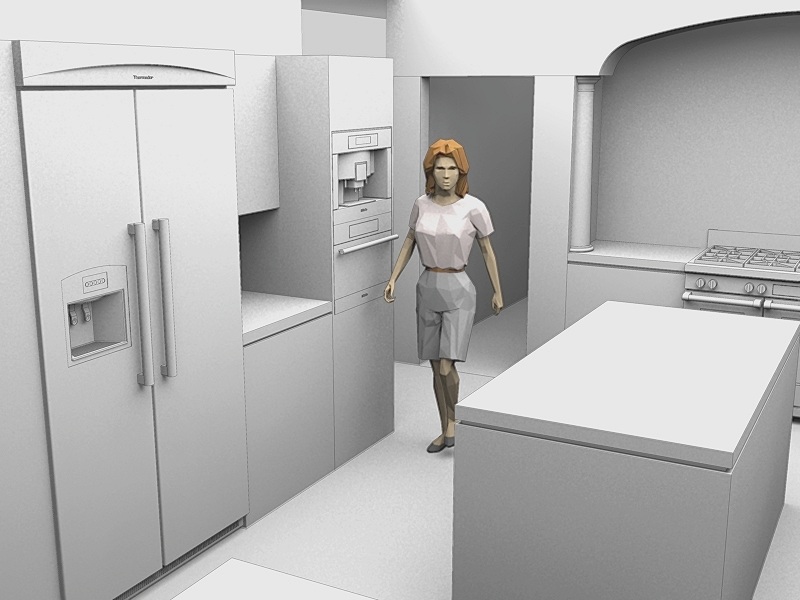

      by Ross Macintosh, All Rights Reserved

      posted in Gallery
      R
      Ross Macintosh
    • RE: I'm not new to sketch up, but i am to this site, so a...

      That's Dixie, our family's Westie. (Mike Lucey from these forums has a Westie too. His is named Jock). 😎

      posted in Newbie Forum
      R
      Ross Macintosh
    • RE: I'm not new to sketch up, but i am to this site, so a...

      Hi rawritspawel
      Welcome to the Forums! We look forward to your participation.

      Where are you from and what do you use sketchup for?

      Also note that you can edit your profile to include things like your location etc. The profiles can help establish that we are all real people. (Sometimes I wonder if some members really are real. πŸ˜• )

      Regards, Ross

      posted in Newbie Forum
      R
      Ross Macintosh
    • RE: Watercolor...

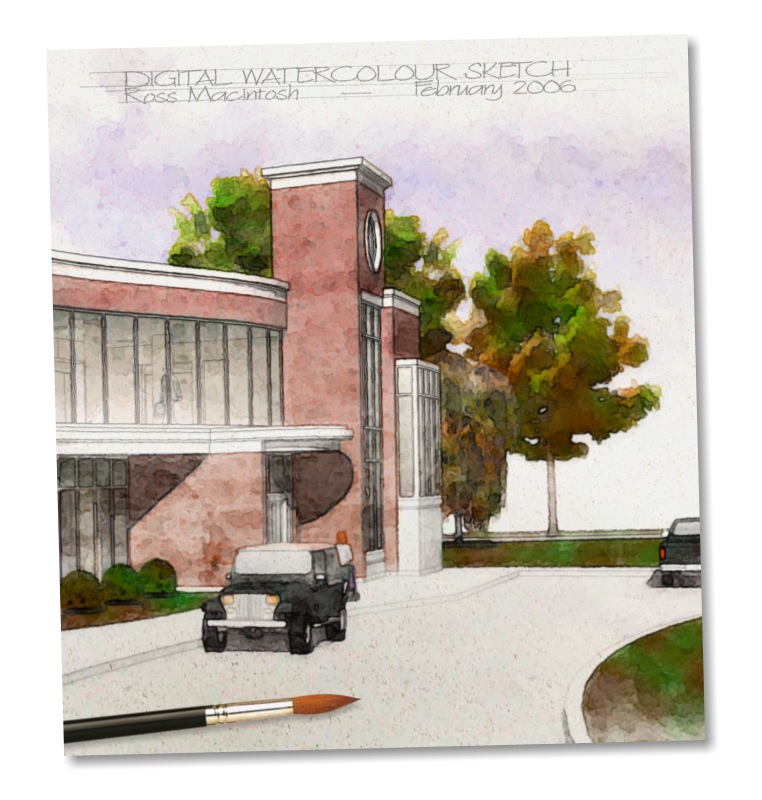
      Hi Bob! Great to see your digital watercolours. I think the area you should try developing more relates to linework. Right now the lines are detracting in my opinion. I think you'll see a big improvement in your technique if you do what you're doing now but start with a SketchUp export that has edges off. When you are satisfied with the watercolour look then you can overlay fine edge-work to add some definition. For that line layer I typically just export an edges-only image from SketchUp with a white background and no shadows. I usually process that image with a filter that adds a little waviness and some roughness (for more of a graphite look) and then overlay it on the 'watercolour' using transparency to visually merge it with the colour below.

      I attach an example I hope will show the benefit of the more subtle linework I think is reminiscent of traditional watercolours.

      Regards, Ross


      by Ross Macintosh, All Rights Reserved

      posted in SketchUp Discussions
      R
      Ross Macintosh
    • RE: FUN POLL: Left Brain vs. Right Brain?

      When I voted I saw her spinning counter-clockwise. Now when I look it is the other way. Damn You Gaieus! Damn you to Hell! You've fried my brain!

      posted in Corner Bar
      R
      Ross Macintosh
    • 1 / 1