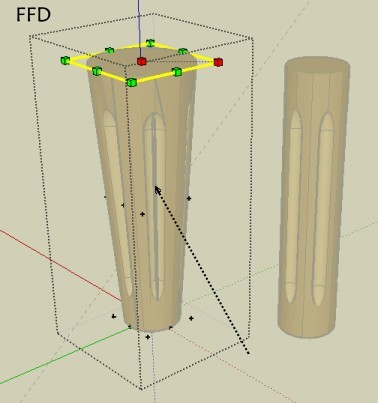
With this object (linked) by Ricco on making a "taper" scalling FFD by CPhillips
Facets are killed! 
Same process with the "Taper Scalling" by Fredo6 works fine!
Seems that is a bug? 
 Offline
With this object (linked) by Ricco on making a "taper" scalling FFD by CPhillips
Facets are killed!
Same process with the "Taper Scalling" by Fredo6 works fine!
Seems that is a bug?
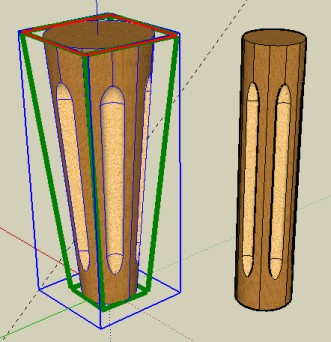
çà marche avec le nouveau plug du Fredo6! Free scale, Taper scalling 
Ici le Taper scalling, (l'outil de droite)
(bon là c'est le sommet qui est plus grand que la base) mais c'est pareil! 
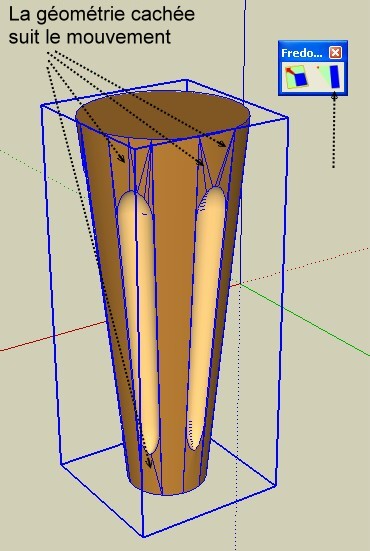
Il faut "grouper" l'objet" et changer la taille du "sommet" ou de "la base" avec l'outil "Taper Scalling";)
Il n'y a pas "d'éclatement" 
La géométrie cachée suit le mouvement 
Mais bon ce n'est pas une déformation "courbe" sur la hauteur, qui serait impossible, car si on regarde la géométrie cachée, il n'y a pas de subdivision horizontale, hormis dans les calottes sphèriques!
Donc juste une déformation "droite" possible avec cet objet donné!
D'ailleurs çà aurait dû marcher avec le FFD, il doit y avoir un bug!
Je vais me servir de cet objet pour lui signaler!
Pour avoir une déformation courbe, il faudrait à la création "monter" le cyclindre par "niveau" et là on pourrait faire des déformations courbes sans éclatement avec le FFD de CPhillips par exemple
!
PS Quand on donne un objet seul comme cela, il faut le mettre à l'origine, au centre du monde, cela évite les disparitions "déchirement" de facettes à l'affichages quand on fait faire des rotation à la vue!
Et puis la vue parallèle, faut aimer pour apprécier l'objet  , en perspective c'est comme un vrai!
No problem and I am quasi sure that exist a trick for make directly only curves parth for export it in DXF
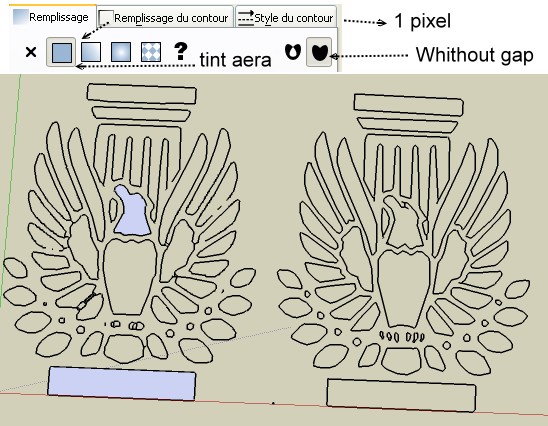
Same process than linea but in Inkscape make this before export PNG! Fill outline
So result in right is a little better
Curves must be always welded , create face, in SU before some push pull!
Absolutly brilliant and so easy to use!
Just for quibble "main_menu.add_item("Zorro")" must be "main_menu.add_item("Zorro2")"
Seems you must use first something like that Vector Magic (not free)
Then found a converter
Inskape is free!
You can vectorize with it!
Seems works not with the orthogonal view (parallel projection)!
Works fine with normal view and 2 points perspective
Request : a little tut video! 
Question: why not name the new Zorro file: zorro2.rb ?
@unknownuser said:
to unzip (with hierarchy) in Plugins folder
so in the Plugins's folder there is "LibFredo6.rb" and the sub folder LIBFREDO6_Dir_30 with all inside but nothing appear in the Window Menu!
Except maybe some new "Ruby Console" line!!!
What I have missed?  (Xp) Un bug d'installation?
Et j'ai poutant lu le PDF donné au dessus!
Edit: Tout marche! Allez savoir pourquoi!
Le fait de réinstaller le plug "Echelle en furie" à tout fait remarcher!!!
All works fine now
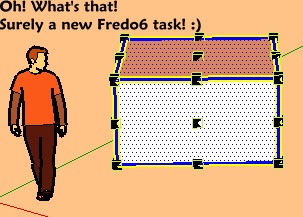
Super bestial ! Very tricky! 
Look this thread for inspiration (i don't know if you must registered for see images ?
@unknownuser said:
Rest assured, i wrote all the scripts from scratch; and they are original.
Ok that is clear now!
Il y a des plugs pour çà
Et c'est free en plus
Path copy by Rick Wilson à Smustard.com
Copy along path / Copy to path nodes ou Copy to Spacing
Il suffit de choisir un chemin (courbe "soudée"), de choisir si l'on veut un groupe (pilier) à chaque sommets ou séparés par une distance identique (8 mètres c'est le cas ici)
Cette distance est à rentrer dans le petite boîte en bas tout à droite!
La seule petite difficulté dans le cas demandé, c'est de convertir le périmètre en une courbe soudée!
Une autre petite difficulté peut être l'orientation des piliers
Et voilà!
That is the question!