sketchucation logo sketchucation
    • Login
    1. Home
    2. njsanna
    3. Posts
    Oops, your profile's looking a bit empty! To help us tailor your experience, please fill in key details like your SketchUp version, skill level, operating system, and more. Update and save your info on your profile page today!
    ⚠️ Important | Libfredo 15.6b introduces important bugfixes for Fredo's Extensions Update
    N
    Offline
    • Profile
    • Following 0
    • Followers 0
    • Topics 8
    • Posts 23
    • Groups 1

    Posts

    Recent Best Controversial
    • RE: Trim a piano hinge to length. Converted STP file

      You all rock! Thank you.

      I'm finding it hard to find hardware/materials that will import into Sketchup easily. Most things seems to be IGES, STP or SLDPRT. The SimLab is the first converter I found so I went with it.

      Its odd for me to go after plugins/extensions and not have everything native to the program so I'm getting used to that.

      posted in SketchUp Discussions
      N
      njsanna
    • Trim a piano hinge to length. Converted STP file

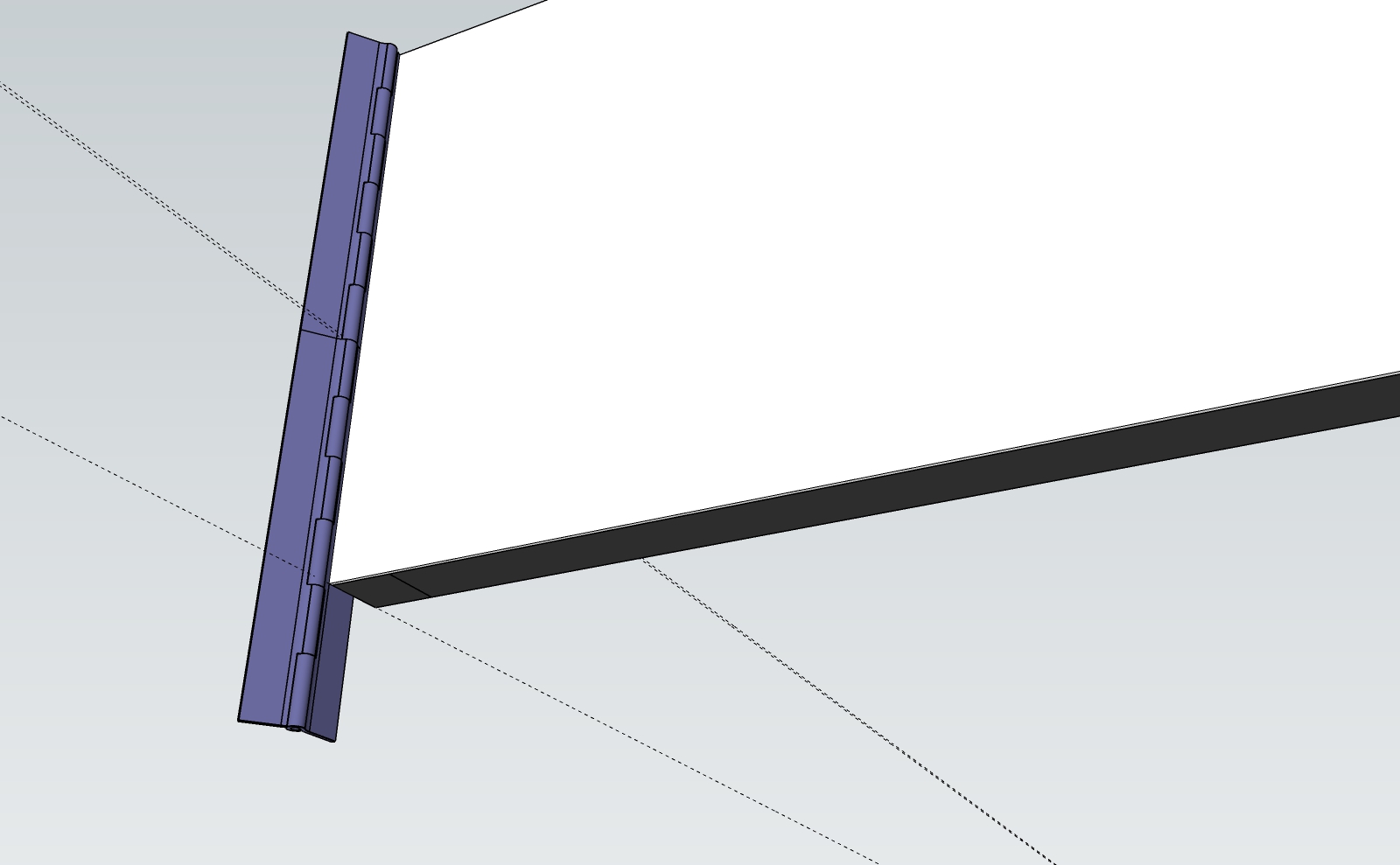
      I'm trying to trim a hinge to length for a door.
      The hinge was a download from McMaster Carr in STP format and converted using Sim Lab Step Importer extension.
      The hinge is only 12" long and I need 1'-7.75". So I copied the hinge along the frame and now need to trim the hinge to fit.
      The hinge is not a solid according to Sketchup as I cannot use any of the Solid Tool operations to trim to length.
      Is there a Plug in for this or a way to convert the hinge to a solid?

      I come from many years of experience in CAD and Catia and I get frustrated in Sketchup with things that seems so simple to accomplish in other modeling software. Hoping there is a simple way to make this happen that I just haven't stumbled across yet.
      DOOR-COMPLETE 1 - OPEN.jpg

      DOOR-COMPLETE 1 - OPEN.skp

      posted in SketchUp Discussions sketchup
      N
      njsanna
    • Small circles don't drape?

      I'm having an issue with draping circles onto a curved surface to mimic a perforated surface. It appears circles with a diameter of 1" cannot be draped? I've tested this on a flat surface to drape on a flat surface and it seems once you start getting above 4" diameter the circle won't drape.
      Is this me or is this a software limitation?

      Sketchup Pro 2021

      posted in SketchUp Discussions sketchup
      N
      njsanna
    • 1 / 1