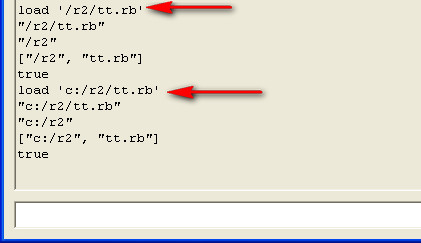
Blind me? Maybe it was, "Lucky me."
Transformation * Transformation multiplies the 3x3 rotation/scale matrix. It does not handle location. My code multiplies the 4x4 matrices. Here are the results:

xform:
1.0, 0.0, 0.0, 0.0 0.0, 1.0, 0.0, 0.0 0.0, 0.0, 1.0, 0.0 20.0, 0.0, 0.0, 1.0
Asked for Transformation.rotation( [0,0,0], [0,1,0], 30 ). Got:
0.866025403784439, 0.0, -0.5, 0.0 0.0, 1.0, 0.0, 0.0 0.5, 0.0, 0.866025403784439, 0.0 0.0, 0.0, 0.0, 1.0
Used Transformation * Transformation, then move!().

xform:
0.866025403784439, 0.0, -0.5, 0.0 0.0, 1.0, 0.0, 0.0 0.5, 0.0, 0.866025403784439, 0.0 20.0, 0.0, 0.0, 1.0
Not my idea of rotating around the origin. So I tried again, using my own matrix multiplication:

xform:
0.866025403784439, 0.0, -0.5, 0.0 0.0, 1.0, 0.0, 0.0 0.5, 0.0, 0.866025403784439, 0.0 17.3205080756888, 0.0, -10, 1.0
My own version appears to rotate around the origin.
Anybody wanting to fiddle with this, here's a little Matrix class. You create a Matrix with Matrix.new( nrows, ncols, [array of values] ). From a Transformation, that's Matrix.new( 4, 4, xform.to_a() ). Individual values may be retrieved by subscripting: m1[3,3] is the global scale factor, Wt. You multiply by multiplying: m1 * m2. ( instance_xform * new_xform. It's not commutative.)
class Matrix
=begin
You can multiply one matrix by another with this class.

In m1 * m2, the number of rows in m1 must equal the number of columns in m2. This code does absolutely no checking. Program must check sizes before calling this code! (Application herein; square matrices of equal size, where this is not an issue.)
=end

    attr_reader ;nrows, ;ncols, ;values

    def initialize( nrows, ncols, values )
        @nrows = nrows
        @ncols = ncols
        @values = values
    end # of initialize()

    def * ( m2 )
        vals = []
        for r in 0..(@nrows-1)
            for c in 0..(m2.ncols-1)
                vals.push( row_col(row( r ), m2.col( c )) )
            end
        end
        return Matrix.new( @nrows, m2.ncols, vals )
    end # of *()

    def [] ( row, col )
        return @values[ row * @ncols + col ]
    end # of []()

    def col( c )
        ret = []
        for r in 0..(@nrows-1)
            ret.push( @values[r*@ncols + c] )
        end
        return ret
    end # of col()

    def row( r )
        start = r * @ncols
        return @values[ start .. (start + @ncols - 1) ]
    end # of row()

    def row_col( row, col )
        ret = 0
        for i in 0..(row.length()-1)
            ret += row[ i ] * col[ i ]
        end
        return ret
    end

    def inspect()
        ret = ''
        for r in 0..(@nrows-1)
            for c in 0..(@ncols-1)
                ret += self[r, c].to_s
                ret += ', ' if c < (@ncols-1)
            end
            ret += "\n"
        end
        return ret
    end # of inspect()

end # of class Matrix
Anybody not believing what I say (that included me!) is invited to try for themselves.
 in your path