Remus, Thanks,
Oops, your profile's looking a bit empty! To help us tailor your experience, please fill in key details like your SketchUp version, skill level, operating system, and more. Update and save your info on your profile page today!
Check out Febhouse | New extensions for Shadow Analysis in SketchUp Download
 H
Offline
H
Offline
Posts
-
RE: Render test, please...tomsdesk 2.5d trees?
Remus, how do you weld edges?
Tom, I didn't realize your trees had that many entites.
-
RE: Render test, please...tomsdesk 2.5d trees?
Tom asked that I move this pm here:
I asked:
"In order to have the widest market appeal, shouldn't you cutout the transparent (alpha) surfaces so that all render software will easily cast shadows? Isn't this how most 2d trees and people are built?"
Tried your tree with su2pov3. The resulting render changed the colors and included the alpha rectangles (thought that pov had alpha support). IDX render also failed (alpha support slated for next release).
He said:
"The only reason, and a big one, is the poly-count...if I did what you suggest (and I did began that way) these trees (which are made up of several, some a bunch, of png images) would slow SU pretty fast (now you can pack a hundred of them in without slowing down too badly).
On the color render issues...I've noticed that too and haven't a clue? Maybe posting the question on this thread will attract some help from the others (which would serve to help me as well)."
My question:
OK, Just what consist of a poly-count? I thought it was just the number of surfaces. Are edges part of the poly-count? I have a 12" strip of 2d grass with about 300 edges, could that be a problem if I had say, 100 instances of it in a model?
-
RE: Background Images
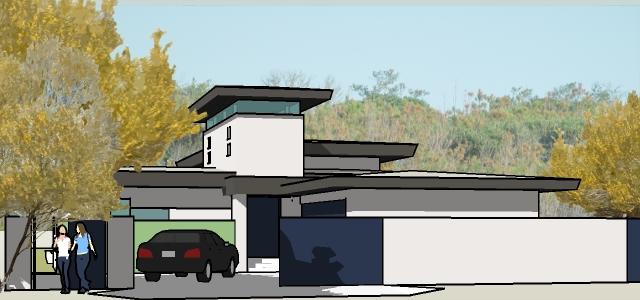
That's right, forgot completely about that since I typically provide the background in a render. Don't forget to select SU ground with no transparency. Sorry no foreground in the example.
-
RE: Background Images
from the SU menu select Window > Styles > watermark (select the icon with ok) > select + sign > and path to your background image. Go through the menus, and select the appearance you want. Its a good idea to dull the background with a image editor before you do this, as the view of real backgrounds are affected by the layers of atmosphere.
-
RE: Grass
Paul, Got it, didn't think about extruding edges, over scaling, and applying the texture on both sides. I will apply your process when I get to the office tomorrow. The other great thing about using a texture is that it will warp a curved surface.
A long range view doesn't need detailing like this, and a closeup can use the component Gaieus provided. Thanks.
-
RE: Grass
Gaieus, Thanks, your post is where I got the image of the grass elevation I used in my examples above. I used the component you provide after removing the masonry but once I inserted a few instances, the model slowed substantially. In my work, design is 99% of the effort, and I work best with a model that can rotate close to real time. I am aware of various workarounds, but they have less value when I can not meet my deadlines.
I also use Pov-ray, and while it has support for alpha, the su2pov3 ruby has problems with my block path\names when they are imported into SU via dxf. I am guessing that pov-ray doesn't like ""'s in its material names. Kerky is great for final renders, but is too slow for me to use in the heat of a design effort. I realize that this may not be a problem in other offices, but unfortunately I do not work there

I suppose that I must be content with pasting, then copying individual sections of grass, or leaving the realistic edge out until my render software provides alpha support for textures. Do you know of another SU/render process (without post processing) to quickly create this kind edge? Also, do you know how to create clumps of grass in the foreground of a render when using a plan texture for the yard surfaces?
-
RE: Grass
Checked out the link, but the grass there doesn't look like a texture, and the link had no information on implementation. Still looking for a easy way (like using a texture) to do it. Thanks anyway.
-
RE: Grass
Senior moment!!!!!! Can't be that easy
Works in SU, but my render has no alpha support  OK time to go home, Thanks.
 -
Grass
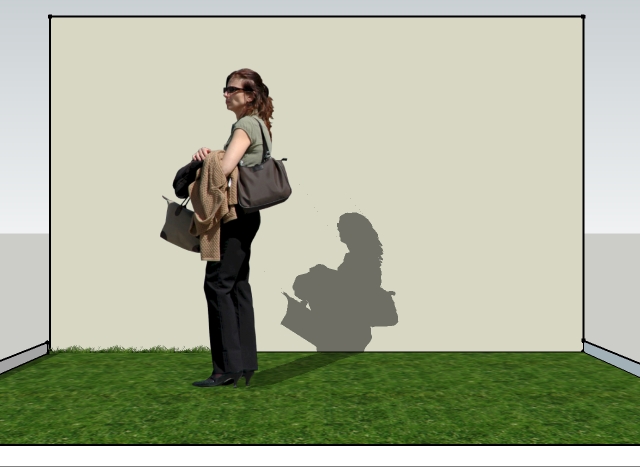
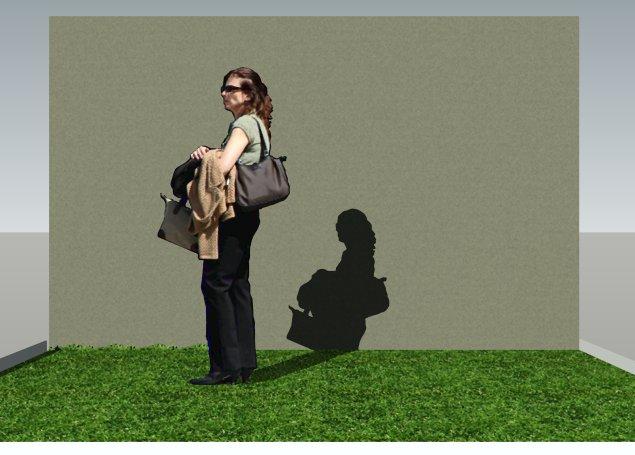
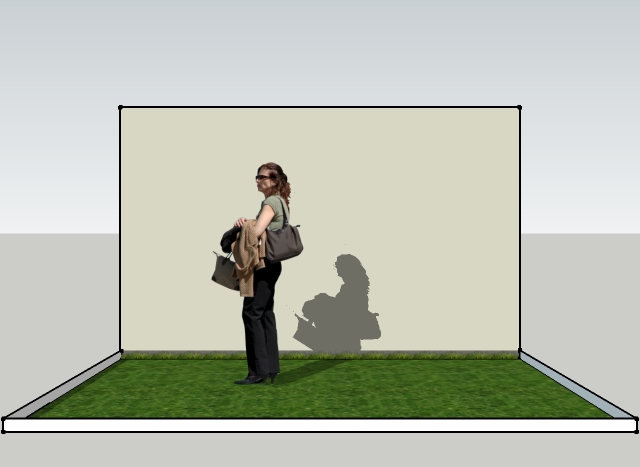
Attached are images of an SU test model, and its render. I am trying to learn how to put a edge of grass on the wall at the edge of the yard. The grass face consist of a 36"X36" texture, and the wall is simply a painted face (bumped in the render).
-
In the first SU image, the edge of grass (on the left of the person) is made up of copies of grass elevation with a cutout transparent background (grass.png), and placed perpendicular to the grass face, on the face the wall. Funny thing was that after the image was imported and placed on the wall, successive copies appeared on the back of the wall face. I had to rotate the image 180 degrees for it to appear on the front face, after which successive copies were OK. (Its possible that the grass.png face was not perfectly parallel to the wall face, and I can work on that problem later.) Still, the process of coping the image took more time then I care to spend on a actual render.
-
I have tried to create a texture with the grass.png, but in the process regained the cutout background. If I place the texture on a low face in front of the wall, it will cast a rectangular shadow on it. When I move the texture to the face of the wall, that portion of wall (the cut out portion above the grass) becomes transparent.
So, what do you guys do in this situation to make things easier to do? I am also trying to avoid post processing. Anyone know why the rendered grass face looks so much better then the SU grass face? It is a simple 2d texture (source of all grass is this forum). Not that it matters but, how come my rendered image is in a scroll box? I even croped it to try and get it to fit.
-
-
RE: Animation details
Never had a problem with an exterior animation. However it is true that they can be a problem when you cross(?) a shadow. You can turn shadows off, or avoid crossing them. Guess I am too lazy to learn another application, but rendering animations with a ray-tracing application can enhance the product. Qualification of the result is ultimately in the eye of the beholder.
-
RE: Animation details
Jeff, I typically export my SU animations at a minimum of 24 frames per second. I think the eye sees about 30 fps. Action games are much higher. The time for scenes to transition, also dictates how smooth the animation will be. If your model is very detailed or large in size, you need to increase the scene transition time, or the number of scenes from one point to another. I then take the avi file that is generated and, import in into Win Movie Maker (free with XP), to edit, title, and add sound. This links to a simple test video I did a while ago at 24 fps (previously posted). In retrospect, I think it rotates too fast in the beginning, and should pause at the end. But, it is the only example I have uploaded to the server I use. Time the sample's rotations, and select your own settings accordingly. When using SU, I set the scene delay to 0 seconds, and duplicate scenes to get a pause.
-
RE: Camera match / photo match
Davide, Did not use your image to construct the model. We have different vanishing points. Attached is a reconstruction of the photo match I used to create the model. I realize that it is not an accurate render, but you didn't provide any site dimensions, and I just did my best to guess at them.
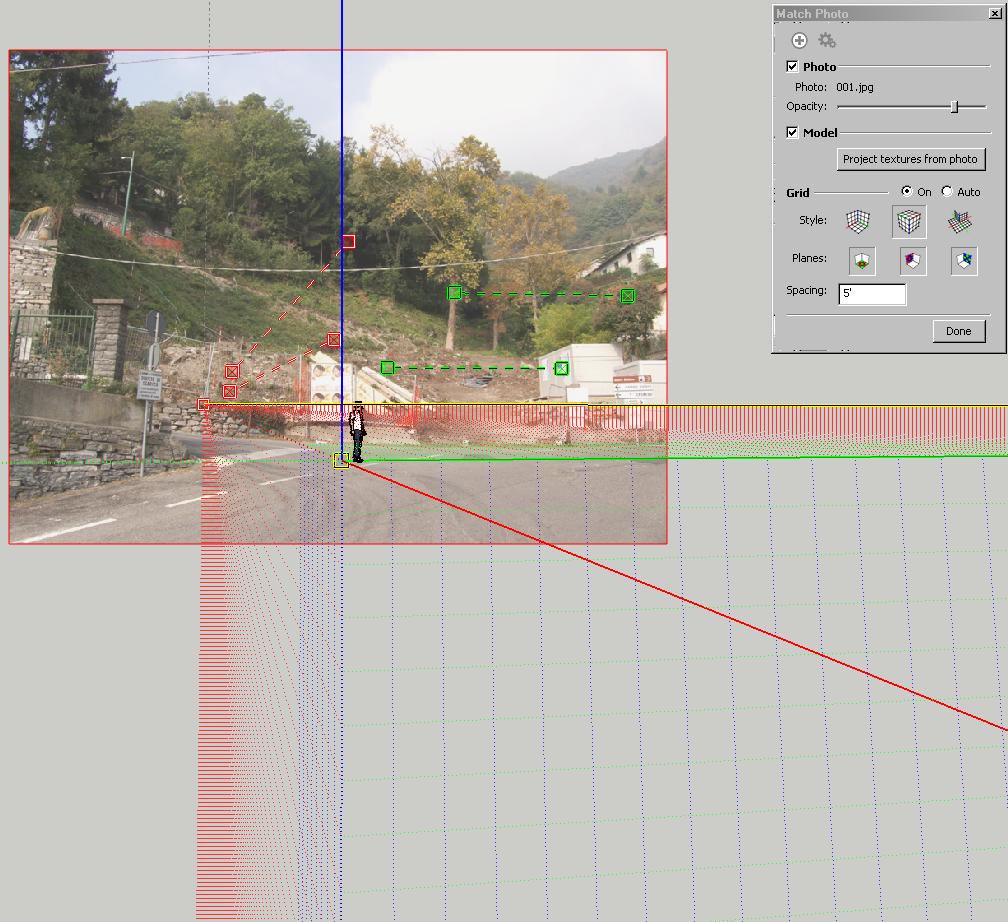
-
RE: The "Duh!" thread (aka the Doh! thread)
Duh, thanks, what manual ?-)
-
RE: Groups/components
Try this, I made it work in one instance. Select one cube and make it into <Component#1>, or what ever the current name is. Then select another cube, and when you are prompted for a component name, use <Component#1>. The system prompts you for approval, acknowledge, and the first selection is converted to the second, both named <Component#1>. I think.
-
RE: Groups/components
Sorry, must be too early in the morning here, I didn't get it
Is what you are trying to do, is to change the behavior of the individual cubes in the model into that of a component after the fact. Wow, are all the cubes the same? That would be a neat trick. -
RE: Groups/components
Make a cube, select it (all of it), then right click it and select "make component". Now windows > component and select the component, then add it to the model. When you "edit component", the changes will be reflected in all of components.
-
RE: Need recommendations on a project
Perhaps you might think of ways to reduce the texture in the render around the building. While a little dark for my taste, here is a very rough post process that highlights the building, and darkens the field around the building in order to illustrate the point. Perhaps you could try less contrast on the driveway, and repaint the striping with a less white color.