Just had a bit of a shocker. My model was running at right about 11mb. Been saving versions frequently, just in case, and just noticed that it suddenly shot up to almost 50mb!!!!  Very minor differences between the two, no hidden stuff. Please tell me that this is something that sometimes happens and it's very easily fixed. Don't make me shoot my computer.
Oops, your profile's looking a bit empty! To help us tailor your experience, please fill in key details like your SketchUp version, skill level, operating system, and more. Update and save your info on your profile page today!
🚨 Skimp | 25% Off until March 30 Buy Now
 Offline
Posts
-
RE: Limiting file size
-
Pasting to a position
Let's say I have several saved versions of a model, and I find something in an earlier version that I want to copy to a newer version. Is there any way to copy and paste it so that it appears in exactly the same place in the newer version?
-
RE: Limiting file size
Wow, this is a lot of great information that I'm sure will come in very handy when creating my models. Things you don't find in a book, which is why I come here for the good "inside" stuff. It's a lot to think about, unfortunately I only have two active brain cells left (and one of them is on life support) so it's gonna take a lot of experimenting and trial and error on my part to see how to best use all this. Once again, thanks for taking the time to help a SU novice. Maybe twenty years down the road when I become an expert I can do the same for other newcomers. I love this program, I've had it on my puter for several years but didn't pay much attention to it, thought it was just something amusing to play with, had no idea of it's capabilities. Now I'm realizing the limitations on my capabilities. I think I may have to build a more powerful computer just for this, finally have to graduate from the old Pentium 4. I've been fighting that for a long time, but I guess it's time. Hey, it's only money

-
RE: Exploding tire problem
But can you please explain to me what is doing this? I'd really like to understand, what did he do when he made this model that is doing this?
-
RE: Exploding tire problem
It's not my model, I downloaded it from the warehouse.
-
RE: Exploding tire problem
When I do that the tread goes away before I explode it.
-
Exploding tire problem
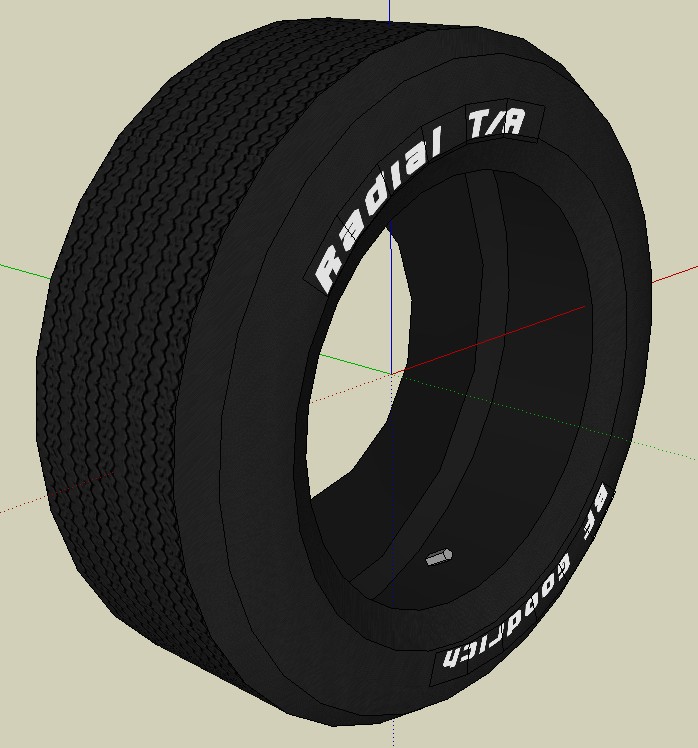
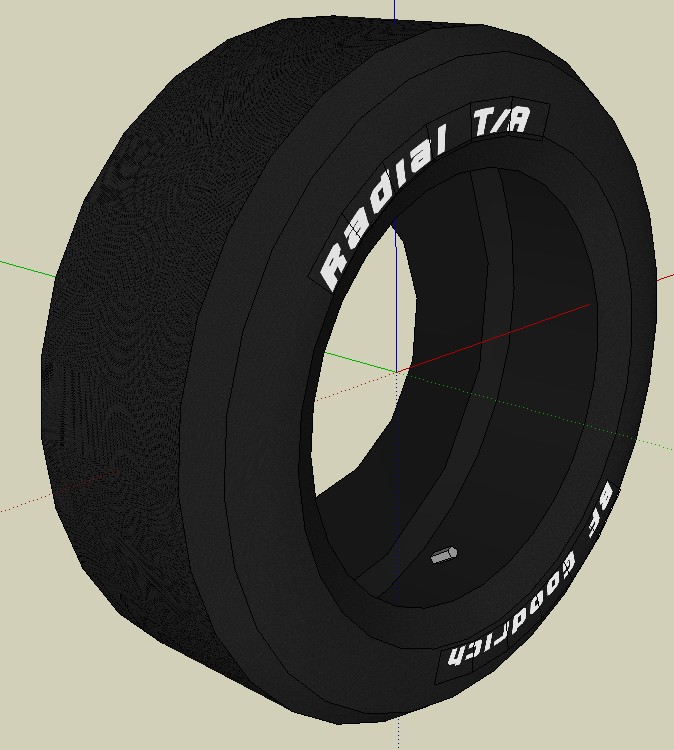
I have a tire that I need to modify, but when I explode it, the treads go away, and I can't get them back. Any idea what's doing this, and is there a way I can work around it? Thanks
-
RE: Limiting file size
Thanks, some interesting things to think about. As far as contacting someone who has posted a model in the warehouse, is that possible?
-
Limiting file size
I need to figure out how to keep my file size down. The attached model (by MAB) is incredibly detailed, even has dynamics, yet it is only 5mb. How the heck does he do that? The one I'm working on is not nearly as detailed or complex, yet it's already over 10mb.
Also, is there any way to contact the creator of a model in the Warehouse?http://sketchup.google.com/3dwarehouse/details?mid=ede713ba2af18e28c627ecb73f7372af&prevstart=0
-
Shape Bender install problem
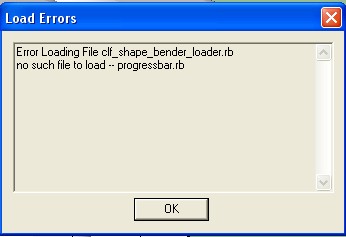
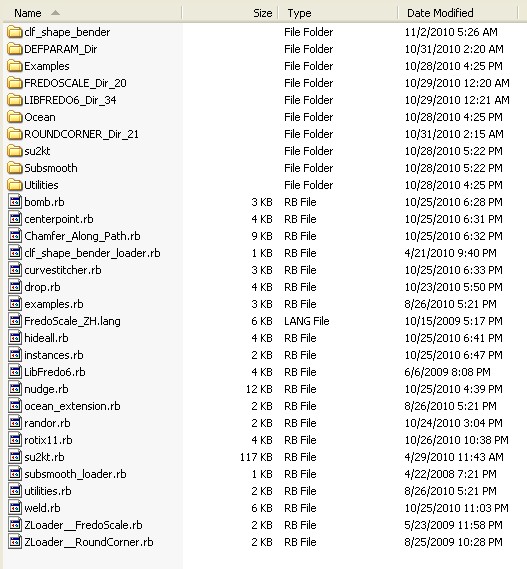
Just installed Shape Bender and when I open SU I get the following error message. Also attached is photo of my plugins folder directory. Thanks in advance.
-
RE: Object changed color
Sorry to hear that. Well, I don't know what time it is there in Hungary, but it's 4:30 in the morning here and my old bones are aching. Have a good one.
-
RE: Object changed color
The vertices thing I could handle, but how am I gonna know what kind of mood your mom's in? I'm so confused!
-
RE: Object changed color
Thanks for all your help and information, but I have to apologize. I recently bought "Sketchup For Dummies" and "Sketchup the Missing Manual", and could and should have looked in them for my answers. You guys here on the forum are so great about helping those with problems and questions I just naturally went to the experts. Gotta learn to ride my bike without the Forum training wheels someday.
-
RE: Object changed color
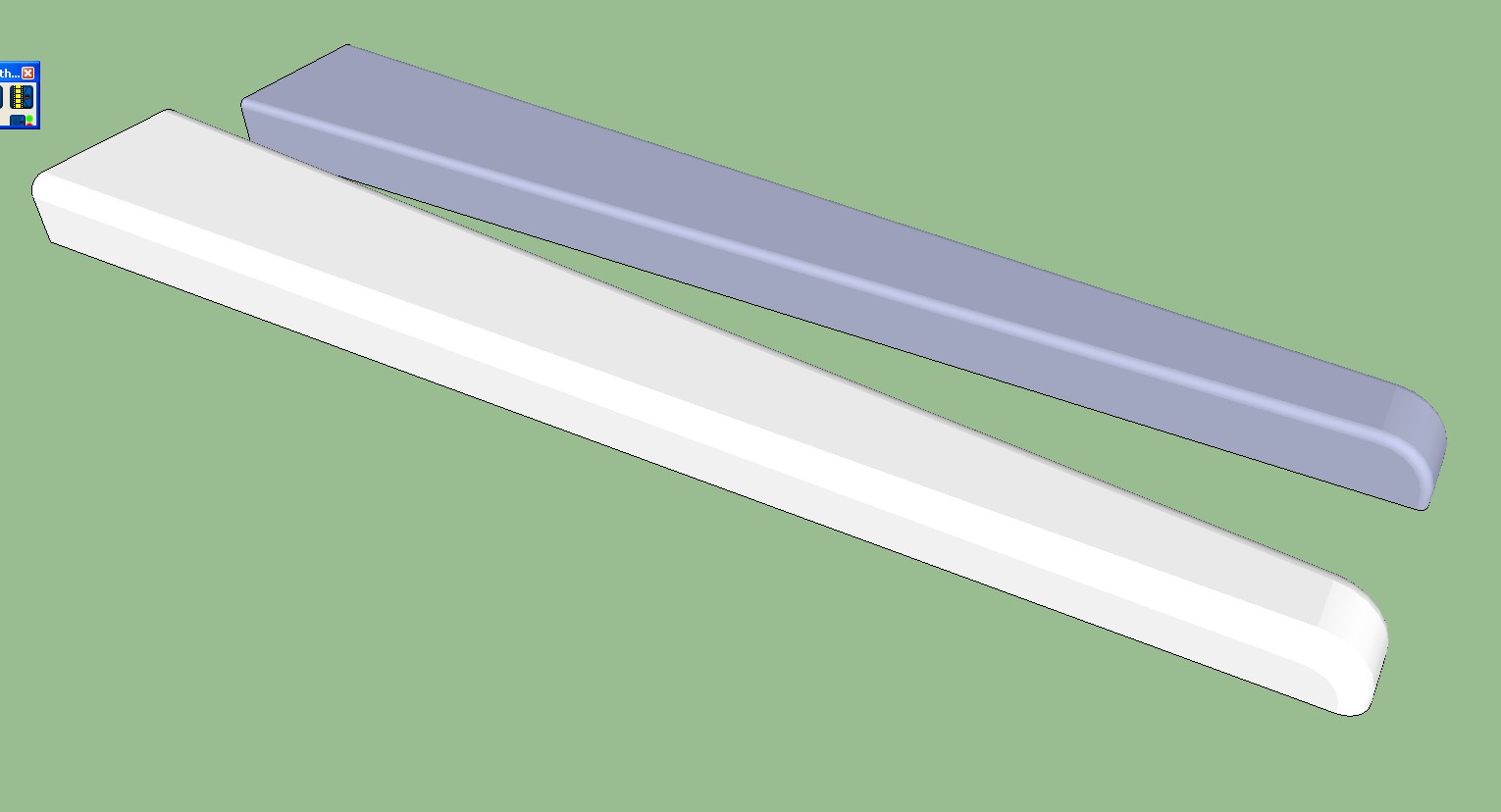
Thanks, that did it, but why were the faces reversed? I made them both the same way. And what does having a model with reversed faces do to it, does it affect it in any way (other than the pretty blue color)?
-
Object changed color
Any idea why one of my objects changed color? I haven't painted anything in this yet. Probably no biggie, but in the back of my mind is a nagging suspicion that something weird happened to it that will affect it later, after I've invested time in it.
-
RE: ANY cure for the zooming problem?
Great, it must be my computer. Thanks.
-
RE: ANY cure for the zooming problem?
I thought I had read where other people had this problem. Frequently when I attempt to zoom, in or out, it does nothing. Well, not exactly nothing, if you look very closely you can see that it is moving very very very minutely. The only way out of this is to pan and/or rotate until it seems to find a position that suits it, then it works. Until the next time, which comes all to soon. Of course, by then you are far away from where you were working. I've updated my graphics card drivers, no help. I thought it was a glitch in SU and that Google was aware of it. Maybe that came from a dream. I really love SU, it's become almost an obsession with me (but that's no problem, I don't have a life to interfere with), and this forum is great, but this problem is really getting to me.
-
ANY cure for the zooming problem?
I know this has been talked about before, but I was just hoping that maybe somebody knows how to fix, or at least minimize the zooming problem. Seems like I spend half my time panning and rotating like a madman trying to find a position that will let me zoom in or out. It's driving me NUTS! Is Google trying to do anything about this at all?
-
RE: Dome Problem
Unfortunately I figured it out too late to save my dog. I will accept donations towards the lavish funeral I'm planning.