[Plugin] Cutting Windows script
-
Perhaps it's time to look up my 'HolePunchTool' [ http://forums.sketchucation.com/viewtopic.php?p=271170#p271170 ] which does a similar job BUT has far more bells and whistles - and works relatively seamlessly and has had few error reports...
-
TIG, yes, thanks, actually I have been trying to use your tool, but sadly it doesn't work for some unknown reason... I followed the instructions which seem pretty clear & can't get it to work

I have made a component that glues to "any" & has cut opening checked but when i try & use it (ie it is in place on a face of a 'wall' & i r-click & choose punch ) I get this message 'no suitable punching component selected, exiting'... maybe i have just not understood the procedure
-
... sorry i pressed the submit button too fast...
Thanks for any guidance..best
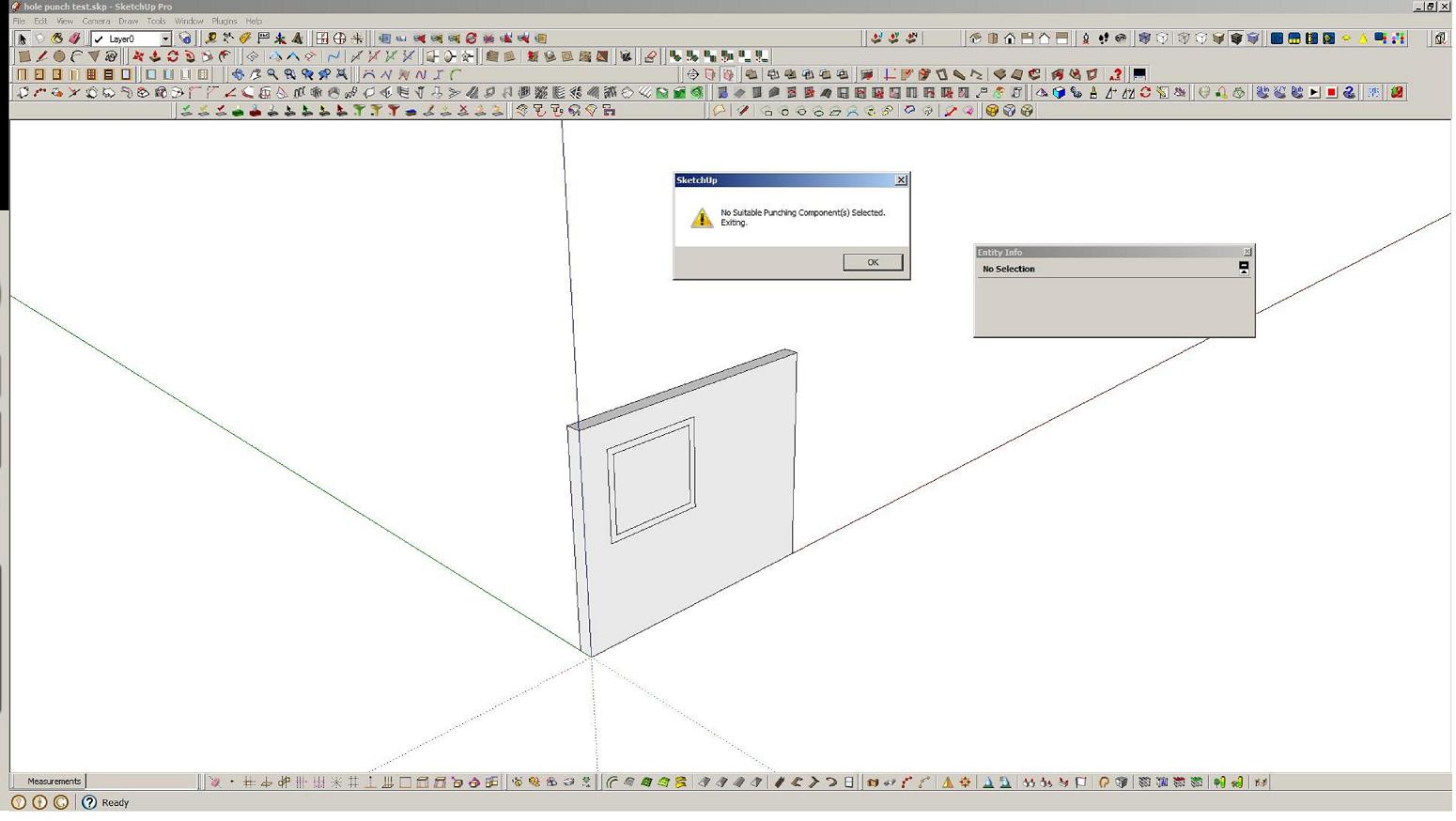
-
Your cutting component is not made properly its axes are the wrong way round.
It's clear from the Component's thumbnail in the Component Browser which is looking at the 'top' of it and not the 'front', as it should for any 'cutting' door/window/etc
When you make any 'cutting component' it must either be made 'flat' on the ground or already on a face.
If it's made on a face Sketchup assumes you want it to be 'cutting' and it sorts out the axes for you. Otherwise make it so that its z/blue axis will be facing square out of any face you might subsequently place it on.
A cutting component's axes look different from a standard component as there's a blue 'X' added to it
Then when you place your properly made cutting component on a face it should cut a hole in that face - so any transparent or open areas will be 'see-through' - if the wall has two faces you'll see the back-face of the other side.
If you then use my HolePunchTool on the component it punches through the inner face too, adding linked reveals etc...
Here's your component fixed and a version punched...
Compare it with the original...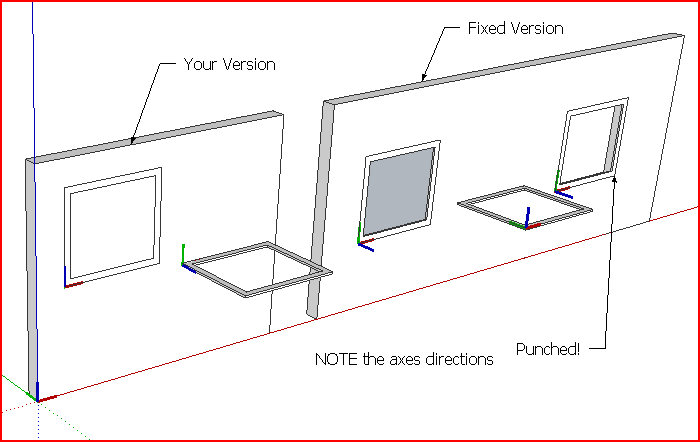 hole punch test [fixed].skp
 -
 ok, sorry, just tried for myself & got it finally sorted...
thanks for your help TIG -
Hi Didier,
I'm sorry but i cannot see the command line in the right clic menu...
I've tried with two component
Do you have any suggestion?
ThanksWindows cut test.skp
-
the windows isn't cutting holes in the walls after installed.




Advertisement