sketchucation logo sketchucation
    • 登入
    Oops, your profile's looking a bit empty! To help us tailor your experience, please fill in key details like your SketchUp version, skill level, operating system, and more. Update and save your info on your profile page today!
    🔌 Smart Spline | Fluid way to handle splines for furniture design and complex structures. Download

    New script: Projection toolbar update

    已排程 已置頂 已鎖定 已移動 Plugins
    25 貼文 12 Posters 5.5k 瀏覽 12 Watching
    正在載入更多貼文
    • 從舊到新
    • 從新到舊
    • 最多點贊
    回覆
    • 在新貼文中回覆
    登入後回覆
    此主題已被刪除。只有擁有主題管理權限的使用者可以查看。
    • Didier BurD 離線
      Didier Bur
      最後由 編輯

      @ Pallamand,
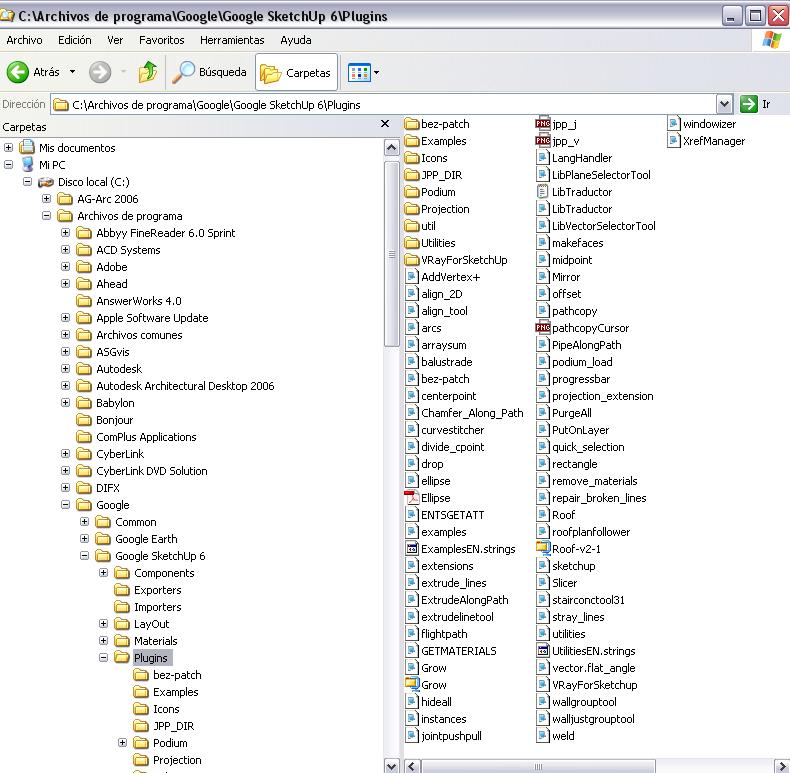
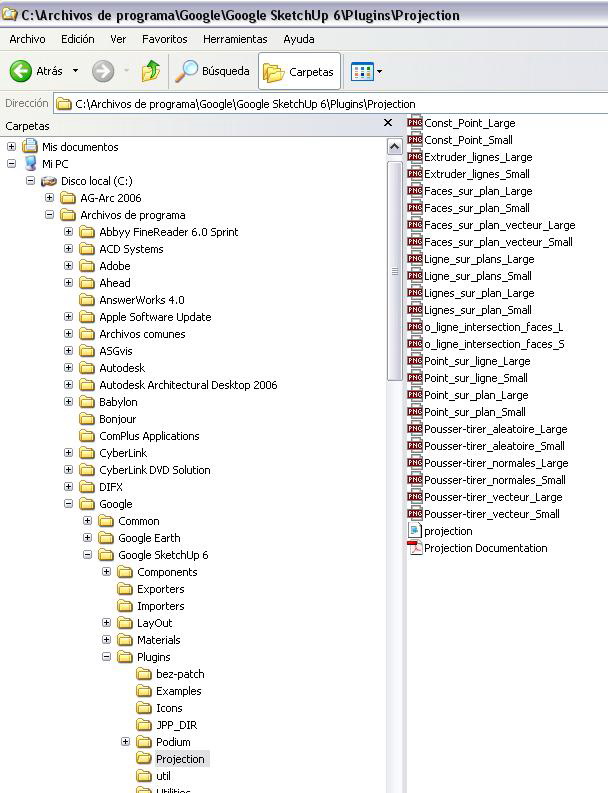
      This looks like an installation issue. Check for required subfolders an required files as well (see user guide). If everything is OK, tell me.

      DB

      1 條回覆 最後回覆 回覆 引用 0
      • P 離線
        pallamand
        最後由 編輯

        Hi Didier:

        Here are snaps of my directories...
        Thank you once again for your help

        Pablo


        Su dir.jpg


        Su dir 02.jpg

        1 條回覆 最後回覆 回覆 引用 0
        • Didier BurD 離線
          Didier Bur
          最後由 編輯

          Everything seems correct 😲

          Error; #<NameError; uninitialized constant AddCpointTool>
          

          means that the AddCpointTool class is unknown to SketchUp, and that the projection.rb file has not been loaded.

          Let's try something. Open the Ruby console, select a line in your model and click with the cursor in the white field at the bottom of the ruby console and type:

          Sketchup.active_model.select_tool ExtrudeLineTool.new (and hit Enter)

          This launches the "extrudeline" tool. If you get an error message, be sure the script is not loaded. If it works, this is another problem (that I can't figure out for now...)

          Hope this helps,

          DB

          1 條回覆 最後回覆 回覆 引用 0
          • P 離線
            pallamand
            最後由 編輯

            Hi:
            It seems it's working...

            BTW, did I tell you that I can't use the "construction point" neither?
            Thank you again for your help !!!!
            Pablo
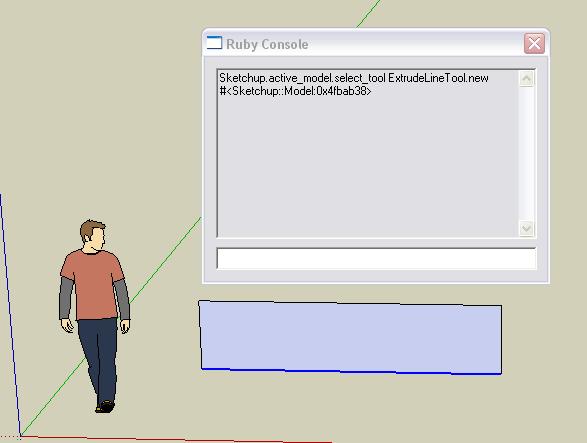

            Projection test 01.jpg

            1 條回覆 最後回覆 回覆 引用 0
            • simon le bonS 離線
              simon le bon
              最後由 編輯

              Dear Didier,

              Un très grand bravo et un merci de la même taille pour ce "Projection Pack". I keep it as a permanent basic tools pack of SU.( And i haven't yet tapped quarter of its possibilities.)

              One question:
              Construction point is a very handy tool i am using daily. How can we do to erase them after the drawing is finished???

              slb

              1 條回覆 最後回覆 回覆 引用 0
              • A 離線
                a4chitect
                最後由 編輯

                edit>delete guides

                1 條回覆 最後回覆 回覆 引用 0
                • simon le bonS 離線
                  simon le bon
                  最後由 編輯

                  "Bon sang mais c'est bien sûr"
                  (good blood but it's for sure)(does it mean something in english?) ;-)slb

                  1 條回覆 最後回覆 回覆 引用 0
                  • TIGT 離線
                    TIG Moderator
                    最後由 編輯

                    @simon le bon said:

                    "Bon sang mais c'est bien sûr"
                    (good blood but it's for sure)(does it mean something in english?) 😉slb

                    Damn me ! But it's obvious ! is nearest ? ...

                    TIG

                    1 條回覆 最後回覆 回覆 引用 0
                    • pilouP 離線
                      pilou
                      最後由 編輯

                      Dear Didier
                      Does it possible for the N°13 (extrude selected lines along a vector) to have automatic new lines result "selected" for a new extrusion and so one... ☀
                      So user has just to draw a line of vectors click after click 😉

                      or such plug yet exist?

                      Frenchy Pilou
                      Is beautiful that please without concept!
                      My Little site :)

                      1 條回覆 最後回覆 回覆 引用 0
                      • pilouP 離線
                        pilou
                        最後由 編輯

                        @Tig
                        Yes that is very nearest 😄

                        From an old french TV Serial "5 dernières minutes" (Last five minutes) (like Colombo)
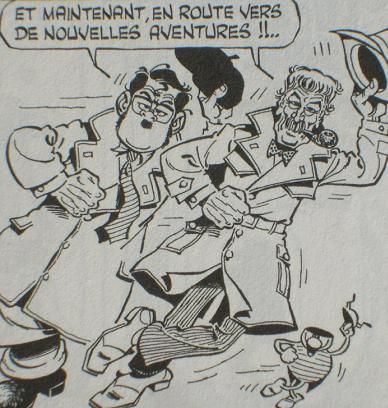
                        And the gimmik was at the end "Mais bon sang, c'est bien sûr" when the Police superintendants Bourrel and his loyal Cabrol has found the solution of the crime! (It's Cabrol who said the gimmick 😄

                        http://membres.lycos.fr/jchsaunier/hpbimg/BOURREL.jpg

                        remake in comics by Gotlib : Bougret & Chabrol 💚

                        http://img.over-blog.com/388x408/0/31/92/83/images16/RAB-Bougret-Charolles-bye.jpg

                        And for my little suggestion above no idea?

                        Frenchy Pilou
                        Is beautiful that please without concept!
                        My Little site :)

                        1 條回覆 最後回覆 回覆 引用 0
                        • 1
                        • 2
                        • 1 / 2
                        • 第一個貼文
                          最後的貼文
                        Buy SketchPlus
                        Buy SUbD
                        Buy WrapR
                        Buy eBook
                        Buy Modelur
                        Buy Vertex Tools
                        Buy SketchCuisine
                        Buy FormFonts

                        Advertisement