sketchucation logo sketchucation
    • 登入
    Oops, your profile's looking a bit empty! To help us tailor your experience, please fill in key details like your SketchUp version, skill level, operating system, and more. Update and save your info on your profile page today!
    🔌 Smart Spline | Fluid way to handle splines for furniture design and complex structures. Download

    [Tutorial > Modeling] Arch in a curved wall.

    已排程 已置頂 已鎖定 已移動 SketchUp Tutorials
    sketchup
    32 貼文 14 Posters 11.7k 瀏覽 14 Watching
    正在載入更多貼文
    • 從舊到新
    • 從新到舊
    • 最多點贊
    回覆
    • 在新貼文中回覆
    登入後回覆
    此主題已被刪除。只有擁有主題管理權限的使用者可以查看。
    • boofredlayB 離線
      boofredlay
      最後由 編輯

      @julius said:

      very useful tutorial, but...how did you stitch together in scene 11?

      Basically I just drew points from each endpoint to another, triangulating the surfaces until they "Fill In". Nothing automated there, just drawing.

      http://www.coroflot.com/boofredlay

      1 條回覆 最後回覆 回覆 引用 0
      • J 離線
        Julius
        最後由 編輯

        ok, so you drew lines, thank you!

        1 條回覆 最後回覆 回覆 引用 0
        • GaieusG 離線
          Gaieus
          最後由 編輯

          Julius,

          You can also use Darrel's "Skin.rb" plugin for this.


          Marc,

          Whenever you encounter such a problem (the PP tool not intending to push further), you can group any of the entities (either what you want to push or the one you want to push trough) and you can do the operation. Then you can just simply explode the group.

          Gai...

          1 條回覆 最後回覆 回覆 引用 0
          • J 離線
            Julius
            最後由 編輯

            wow, great script! thanks gaieus and thanks darrel!

            1 條回覆 最後回覆 回覆 引用 0
            • T 離線
              trillium
              最後由 編輯

              hi Gaieus, when you have time would you post a tutorial or quick steps list to show us how you did this one? it's beautiful!!

              1 條回覆 最後回覆 回覆 引用 0
              • GaieusG 離線
                Gaieus
                最後由 編輯

                Well, to tell the truth, I'm no longer sure how exactly it was modelled but what I'm sure about is that I'd definitely do it somehow else now.
                I remember suffering a lot with it (back then when I also have just started using SU) but now we have so many useful plugins that would make life easier that. Anyway, here's the model if you're interested (last year I re-uploaded it to the WH when we were going to test some new features there).

                Surely it would be worth a tutorial although it would probably be a bit lengthy. 😉

                Gai...

                1 條回覆 最後回覆 回覆 引用 0
                • charly2008C 離線
                  charly2008
                  最後由 編輯

                  Hi Scaba,

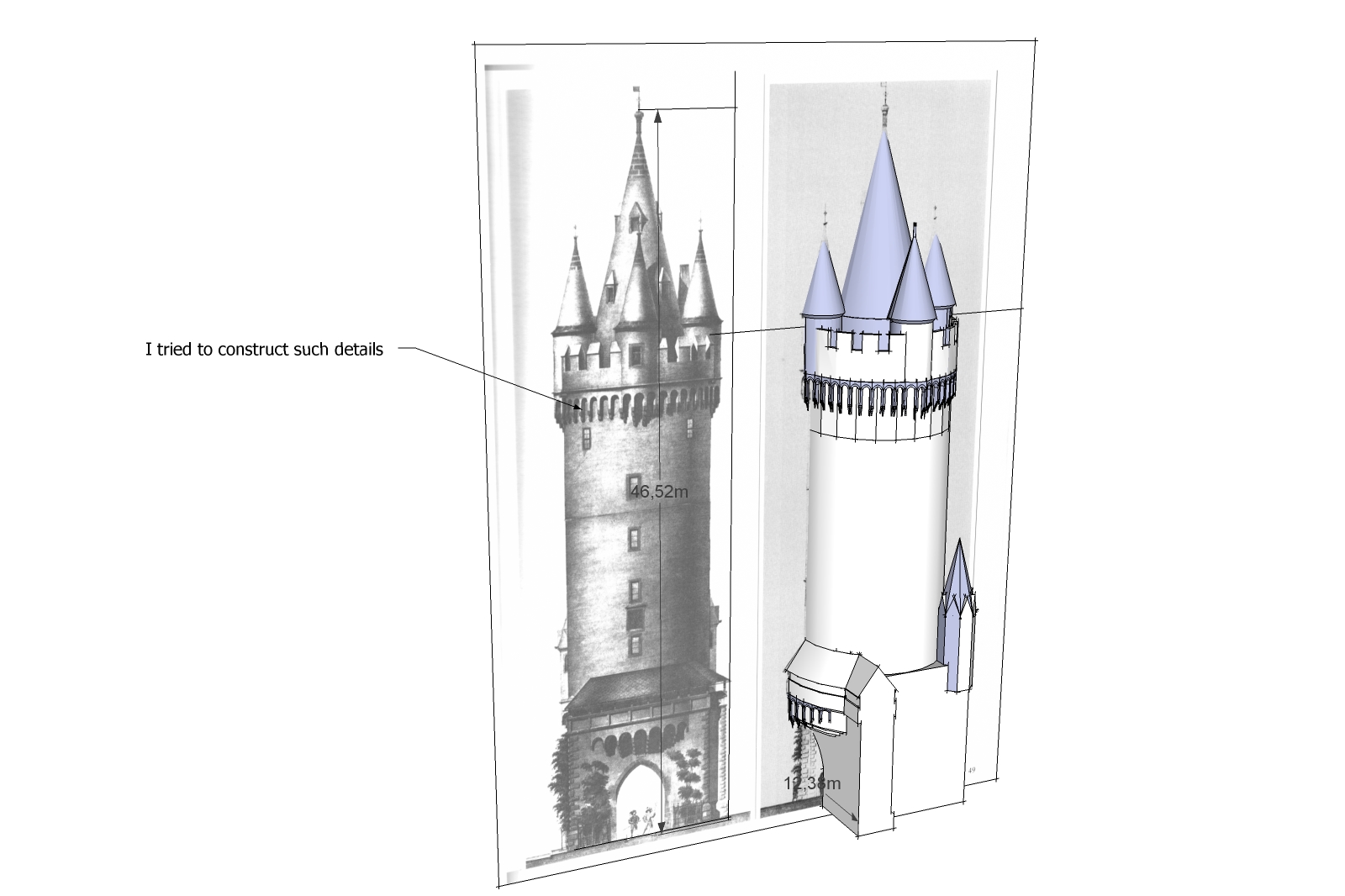
                  a like such models. I tried also to construct such details but i was not so successfull like you.

                  Karlheinz

                  Esch.jpg

                  He who makes no mistakes, makes nothing

                  1 條回覆 最後回覆 回覆 引用 0
                  • GaieusG 離線
                    Gaieus
                    最後由 編輯

                    You always have to take into consideration that those SU surfaces though look curved, are actually faceted and then adjust your "mini galleries" (or what they're called) that way. Made from straight segments. I'm sure however that if you download my model, you'll find lots of mistakes in it (as I'm sure there are as as I said,it was a very early challenge for me, too). 😉

                    Gai...

                    1 條回覆 最後回覆 回覆 引用 0
                    • T 離線
                      trillium
                      最後由 編輯

                      thank you so much Gaieus, i got it!!!! and some of your other great models in the warehouse ☀
                      i guess my main question is very similiar to Karl's - how to create push/pull kind of details and cuts on curved surfaces, plugins? or intersect?

                      1 條回覆 最後回覆 回覆 引用 0
                      • GaieusG 離線
                        Gaieus
                        最後由 編輯

                        I'm really serious when saying that I can't remember. Nowadays it would be "easy" with Joint Push Pull and Tools on Surface plugins (both by Fredo) or Shape Bender (by Chris) but back then they didn't exist. It could be done by intersecting however. I'd need to put together a little tutorial for that but I have to tell the truth, I'm a bit behind my schedule. I'll do it anyway.

                        BTW I "pulled down" most of my models from the WH once I got pissed off some guys there... 😒
                        Only left those which I made for others (mainly).

                        Gai...

                        1 條回覆 最後回覆 回覆 引用 0
                        • S 離線
                          sepo
                          最後由 編輯

                          My first thought was Shape Bender. It should be quite easy.

                          1 條回覆 最後回覆 回覆 引用 0
                          • david_hD 離線
                            david_h
                            最後由 編輯

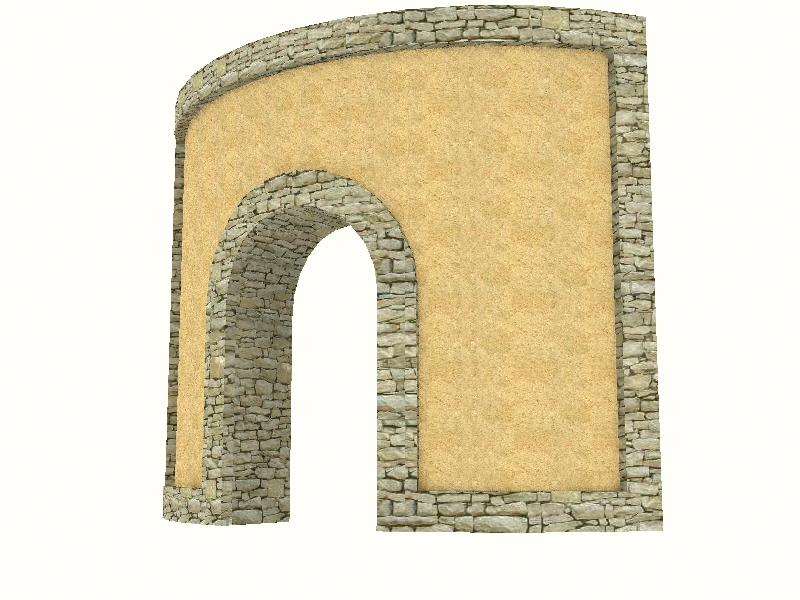
                            Done in about 1 minute with BoolTools, JPP, and Tools on Surf.

                            Pretty fun.

                            20090601142132_1m18s.jpg

                            If I make it look easy...It is probably easy

                            1 條回覆 最後回覆 回覆 引用 0
                            • 1
                            • 2
                            • 2 / 2
                            • 第一個貼文
                              最後的貼文
                            Buy SketchPlus
                            Buy SUbD
                            Buy WrapR
                            Buy eBook
                            Buy Modelur
                            Buy Vertex Tools
                            Buy SketchCuisine
                            Buy FormFonts

                            Advertisement


